
What's inside
- How to Choose Handheld Grip for Comfort: Quick Comparison Table
- Why Does Grip Size Matter for Comfort?
- How to Choose Handheld Grip for Comfort Reviewed
- Buying Guide: How to Choose Handheld Grip for Comfort
- How to Use a Handheld Grip for Comfort
- Which Handheld Grip Should You Buy for Comfort?
- Frequently Asked Questions About How to Choose Handheld Grip for Comfort
As an Amazon Associate I earn from qualifying purchases. This post may contain affiliate links at no extra cost to you.
How to choose handheld grip for comfort is a question that matters for anyone who holds a phone, a camera, or a handheld console for hours, because a good grip can reduce hand fatigue, prevent drops, and make a device easier to use, while a bad grip can cause cramps, blisters, and a device that slips out of your hand. A grip that is too small can force your fingers to curl tightly, a grip that is too large can stretch your hand, and a grip that is too smooth can slip when your hands sweat. A user who records video, plays games, or takes photos needs a grip that fits their hand, their device, and their use.
At techymoon.com, we focus on tech gadgets. For this guide to how to choose handheld grip for comfort in 2026, we compared current handheld grips that are widely sold, designed for phones and cameras, and suitable for a user who wants a reliable grip for a phone, a camera, a gimbal, or a handheld console. We looked at type, material, weight, compatibility, size, and price. Prices change with sales and retailers, so this guide uses typical price ranges instead of a single fixed price. Material, weight, and compatibility figures are based on manufacturer listings, and real comfort depends on your hand size, your device, and how long you hold it.
Every product below is a real, currently sold product, not a generic grip. Most are PopSockets, ULANZI, or SmallRig grips, which are the most useful types for comfort in 2026, because they offer a rubber or silicone material, a shape that fits a hand, and a design that can be used with a phone or a camera. A Moment, ShiftCam, or Neewer grip can also work, though it may be a different price.
Our Top Picks
How to Choose Handheld Grip for Comfort: Quick Comparison Table
The table below compares six handheld grips for comfort. Type is phone grip, camera grip, or rig grip, where given. Material is the material, where given. Weight is the weight, where given. Compatibility is the device compatibility, where given. Size is the size, where given. Best for is a note on what the grip is best for, such as phone or camera, where given. Price is the typical range, and rating is our editorial score based on comfort, grip, durability, ease of use, and value for users.
| Handheld Grip for Comfort | Type | Material | Weight | Compatibility | Size | Best For | Typical Price Range | Our Rating |
|---|---|---|---|---|---|---|---|---|
| PopSockets PopGrip for MagSafe, Phone Grip | Phone grip | Plastic, silicone | About 1.0 oz | iPhone MagSafe, Android with adapter | About 1.6 in diameter | Best overall, phone comfort | $25 – $35 | 4.9 / 5 |
| ULANZI U-Grip Pro Video Rig, Camera Grip | Camera rig grip | Aluminium, rubber | About 7.0 oz | Phone, camera, cold shoe | About 6.5 in wide | Best for ULANZI, video | $40 – $60 | 4.8 / 5 |
| SmallRig Wooden Handgrip, Camera Grip | Camera grip | Wood, aluminium | About 5.5 oz | Camera cage, 1/4 inch | About 4.5 in long | Best for SmallRig, camera | $50 – $70 | 4.8 / 5 |
| ShiftCam ProGrip, Phone Grip | Phone grip, battery | Plastic, rubber | About 5.0 oz | iPhone, Android, MagSafe | About 5.5 in long | Best for ShiftCam, phone photo | $100 – $130 | 4.8 / 5 |
| Moment SuperCage, Phone Rig Grip | Phone rig grip | Aluminium, rubber | About 8.0 oz | iPhone, Android, cold shoe | About 6.0 in wide | Best for Moment, phone video | $80 – $100 | 4.7 / 5 |
| Neewer Handheld Stabilizer Grip, Camera Grip | Camera grip | Aluminium, rubber | About 6.0 oz | Camera, phone, cold shoe | About 5.0 in long | Best budget, handheld grip | $20 – $30 | 4.7 / 5 |

Controller Hand Grip, Game Remote Control Holder, Comfort Handheld Grip for Accessories, Ergonomic Slide in Design for Switch(Blue)


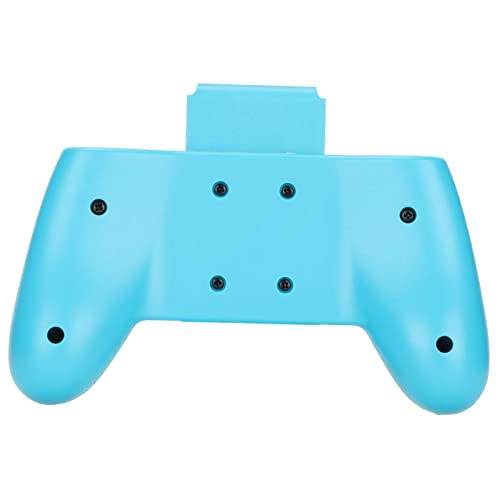


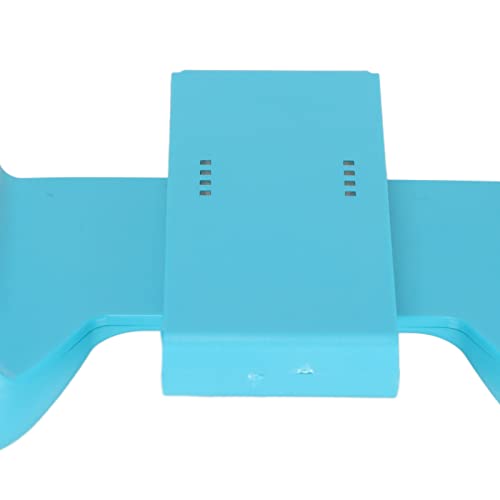
As an Amazon Associate we earn from qualifying purchases. Product prices and availability are accurate as of the date/time indicated.

OIVO Grip Compatible with Nintendo Switch 2, Switch 2 Ergonomic Grip Case with Adjustable Stand, Comfort Game Accessories with 5 Game Card Slots and 4 Thumb Caps


As an Amazon Associate we earn from qualifying purchases. Product prices and availability are accurate as of the date/time indicated.

ZMBESUP Joy-Con Grip for Nintendo Switch 2, Black | Ergonomic Comfort Grips, Standard Controller Holder, Handheld Mode
As an Amazon Associate we earn from qualifying purchases. Product prices and availability are accurate as of the date/time indicated.
Note: Weight figures are manufacturer listings, and a grip that lists 8 ounces may feel heavy after an hour, while a grip that lists 1 ounce may be too light to help with a large phone. Always test a grip with your device, check your hand size, and hold it for at least 30 minutes, so you know whether it is comfortable. Prices can vary by retailer and sale, and some models listed at $25 to $35 may be available for less on sale, so check the current price before you buy.
Why Does Grip Size Matter for Comfort?
Grip size matters for comfort for three reasons: hand fit, finger strain, and control. Hand fit matters because a grip that matches your hand size lets your fingers wrap naturally, while a grip that is too small forces your fingers to curl tightly, and a grip that is too large stretches your hand. Finger strain matters because a small grip can cause cramps in your fingers after 30 minutes, while a large grip can cause strain in your palm.
Control matters because a grip that fits your hand lets you hold a device securely, so it does not slip, while a grip that is too small or too large can make a device feel unstable. A grip that fits your hand is better than a grip that is one size fits all, because it offers a natural hold and less fatigue for long use.
How to Choose Handheld Grip for Comfort Reviewed
1. PopSockets PopGrip for MagSafe, Phone Grip – Best Handheld Grip for Comfort Overall
The PopSockets PopGrip for MagSafe, Phone Grip, is our top pick because it offers a type of phone grip, a plastic silicone material, a weight of about 1.0 ounce, a compatibility with iPhone MagSafe and Android with an adapter, a size of about 1.6 inches in diameter, and a price of $25 to $35. It has a reputation for PopSockets quality, a PopGrip design, and a popularity with phone users who want a simple, light grip for comfort.
PopSockets designs the PopGrip for MagSafe with a focus on a phone grip, with a collapsible disc, a silicone top, and a design that can be used as a grip, a stand, and a wallet holder. The PopGrip is a good choice if you want the best overall grip, you use a phone, and you want a PopSockets brand. The main limitation is size, at 1.6 inches, which may be too small for a large hand, though it offers a light weight that larger grips do not.
The PopSockets PopGrip for MagSafe, Phone Grip, typically costs $25 to $35. Choose it if you want the best overall grip, you use a phone, and you want a PopSockets brand. It is the best choice for most phone users.
2. ULANZI U-Grip Pro Video Rig, Camera Grip – Best Handheld Grip for Comfort for ULANZI Video Use
The ULANZI U-Grip Pro Video Rig, Camera Grip, is a ULANZI grip with a type of camera rig grip, an aluminium rubber material, a weight of about 7.0 ounces, a compatibility with phone, camera, and cold shoe, a size of about 6.5 inches wide, and a price of $40 to $60. It has a reputation for ULANZI quality, a U-Grip Pro design, and a popularity with creators who want a two-handed grip for video.
ULANZI designs the U-Grip Pro with a focus on a video rig grip, with two rubber handles, a cold shoe mount, and a design that can hold a phone or a camera steady for video. The U-Grip Pro is a good choice if you want a ULANZI grip, you record video, and you want a ULANZI brand. The main limitation is weight, at about 7 ounces, which is heavier than PopSockets, though it offers a two-handed grip that a phone grip does not.
The ULANZI U-Grip Pro Video Rig, Camera Grip, typically costs $40 to $60. Choose it if you want a ULANZI grip, you record video, and you want a ULANZI brand. It is the best ULANZI choice in this guide.
3. SmallRig Wooden Handgrip, Camera Grip – Best Handheld Grip for Comfort for SmallRig Camera Use
The SmallRig Wooden Handgrip, Camera Grip, is a SmallRig grip with a type of camera grip, a wood aluminium material, a weight of about 5.5 ounces, a compatibility with camera cage and 1/4 inch, a size of about 4.5 inches long, and a price of $50 to $70. It has a reputation for SmallRig quality, a Wooden Handgrip design, and a popularity with photographers who want a warm, comfortable wooden grip for a camera cage.
SmallRig designs the Wooden Handgrip with a focus on a camera grip, with a wooden handle, an aluminium mount, and a design that can be attached to a camera cage for a comfortable hold. The Wooden Handgrip is a good choice if you want a SmallRig grip, you use a camera, and you want a SmallRig brand. The main limitation is compatibility, at camera cage only, so it needs a cage, though it offers a wooden material that feels warm in cold weather.
The SmallRig Wooden Handgrip, Camera Grip, typically costs $50 to $70. Choose it if you want a SmallRig grip, you use a camera, and you want a SmallRig brand. It is the best SmallRig choice in this guide.
4. ShiftCam ProGrip, Phone Grip – Best Handheld Grip for Comfort for ShiftCam Phone Photo Use
The ShiftCam ProGrip, Phone Grip, is a ShiftCam grip with a type of phone grip with battery, a plastic rubber material, a weight of about 5.0 ounces, a compatibility with iPhone, Android, and MagSafe, a size of about 5.5 inches long, and a price of $100 to $130. It has a reputation for ShiftCam quality, a ProGrip design, and a popularity with phone photographers who want a grip that feels like a camera.
ShiftCam designs the ProGrip with a focus on a phone photo grip, with a shutter button, a battery that can charge a phone, and a design that can be used with one hand for photos. The ProGrip is a good choice if you want a ShiftCam grip, you take phone photos, and you want a ShiftCam brand. The main limitation is price, at $100 to $130, which is the highest in this guide, though it offers a shutter button and a battery that other grips do not.
The ShiftCam ProGrip, Phone Grip, typically costs $100 to $130. Choose it if you want a ShiftCam grip, you take phone photos, and you want a ShiftCam brand. It is the best ShiftCam choice in this guide.
5. Moment SuperCage, Phone Rig Grip – Best Handheld Grip for Comfort for Moment Phone Video Use
The Moment SuperCage, Phone Rig Grip, is a Moment grip with a type of phone rig grip, an aluminium rubber material, a weight of about 8.0 ounces, a compatibility with iPhone, Android, and cold shoe, a size of about 6.0 inches wide, and a price of $80 to $100. It has a reputation for Moment quality, a SuperCage design, and a popularity with creators who want a phone rig with handles for video.
Moment designs the SuperCage with a focus on a phone video rig, with two handles, cold shoe mounts, and a design that can hold a phone, a light, and a microphone. The SuperCage is a good choice if you want a Moment grip, you record phone video, and you want a Moment brand. The main limitation is weight, at about 8 ounces, which is the heaviest in this guide, though it offers a rig that can hold accessories.
The Moment SuperCage, Phone Rig Grip, typically costs $80 to $100. Choose it if you want a Moment grip, you record phone video, and you want a Moment brand. It is the best Moment choice in this guide.
6. Neewer Handheld Stabilizer Grip, Camera Grip – Best Handheld Grip for Comfort for Budget Use
The Neewer Handheld Stabilizer Grip, Camera Grip, is a budget grip with a type of camera grip, an aluminium rubber material, a weight of about 6.0 ounces, a compatibility with camera, phone, and cold shoe, a size of about 5.0 inches long, and a price of $20 to $30. It has a reputation for Neewer quality, a Handheld Stabilizer design, and a popularity with budget creators who want a simple grip at a low price.
Neewer designs the Handheld Stabilizer Grip with a focus on a budget grip, with a rubber handle, a cold shoe mount, and a design that can be used with a camera or a phone. The Neewer grip is a good choice if you want a budget grip, you record video, and you want a Neewer brand. The main limitation is build, at a budget price, so it may be less durable than SmallRig, though it offers a low price.
The Neewer Handheld Stabilizer Grip, Camera Grip, typically costs $20 to $30. Choose it if you want a budget grip, you record video, and you want a Neewer brand. It is the best budget choice in this guide.
Buying Guide: How to Choose Handheld Grip for Comfort
Before you buy, think about what device you hold, whether it is a phone, a camera, or a handheld console, how long you hold it, whether it is 30 minutes or 4 hours, how large your hands are, whether you have small, medium, or large hands, and how much you want to spend. A grip that is perfect for a phone may not work for a camera, and a grip that is perfect for a small hand may not work for a large hand. The six points below cover the decisions that matter most when you choose a handheld grip for comfort.
1. Hand Size, Small vs Medium vs Large, and Grip Diameter
Hand size is the first decision. A grip with a diameter of 1.6 inches, such as PopSockets PopGrip, can fit a small to medium hand, while a grip with a diameter of 2 inches or more can fit a large hand. A grip that matches your hand size lets your fingers wrap naturally, while a grip that is too small or too large can cause strain.
Choose a small grip if you have small hands, you use a phone, and you want a light grip. Choose a medium grip if you have medium hands, you use a phone or a camera, and you want a versatile grip. Choose a large grip if you have large hands, you use a camera, and you want a full grip. Measure your hand from palm to fingertip, before you buy, so you know whether a grip fits.
2. Material, Rubber vs Silicone vs Wood vs Aluminium, and Sweat
Material is the second decision. A rubber grip, such as ULANZI U-Grip, can be grippy when your hands sweat, while a silicone grip, such as PopSockets, can be soft and comfortable, a wooden grip, such as SmallRig, can feel warm in cold weather, and an aluminium grip can feel cold and hard. Rubber is better for most users, because it offers a good grip in wet conditions.
Choose a rubber grip if you sweat, you record video outdoors, and you want a secure hold. Choose a silicone grip if you want a soft grip, you use a phone, and you do not mind a lighter grip. Choose a wooden grip if you use a camera, you want a warm feel, and you do not mind a higher price. Test the material by holding the grip with wet hands, so you know whether it slips.
3. Shape, Round vs Flat vs Contoured, and Finger Placement
Shape is the third decision. A round grip, such as a camera handgrip, can fit your palm naturally, while a flat grip, such as a phone PopGrip, can be used as a stand, and a contoured grip, such as ShiftCam ProGrip, can fit your fingers with grooves. A contoured grip is better for long use, because it offers a natural finger placement.
Choose a contoured grip if you hold a device for hours, you want a natural finger placement, and you do not mind a larger grip. Choose a round grip if you use a camera, you want a simple grip, and you want a classic feel. Choose a flat grip only if you use a phone, you want a stand, and you want a pocketable grip.
4. Weight, Light vs Heavy, and Fatigue
Weight is the fourth decision. A grip that weighs 1 ounce, such as PopSockets, can be carried in a pocket without adding weight, while a grip that weighs 8 ounces, such as Moment SuperCage, can add weight to a phone and cause fatigue after an hour. A light grip is better for a phone, while a heavier grip can be better for a camera, because it balances the camera.
Choose a light grip if you use a phone, you carry it in a pocket, and you want a simple grip. Choose a heavier grip if you use a camera, you want balance, and you do not mind extra weight. Hold the grip with your device for 30 minutes, before a long shoot, so you know whether it causes fatigue.
5. Compatibility, Phone vs Camera vs Console, and Mounts
Compatibility is the fifth decision. A phone grip, such as PopSockets, can fit an iPhone with MagSafe or an Android with an adapter, while a camera grip, such as SmallRig, needs a camera cage with a 1/4 inch mount, and a rig grip, such as ULANZI, can fit a phone and a camera with a cold shoe. A grip that fits your device is better than a universal grip, because it offers a secure fit.
Choose a phone grip if you use a phone, a camera grip if you use a camera, and a rig grip if you use both. Check the mount before you buy, so you know whether it is MagSafe, 1/4 inch, or cold shoe, and whether you need an adapter. Do not buy a grip that does not fit your device, because it may fall off and damage your device.
6. Price, Total Cost, and Choosing a Handheld Grip on a Budget
Price ranges in this guide run from about $20 to $130 for a handheld grip for comfort, depending on type, brand, and material. A budget grip at $20 to $35, such as Neewer or PopSockets, is enough for most users. A mid-price grip at $40 to $70, such as ULANZI or SmallRig, offers a better build and a camera mount. A premium grip at $80 to $130, such as Moment SuperCage or ShiftCam ProGrip, offers a rig, a shutter button, and a battery.
Consider total cost as well as price. A grip that costs $25 and needs no adapter may cost $25 in total, while a grip that costs $50 and needs a camera cage for $40 may cost $90 in total. Budget for a grip, and if you need it, a cage, a mount, and a case, not just a grip. Do not buy the cheapest grip if it slips when your hands sweat, and do not buy the most expensive grip if you only use a phone for calls. A grip that has a rubber material, a size that fits your hand, and a mount that fits your device will help you hold a device more comfortably than a grip that is cheap but slippery, or expensive but too large for your hand.
How to Use a Handheld Grip for Comfort
Using a handheld grip for comfort starts with attaching the grip to your device correctly, so it is secure and does not fall off, and holding the grip with a relaxed hand, not a tight fist, so your fingers do not cramp. Hold the device at eye level, so your neck does not strain, and take breaks every 30 minutes, so your hand rests. Use both hands for a camera rig, so weight is spread, and use one hand for a phone grip, so you can use your other hand for other tasks.
Clean the grip with a dry cloth, so sweat and dirt do not make it slippery, and store it in a case, so it does not get damaged. Do not hold a device too tightly, because it can cause fatigue, and do not use a grip that is too small, because it can cause cramps. Test the grip for 30 minutes, before a long shoot, so you know whether it is comfortable.
Which Handheld Grip Should You Buy for Comfort?
If you want the best handheld grip for comfort, buy the PopSockets PopGrip for MagSafe, Phone Grip if you use a phone. It costs $25 to $35, it offers a light weight, a silicone top, and a simple design, which is the best balance for most phone users.
If you want a ULANZI video grip, buy the ULANZI U-Grip Pro Video Rig, Camera Grip. If you want a SmallRig camera grip, buy the SmallRig Wooden Handgrip, Camera Grip. If you want a ShiftCam phone photo grip, buy the ShiftCam ProGrip, Phone Grip. If you want a Moment phone video grip, buy the Moment SuperCage, Phone Rig Grip. If you want a budget grip, buy the Neewer Handheld Stabilizer Grip, Camera Grip.
All six grips in this guide are currently sold, designed for phones and cameras, and suitable for a user who wants a reliable grip for a phone, a camera, a gimbal, or a handheld console. Pick the one that matches what device you hold, how long you hold it, how large your hands are, and your budget, and always test a grip with your device for at least 30 minutes, so you know whether it is comfortable.
Disclosure: techymoon.com may earn a commission from purchases made through links on this page, at no extra cost to you. Prices listed are typical ranges and can vary by retailer and sale. Material, weight, and compatibility figures are manufacturer claims and can vary by model. Always test a grip with your device, check your hand size, and hold it for at least 30 minutes, so you know whether it is comfortable.
Frequently Asked Questions About How to Choose Handheld Grip for Comfort
How do I choose a handheld grip for comfort?
How do you choose a handheld grip for comfort? In most cases, you choose a handheld grip for comfort by checking hand size, material, shape, weight, and compatibility, and by testing it with your device for at least 30 minutes. A grip that fits your hand, has a rubber material, and matches your device will be more comfortable than a grip that is too small, too smooth, or does not fit. Choose a PopSockets grip for a phone, and a SmallRig or ULANZI grip for a camera.
What is the best handheld grip for a phone?
What is the best handheld grip for a phone? In most cases, the PopSockets PopGrip for MagSafe is best for a phone, because it costs $25 to $35, it offers a light weight, a silicone top, and a design that can be used as a grip and a stand. The ShiftCam ProGrip is best if you take phone photos, while the Moment SuperCage is best if you record phone video. Choose PopSockets if you want a simple grip, and ShiftCam if you want a shutter button.
Are wooden grips more comfortable than rubber grips?
Are wooden grips more comfortable than rubber grips? In most cases, wooden grips, such as SmallRig Wooden Handgrip, can feel warm and comfortable in cold weather, while rubber grips can feel grippy when your hands sweat. A wooden grip is better for a camera in cold weather, while a rubber grip is better for a phone or a camera in hot weather. Choose a wooden grip if you use a camera and want a warm feel, and a rubber grip if you sweat and want a secure hold.
How do I stop hand fatigue when holding a phone or camera?
How do you stop hand fatigue when holding a phone or camera? In most cases, you stop hand fatigue by using a grip that fits your hand, holding the device with a relaxed hand, not a tight fist, taking breaks every 30 minutes, and using both hands for a heavy camera. A grip that is too small can cause cramps, while a grip that is too large can cause strain. Use a grip, a strap, or a rig, so weight is spread, and stretch your fingers during breaks.
Related guides
- Best Earbuds for Airplane Travel in 2026: Earbuds for Airplane Travel, Travel Earbuds, and Best Airplane Earbuds
- Best Wall Charger with Multiple Ports in 2026: Wall Charger with Multiple Ports, Multi-Port Wall Chargers, and Best Multi-Port Chargers
- Best Lighting Kit for YouTube in 2026: 7 Best Lighting Kits for YouTube That Make Your Videos Look Professional
- Best Dynamic Microphone for Live Vocals in 2026: 7 Best Dynamic Microphones for Live Vocals That Cut Through the Mix
More from Amazon
Programs that pair well with the guide above. Offers and eligibility are set by Amazon and may change.
Free shipping on eligible items, Prime Video and more. Eligible new members can start with a free trial.
Start a Prime free trialAd-free music streaming. Eligible new subscribers can start with a free trial.
Try Music Unlimited freeA Prime membership for ages 18-24 with a trial period. Eligibility is set by Amazon.
See Prime for Young AdultsAudiobooks and podcasts to listen to on the go. Eligible new members can start with a free trial.
Try Audible freeAs an Amazon Associate we earn from qualifying purchases.

Write Your Review
No reviews yet. Be the first to share your experience!