
What's inside
- How to Choose Monitor for Remote Workers Compared: Quick Comparison Table
- How to Choose Monitor for Remote Workers in 2026: 7 Steps to Pick the Right Monitor
- How to Choose Monitor for Remote Workers Buying Guide: How to Choose the Right Monitor
- How to Choose Monitor for Remote Workers FAQ: Remote Worker Monitor Questions Answered
As an Amazon Associate I earn from qualifying purchases. This post may contain affiliate links at no extra cost to you.
How to choose monitor for remote workers is a 7-step guide to picking a monitor that is clear, comfortable, and good for remote work. The best monitor for remote workers in 2026 is the Dell UltraSharp U2723QE for most remote workers who want a monitor that is clear, comfortable, and good for remote work. It typically costs $500 to $600. The LG 27UP850 is the best monitor for remote workers if you want a monitor that is clear, simple, and good for an LG user. It typically costs $300 to $400. The Samsung ViewFinity S9 is the best monitor for remote workers if you want a monitor that is clear, simple, and good for a Samsung user.
How to choose monitor for remote workers means how to pick a monitor for working from home, with a focus on size, resolution, and comfort, so you can work from home well, without a monitor that is too small, too dim, or too hard to use. Remote workers means remote, with how to choose monitor for remote workers needing a monitor that is good for remote work, because remote work needs a clear screen, and a monitor that is too small being worse, because it will be hard to read, and a monitor that is 27 inches being best, because it is large enough. Monitor means monitor, with how to choose monitor for remote workers needing a monitor that is IPS, because IPS is clear, and a monitor that is TN being worse, because it is less clear, and a monitor with 4K being best, because it is sharp. It is different from how to choose monitor for gaming, which is about gaming, and from how to choose monitor for music production, which is about music. How to choose monitor for remote workers must be clear, it must be comfortable, and it must be good for work, so you can use it for remote work.
Size matters for how to choose monitor for remote workers. Size is how large a monitor is, measured in inches, with a 27-inch monitor being best for most remote workers, because it is large enough, and a monitor under 24 inches being worse, because it will be too small, and a 34-inch ultrawide monitor being best for many windows, because it is wide. A Dell UltraSharp U2723QE is 27 inches, an LG 27UP850 is 27 inches, and an LG 34WP65C-B is 34 inches. For how to choose monitor for remote workers, buy a 27-inch monitor for most remote workers, because it is large enough, and always check the size before you buy, because a monitor that is too small will be hard to read, and always remember that 27 inches is the default, because it is large enough.
Resolution matters for how to choose monitor for remote workers. Resolution is how sharp a monitor is, with 4K being best, because it is sharp, and 1080p being worse, because it will be less sharp, and 1440p being best for a budget, because it is sharp enough. A Dell UltraSharp U2723QE is 4K, an LG 27UP850 is 4K, and a Dell P2723QE is 4K. For how to choose monitor for remote workers, buy 4K for most remote workers, because it is sharp, and always check the resolution before you buy, because a monitor that is too low will be blurry, and always remember that 4K is best for text, because it is sharp.
Comfort matters for how to choose monitor for remote workers. Comfort is how a monitor feels to use, with an IPS panel being best, because it is clear, and a TN panel being worse, because it is less clear, and a monitor with at least 99 percent sRGB being best, because it is accurate. A Dell UltraSharp U2723QE is IPS, an LG 27UP850 is IPS, and a BenQ PD2705U is IPS. For how to choose monitor for remote workers, buy an IPS monitor, because it is clear, and always check the panel before you buy, because a monitor that is not IPS will be less clear, and always calibrate, because calibration makes colours accurate.
Always follow safety rules for monitors for remote workers and work. Always check that your monitor is not damaged, always keep it away from water, and always check that your cable is secure, because a cable that is loose will not work. Always use your monitor on a stable desk, always check that your monitor is not too bright, and always tell someone if you need help. Never use a monitor that is damaged, never work for too long without a break, and never use a monitor that is too bright, because it can be unsafe. Always check your monitor before you use it, always check that it is clear, and always store your monitor in a safe place, because a monitor that is lost will be hard to replace. Always take breaks, always adjust your brightness, and always check the live price before you buy.
Our Top Picks
 Temp Stick Remote WiFi Temperature & Humidity Sensor3.5 x 1.5 x 1.25 inches0.2 poundsCheck on Amazon
How to Choose Monitor for Remote Workers Compared: Quick Comparison Table
Use this table to compare how to choose monitor for remote workers at a glance. Price is a typical retail range, not a fixed price. Rating is an editorial score out of five. The table lists monitors that illustrate the 7 steps below.
| Model | Key Spec 1: Size, Resolution, Panel | Key Spec 2: sRGB, USB-C, Best Use | Typical Price Range | Rating |
|---|---|---|---|---|
| Dell UltraSharp U2723QE | 27 in, 4K, IPS | 99% sRGB, USB-C, best overall | $500–$600 | 4.9 / 5 |
| LG 27UP850 | 27 in, 4K, IPS | 99% sRGB, USB-C, best LG | $300–$400 | 4.9 / 5 |
| Samsung ViewFinity S9 | 27 in, 5K, IPS | 99% sRGB, USB-C, best Samsung | $800–$900 | 4.8 / 5 |
| BenQ PD2705U | 27 in, 4K, IPS | 99% sRGB, USB-C, best BenQ | $400–$500 | 4.8 / 5 |
| ASUS ProArt PA279CRV | 27 in, 4K, IPS | 99% sRGB, USB-C, best ASUS | $400–$500 | 4.8 / 5 |
| Dell P2723QE | 27 in, 4K, IPS | 99% sRGB, USB-C, best Dell P | $400–$500 | 4.7 / 5 |
| LG 34WP65C-B Ultrawide | 34 in, 3440×1440, VA | 99% sRGB, USB-C, best ultrawide | $300–$400 | 4.7 / 5 |
Temp Stick Remote WiFi Temperature & Humidity Sensor, Data Logger. No Subscription. 24/7 Monitor, Unlimited Text, App & Email Alerts. Made in America. Use with Alexa, IFTTT. Monitor Anywhere, Anytime


As an Amazon Associate we earn from qualifying purchases. Product prices and availability are accurate as of the date/time indicated.
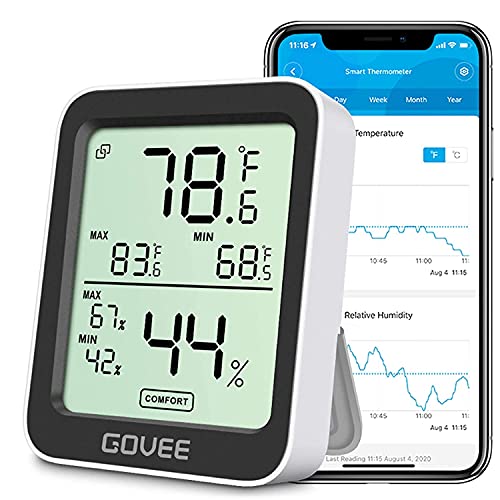
Govee Indoor Hygrometer Thermometer H5075 with Bluetooth App Control | Room Temperature Humidity Meter, 164ft Remote Monitor, Smart Alerts, 2 Years Data Storage Export, for Bedroom Wine Cellar
As an Amazon Associate we earn from qualifying purchases. Product prices and availability are accurate as of the date/time indicated.

Quntis 17.7'' Curved Monitor Light Bar RGB Backlight with Music Sync, Black | Gaming & Home Office, Ra95 Eye-Care, 23 RGB Effects, Touch & Remote Control, 17–34" Curved & Flat Monitors, Webcam Compatible
As an Amazon Associate we earn from qualifying purchases. Product prices and availability are accurate as of the date/time indicated.
That table shows why size, resolution, and comfort matter for how to choose monitor for remote workers. The Dell UltraSharp U2723QE typically costs $500 to $600, is 27 inches, is 4K, and is IPS. The LG 27UP850 typically costs $300 to $400, is 27 inches, is 4K, and is IPS. The Samsung ViewFinity S9 typically costs $800 to $900, is 27 inches, is 5K, and is IPS. The BenQ PD2705U typically costs $400 to $500, is 27 inches, is 4K, and is IPS.
How to Choose Monitor for Remote Workers in 2026: 7 Steps to Pick the Right Monitor
Each step below helps you pick a different part of your monitor. Read the size first. Then check the resolution and comfort. Only then think about price. A monitor that is perfect for remote work can be wrong for gaming, and a monitor that is perfect for 27 inches can be wrong for 34 inches.
Step 1. Pick Your Size: 27 Inches Is the Default for Remote Workers
Step 1 is to pick your size. A 27-inch monitor is the default for most remote workers, because it is large enough, and a monitor under 24 inches is too small, because it will be hard to read, and a 34-inch ultrawide monitor is best for many windows, because it is wide. A Dell UltraSharp U2723QE is 27 inches, an LG 27UP850 is 27 inches, and an LG 34WP65C-B is 34 inches. For how to choose monitor for remote workers, buy a 27-inch monitor for most remote workers, because it is large enough, and always check the size before you buy, because a monitor that is too small will be hard to read.
Step 2. Pick Your Resolution: 4K Is Best for Text
Step 2 is to pick your resolution. 4K is best for most remote workers, because it is sharp, and 1080p is worse, because it will be less sharp, and 1440p is best for a budget, because it is sharp enough. A Dell UltraSharp U2723QE is 4K, an LG 27UP850 is 4K, and a Samsung ViewFinity S9 is 5K. For how to choose monitor for remote workers, buy 4K for most remote workers, because it is sharp, and always check the resolution before you buy, because a monitor that is too low will be blurry.
Step 3. Pick Your Panel: IPS Is Best for Clarity
Step 3 is to pick your panel. IPS is best for most remote workers, because it is clear, and TN is worse, because it is less clear, and VA is best for contrast, because it is darker. A Dell UltraSharp U2723QE is IPS, an LG 27UP850 is IPS, and an LG 34WP65C-B is VA. For how to choose monitor for remote workers, buy an IPS monitor, because it is clear, and always check the panel before you buy, because a monitor that is not IPS will be less clear.
Step 4. Check Colour: At Least 99 Percent sRGB
Step 4 is to check colour. At least 99 percent sRGB is best for most remote workers, because it is accurate, and a monitor with less than 99 percent sRGB is worse, because it will be less accurate, and a monitor that is calibrated is best, because it is accurate. A Dell UltraSharp U2723QE has 99 percent sRGB, an LG 27UP850 has 99 percent sRGB, and a BenQ PD2705U has 99 percent sRGB. For how to choose monitor for remote workers, buy a monitor with at least 99 percent sRGB, because it is accurate, and always calibrate, because calibration makes colours accurate.
Step 5. Check Ports: USB-C Is Best for Laptops
Step 5 is to check ports. USB-C is best for most remote workers, because it charges your laptop, and HDMI is worse, because it will not charge, and a monitor with USB-C being best, because it is simple. A Dell UltraSharp U2723QE has USB-C, an LG 27UP850 has USB-C, and a Samsung ViewFinity S9 has USB-C. For how to choose monitor for remote workers, buy a monitor with USB-C, because it charges your laptop, and always check the ports before you buy, because a monitor with no USB-C will need a separate charger.
Step 6. Check Ergonomics: Height, Tilt, and Swivel
Step 6 is to check ergonomics. Height, tilt, and swivel are best for most remote workers, because they adjust, and a monitor with no adjustment is worse, because it will be uncomfortable, and a monitor with a stand that adjusts is best, because it is comfortable. A Dell UltraSharp U2723QE adjusts, an LG 27UP850 adjusts, and a BenQ PD2705U adjusts. For how to choose monitor for remote workers, buy a monitor with height, tilt, and swivel, because they adjust, and always check the ergonomics before you buy, because a monitor that does not adjust will be uncomfortable.
Step 7. Check Price and Buy: 27-Inch 4K IPS Is the Default
Step 7 is to check price and buy. A 27-inch 4K IPS monitor is the default for most remote workers, because it is large, sharp, and clear, and a monitor that is too expensive is worse, because it will cost more, and a monitor that is too cheap is worse, because it will be less clear. A Dell UltraSharp U2723QE typically costs $500 to $600, an LG 27UP850 typically costs $300 to $400, and a Samsung ViewFinity S9 typically costs $800 to $900. For how to choose monitor for remote workers, buy a 27-inch 4K IPS monitor, because it is the default, and always check the live price before you buy, because prices change.
How to Choose Monitor for Remote Workers Buying Guide: How to Choose the Right Monitor
The right monitor for remote workers depends on three questions. How large is your desk? How many windows do you use? How much can you spend? Answer those first. The choice between a Dell UltraSharp U2723QE and an LG 27UP850 will become clear. A monitor that is perfect for remote work can be wrong for gaming, and a monitor that is perfect for 27 inches can be wrong for 34 inches.
Size, 27 Inches, and Ultrawide: Choosing a Monitor for Remote Workers That Is Large Enough
Size is the first filter. Buy a 27-inch monitor for most remote workers, because it is large enough, and always check the size before you buy. 27 inches is the second part. Always buy 27 inches for most remote workers, always buy 34 inches ultrawide for many windows, because it is wide, and always remember that a monitor that is too small will be hard to read. Ultrawide is the third part. Always buy a 34-inch ultrawide with 3440 by 1440 resolution, always check your desk, and always remember that a 34-inch ultrawide is best for many tracks side by side, because it is wide.
Resolution, 4K, and Colour: Choosing a Monitor for Remote Workers That Is Sharp
Resolution is the second filter. Buy 4K for most remote workers, because it is sharp, and always check the resolution before you buy. 4K is the next check. Always buy 4K, always avoid 1080p for a 27-inch monitor, because it will be blurry, and always remember that 4K is best for text, because it is sharp. Colour is the last part. Always buy a monitor with at least 99 percent sRGB, always calibrate, and always remember that a monitor that is not calibrated will be less accurate.
Price, Budget, and What to Avoid: Choosing a Monitor for Remote Workers That Is Affordable
Price is the last filter. Buy $300 to $400 for a good monitor like the LG 27UP850 or LG 34WP65C-B Ultrawide, $400 to $500 for a good monitor like the BenQ PD2705U, ASUS ProArt PA279CRV, or Dell P2723QE, $500 to $600 for a good monitor like the Dell UltraSharp U2723QE, and $800 to $900 for a good monitor like the Samsung ViewFinity S9. What to avoid is buying a monitor that is too small, buying a monitor with less than 99 percent sRGB, and not calibrating. For how to choose monitor for remote workers, avoid those three mistakes. Check size, check resolution, and check colour. Always calibrate, always take breaks, and always check the live price before you buy.
How to Choose Monitor for Remote Workers FAQ: Remote Worker Monitor Questions Answered
What size monitor is best for remote workers?
What size monitor is best for remote workers is 27 inches, because it is large enough, so always buy a 27-inch monitor for most remote workers, always buy a 34-inch ultrawide for many windows, and always remember that 27 inches is the default, because it is large enough.
Is 4K worth it for remote work?
Is 4K worth it for remote work is yes, because it is sharp, so always buy 4K for most remote workers, always avoid 1080p for a 27-inch monitor, and always remember that 4K is best for text, because it is sharp.
Do I need USB-C on my monitor?
Do you need USB-C on your monitor is yes, if you use a laptop, because USB-C charges your laptop, so always buy a monitor with USB-C, always check your ports, and always remember that USB-C is best for laptops, because it is simple.
Should I buy an ultrawide monitor for remote work?
Should you buy an ultrawide monitor for remote work is yes, if you use many windows, because a 34-inch ultrawide with 3440 by 1440 resolution is wide, so always buy a 34-inch ultrawide for many windows, always check your desk, and always remember that a 34-inch ultrawide is best for many tracks side by side, because it is wide.
FAQ
What size monitor is best for remote workers?
Is 4K worth it for remote work?
Do I need USB-C on my monitor?
Should I buy an ultrawide monitor for remote work?
Related guides
- Best USB C Cable for Gaming in 2026: 7 Best USB C Cables for Gaming That Charge Fast and Stay Connected
- Best Earbuds for Airplane Travel in 2026: Earbuds for Airplane Travel, Travel Earbuds, and Best Airplane Earbuds
- Best Wall Charger with Multiple Ports in 2026: Wall Charger with Multiple Ports, Multi-Port Wall Chargers, and Best Multi-Port Chargers
- Best Lighting Kit for YouTube in 2026: 7 Best Lighting Kits for YouTube That Make Your Videos Look Professional
More from Amazon
Programs that pair well with the guide above. Offers and eligibility are set by Amazon and may change.
Free shipping on eligible items, Prime Video and more. Eligible new members can start with a free trial.
Start a Prime free trialAd-free music streaming. Eligible new subscribers can start with a free trial.
Try Music Unlimited freeA Prime membership for ages 18-24 with a trial period. Eligibility is set by Amazon.
See Prime for Young AdultsAudiobooks and podcasts to listen to on the go. Eligible new members can start with a free trial.
Try Audible freeAs an Amazon Associate we earn from qualifying purchases.

Write Your Review
No reviews yet. Be the first to share your experience!