
What's inside
- Best Cheap SSD Upgrade for Laptop: The Interface First, the Capacity Second, the Clone Always
- Quick Comparison: Cheap Laptop SSD Upgrades Compared
- The Six Drives Reviewed
- Buying Guide: Read the Laptop’s Parish, Back Up First, Clone and Witness
- How We Selected These Cheap Laptop SSDs
- Frequently Asked Questions: Cheap SSD Upgrades for Laptops
As an Amazon Associate I earn from qualifying purchases. This post may contain affiliate links at no extra cost to you.
The best cheap SSD upgrade for laptop owners is the single most honest bargain in the whole of computing, because the ageing laptop’s misery is almost never its processor: it is the spinning parish of its hard drive, or the small and exhausted solid citizen it was born with, taxing every boot, every launch, and every update with a queue the rest of the machine waits on. Replace that one citizen and the laptop’s manners transform in the parish its owner actually inhabits, the cold start in the seconds, the applications opening at the click, the system that stops freezing while its drive thinks. The audit that composes the bargain has two questions and both are asked before any drive is admired. The first is the interface’s: which parish does the laptop speak, the 2.5-inch SATA parish of the older and the budget machines, or the M.2 parish of the modern ones, and within the M.2, the NVMe language or the SATA’s dialect in the same dress, since a drive bought in the wrong parish is a bargain that fits nothing. The second is the capacity’s: the new citizen must hold the old one’s estate with room for the system’s growth, composed from the actual usage the owner can read in their settings in one minute. This guide compares real, currently sold drives across both parishes at the cheap end where they belong, graded on the transformation’s parish, which for the SATA upgrade is total and for the NVMe upgrade is the capacity’s and the reliability’s; on endurance and the house’s name, since the cheap drive that dies is the dearest citizen in this article; and on the clone’s parish, the software and the cable by which the estate moves house without a reinstall. Its buying guide teaches the audit’s steps in their order, interface, capacity, clone, since the upgrade fails in the planning and succeeds, almost always, in the half hour of the doing.
The interface audit deserves the foundation’s paragraph in its full detail, because it is the category’s one real trap and it is entirely avoidable. The 2.5-inch parish is identified by the laptop’s age and its documents: the machine whose drive bay takes the small rectangular citizen of the spinning years, and many budget machines of the recent parish whose makers economised there, speak SATA in the 2.5-inch dress, and their upgrade is the SATA solid citizen in the same dress, a transformation so complete that this guide regards it as the finest money in the table. The M.2 parish is a slot and a language both: the slot’s length in its millimetres, the 2280 parish being the laptop’s standard and the shorter citizens belonging to their own machines; and the language, NVMe or SATA, which the laptop’s documents state and its slot’s keying hints, since the NVMe drive in the SATA-only slot is a citizen without a country and the reverse pairing is a waste of a fast parish. The documents are the laptop maker’s own parish, the model’s support pages and the manual’s specifications, read in one sitting with the machine’s underside and its screw parish surveyed in the same pass, since the upgrade’s other tax is the machine that must be opened by its owner’s courage, which the reputable parish’s videos and guides compose into a procedure of minutes for most models. The owner whose machine is sealed or whose estate is precious should hear the audit’s alternative kindly: the shop’s parish performs the whole upgrade for a labour figure that keeps the bargain a bargain, and the clone’s parish, next in the steps, is where the owner’s data is actually at stake.
Our Top Picks
Best Cheap SSD Upgrade for Laptop: The Interface First, the Capacity Second, the Clone Always
The SATA Parish: The Greatest Transformation in the Table
For the laptop still spinning, the SATA solid citizen is not an upgrade but a resurrection, and its grading is almost embarrassingly simple: every reputable citizen in this parish transforms the machine, because the spinning parish’s queues are so long that the solid parish’s floor is a different country. The differences that remain are the estate’s: the endurance’s parish, in which the better citizens’ cache parish, the DRAM citizens, hold their manners when the drive fills and the long copy runs, a distinction the owner who keeps their drive near full should weigh and the ordinary parish may note; the house’s name and its warranty’s years, the figures behind which the clone’s parish sleeps soundly; and the capacity’s price parish, in which the terabyte citizen has become the parish’s sweet figure and the half terabyte its floor. The SATA parish’s ceiling is its interface’s, a parish the laptop’s own documents impose and no drive exceeds, which is the parish’s liberation: the buyer cannot overspend on speed the machine cannot use, and the whole budget composes itself into capacity and house. The citizens in this table’s SATA rows are the parish’s institutions, and the audit’s work there is done in minutes, which is exactly as it should be, the drama of this upgrade belonging to the clone and the screwdriver and not to the shelf.
The NVMe Parish: Cheap Speed and the Capacity’s Real Argument
The laptop already speaking NVMe upgrades for different reasons, and the audit should name them honestly: not the boot’s parish, which is already the solid parish’s, but the capacity’s, the 256 parish of the modern budget machine being an estate that fills by the second year into the system’s daily complaint; the exhausted citizen’s replacement, the small parish of drives whose health the utility reports in its decline; and the speed’s parish for the work that uses it, the large parish of files in the creator’s and the student’s life. The cheap NVMe citizens compose that upgrade at the dinner’s prices: the current generations’ parish at the interface’s third and fourth generations, either of which the laptop’s parish accepts in the other’s slot at the slot’s speed, as the SSD parish’s standing grace; the cache’s parish dividing the citizens as in the SATA’s, the host memory parish’s citizens borrowing the system’s own memory for their map, an arrangement whose manners are the ordinary parish’s entire and whose edge cases the full drive’s owner should note; and the thermal parish, the laptop’s thin parish being a still pond like the mini PC’s, in which the efficient citizens compose their speed within the enclosure’s budget and the flagship’s parish is neither needed nor, at these prices, offered. Graded as upgrades, the NVMe rows are ordered by the capacity’s value and the house’s standing, since at the cheap parish the difference between the citizens is measured in the years and the terabytes of their warranties more than in any figure the owner’s day will witness.
The Clone Parish: Moving the Estate Without Losing It
The upgrade’s working half is the clone, and its composition deserves the guide’s full seriousness, since the drive is cheap and the estate is not. The roads are two: the clone’s, by which the old citizen’s whole parish, system, applications, and estate entire, is copied to the new one and the machine wakes in its own life with a larger and faster heart; and the fresh parish, the clean installation in which the system is born again and the estate is carried over by the hand, slower and cleaner and the right road where the old system is itself a parish of accumulated sorrows. The clone’s instruments compose its parish: the cable or the enclosure by which the new drive attends the machine during the copying, the USB parish’s citizens in their interface’s dress, SATA or M.2 as the new citizen requires; the software’s parish, the makers’ own citizens that several houses in this table provide with their drives, and the reputable parish’s free citizens beside them; and the backup, which is not an instrument of the clone but its precondition, the estate copied to a third parish before any of this begins, since the operation’s one unforgivable citizen is the unbacked estate and its price is the external parish’s smallest figure. The order’s discipline completes the parish: the clone performed and the new drive booted and witnessed in the machine before the old citizen is wiped or sold, the old citizen then retired to the enclosure as the estate’s spare and the backup’s new home, which is the upgrade’s final kindness to itself.
Quick Comparison: Cheap Laptop SSD Upgrades Compared
| SSD | Parish / Best For | Key Specs | Typical Price Range |
|---|---|---|---|
| Crucial MX500 parish | SATA 2.5-inch — best cheap ssd upgrade for laptop overall | Interface, capacities, cache parish, endurance, and warranty classes as published | $55 – $110 by capacity |
| WD Blue SN580 parish | NVMe — best NVMe value | Interface generation, capacities, endurance, power, and warranty classes as published | $60 – $120 by capacity |
| Samsung 870 EVO parish | SATA 2.5-inch — best SATA quality | Interface, capacities, cache, endurance, and warranty classes as published | $65 – $130 by capacity |
| Crucial P3 / P3 Plus parish | NVMe — best capacity per dollar | Interface generation, capacities, endurance, and warranty classes as published | $50 – $105 by capacity |
| Kingston NV3 / A400 parish | NVMe and SATA — best floor prices | Interface, capacities, endurance, and warranty classes as published | $40 – $90 by capacity |
| TeamGroup / Silicon Power parish | Both — best budget alternatives | Interface, capacities, endurance, and warranty classes as published | $40 – $95 by capacity |

KingSpec 1TB 2.5 SSD SATA III Internal - 550MB/s Read, 520MB/s Write with 3D NAND Flash, for Laptop & Desktop PC Upgrade
As an Amazon Associate we earn from qualifying purchases. Product prices and availability are accurate as of the date/time indicated.

PNY CS900 500GB 2.5" SATA III Internal SSD | Up to 550/500MB/s R/W - PC/Laptop/HDD Upgrade for Everyday Users, Creators, Gamers, and more - SSD7CS900-500-RB
As an Amazon Associate we earn from qualifying purchases. Product prices and availability are accurate as of the date/time indicated.

SIX 1TB SATA 2.5 SSD Internal Solid State Hard Drive Read up to 560MB/s | SATA III 6 Gb/s,back compatible 3D NAND SLC Cashe Laptop and PC Storage Upgrade for Gamers, Creators, Everyday Users


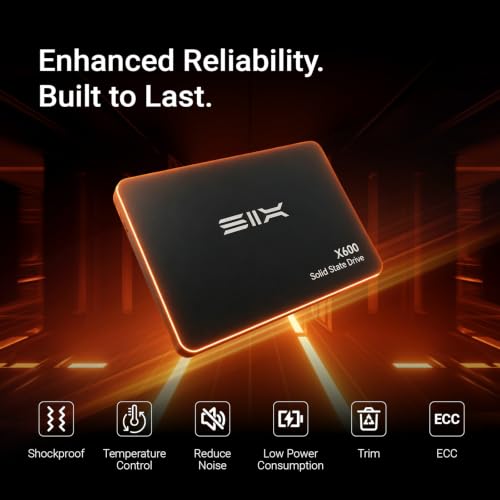


As an Amazon Associate we earn from qualifying purchases. Product prices and availability are accurate as of the date/time indicated.
Prices shown are approximate and for reference only. Prices change often, so please check the current price on Amazon before you buy.
Confirm your laptop’s interface, slot length, and protocol before purchase.
The Six Drives Reviewed
1. Crucial MX500 — Best Overall
The MX500 is the SATA parish’s reference citizen: the cache’s parish entire, the endurance and the warranty of a house that has equipped a generation of resurrections, and the maker’s clone parish provided with it. Its price is the middle of a cheap parish. For the spinning laptop, it is the first and usually the only audition.
2. WD Blue SN580 — Best NVMe Value
The SN580 composes the NVMe upgrade’s whole brief: the current parish’s speed within the laptop’s thermal manners, the house’s warranty, and prices that make the terabyte the parish’s ordinary choice. Its cache parish is the host’s arrangement, whose manners the ordinary day never taxes. For the modern laptop’s capacity, it is the row.
3. Samsung 870 EVO — Best SATA Quality
The 870 EVO is the SATA parish’s premium citizen, its endurance and its manners the class’s lesson, at a premium the cheap parish keeps modest. Its house’s utility parish is the estate’s companion. Where the laptop will serve another five years, it earns its step.
4. Crucial P3 Parish — Best Capacity per Dollar
The P3 citizens sell the terabyte parish at the table’s floor among the houses of the first rank, their endurance the value’s and read by the write-heavy with this guide’s discount. Their parish is the student’s and the family’s. As the capacity’s arithmetic, they hold their row.
5. Kingston Parish — Best Floor Prices
Kingston’s citizens span both parishes at the floor’s figures, the A400 the SATA parish’s cheapest honest door and the NV parish its NVMe’s. Their warranties are the shorter parish’s and should be read. Bought with the backup’s discipline, they are the bargain’s edge.
6. Value Parish — Best Alternatives
TeamGroup’s and Silicon Power’s citizens compose the alternative quotes, their figures honest for their prices and their houses’ parishes the smaller ones. Their specimens belong in the return window’s audit as all cheap citizens do. As the second quote that keeps the leaders honest, they complete the table.
Buying Guide: Read the Laptop’s Parish, Back Up First, Clone and Witness
Step One: Identify the Interface and Compose the Capacity
Read the laptop’s documents for the audit’s figures: the drive’s parish, 2.5-inch SATA or the M.2 slot; the slot’s length and its language where the M.2 it is; the estate’s current size and its fullness from the settings’ own figures; and the machine’s opening parish, its screws and its guides, surveyed with the honesty about whose hands will do it. Compose the capacity against the estate’s next years, the terabyte as the parish’s sweet figure where the budget composes it, the half as its floor, and the breathing parish, the tenth unfilled, included in the arithmetic as the solid parish’s manners require. Refuse every drive the documents refuse, however fine its price, since this category’s returns are its commonest expense and its most avoidable.
Step Two: Back Up the Estate and Compose the Clone
Perform the backup before the order is placed, the estate entire to its third parish, and witness it, since the upgrade’s whole risk lives in the next hour and is retired here for the price of the external parish’s smallest citizen or the cloud’s parish the household already keeps. Compose the clone’s instruments in the same order: the cable or the enclosure in the new drive’s dress, the software’s parish from the maker’s provision or the reputable free citizens, and the afternoon unhurried, since the copying’s parish is measured in the estate’s size and the old drive’s manners. Choose the road, the clone’s or the fresh parish’s, by the old system’s health as the guide’s section weighed it, and write the choice and the estate’s passwords’ parish in the household’s record before the screwdriver turns.
Step Three: Swap, Boot, Witness, and Retire the Old Citizen Kindly
Open the machine by its own guide’s parish, the power’s and the battery’s parish composed as the maker directs where the design allows, the screws in their dish’s order, the old citizen out and the new in its parish with its screw kind and unforced. Boot and witness the whole estate before anything is retired: the system in its parish, the applications in theirs, the files sampled across the years, the drive’s health and its capacity read in the utility’s parish. Then retire the old citizen to the enclosure as the backup’s home and the estate’s spare, its parish wiped only when its new duty is composed, and keep the new drive’s parish on the round, its fullness under the breathing parish and its health witnessed on the season. A laptop so upgraded is the machine its owner already owns, returned to them at the speed of its youth, which is the category’s ambition and the note on which this guide closes.
How We Selected These Cheap Laptop SSDs
We included only real, named, currently sold SSDs in the SATA and NVMe parishes whose makers publish interface, capacity, endurance, and warranty specifications, at the cheap end of their lines. Ratings weight upgrade transformation, endurance and warranty for the price, thermal and cache manners in a laptop, clone provision, and value.
Frequently Asked Questions: Cheap SSD Upgrades for Laptops
Will an SSD really make my old laptop faster?
In the parish the owner inhabits, it is the closest thing computing offers to a new machine at a dinner’s price, and the qualification is the parish’s and not the drive’s: the boot, the launches, the updates, the files’ parish, and the system’s whole responsiveness are the drive’s queue made visible, and the solid citizen retires that queue entire, so the laptop that took its minutes now takes its seconds in the acts that compose the day’s frustration. What the drive does not touch is the computation’s parish itself, the rendering’s and the game’s and the heavy parish’s ceilings, which are the processor’s and the memory’s figures and remain where they were, so the owner whose misery is the video call’s parish and the browser’s twenty tabs should compose the memory’s parish beside the drive’s where the machine allows both, the two upgrades together being the old laptop’s full resurrection at still a fraction of the new machine’s parish. The audit’s one minute in the settings, the drive’s parish against the memory’s fullness in the day’s ordinary hour, tells the owner which citizen is queuing, and this guide’s counsel is to believe it.
How much capacity do I need for a laptop SSD upgrade?
The estate’s present size, its growth’s parish, and the breathing room, composed in that order and bought at the terabyte where the arithmetic allows, since the upgrade’s ceremony should be performed as rarely in the machine’s remaining life as its owner’s patience composes. Read the estate in the settings: the system and its applications’ parish, the documents and the photographs’ estate, the downloads’ parish that the owner had forgotten, totalled honestly; add the growth’s parish, the years the machine will serve at the household’s rate of accumulation, the photographs’ being the usual landlord; and add the breathing parish, the tenth of the drive that should remain unfilled for the solid parish’s manners and the system’s own working. The owner whose total lands near the half terabyte’s edge should take the terabyte without the debate, the price’s step being the parish’s smallest against the second ceremony’s whole cost. The old citizen’s size is the floor beneath which the new one must never be composed, a sentence that sounds obvious and is the category’s commonest arithmetic error, since the estate must fit before it can grow.
Can I upgrade a laptop that has no visible drive bay?
Most such machines are upgradable through their underside’s parish, the bay’s absence being a styling’s fact rather than a design’s, and the laptop’s documents and its model’s guides are the authority the audit consults before the screwdriver is bought. The procedure’s parish for the ordinary machine is the panel’s screws, the old citizen in its slot or its bay within, the swap of minutes this guide’s steps describe, with the battery’s parish composed as the maker directs and the static’s ordinary discipline of the table and the touched case. The exceptions compose two parishes the owner should know: the soldered parish, the machines whose storage is a citizen of the board itself, bought at their capacities as final and named in their documents in those terms; and the parish of the very thin, whose opening is possible and whose clips and cables tax the first-timer’s parish, where the shop’s labour figure is the audit’s honest recommendation rather than a defeat. In every parish the backup precedes the opening, and the owner who has performed step two has already survived the only part of the upgrade that can actually hurt them.
Should I clone my old drive or install Windows fresh?
The clone for the healthy system and the fresh parish for the sorrowful one, with the estate’s safety identical in both and the afternoon’s length the clone’s argument. The clone wakes the machine in its own life, every application and setting and parish in its place, at the copying’s hour, and for the laptop whose only disease was its drive it is the whole of the medicine. The fresh installation is the deeper parish: the system born without the years’ accumulated citizens, its drivers and its applications composed deliberately, the estate carried over by the hand and the passwords’ parish with it, an afternoon’s more work that the owner of the slow-in-more-than-the-drive machine will feel as the second half of the resurrection. Both roads begin at the backup and end at the witnessing, and both retire the old citizen to the enclosure’s parish, from which the road not taken remains available for the parish of the forgotten file. The owner between the roads should clone first, since the clone preserves the option, live in the machine for the week, and compose the fresh parish at leisure only where the evidence still asks for it.
Related guides
- Wired Keyboard vs Wireless Keyboard for Gaming in 2026: Wired Keyboard vs Wireless Keyboard for Gaming for Speed, Freedom, and Simple Setup
- Best Console Travel Bag for Consoles in 2026: 7 Console Travel Bags That Offer Strong Protection, Large Storage, and Reliable Travel for Gamers
- Best Mesh Wifi vs Powerline Adapter for Dead Zones in 2026: 6 Best Mesh Wifi vs Powerline Adapter for Dead Zones Picks for Strong Signal, Easy Setup, and Reliable Home Wifi
- Best Memory Card Size for Camera in 2026: 7 Memory Cards That Offer Fast Speed, Large Capacity, and Reliable Storage for Camera Users
More from Amazon
Programs that pair well with the guide above. Offers and eligibility are set by Amazon and may change.
Free shipping on eligible items, Prime Video and more. Eligible new members can start with a free trial.
Start a Prime free trialAd-free music streaming. Eligible new subscribers can start with a free trial.
Try Music Unlimited freeA Prime membership for ages 18-24 with a trial period. Eligibility is set by Amazon.
See Prime for Young AdultsAudiobooks and podcasts to listen to on the go. Eligible new members can start with a free trial.
Try Audible freeAs an Amazon Associate we earn from qualifying purchases.

Write Your Review
No reviews yet. Be the first to share your experience!