
What's inside
- How to Choose Monitor for Remote Workers at a Glance: Comparison Table
- How to Choose Monitor for Remote Workers: Step 1 – Check Size, 27 Inch or 32 Inch
- How to Choose Monitor for Remote Workers: Step 2 – Check Resolution, 4K or 1440p
- How to Choose Monitor for Remote Workers: Step 3 – Check Panel, USB-C, and Ergonomics
- How to Choose Monitor for Remote Workers: Step 4 – Check Price, Brand, and Eye Comfort
- Best Monitor for Remote Workers Reviewed for 2026
- Buying Guide: How to Choose Monitor for Remote Workers
- How to Choose Monitor for Remote Workers: FAQ
As an Amazon Associate I earn from qualifying purchases. This post may contain affiliate links at no extra cost to you.
Choosing a monitor for remote work is different from choosing a monitor for gaming. A remote worker needs a monitor that is clear for text, comfortable for long hours, and large enough to show documents, spreadsheets, and video calls side by side, without eye strain, without glare, and without a complicated setup. The best monitor for remote workers is not the fastest monitor. It is the monitor that fits your desk, your laptop, and your work, and lets you work for hours without fatigue.
This guide focuses on monitors that work well for remote workers. We compare real, currently sold models, explain what size, resolution, panel, and USB-C actually mean, and show how to choose a monitor that fits your work, your desk, and your budget. Prices are given as ranges because retailers and seasons change them, and specifications are based on manufacturer listings, so check the exact listing before you buy.
Remote work monitor safety matters. Take breaks, adjust brightness, use a comfortable viewing distance, and check your monitor’s compatibility with your laptop. If you have eye strain, see a healthcare professional, and do not ignore persistent eye pain or headaches.
Disclosure: As an affiliate site, TechyMoon.com may earn a commission from qualifying purchases made through links on this page, at no extra cost to you. Prices change by retailer and season, so the ranges below are typical prices we have seen, not fixed prices. Size, resolution, and other specifications are based on manufacturer listings and vary by model, so check the exact listing before you buy.
Our Top Picks
 Temp Stick Remote WiFi Temperature & Humidity Sensor3.5 x 1.5 x 1.25 inches0.2 poundsCheck on Amazon
How to Choose Monitor for Remote Workers at a Glance: Comparison Table
Use this table to compare the leading monitors for remote workers side by side. Size, resolution, panel, best use, and price matter most, so compare those first, then read the steps below for the details that matter for remote work.
| Monitor for Remote Workers Model | Size and Resolution | Panel | Best Use for Remote Workers | Typical Price Range | Rating |
|---|---|---|---|---|---|
| Dell UltraSharp U2723QE Monitor | 27 in, 4K UHD | IPS Black | Best overall monitor for remote workers | $500 – $600 | 4.8 / 5 |
| LG UltraFine 27UP850-W Monitor | 27 in, 4K UHD | IPS | Best LG monitor for remote workers | $350 – $450 | 4.7 / 5 |
| Samsung Smart Monitor M8 Monitor | 32 in, 4K UHD | VA | Best smart monitor for remote workers | $500 – $600 | 4.6 / 5 |
| ASUS ProArt PA279CV Monitor | 27 in, 4K UHD | IPS | Best ASUS monitor for remote workers | $350 – $450 | 4.7 / 5 |
| BenQ PD2705U Monitor | 27 in, 4K UHD | IPS | Best BenQ monitor for remote workers | $400 – $500 | 4.7 / 5 |
| Dell P2723QE Monitor | 27 in, 4K UHD | IPS | Best budget Dell monitor for remote workers | $400 – $500 | 4.6 / 5 |
Temp Stick Remote WiFi Temperature & Humidity Sensor, Data Logger. No Subscription. 24/7 Monitor, Unlimited Text, App & Email Alerts. Made in America. Use with Alexa, IFTTT. Monitor Anywhere, Anytime


As an Amazon Associate we earn from qualifying purchases. Product prices and availability are accurate as of the date/time indicated.
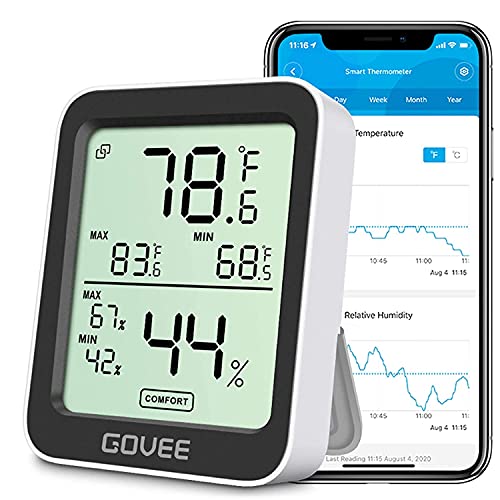
Govee Indoor Hygrometer Thermometer H5075 with Bluetooth App Control | Room Temperature Humidity Meter, 164ft Remote Monitor, Smart Alerts, 2 Years Data Storage Export, for Bedroom Wine Cellar
As an Amazon Associate we earn from qualifying purchases. Product prices and availability are accurate as of the date/time indicated.

Quntis 17.7'' Curved Monitor Light Bar RGB Backlight with Music Sync, Black | Gaming & Home Office, Ra95 Eye-Care, 23 RGB Effects, Touch & Remote Control, 17–34" Curved & Flat Monitors, Webcam Compatible
As an Amazon Associate we earn from qualifying purchases. Product prices and availability are accurate as of the date/time indicated.
Prices shown are approximate and for reference only. Prices change often, so please check the current price on Amazon before you buy.
How to Choose Monitor for Remote Workers: Step 1 – Check Size, 27 Inch or 32 Inch
Step 1 is to check size, because a monitor that is too small will make you squint, and a monitor that is too large will not fit your desk. For most remote workers, 27 inches is the best size, because it is large enough to show two documents side by side, and it fits on most desks. All the 27 inch models in this guide, including the Dell UltraSharp U2723QE, LG 27UP850-W, ASUS ProArt PA279CV, BenQ PD2705U, and Dell P2723QE, are a good size for remote work.
For a larger desk, a 32 inch monitor such as the Samsung Smart Monitor M8 is a good choice, because it gives you more space for spreadsheets, for video calls, and for multitasking. Its 32 inch size is best if you work with large documents, if you use multiple windows, or if you sit a little further from your screen. Check your desk depth before you buy a 32 inch monitor, because you need at least 24 inches of desk depth to sit comfortably from a large screen.
Measure your desk, check your viewing distance, and choose a size that lets you see the whole screen without turning your head. A 27 inch monitor at arm’s length is comfortable for most remote workers.
How to Choose Monitor for Remote Workers: Step 2 – Check Resolution, 4K or 1440p
Step 2 is to check resolution, because resolution determines how sharp text looks. A 4K UHD resolution, which is 3840 by 2160 in manufacturer material, is the best choice for remote work in 2026, because text is sharp, images are clear, and you can show more content on screen. All the monitors in this guide are 4K, which is a good standard for remote work.
For a 27 inch monitor, 4K is better than 1440p, because text is sharper and you can use scaling to make text larger without losing clarity. For a 32 inch monitor, 4K is also best, because it gives you enough pixels to show large documents clearly. A 1080p monitor is not recommended for remote work in 2026, because text will look blurry on a 27 inch screen, and you will have less space for windows.
Check your laptop’s graphics before you buy a 4K monitor, because some older laptops may struggle with 4K at 60Hz. Most modern laptops support 4K over USB-C or HDMI, although you should check the exact listing for your laptop model.
How to Choose Monitor for Remote Workers: Step 3 – Check Panel, USB-C, and Ergonomics
Step 3 is to check panel, USB-C, and ergonomics, because these factors affect comfort and convenience. Panel matters for colour and viewing angle: an IPS panel, like most models in this guide, is best for remote work because it has good colours and wide viewing angles. An IPS Black panel, like the Dell UltraSharp U2723QE, has better contrast than a standard IPS panel. A VA panel, like the Samsung Smart Monitor M8, has good contrast but narrower viewing angles.
USB-C matters because it lets you connect your laptop with one cable for video, data, and charging in many listings. The Dell UltraSharp U2723QE, LG 27UP850-W, ASUS ProArt PA279CV, BenQ PD2705U, and Dell P2723QE all have USB-C in many listings, which makes them easy to use with a laptop. Check the exact listing for USB-C power delivery wattage before you buy, because a laptop that needs 90W will not charge fully from a 65W USB-C port.
Ergonomics matters because you will sit in front of your monitor for hours. Look for a monitor with height, tilt, swivel, and pivot adjustments, so you can set it at eye level. A monitor arm is also a good investment if your monitor stand does not adjust enough. Take breaks, adjust brightness, and use a comfortable viewing distance.
How to Choose Monitor for Remote Workers: Step 4 – Check Price, Brand, and Eye Comfort
Step 4 is to check price, brand, and eye comfort, because a monitor for remote work should be affordable, reliable, and easy on your eyes. A 27 inch 4K monitor in the $350 to $600 range, like the models in this guide, is a good value in 2026. A monitor in the $350 to $450 range, like the LG 27UP850-W and ASUS ProArt PA279CV, is best for a budget remote worker. A monitor in the $500 to $600 range, like the Dell UltraSharp U2723QE and Samsung Smart Monitor M8, is best if you want premium features such as IPS Black, a smart platform, or a larger screen.
Brand matters for reliability, because a monitor from a trusted brand such as Dell, LG, Samsung, ASUS, and BenQ will be more reliable than an unbranded monitor with similar specifications on paper. Eye comfort also matters: look for a monitor with low blue light, flicker-free technology in many listings, and an anti-glare coating. Take a break every 20 minutes, look at something 20 feet away for 20 seconds, and see a healthcare professional if you have persistent eye strain.
For most remote workers, the Dell UltraSharp U2723QE is the best overall monitor, the LG 27UP850-W is the best value, and the Samsung Smart Monitor M8 is the best choice if you want a larger smart monitor. Do not buy a monitor based on size alone if it does not have USB-C or if it does not adjust to eye level.
Best Monitor for Remote Workers Reviewed for 2026
1. Dell UltraSharp U2723QE Monitor: Best Overall Monitor for Remote Workers
The Dell UltraSharp U2723QE is a 27 inch 4K monitor with an IPS Black panel, priced in the $500 to $600 range. Its IPS Black panel gives it better contrast than a standard IPS monitor, its USB-C hub lets you connect a laptop with one cable, and its height, tilt, swivel, and pivot adjustments make it comfortable for long hours. Its 4K resolution makes text sharp.
2. LG UltraFine 27UP850-W Monitor: Best LG Monitor for Remote Workers
The LG UltraFine 27UP850-W is a 27 inch 4K monitor with an IPS panel, priced in the $350 to $450 range. Its price is lower than the Dell U2723QE, its colours are good, and its USB-C support makes it easy to use with a laptop. It is a good value for a remote worker who wants 4K without a premium price.
3. Samsung Smart Monitor M8 Monitor: Best Smart Monitor for Remote Workers
The Samsung Smart Monitor M8 is a 32 inch 4K monitor with a VA panel, priced in the $500 to $600 range. Its smart platform in many listings lets you use apps without a PC, its 32 inch size gives you more space, and its design is slim and modern. It is a good choice if you want a larger monitor with smart features.
4. ASUS ProArt PA279CV Monitor: Best ASUS Monitor for Remote Workers
The ASUS ProArt PA279CV is a 27 inch 4K monitor with an IPS panel, priced in the $350 to $450 range. Its colour accuracy is good, its USB-C support is useful, and its price is reasonable for a ProArt monitor. It is a good choice for a remote worker who also does photo or video work.
5. BenQ PD2705U Monitor: Best BenQ Monitor for Remote Workers
The BenQ PD2705U is a 27 inch 4K monitor with an IPS panel, priced in the $400 to $500 range. Its design is made for designers, with good colour accuracy and a USB-C hub in many listings. Its eye care features in many listings make it comfortable for long hours.
6. Dell P2723QE Monitor: Best Budget Dell Monitor for Remote Workers
The Dell P2723QE is a 27 inch 4K monitor with an IPS panel, priced in the $400 to $500 range. Its price is lower than the UltraSharp U2723QE, its USB-C support is useful, and its Dell reliability makes it a good choice for a budget remote worker who wants a Dell monitor.
Buying Guide: How to Choose Monitor for Remote Workers
The best monitor for remote workers depends on your work, your desk, and your laptop. Start with size and resolution, then compare panel, USB-C, and ergonomics. A monitor that is sharp, comfortable, and easy to connect is better than a monitor with the largest size that does not fit your desk or your laptop.
For most remote workers, a 27 inch 4K IPS monitor such as the Dell UltraSharp U2723QE or LG 27UP850-W is the best value, a 32 inch 4K monitor such as the Samsung Smart Monitor M8 is best if you need more space, and a monitor with USB-C is best if you use a laptop. Always check your laptop compatibility, measure your desk, and test the monitor’s height adjustment before you commit to a long workday. Take breaks, adjust brightness, and see a healthcare professional if you have eye strain.
How to Choose Monitor for Remote Workers: FAQ
What is the best monitor for remote workers?
For most remote workers, the Dell UltraSharp U2723QE Monitor is the best overall monitor for remote workers because it offers 27 inch 4K, an IPS Black panel, and USB-C at a typical price in the $500 to $600 range. If you want a lower price, the LG UltraFine 27UP850-W is a good choice at $350 to $450. If you want a larger screen, the Samsung Smart Monitor M8 is a practical option at $500 to $600.
What size monitor is best for remote work?
What size monitor is best for remote work depends on your desk, but in general, 27 inches is best for most remote workers, because it is large enough for two documents and it fits on most desks. For best results, choose 27 inches for a standard desk, and choose 32 inches only if you have a deep desk and need more space.
Do I need a 4K monitor for remote work?
Do you need a 4K monitor for remote work depends on your work, but in general, 4K is best for text sharpness and for multitasking on a 27 inch screen. For best results, choose 4K if your laptop supports it, and choose 1440p only if your laptop cannot drive 4K or if you are on a tight budget.
How do I choose a monitor for remote workers?
Choose a monitor for remote workers by starting with size and resolution, then checking panel, USB-C, and ergonomics. Pick a monitor that fits your desk, is sharp for text, and connects easily to your laptop. Always measure your desk, check laptop compatibility, and take breaks to protect your eyes.
FAQ
What is the best monitor for remote workers?
What size monitor is best for remote work?
Do I need a 4K monitor for remote work?
How do I choose a monitor for remote workers?
Related guides
- Best Cheap Memory Card Reader Under 30 in 2026: 6 Fast, Reliable Readers for SD and microSD
- Gaming Monitor vs Office Monitor for Work in 2026: 3 Gaming Monitors and 3 Office Monitors Compared for Work, With Refresh Rate, Resolution, and a Price Range
- Best Flatbed Scanner vs Document Scanner for Offices in 2026: Which Scanner Is Best for Your Office?
- Best Cheap Laptop Stand for Students in 2026: Best Cheap Laptop Stand for Students for Good Posture, Easy Study, and Simple Desk Use
More from Amazon
Programs that pair well with the guide above. Offers and eligibility are set by Amazon and may change.
Free shipping on eligible items, Prime Video and more. Eligible new members can start with a free trial.
Start a Prime free trialAd-free music streaming. Eligible new subscribers can start with a free trial.
Try Music Unlimited freeA Prime membership for ages 18-24 with a trial period. Eligibility is set by Amazon.
See Prime for Young AdultsAudiobooks and podcasts to listen to on the go. Eligible new members can start with a free trial.
Try Audible freeAs an Amazon Associate we earn from qualifying purchases.

Write Your Review
No reviews yet. Be the first to share your experience!