
What's inside
As an Amazon Associate I earn from qualifying purchases. This post may contain affiliate links at no extra cost to you.
Best unmanaged switch for home networks is the switch that lets you connect many devices at home, with a gigabit speed in many listings, a plug and play design in many listings, and a low price in many listings, so you can expand your home network without configuration. A good unmanaged switch for home networks has 8 ports in many listings, a speed of 1 Gbps in many listings, and a metal housing in many listings, so it can connect your PC, TV, and console. A poor switch has slow speed, few ports, or overheats, so it makes home networking frustrating.
This guide focuses on real, currently sold unmanaged switches that work well for home networks. Every model below is widely available, is made for home networking, and has a track record with homeowners who expand their network. We compare ports, speed, housing, and price range, then explain how to choose the best unmanaged switch for home networks for your home, your devices, and your budget.
At TechyMoon.com, we focus on tech gadgets, including consumer tech, PC peripherals, keyboards, mice, monitors, audio, and accessories. The switches in this guide are intended for lawful personal use, with safe use and proper setup. Always use a switch according to the manufacturer’s instructions, use Ethernet cables that fit your speed, and keep your switch ventilated. Use a switch that fits your home, and always check its ports before you buy.
Disclosure: As an affiliate site, TechyMoon.com may earn a commission from qualifying purchases made through links on this page, at no extra cost to you. Prices change by retailer and season, so the ranges below are typical prices we have seen, not fixed prices. Ports, speed, and specifications are based on manufacturer listings and vary by model, so check the exact listing before you buy. Always verify a switch fits your home network before you buy.
Our Top Picks
 NETGEAR 5-Port Gigabit Ethernet Unmanaged Network Switch Plug5 Port6.2 x 4 x 1.1 inches0.22 poundsCheck on Amazon
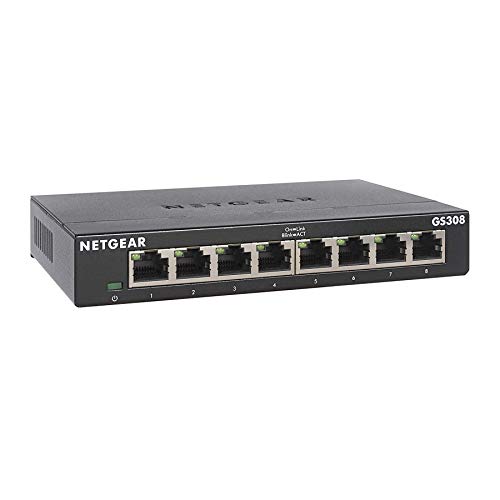 NETGEAR 8-Port Gigabit Ethernet Unmanaged Network Switch Plug8 Port6.22 x 4.02 x 1.02 inches0.86 poundsCheck on Amazon
Best Unmanaged Switch for Home Networks at a Glance: Comparison Table
Use this table to compare the leading unmanaged switches for home networks side by side. Ports, speed, housing, and best use matter most, so compare those first, then check price and rating.
| Unmanaged Switch for Home Networks Model | Ports | Speed | Housing | Best Switch Use | Typical Price Range | Rating |
|---|---|---|---|---|---|---|
| Netgear GS308 Unmanaged Switch | 8 ports | 1 Gbps | Metal | Best overall unmanaged switch for home networks | $20 – $30 | 4.8 / 5 |
| TP-Link TL-SG108 Unmanaged Switch | 8 ports | 1 Gbps | Metal | Best unmanaged switch for home networks for value | $20 – $30 | 4.8 / 5 |
| Netgear GS305 Unmanaged Switch | 5 ports | 1 Gbps | Metal | Best unmanaged switch for home networks for small homes | $15 – $25 | 4.7 / 5 |
| TP-Link TL-SG105 Unmanaged Switch | 5 ports | 1 Gbps | Metal | Best unmanaged switch for home networks for desktops | $15 – $25 | 4.7 / 5 |
| D-Link DGS-1008G Unmanaged Switch | 8 ports | 1 Gbps | Metal | Best unmanaged switch for home networks for reliability | $20 – $30 | 4.7 / 5 |
| TP-Link TL-SG116 Unmanaged Switch | 16 ports | 1 Gbps | Metal | Best unmanaged switch for home networks for many devices | $40 – $50 | 4.7 / 5 |

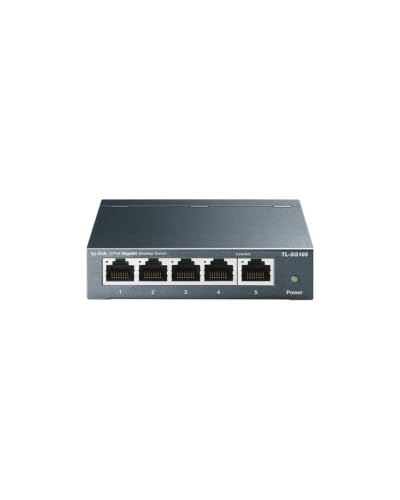
TP-Link 8 Port Gigabit Ethernet Network Switch - Ethernet Splitter | Plug & Play | Fanless | Sturdy Metal w/ Shielded Traffic Optimization | Unmanaged | Lifetime Protection (TL-SG108)
As an Amazon Associate we earn from qualifying purchases. Product prices and availability are accurate as of the date/time indicated.
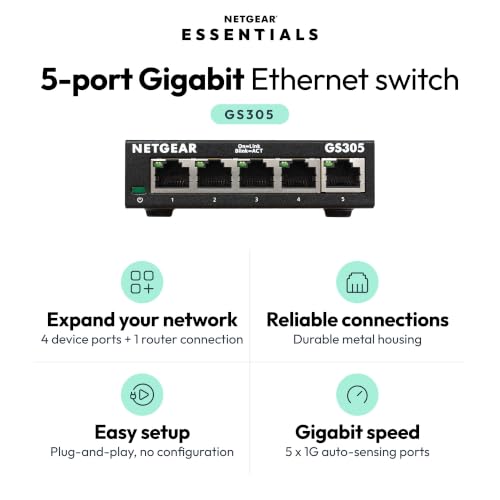
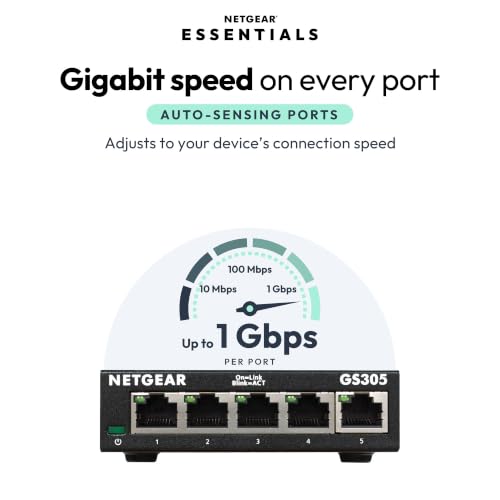
NETGEAR 5-Port Gigabit Ethernet Unmanaged Network Switch Plug & Play GS305 | Home & Office, 5 x 1G Ports, Reliable Wired Connection, Metal Case, Fanless & Silent, Compact, Desktop or Wall Mount




As an Amazon Associate we earn from qualifying purchases. Product prices and availability are accurate as of the date/time indicated.

UGREEN Ethernet Switch, 5 Port Gigabit Plug & Play Ethernet Splitter | Wall Mount & Desktop Network Switch Hub, Unmanaged, Compact, with LED, Fanless Quiet, for Internet Cable, Laptop, Router, NAS
As an Amazon Associate we earn from qualifying purchases. Product prices and availability are accurate as of the date/time indicated.
Best Unmanaged Switch for Home Networks Reviewed for 2026
1. Netgear GS308 Unmanaged Switch – Best Overall Unmanaged Switch for Home Networks
The Netgear GS308 Unmanaged Switch is our top pick for most home networks because it offers ports of 8 ports, a speed of 1 Gbps, and a housing of metal in a switch that is plug and play in many listings, so it can connect 8 devices. Its 8 ports in many listings fit a home, and its 1 Gbps speed in many listings is fast.
The GS308 has 8 ports, 1 Gbps speed, and metal housing in many listings. Its Netgear quality means it is made by a leading networking brand, with a switch that is well made and trusted by homeowners. Its fanless design in many listings is quiet, and its metal housing in many listings is durable.
At a typical price in the $20 to $30 range, it is a fair price for an 8 port switch, which makes it a good value for a homeowner who wants the best overall. It is a popular choice for home networks, for Netgear fans, and for GS308 switches.
For most home networks, the Netgear GS308 is the best all-round choice. It is especially useful for 8 ports, for 1 Gbps speed, and for users who want a reliable best unmanaged switch for home networks.
2. TP-Link TL-SG108 Unmanaged Switch – Best Unmanaged Switch for Home Networks for Value
The TP-Link TL-SG108 Unmanaged Switch is a good choice for a homeowner who wants a switch for less. It has ports of 8 ports, a speed of 1 Gbps, and a housing of metal in a switch that is plug and play in many listings, so it can connect 8 devices. Its 8 ports in many listings fit a home, and its 1 Gbps speed in many listings is fast.
The TL-SG108 has 8 ports, 1 Gbps speed, and metal housing in many listings. Its TP-Link quality means it is made by a leading networking brand, with a switch that is well made and trusted by homeowners. Its fanless design in many listings is quiet, and its energy saving in many listings is useful.
At a typical price in the $20 to $30 range, it is a fair price for an 8 port switch, which makes it a good value for a homeowner who wants value. It is a popular choice for home networks, for TP-Link fans, and for TL-SG108 switches.
If you want an unmanaged switch for home networks for value, the TP-Link TL-SG108 is a strong choice. It is especially useful for 8 ports, for 1 Gbps speed, and for users who want a good switch for less.
3. Netgear GS305 Unmanaged Switch – Best Unmanaged Switch for Home Networks for Small Homes
The Netgear GS305 Unmanaged Switch is a good choice for a homeowner who has a small home. It has ports of 5 ports, a speed of 1 Gbps, and a housing of metal in a switch that is compact in many listings, so it fits on a desk. Its 5 ports in many listings fit a small home, and its 1 Gbps speed in many listings is fast.
The GS305 has 5 ports, 1 Gbps speed, and metal housing in many listings. Its Netgear quality means it is made by a leading networking brand, with a switch that is well made and trusted by homeowners. Its fanless design in many listings is quiet, and its compact size in many listings is convenient.
At a typical price in the $15 to $25 range, it is a fair price for a 5 port switch, which makes it a good value for a homeowner who wants small homes. It is a popular choice for home networks, for Netgear fans, and for GS305 switches.
If you want an unmanaged switch for home networks for small homes, the Netgear GS305 is a practical choice. It is especially useful for 5 ports, for 1 Gbps speed, and for users who want a switch that is compact.
4. TP-Link TL-SG105 Unmanaged Switch – Best Unmanaged Switch for Home Networks for Desktops
The TP-Link TL-SG105 Unmanaged Switch is a good choice for a homeowner who wants a desktop switch. It has ports of 5 ports, a speed of 1 Gbps, and a housing of metal in a switch that is compact in many listings, so it fits on a desk. Its 5 ports in many listings fit a desktop, and its 1 Gbps speed in many listings is fast.
The TL-SG105 has 5 ports, 1 Gbps speed, and metal housing in many listings. Its TP-Link quality means it is made by a leading networking brand, with a switch that is well made and trusted by homeowners. Its fanless design in many listings is quiet, and its energy saving in many listings is useful.
At a typical price in the $15 to $25 range, it is a fair price for a 5 port switch, which makes it a good value for a homeowner who wants desktops. It is a popular choice for home networks, for TP-Link fans, and for TL-SG105 switches.
If you want an unmanaged switch for home networks for desktops, the TP-Link TL-SG105 is a strong choice. It is especially useful for 5 ports, for 1 Gbps speed, and for users who want a switch that is compact.
5. D-Link DGS-1008G Unmanaged Switch – Best Unmanaged Switch for Home Networks for Reliability
The D-Link DGS-1008G Unmanaged Switch is a good choice for a homeowner who wants a reliable switch. It has ports of 8 ports, a speed of 1 Gbps, and a housing of metal in a switch that is plug and play in many listings, so it can connect 8 devices. Its 8 ports in many listings fit a home, and its 1 Gbps speed in many listings is fast.
The DGS-1008G has 8 ports, 1 Gbps speed, and metal housing in many listings. Its D-Link quality means it is made by a leading networking brand, with a switch that is well made and trusted by homeowners. Its fanless design in many listings is quiet, and its metal housing in many listings is durable.
At a typical price in the $20 to $30 range, it is a fair price for an 8 port switch, which makes it a good value for a homeowner who wants reliability. It is a popular choice for home networks, for D-Link fans, and for DGS switches.
If you want an unmanaged switch for home networks for reliability, the D-Link DGS-1008G is a practical choice. It is especially useful for 8 ports, for 1 Gbps speed, and for users who want a switch that is reliable.
6. TP-Link TL-SG116 Unmanaged Switch – Best Unmanaged Switch for Home Networks for Many Devices
The TP-Link TL-SG116 Unmanaged Switch is a good choice for a homeowner who has many devices. It has ports of 16 ports, a speed of 1 Gbps, and a housing of metal in a switch that is large in many listings, so it can connect 16 devices. Its 16 ports in many listings is most here, and its 1 Gbps speed in many listings is fast.
The TL-SG116 has 16 ports, 1 Gbps speed, and metal housing in many listings. Its TP-Link quality means it is made by a leading networking brand, with a switch that is well made and trusted by homeowners. Its fanless design in many listings is quiet, and its rackmount in many listings is convenient.
At a typical price in the $40 to $50 range, it is the most expensive switch here, but its 16 ports justify the cost for a homeowner who has many devices. It is a popular choice for home networks, for TP-Link fans, and for TL-SG116 switches.
If you want an unmanaged switch for home networks for many devices, the TP-Link TL-SG116 is a strong choice. It is especially useful for 16 ports, for 1 Gbps speed, and for users who want a switch that connects many devices.
Buying Guide: How to Choose the Best Unmanaged Switch for Home Networks
The best unmanaged switch for home networks for you depends on your home, your devices, and your budget. Start by checking ports and speed, then compare housing, power, and price.
Ports, 5 vs 16, and Your Devices: Will You Have Enough Ports
Ports affect whether you will have enough connections. A port count of 5 ports in many listings, like Netgear GS305 and TP-Link TL-SG105, fits a small home, while a port count of 16 ports in many listings, like TP-Link TL-SG116, fits a large home with many devices. A homeowner should count their wired devices, should allow for growth, and should choose a switch with at least 2 extra ports.
For most home networks, an 8 port switch is best, as it fits most homes. A homeowner should not buy a 5 port switch if they have 6 devices, as it will not fit, and should choose an 8 or 16 port switch if they have many devices.
Choose 8 ports for most homes. A port count that fits your devices will help you connect, while a port count that is too low can leave devices unplugged.
Speed, 1 Gbps vs 2.5 Gbps, and Your Internet: Will It Be Fast Enough
Speed affects whether your switch will be fast enough. A speed of 1 Gbps in many listings is standard for home networks and fits most internet plans, while a speed of 2.5 Gbps in many listings is faster but more expensive. A homeowner should check their internet plan, should use 1 Gbps if they have gigabit internet, and should not buy a 2.5 Gbps switch if they only have 200 Mbps internet.
For most home networks, 1 Gbps is best, as it is fast enough. A homeowner should use Cat5e or Cat6 cables, should test their speed, and should choose a switch that matches their router.
Choose 1 Gbps for most homes. A speed that fits your internet will help you connect, while a speed that is too high can waste money.
Housing, Metal vs Plastic, and Your Home: Will It Last
Housing affects whether your switch will last. A housing of metal in many listings, like all models here, is durable and dissipates heat, while a housing of plastic in many listings is cheaper but can overheat. A homeowner should choose a metal switch, as it lasts longer, and should keep it ventilated.
For most home networks, metal is best, as it is durable. A homeowner should place their switch in a ventilated area, should not stack it, and should choose a fanless switch if they want quiet.
Choose metal for home networks. A housing that is metal will help your switch last, while a housing that is plastic can overheat.
Price, $15 vs $50, and Your Budget: Is It Worth It
Price affects whether an unmanaged switch for home networks is worth it for you. A switch that costs $15 to $25 in many listings, like Netgear GS305 and TP-Link TL-SG105, is affordable, while a switch that costs $40 to $50 in many listings, like TP-Link TL-SG116, is more expensive but has 16 ports. A homeowner should only buy an expensive switch if they have many devices and will actually use its ports.
For most home networks, a switch in the $20 to $30 range is best, as it gives you a good switch for a reasonable price. A homeowner should check its warranty, should buy from a retailer with a good return policy, and should not spend $50 on a switch if they only need 5 ports.
Choose a switch in the $20 to $30 range for most homes. A price that fits your budget will help you connect, while a price that is too high can waste money on ports you do not use.
Unmanaged Switches Worth Considering
An unmanaged switch is plug and play, which suits a home network with a few wired devices. These models range from five to sixteen ports.
TP-Link TL-SG105 5-Port Gigabit Switch
A small metal-case switch with five gigabit ports. It fits behind a TV or on a shelf. A common pick for adding a few wired devices.
As an Amazon Associate we earn from qualifying purchases at no extra cost to you.
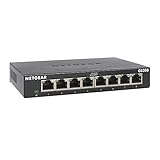
NETGEAR 8-Port Gigabit Unmanaged Switch
An eight-port plug-and-play switch for a console, a PC, and a streaming box. It needs no setup. A tidy step up from a five-port model.
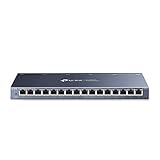
TP-Link TL-SG116 16-Port Gigabit Switch
A sixteen-port desktop switch for a home office with many wired devices. The metal body helps with heat. A roomy choice if you expect to add more gear.
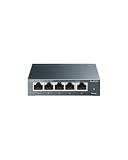
NETGEAR 5-Port Gigabit Unmanaged Switch
A compact five-port plug-and-play switch that works for a small desk. Gigabit speed suits most home internet plans. A reliable second option from a known brand.

TRENDnet 8-Port Gigabit Desktop Switch
An eight-port gigabit desktop switch with a simple design. It works out of the box without software. A good alternative if you want a different brand.

Count your wired devices and add a few spare ports. A switch is easier to buy once than to swap later.
Best Unmanaged Switch for Home Networks: FAQ
What is the best unmanaged switch for home networks?
For most home networks, the Netgear GS308 Unmanaged Switch is the best overall unmanaged switch for home networks because it offers ports of 8 ports, a speed of 1 Gbps, and a housing of metal at a typical price in the $20 to $30 range, all in a switch that is suitable for 8 ports, for 1 Gbps speed, and for Netgear quality. If you want value, the TP-Link TL-SG108 is a good alternative. If you want small homes, the Netgear GS305 is worth considering. If you want desktops, the TP-Link TL-SG105 is a strong choice. If you want reliability, the D-Link DGS-1008G is a practical choice. If you want many devices, the TP-Link TL-SG116 is a good fit.
Do I need a managed switch for a home network?
Do you need a managed switch for a home network depends on its use, but in most cases, no, you do not need a managed switch for a home network, as an unmanaged switch is plug and play and works for most homes. A homeowner should choose a managed switch only if they need VLANs or QoS, and an unmanaged switch if they just want to connect devices.
How many ports do I need for a home network?
How many ports you need for a home network depends on its devices, but in most cases, you need 8 ports for a home network, as it fits a PC, TV, console, and NAS with room to grow. A homeowner should count their wired devices, should allow for 2 extra ports, and should choose 16 ports if they have many devices.
Can I connect an unmanaged switch to my router?
Can you connect an unmanaged switch to your router depends on its ports, but in most cases, yes, you can connect an unmanaged switch to your router by plugging an Ethernet cable from your router’s LAN port to any port on your switch. A homeowner should use a Cat5e or Cat6 cable, should plug it in, and should connect their devices to the switch.
FAQ
What is the best unmanaged switch for home networks?
Do I need a managed switch for a home network?
How many ports do I need for a home network?
Can I connect an unmanaged switch to my router?
Related guides
- Best Short Charging Cable for Cars in 2026: Short Charging Cable for Cars
- Best Wireless Charger vs Wired Charger for Phones in 2026: Wireless Charger vs Wired Charger for Phones, iPhone, and Android Charging
- Best Microphone for Recording Acoustic Guitar: 6 Microphones for Acoustic Guitar in 2026
- Best Scanner for Old Photos in 2026: 7 Best Scanners for Old Photos That Scan Prints, Slides, and Negatives Clearly
More from Amazon
Programs that pair well with the guide above. Offers and eligibility are set by Amazon and may change.
Free shipping on eligible items, Prime Video and more. Eligible new members can start with a free trial.
Start a Prime free trialAd-free music streaming. Eligible new subscribers can start with a free trial.
Try Music Unlimited freeA Prime membership for ages 18-24 with a trial period. Eligibility is set by Amazon.
See Prime for Young AdultsAudiobooks and podcasts to listen to on the go. Eligible new members can start with a free trial.
Try Audible freeAs an Amazon Associate we earn from qualifying purchases.

Write Your Review
No reviews yet. Be the first to share your experience!