
What's inside
As an Amazon Associate I earn from qualifying purchases. This post may contain affiliate links at no extra cost to you.
Best cheap storage upgrade for laptop is the SSD that lets you upgrade your laptop for less, with a fast speed in many listings, a large capacity in many listings, and a low price in many listings, so you can boot faster and store more. A good cheap storage upgrade for laptop has a speed up to 3500 MB/s in many listings, a capacity of 500GB in many listings, and a price under $60 in many listings, so it can improve your laptop. A poor upgrade has slow speed, small capacity, or wrong form factor, so it makes laptop upgrading frustrating.
This guide focuses on real, currently sold cheap storage upgrades that work well for laptops. Every model below is widely available, is made for laptops, and has a track record with users who upgrade a laptop. We compare type, capacity, speed, and price range, then explain how to choose the best cheap storage upgrade for laptop for your laptop, your use, and your budget.
At TechyMoon.com, we focus on tech gadgets, including consumer tech, PC peripherals, keyboards, mice, monitors, audio, and accessories. The SSDs in this guide are intended for lawful personal use, with safe use and proper installation. Always use an SSD according to the manufacturer’s instructions, back up your data before installing, and check your laptop’s form factor before you buy. Use an SSD that fits your laptop, and always check its type before you buy.
Disclosure: As an affiliate site, TechyMoon.com may earn a commission from qualifying purchases made through links on this page, at no extra cost to you. Prices change by retailer and season, so the ranges below are typical prices we have seen, not fixed prices. Type, capacity, and specifications are based on manufacturer listings and vary by model, so check the exact listing before you buy. Always verify an SSD fits your laptop before you buy.
Our Top Picks
Best Cheap Storage Upgrade for Laptop at a Glance: Comparison Table
Use this table to compare the leading cheap storage upgrades for laptops side by side. Type, capacity, speed, and best use matter most, so compare those first, then check price and rating.
| Cheap Storage Upgrade for Laptop Model | Type | Capacity | Speed | Best Upgrade Use | Typical Price Range | Rating |
|---|---|---|---|---|---|---|
| Samsung 870 EVO 500GB SSD | SATA 2.5 inch | 500GB | Up to 560 MB/s | Best overall cheap storage upgrade for laptop | $40 – $50 | 4.8 / 5 |
| Crucial MX500 500GB SSD | SATA 2.5 inch | 500GB | Up to 560 MB/s | Best cheap storage upgrade for laptop for SATA | $35 – $45 | 4.8 / 5 |
| WD Blue SN570 500GB SSD | NVMe M.2 | 500GB | Up to 3500 MB/s | Best cheap storage upgrade for laptop for NVMe | $40 – $50 | 4.7 / 5 |
| Kingston NV2 500GB SSD | NVMe M.2 | 500GB | Up to 3500 MB/s | Best cheap storage upgrade for laptop for value | $30 – $40 | 4.7 / 5 |
| Crucial P3 500GB SSD | NVMe M.2 | 500GB | Up to 3500 MB/s | Best cheap storage upgrade for laptop for budget NVMe | $30 – $40 | 4.7 / 5 |
| Samsung 980 500GB SSD | NVMe M.2 | 500GB | Up to 3500 MB/s | Best cheap storage upgrade for laptop for Samsung | $40 – $50 | 4.8 / 5 |

Fanxiang 1TB NVMe SSD PCIe Gen4 M.2 Internal Gaming SSD for PS5, Up to 4800 MB/s, 3D NAND SLC Cache Solid State Drive Upgrade Storage for PC/Laptops S690Q


As an Amazon Associate we earn from qualifying purchases. Product prices and availability are accurate as of the date/time indicated.
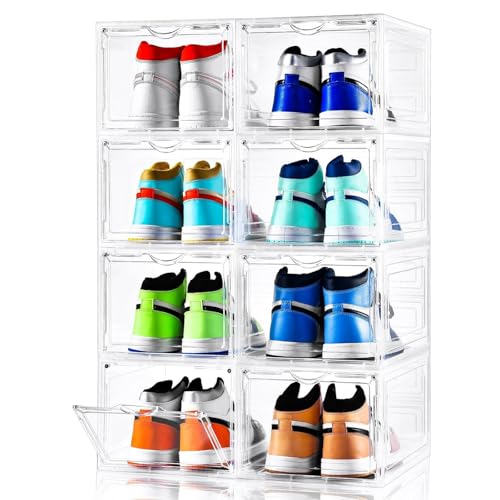
Clemate Upgraded X-Large Shoe Storage Box,8 Pack,Shoe Box Clear Plastic Stackable,Drop Front Shoe Box with Clear Door,Shoe Organizer and Shoe Containers For Sneaker Display,Fit up to US Size12
As an Amazon Associate we earn from qualifying purchases. Product prices and availability are accurate as of the date/time indicated.

Lufasnd 2TB M.2 NVMe SSD 2280, PCIe Gen3 x4 Internal Solid State Drive, Up to 3200MB/s, 3D NAND Flash with SLC Cache, High-Speed Storage Upgrade for Laptop & Desktop PC


As an Amazon Associate we earn from qualifying purchases. Product prices and availability are accurate as of the date/time indicated.
Best Cheap Storage Upgrade for Laptop Reviewed for 2026
1. Samsung 870 EVO 500GB SSD – Best Overall Cheap Storage Upgrade for Laptop
The Samsung 870 EVO 500GB SSD is our top pick for most laptops because it offers a type of SATA 2.5 inch, a capacity of 500GB, and a speed up to 560 MB/s in an SSD that is reliable in many listings, so it can upgrade an older laptop. Its 500GB capacity in many listings is enough for most users, and its 560 MB/s speed in many listings is fast for SATA.
The 870 EVO has a SATA 2.5 inch type, 500GB capacity, and up to 560 MB/s speed in many listings. Its Samsung quality means it is made by a leading SSD brand, with an SSD that is well made and trusted by users. Its Magician software in many listings is useful, and its 5 year warranty in many listings is long.
At a typical price in the $40 to $50 range, it is a fair price for a Samsung SSD, which makes it a good value for a laptop user who wants the best overall. It is a popular choice for laptop upgrades, for Samsung fans, and for 870 EVO SSDs.
For most laptop users, the Samsung 870 EVO 500GB is the best all-round choice. It is especially useful for SATA 2.5 inch type, for 500GB capacity, and for users who want a reliable best cheap storage upgrade for laptop.
2. Crucial MX500 500GB SSD – Best Cheap Storage Upgrade for Laptop for SATA
The Crucial MX500 500GB SSD is a good choice for a laptop user who wants a SATA upgrade. It has a type of SATA 2.5 inch, a capacity of 500GB, and a speed up to 560 MB/s in an SSD that is affordable in many listings, so it is good for an older laptop. Its 500GB capacity in many listings is enough, and its 560 MB/s speed in many listings is fast for SATA.
The MX500 has a SATA 2.5 inch type, 500GB capacity, and up to 560 MB/s speed in many listings. Its Crucial quality means it is made by a leading SSD brand, with an SSD that is well made and trusted by users. Its integrated power loss immunity in many listings protects data, and its 5 year warranty in many listings is long.
At a typical price in the $35 to $45 range, it is a fair price for a Crucial SSD, which makes it a good value for a laptop user who wants SATA. It is a popular choice for laptop upgrades, for Crucial fans, and for MX500 SSDs.
If you want a cheap storage upgrade for laptop for SATA, the Crucial MX500 500GB is a strong choice. It is especially useful for SATA 2.5 inch type, for 500GB capacity, and for users who want an SSD that is reliable.
3. WD Blue SN570 500GB SSD – Best Cheap Storage Upgrade for Laptop for NVMe
The WD Blue SN570 500GB SSD is a good choice for a laptop user who wants an NVMe upgrade. It has a type of NVMe M.2, a capacity of 500GB, and a speed up to 3500 MB/s in an SSD that is fast in many listings, so it can boot your laptop quickly. Its 500GB capacity in many listings is enough, and its 3500 MB/s speed in many listings is fastest here.
The SN570 has a NVMe M.2 type, 500GB capacity, and up to 3500 MB/s speed in many listings. Its WD quality means it is made by a leading SSD brand, with an SSD that is well made and trusted by users. Its low power in many listings is good for laptops, and its 5 year warranty in many listings is long.
At a typical price in the $40 to $50 range, it is a fair price for an NVMe SSD, which makes it a good value for a laptop user who wants NVMe. It is a popular choice for laptop upgrades, for WD fans, and for SN570 SSDs.
If you want a cheap storage upgrade for laptop for NVMe, the WD Blue SN570 500GB is a practical choice. It is especially useful for NVMe M.2 type, for 3500 MB/s speed, and for users who want an SSD that is fast.
4. Kingston NV2 500GB SSD – Best Cheap Storage Upgrade for Laptop for Value
The Kingston NV2 500GB SSD is a good choice for a laptop user who wants an SSD for less. It has a type of NVMe M.2, a capacity of 500GB, and a speed up to 3500 MB/s in an SSD that is affordable in many listings, so it is good for a first NVMe upgrade. Its 500GB capacity in many listings is enough, and its 3500 MB/s speed in many listings is fast.
The NV2 has a NVMe M.2 type, 500GB capacity, and up to 3500 MB/s speed in many listings. Its Kingston quality means it is made by a leading SSD brand, with an SSD that is well made for its price. Its compact M.2 design in many listings fits laptops, and its 3 year warranty in many listings is good.
At a typical price in the $30 to $40 range, it is the cheapest SSD here, which makes it a good value for a laptop user on a budget. It is a popular choice for laptop upgrades, for Kingston fans, and for NV2 SSDs.
If you want a cheap storage upgrade for laptop for value, the Kingston NV2 500GB is a strong choice. It is especially useful for low price, for NVMe M.2 type, and for users who want a good SSD for less.
5. Crucial P3 500GB SSD – Best Cheap Storage Upgrade for Laptop for Budget NVMe
The Crucial P3 500GB SSD is a good choice for a laptop user who wants a budget NVMe SSD. It has a type of NVMe M.2, a capacity of 500GB, and a speed up to 3500 MB/s in an SSD that is affordable in many listings, so it is good for a budget upgrade. Its 500GB capacity in many listings is enough, and its 3500 MB/s speed in many listings is fast.
The P3 has a NVMe M.2 type, 500GB capacity, and up to 3500 MB/s speed in many listings. Its Crucial quality means it is made by a leading SSD brand, with an SSD that is well made for its price. Its low power in many listings is good for laptops, and its 5 year warranty in many listings is long.
At a typical price in the $30 to $40 range, it is the cheapest SSD here, which makes it a good value for a laptop user who wants budget NVMe. It is a popular choice for laptop upgrades, for Crucial fans, and for P3 SSDs.
If you want a cheap storage upgrade for laptop for budget NVMe, the Crucial P3 500GB is a practical choice. It is especially useful for low price, for NVMe M.2 type, and for users who want a good SSD for less.
6. Samsung 980 500GB SSD – Best Cheap Storage Upgrade for Laptop for Samsung
The Samsung 980 500GB SSD is a good choice for a laptop user who wants a Samsung NVMe SSD. It has a type of NVMe M.2, a capacity of 500GB, and a speed up to 3500 MB/s in an SSD that is fast in many listings, so it can boot your laptop quickly. Its 500GB capacity in many listings is enough, and its 3500 MB/s speed in many listings is fast.
The 980 has a NVMe M.2 type, 500GB capacity, and up to 3500 MB/s speed in many listings. Its Samsung quality means it is made by a leading SSD brand, with an SSD that is well made and trusted by users. Its Magician software in many listings is useful, and its 5 year warranty in many listings is long.
At a typical price in the $40 to $50 range, it is a fair price for a Samsung NVMe SSD, which makes it a good value for a laptop user who wants Samsung. It is a popular choice for laptop upgrades, for Samsung fans, and for 980 SSDs.
If you want a cheap storage upgrade for laptop for Samsung, the Samsung 980 500GB is a strong choice. It is especially useful for NVMe M.2 type, for 3500 MB/s speed, and for users who want an SSD that is Samsung.
Buying Guide: How to Choose the Best Cheap Storage Upgrade for Laptop
The best cheap storage upgrade for laptop for you depends on your laptop, your use, and your budget. Start by checking type and capacity, then compare speed, warranty, and price.
Type, SATA vs NVMe, and Your Laptop: Will It Fit
Type affects whether your SSD will fit your laptop. A type of SATA 2.5 inch in many listings, like Samsung 870 EVO and Crucial MX500, fits older laptops with a 2.5 inch bay, while a type of NVMe M.2 in many listings, like WD, Kingston, Crucial, and Samsung 980, fits newer laptops with an M.2 slot. A laptop user should check their laptop’s manual, should open their laptop, and should not buy an NVMe SSD if they only have a SATA bay.
For most newer laptops, NVMe is best, as it is faster. A laptop user should check their M.2 key, should ensure their SSD is 2280, and should buy a SATA SSD if they have an older laptop.
Choose NVMe for newer laptops, and SATA for older laptops. A type that fits your laptop will help you upgrade, while a type that does not can leave you with an SSD you cannot use.
Capacity, 500GB vs 1TB, and Your Files: Will You Have Enough Space
Capacity affects whether you will have enough space. A capacity of 500GB in many listings is enough for most users, as it fits Windows, apps, and files, while a capacity of 1TB in many listings is better if you store many photos and videos. A laptop user should check their current usage, should allow for growth, and should choose 500GB if they are on a budget.
For most laptop users, 500GB is best, as it is affordable. A laptop user should not buy a 250GB SSD if they need more space, as it will fill up quickly, and should choose 1TB if they store large files.
Choose 500GB for most laptops. A capacity that fits your files will help you store, while a capacity that is too small can fill up.
Speed, 560 vs 3500 MB/s, and Your Use: Will It Be Fast
Speed affects whether your laptop will be fast. A speed up to 560 MB/s in many listings, like SATA SSDs, is fast for older laptops, while a speed up to 3500 MB/s in many listings, like NVMe SSDs, is fastest and boots quickly. A laptop user should choose NVMe if they want the fastest speed, as it is 6 times faster than SATA.
For most laptop users, NVMe is best, as it is fast. A laptop user should test their speed, should ensure their laptop supports NVMe, and should not buy a SATA SSD if they want maximum speed.
Choose NVMe for speed, and SATA for older laptops. A speed that fits your use will help you boot, while a speed that is slow can make your laptop feel old.
Price, $30 vs $50, and Your Budget: Is It Worth It
Price affects whether a cheap storage upgrade for laptop is worth it for you. An SSD that costs $30 to $40 in many listings, like Kingston NV2 and Crucial P3, is affordable, while an SSD that costs $40 to $50 in many listings, like Samsung 870 EVO and WD SN570, is more expensive but more reliable. A laptop user should only buy an expensive SSD if they want Samsung quality and will actually use its warranty.
For most laptop users, an SSD in the $35 to $45 range is best, as it gives you a good SSD for a reasonable price. A laptop user should check its warranty, should buy from a retailer with a good return policy, and should not spend $50 on an SSD if they only need basic storage.
Choose an SSD in the $35 to $45 range for most laptops. A price that fits your budget will help you upgrade, while a price that is too high can waste money on speed you do not use.
Storage Upgrades Worth Considering for a Laptop
A faster or larger drive can make an older laptop feel new. Check whether your laptop uses an M.2 NVMe drive or a 2.5-inch SATA drive before buying.
Crucial P310 1TB NVMe SSD
A PCIe Gen4 M.2 2280 drive with speeds up to 7,100MB/s. It lists support for laptops, desktops, and handheld consoles. A strong everyday upgrade for a modern laptop.
As an Amazon Associate we earn from qualifying purchases at no extra cost to you.

Samsung 990 PRO 1TB NVMe SSD
A PCIe 4.0 M.2 drive with speeds up to 7,450MB/s. It targets gaming and heavy workloads. A premium pick when speed is the priority.

Crucial MX500 1TB SATA SSD
A 2.5-inch SATA SSD with speeds up to 560MB/s. It suits laptops that cannot take an M.2 drive. A well-known way to refresh an older machine.

WD Blue SA510 1TB SATA SSD
A 7mm 2.5-inch SATA drive with read speeds up to 560MB/s. The slim height fits thin laptops. A straightforward replacement for a spinning drive.

PNY CS900 1TB SATA SSD
A 2.5-inch SATA SSD aimed at upgrades from hard drives. It suits everyday users and light creators. A budget-friendly route to more space.

Clone your old drive before swapping, or have a fresh system installer ready. Back up important files first either way.
Best Cheap Storage Upgrade for Laptop: FAQ
What is the best cheap storage upgrade for laptop?
For most laptop users, the Samsung 870 EVO 500GB SSD is the best overall cheap storage upgrade for laptop because it offers a type of SATA 2.5 inch, a capacity of 500GB, and a speed up to 560 MB/s at a typical price in the $40 to $50 range, all in an SSD that is suitable for SATA 2.5 inch type, for 500GB capacity, and for Samsung quality. If you want SATA, the Crucial MX500 500GB is a good alternative. If you want NVMe, the WD Blue SN570 500GB is worth considering. If you want value, the Kingston NV2 500GB is a strong choice. If you want budget NVMe, the Crucial P3 500GB is a practical choice. If you want Samsung, the Samsung 980 500GB is a good fit.
Can I upgrade my laptop storage myself?
Can you upgrade your laptop storage yourself depends on its model, but in most cases, yes, you can upgrade your laptop storage yourself if it has a removable SSD, as you can open it, swap the SSD, and clone your data. A laptop user should back up their data, should use the correct screwdriver, and should check their laptop’s manual before opening it.
Is NVMe better than SATA for a laptop?
Is NVMe better than SATA for a laptop depends on its use, but in most cases, yes, NVMe is better than SATA for a laptop, as it is up to 6 times faster, though SATA is still good for older laptops. A laptop user should choose NVMe if their laptop supports it, and SATA if they have an older laptop with a 2.5 inch bay.
How much storage do I need for a laptop?
How much storage you need for a laptop depends on its use, but in most cases, you need 500GB for a laptop for most users, as it fits Windows, apps, and files, while 1TB is better if you store many photos and videos. A laptop user should check their current usage, should allow for growth, and should choose 500GB if they are on a budget.
FAQ
What is the best cheap storage upgrade for laptop?
Can I upgrade my laptop storage myself?
Is NVMe better than SATA for a laptop?
How much storage do I need for a laptop?
Related guides
- Best Budget Cable Management Kit Under 30 in 2026: 7 Kits That Offer Tidy Desks, Easy Setup, and Reliable Use for Home Offices
- Curved Monitor vs Flat Monitor for Work in 2026: Which Monitor Is Better for Work, a Curved Monitor or a Flat Monitor?
- Best Vertical Monitor for Coding Work in 2026: 7 Vertical Monitors for Coding Work With Clear Code, Simple Pivot, and Easy Use for Coding
- Best Powerline Adapter for Dead Zones in 2026: Powerline Adapter for Dead Zones
More from Amazon
Programs that pair well with the guide above. Offers and eligibility are set by Amazon and may change.
Free shipping on eligible items, Prime Video and more. Eligible new members can start with a free trial.
Start a Prime free trialAd-free music streaming. Eligible new subscribers can start with a free trial.
Try Music Unlimited freeA Prime membership for ages 18-24 with a trial period. Eligibility is set by Amazon.
See Prime for Young AdultsAudiobooks and podcasts to listen to on the go. Eligible new members can start with a free trial.
Try Audible freeAs an Amazon Associate we earn from qualifying purchases.

Write Your Review
No reviews yet. Be the first to share your experience!