
What's inside
- Best Premium Gaming Setup for Esports by Link
- Quick Comparison: Best Premium Gaming Setup for Esports Components
- Detailed Reviews: Best Premium Gaming Setup for Esports Components
- Buying Guide: Building the Best Premium Gaming Setup for Esports
- Frequently Asked Questions About the Best Premium Gaming Setup for Esports
As an Amazon Associate I earn from qualifying purchases. This post may contain affiliate links at no extra cost to you.
The best premium gaming setup for esports is not a collection of expensive objects; it is a chain of latencies, and it is only as strong as its slowest link. The professional’s desk is engineered backwards from a single sensation — the click and the consequence arriving as one event — through every component that sensation crosses: the mouse’s sensor and switch, the wireless link, the PC’s frame production, the monitor’s refresh and response, the keyboard’s actuation, and the player’s own eye at the end of the chain. Premium money spent anywhere else in the chain — on spectacle, on resolution the title cannot feed, on lighting that performs for an audience of one — is money spent outside the sensation, and the esports parish, which is this guide’s parish, is ruthless about the distinction. This guide assembles the current flagship chain from the real, currently sold instruments the professional scene actually uses — the tournament monitor classes from BenQ Zowie and ASUS ROG, the mouse classes from Logitech G and Razer that dominate professional hands, the rapid-trigger keyboard class from Wooting that has rewritten its category, and the PC specification philosophy that feeds them — and it teaches the order of purchase, because a premium setup bought in the wrong order is a mid-range setup with one expensive link, glowing.
The comparison table fields the chain’s decisive components across their categories, because a setup is compared link by link or not honestly at all. BenQ Zowie’s XL2586X class is the tournament monitor reference, in its maker’s stated classes — the refresh and motion-clarity specification the professional circuit standardised on. ASUS ROG’s Swift Pro class is its rival at the refresh summit, in ASUS’s stated classes. Logitech’s G PRO X Superlight 2 class and Razer’s Viper V3 Pro class are the professional mice, in their makers’ stated sensor, switch, and wireless classes, between which the scene’s hands divide. Wooting’s 60HE class is the keyboard that made analogue actuation and rapid trigger, in its maker’s stated design, the competitive standard. And the PC itself enters as a specification rather than a model — the flagship graphics and processor classes in their makers’ current ranges — because the premium PC for esports is built or specified to a frame-rate target, not bought as a badge. Refresh rate, response behaviour, sensor and polling classes, actuation design, and weight are each maker’s specification for the current exact model, in its stated test terms, and must be confirmed in that maker’s current documents before purchase. Prices are typical ranges rather than exact figures, per component, and the honest total is the chain’s sum — a number this guide will print without flinching, because a premium setup’s buyer deserves to see the whole mountain before climbing it.
One honesty precedes the table, and the professional scene itself insists on it: equipment is the last of the advantages. The flagship chain removes excuses — it guarantees that the click was the click, the frame was the frame, and the loss was the player’s — and that guarantee is genuinely worth money to a competitor whose ranking is a livelihood or an ambition. It does not aim, it does not decide, and it does not practise, and the player who buys the chain before the hours will own a beautiful instrument for discovering that the hours were the equipment. Buy the chain as the final polish on a game already built, in the order this guide teaches, and every link will be felt; buy it as a substitute for the building, and it will be felt too — as furniture.
Our Top Picks
Best Premium Gaming Setup for Esports by Link
The monitor link: Zowie and ASUS ROG at the refresh summit
The monitor is the chain’s most consequential link, because it is where the game’s truth becomes the eye’s evidence, and the professional parish’s standards are written in its makers’ stated classes: refresh at the summit classes the XL2586X and the ROG Swift Pro state in their documents, motion clarity technologies in their stated designs that attack the blur between frames, and a screen size in the stated class the circuit has settled on — large enough for the interface, small enough for the whole picture to live in the eye’s working field. Resolution, in this parish, is deliberately modest in the makers’ stated classes, because frames are the currency and pixels are the tax: the professional trades the beauty of a vast high-resolution panel for the truth of a smaller one refreshed beyond the game’s ability to wait. A premium buyer whose titles are competitive should make the same trade without nostalgia, and a buyer whose games are cinematic should leave this parish entirely, with this guide’s blessing and its other tables’ addresses.
The hand links: the professional mice and the rapid-trigger keyboard
The mouse is the chain’s most personal link, and the professional scene’s division between Logitech’s Superlight class and Razer’s Viper class, in their makers’ stated designs, is a division of shapes and hands rather than of quality: sensor classes at the stated summit, wireless polling in their stated classes that has retired the cable from the professional desk, switches in their stated designs built for the click’s honesty, and weights in their stated classes so low that the mouse approaches a rumour the hand tells the screen. Choose between them by the grip and the hand’s measurement, in the makers’ stated dimensions, ideally under the hand itself in a shop or a return window, because a flagship mouse in the wrong shape is a mid-range mouse with a famous name. The keyboard’s link has been rewritten by Wooting’s analogue class: actuation in its stated design that registers how far a key is pressed, and rapid trigger in its stated terms that resets the key the instant it rises — a responsiveness in movement and counter-strafing that the competitive parish adopted as a standard within a few seasons, and which the makers’ stated designs across the flagship keyboard classes now contest.
The engine link: the PC specified to a frame target
The PC’s link is specified, not shopped: the title’s frame rate at the monitor’s refresh, sustained at the game’s worst moment rather than averaged at its best, in the settings the competitive parish actually uses. That specification, read against the current flagship processor and graphics classes in their makers’ ranges, usually lands a step below the absolute summit for the esports titles themselves — which are built to run fast on modest hardware — and at the summit only where the same machine must also stream, record, or play the cinematic catalogue. The premium discipline is to spend the engine’s surplus on the chain’s other links and on the desk’s ergonomics, rather than on frames the monitor cannot show; a chain is audited at its weakest link, and an over-engined PC under a mid-range monitor is the audit’s most common failure.
Quick Comparison: Best Premium Gaming Setup for Esports Components
| Component | Key Specs | Role in the Setup | Typical Price Range | Rating |
|---|---|---|---|---|
| BenQ Zowie XL2586X Class Monitor | Refresh and motion clarity classes, panel size classes, response classes per BenQ documents for the exact model | Best esports monitor | $550 – $700 | 4.7 / 5 |
| ASUS ROG Swift Pro PG248QP Class Monitor | Refresh classes, panel and response classes, G-Sync classes per ASUS documents for the exact model | Best refresh summit rival | $750 – $900 | 4.6 / 5 |
| Logitech G PRO X Superlight 2 Class Mouse | Sensor, switch, wireless polling, and weight classes per Logitech documents for the exact model | Best professional mouse | $150 – $180 | 4.7 / 5 |
| Razer Viper V3 Pro Class Mouse | Sensor, polling, switch, and weight classes per Razer documents for the exact model | Best alternative pro mouse | $150 – $180 | 4.6 / 5 |
| Wooting 60HE Class Keyboard | Analogue actuation and rapid trigger classes, switch and polling classes per Wooting documents for the exact model | Best esports keyboard | $175 – $210 | 4.7 / 5 |
| Flagship Esports PC Specification Class | Current flagship processor and graphics classes, memory and storage classes, specified to the title’s sustained frame target | The engine link | $1,800 – $3,000 by specification | 4.6 / 5 |

SteelSeries Apex 3 Gaming Keyboard - Black | 10-Zone RGB Illumination – IP32 Water Resistant – Premium Magnetic Wrist Rest (Whisper Quiet Gaming Switch)
As an Amazon Associate we earn from qualifying purchases. Product prices and availability are accurate as of the date/time indicated.

Gaming Arm Sleeve PC Sport open glove thumb hole compression esports gamers | Full Gaming Sleeve with Bottom Palm Cover for Glass & Cloth Mouse Pads - Paint Spray Design - Medium
As an Amazon Associate we earn from qualifying purchases. Product prices and availability are accurate as of the date/time indicated.

GIGABYTE MO27Q2A 27" QD-OLED QHD AMD Freesync Premium Pro Gaming Monitor | Black, QHD 2560x1440, 280Hz, 0.03ms GTG, G-SYNC Compatible, HDMI2.1, DP1.4, Type-C, KVM, Height and Tilt Adjustable


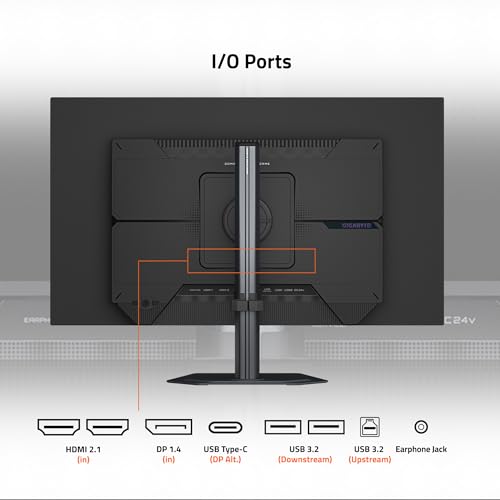
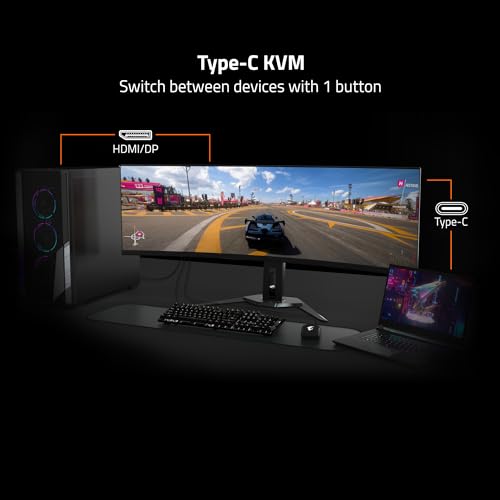


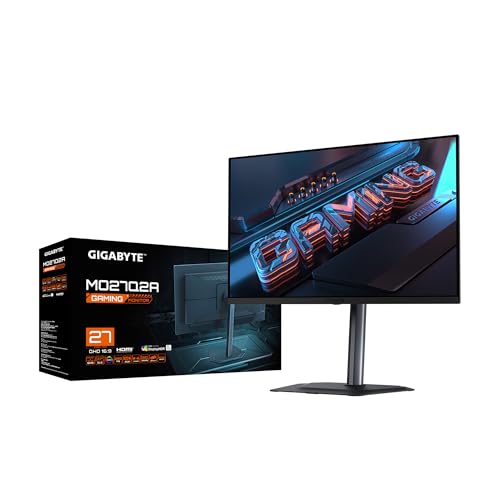

As an Amazon Associate we earn from qualifying purchases. Product prices and availability are accurate as of the date/time indicated.
Refresh rate, response behaviour in the maker’s stated test terms, sensor and polling rates, switch and actuation design, dimensions, and weight are each maker’s specification for the current exact model and must be confirmed in that maker’s current documents before purchase. Prices are typical street ranges per component as described. A setup’s real performance is the chain’s — monitor, PC, and peripherals together — and each component’s stated classes assume the rest of the chain can honour them, as this guide describes.
Detailed Reviews: Best Premium Gaming Setup for Esports Components
1. BenQ Zowie XL2586X Class – Best Esports Monitor
Zowie’s flagship class leads the setup because the tournament desk leads from the monitor, and this is the monitor the tournament desk is made of: refresh in BenQ’s stated class at the category’s summit, motion clarity in its stated design that the professional parish treats as the reference implementation, and a feature set in its stated arrangement — the quick settings, the shield against the room’s light, the stand’s total adjustability — that reads like a list of things a stage full of professionals asked for by name. Its stated resolution is the parish’s deliberate modesty, and its picture is tuned for the enemy’s visibility rather than the landscape’s beauty, which in this parish is the same sentence as quality.
Feed it with a PC that sustains its stated refresh in your title, as the buying guide directs, or its summit is a brochure. Fed properly, it is the single purchase in this table most likely to be felt in the first match — the game’s motion resolving into information the eye can finally spend — and that sensation is the premium setup’s whole argument, delivered by its first link.
2. ASUS ROG Swift Pro Class – Best Refresh Summit Rival
ASUS’s flagship esports class contests the summit with its own stated refresh classes and the ROG ecosystem’s polish: panel and response classes in ASUS’s documents at the category’s edge, sync technology in its stated design, and the build of a house that treats esports as a flagship discipline rather than as a gaming afterthought. Between it and the Zowie, the professional’s choice is made on the exact models’ stated motion behaviour, the ecosystem the desk already runs, and the week’s prices, in both makers’ documents — a summit tie, broken by documents, as all the best ties are.
Its premium above the Zowie’s class is real and should be bought for a stated reason — the sync parish, the ecosystem, the specific panel behaviour — rather than for the badge. Bought for a reason, it is a summit instrument; the parish forgives any price that arrives with its paperwork in order.
3. Logitech G PRO X Superlight 2 Class – Best Professional Mouse
Logitech’s Superlight class is the professional hand’s most common answer, and its stated classes explain the census: a sensor in Logitech’s stated terms at the summit, optical-mechanical switch classes in its stated design for the click’s consistency, wireless polling in its stated classes that ended the cable debate, and a weight in its stated class that makes the mouse a gesture rather than an object. Its shape, in its stated dimensions, suits the parish’s dominant grips, and its battery in its stated class covers the tournament week.
Choose it against the Viper by the hand, as this guide insists — the two are peers, and the hand is the electorate. In the right hand it disappears, and a mouse that disappears is the chain’s ideal link: present in the statistics, absent from the player’s thoughts, which is where matches are won.
4. Razer Viper V3 Pro Class – Best Alternative Pro Mouse
Razer’s flagship mouse class answers the Superlight with its own stated summit: sensor and polling classes in Razer’s documents at the category’s edge — its wireless polling classes, as Razer states them, are the parish’s talking point — a shape in its stated dimensions descended from the scene’s most copied silhouette, and a weight in its stated class in the same rumour territory as its rival. For the hand that grew up on the Viper’s shape, it is not the alternative; it is the incumbent, upgraded to the current summit.
Its ecosystem’s software, in Razer’s stated arrangement, should be weighed by the desk that will live in it, as with every flagship here. Weighed and chosen by the hand, it completes the chain’s hand link with the same invisibility as its rival, and the scoreboard will never know which of the two the hand preferred — which is exactly the point of a link this good.
5. Wooting 60HE Class – Best Esports Keyboard
Wooting’s 60HE class is the keyboard that changed what a keyboard is for: analogue sensing in its maker’s stated design, actuation points set per key in its stated terms, and rapid trigger in its stated behaviour that resets a key at the instant of release — a movement fidelity in counter-strafing and in every held-and-released input that the competitive parish, having felt it, declined to give back. Its stated polling classes complete the link’s honesty, and its compact form in its stated design suits the tournament desk’s geography, mouse room being a competitive resource.
Its parish taxes are the pioneer’s: a compact layout whose missing keys the software’s layers must answer for, in its stated arrangement, and a setup session spent in its configuration as the maker directs. Paid, those taxes buy the keyboard link’s current summit — the one component in this table whose advantage a player can be taught to feel in a single practice session, which is more than most flagships in any category can claim.
6. The Flagship Esports PC Specification – The Engine Link
The PC enters the table as a specification because that is how the parish buys it: a current flagship-class processor and graphics pairing, in their makers’ ranges, chosen to sustain the title’s frame rate at the monitor’s stated refresh through the game’s worst team fight rather than its emptiest corridor; memory and storage in their stated classes sized for the titles, the recording, and the stream where the player’s life includes one; and cooling and power in their stated classes that hold the specification at hour six as at minute one. Built or bought to that document — by a reputable builder whose stated specification matches it, or assembled with the component makers’ documents as the guide — it is the chain’s engine, and its premium is justified only where the frames are.
Resist the summit’s extra step unless the second life — streaming, cinematic titles, production — signs for it, and spend the difference down the chain: the monitor’s class, the chair’s honesty, the desk’s size. The parish’s wisdom is that a chain audited whole beats an engine worshipped alone, and the scoreboard, which reads only the whole, agrees.
Buying Guide: Building the Best Premium Gaming Setup for Esports
Buy in the chain’s order: monitor, mouse, PC audit, keyboard, then the desk
Sequence is the premium buyer’s discipline, because the chain’s links multiply rather than add. First, the monitor, at the parish’s stated refresh and clarity classes, because it defines the frame target the rest of the chain must serve. Second, the mouse, fitted to the hand from the makers’ stated dimensions and tried under it where the seller allows, because it is the link the body touches most. Third, audit the PC against the monitor’s target — sustained frames in your title at your settings, measured in the game itself rather than in a benchmark’s hospitality — and upgrade the engine only to the audit’s specification, in the component makers’ current classes. Fourth, the keyboard’s rapid-trigger link, whose advantage is real and teachable. Fifth, and never as an afterthought, the desk and chair and light: the monitor at the stated height and distance your posture prescribes, the chair that holds the sixth hour like the first, the room’s light arranged so the screen is the brightest thing in the eye’s world — ergonomics being, across a season, a performance specification with a longer lever than any polling rate. At every step, confirm the exact model’s stated classes in its maker’s current documents, because flagship families span generations whose suffixes conceal real differences, and the chain is only the models actually delivered.
Configure the chain as one instrument
A premium setup is configured, not merely assembled. Set the monitor to its stated refresh in the system and confirm the game is actually running at it, because the parish’s most common tragedy is a flagship panel idling at a default rate while its owner blames the mouse. Match the mouse’s polling and sensitivity settings, in its maker’s stated arrangements, to the title’s needs and your own measured preferences — and then leave them alone for a season, because a chain retuned weekly is a player retraining weekly. Set the keyboard’s actuation and rapid trigger in its maker’s configuration as its documents direct, per title where the profiles allow, and practise the movement it changes until the change is a skill rather than a novelty. Govern the software estate like a professional: drivers and firmware current as the makers direct, the background’s appetite audited, the network wired where the desk allows — the parish’s wired-Ethernet commandment needs no latency table to defend it — and the whole configuration recorded, settings and versions, in the player’s own file, so a rebuilt machine or a borrowed tournament PC can be made into home in an hour. Practise on the chain as a unit, in the titles and at the hours the competition uses, because the setup’s familiarity is itself a link, and it is the only one that cannot be bought the week before the event.
Budget honestly, insure the chain, and let the hours lead
Total the chain before the first purchase — monitor, peripherals, the PC audit’s true cost, the desk and chair’s honesty — using the makers’ typical ranges as this table states them, and let the total argue with the ambition in daylight: a partial chain bought in the guide’s order outperforms a complete chain bought on credit and anxiety, every season. Buy each link from its maker or an authorised retailer, register the warranties in their stated terms, and keep the documents together, because a flagship chain is a small capital estate and should be papered like one; insure or schedule the whole where the household’s policy makes that sensible, and transport it — to the LAN, to the new flat — in the cases and boxes the makers supplied, which the wise buyer keeps for exactly that day. Maintain it as the makers direct: the monitor’s panel cleaned with its stated gentleness, the mouse’s feet and sensor kept honest, the keyboard’s switches and the PC’s cooling cleared of the season’s dust, and every link replaced on evidence — the switch that double-clicks, the panel that dims — rather than on the calendar of launches. The best premium gaming setup for esports is finally a chain audited whole and practised on daily: any flagship in this table, bought in the chain’s order, configured as one instrument, and subordinated to the hours it exists to serve, will deliver the sensation the parish pays for — the click and the consequence as one event — and will then, correctly, be forgotten by the player it serves, because at the summit of equipment, forgetting the equipment is the entire prize.
Frequently Asked Questions About the Best Premium Gaming Setup for Esports
What is the best premium gaming setup for esports?
The chain this table assembles: a tournament monitor in the BenQ Zowie XL2586X or ASUS ROG Swift Pro classes, at their makers’ stated refresh and motion-clarity classes; a professional mouse fitted to the hand from the Logitech G PRO X Superlight 2 or Razer Viper V3 Pro classes; a rapid-trigger keyboard in the Wooting 60HE class; and a PC specified — not merely bought — to sustain your title’s frame rate at the monitor’s refresh through the game’s worst moments, on a wired connection, at a desk and chair that hold the sixth hour. Bought in that order, configured as one instrument, and confirmed model by model in the makers’ current documents, it is the setup whose every link honours the click. Bought out of order — the flagship PC under a mid-range monitor is the classic — it is a premium price for a mid-range sensation, which is why this guide’s buying order matters as much as its table.
How much does a premium esports setup actually cost?
Honestly totalled from this table’s typical ranges: the monitor classes run from the mid-hundreds upward, the professional mice and the rapid-trigger keyboard each sit in the low hundreds, and the PC specified to a flagship esports target spans the widest range of all, from the high hundreds for the titles’ own modest demands to several thousand where streaming and cinematic duties join the specification — putting a complete premium chain, desk and chair included, in a total that should be printed in the buyer’s own notebook before the first component is ordered. The parish’s budgeting wisdom is sequencing rather than saving: buy the monitor and the mouse first, audit the PC you have before replacing it, and let a season’s evidence specify each next link, because the chain grows as honestly as the player does. What the total should never be is a surprise, and what it should never buy is the impression of seriousness — the scene can tell the difference between a chain and a costume at a glance, and so, within a month, can the buyer.
Does a high-refresh monitor really make a difference in esports?
Yes, within the chain that can feed it, and the parish’s adoption is the evidence’s plainest form: at the refresh classes the Zowie and ROG flagships state in their documents, the game’s motion is sampled so much more finely that tracking, target confirmation, and the reading of movement all gain information the eye demonstrably uses — provided the PC sustains frames at that refresh in the actual title, the connection and settings are configured to deliver it, and the player practises on it until the finer picture is a habit rather than a novelty. The honest limits belong in the same answer: the gain is in information and feel, not in outcomes guaranteed; it shrinks if any link — the engine, the defaulted settings, the wireless network — quietly caps the chain below the panel’s class; and it serves the competitive titles it was built for, while the cinematic catalogue is better served by the resolution parish this guide waves to in its introduction. Buy it as the chain’s first link, feed it honestly, and its difference is the kind a player feels in the hands before the statistics confirm it.
Should I buy a prebuilt PC or build one for a premium esports setup?
Either, provided the specification — not the badge — is what is bought. A reputable builder’s machine whose stated specification, in the component classes this guide describes, matches your title’s sustained frame target is a rational purchase of time and warranty, and its paperwork should be read like a contract: the exact processor and graphics classes, the memory and storage classes, the cooling and power that hold the specification at hour six. A self-built machine buys the same specification with the buyer’s own labour as the discount and the component makers’ warranties as the support structure, and it teaches the owner the machine’s whole anatomy, which at a tournament, with a failure in the warm-up, is a skill with a cash value. The parish’s rule is indifferent to the route: audit the delivered machine in the actual game, at the actual settings, against the monitor’s target, inside the return or warranty’s early window — because a premium setup is a chain, the PC is its longest link, and the audit is the only signature that matters on either route.
Related guides
- How to Choose Controller Size for Small Hands in 2026: Choose Controller Size for Small Hands
- Best Camera for Wildlife Photography in 2026: 7 Best Cameras for Wildlife Photography With Clear Photos, Simple Use, and Easy Use for Camera for Wildlife Photography
- Best Drone for Long Flights in 2026: 7 Best Drones for Long Flights That Fly Far, Stay in the Air, and Are Built for Travel
- Best Budget Keyboard Wrist Rest for Typing in 2026: HyperX, Razer, Glorious, Kensington, and Fellowes Models Compared for Palm Support, Desk Comfort, and Long Workdays Without the Premium Price
More from Amazon
Programs that pair well with the guide above. Offers and eligibility are set by Amazon and may change.
Free shipping on eligible items, Prime Video and more. Eligible new members can start with a free trial.
Start a Prime free trialAd-free music streaming. Eligible new subscribers can start with a free trial.
Try Music Unlimited freeA Prime membership for ages 18-24 with a trial period. Eligibility is set by Amazon.
See Prime for Young AdultsAudiobooks and podcasts to listen to on the go. Eligible new members can start with a free trial.
Try Audible freeAs an Amazon Associate we earn from qualifying purchases.

Write Your Review
No reviews yet. Be the first to share your experience!