
What's inside
As an Amazon Associate I earn from qualifying purchases. This post may contain affiliate links at no extra cost to you.
A home NAS is a small, patient promise: that a household’s photographs, documents, films, and backups will live in one governed place, on the household’s own shelf, served to its own screens, and still be there, whole, on the day a laptop dies, a phone is lost, or a decade of birthdays is suddenly asked for by name. How to choose NAS drive for home use is therefore not one question but three wearing a single coat: the enclosure, the bays and the parish it can grow into; the drives themselves, the spinning citizens in their makers’ stated patterns whose type decides whether the whole system is an estate or a wager; and the backup doctrine that stands over both, because a NAS, in this site’s standing teaching printed across every storage guide it has written, is not a backup by existing, RAID is not a backup in any of its patterns, and a household that learns that sentence from a failure has paid the highest tuition in home technology. This guide takes the three questions in that order and grades the table’s systems by how honestly they serve a household that will not employ an administrator, because a home NAS is graded, like an office printer in this site’s coverage, by its ordinary Tuesdays and not by its installation Saturday.
Bays are the first arithmetic, and they are counted in years rather than in terabytes. A two-bay system in its pattern, mirrored in its provisions, gives a household one drive’s estate with a twin standing guard against a single drive’s death, which is the correct first parish for most homes in this guide’s doctrine; a four-bay system in its pattern buys the same guard with room to grow, its estate expandable in its provisions as the household’s parish grows, at a figure and a footprint that must be defended against the household’s actual evidence, photographs and films in their honest accumulation, rather than against an imagined archive. The processor and memory in their stated figures are graded as the system’s servants: file serving, the NAS’s founding profession, asks little of either in its pattern, while the modern parishes in their makers’ provisions, photo organisation in its design, media serving to the household’s screens in its, a camera’s parish in its, and the occasional hosted citizen in its pattern, ask more, and a buyer whose household will live in those parishes buys the figures that serve them, in the audit this guide prescribes, rather than discovering, in year two, that the estate’s government is a clerk asked to be a mayor.
The products compared here are real, currently sold home NAS systems from Synology, QNAP, Asustor, and TerraMaster, in two-bay and four-bay patterns in their lines. They are graded on household fitness first, the software parish in its makers’ design as a non-administrator will meet it, setup in its provisions, the applications a family actually uses in their patterns; bays and growth second, mirroring and expansion provisions in their stated terms; drive doctrine third, the system’s own requirements and its makers’ guidance in their documents toward the CMR parish this guide will defend; network and access fourth, the household’s own screens and the remote parish in its provisions, governed, as this guide will direct, with a security citizen’s respect; and value and support last, because a NAS is a decade’s shelf citizen, its maker’s updates in their stated terms are its continuing safety, and a system abandoned by its house is a parish with an expiry date printed nowhere on its box.
Our Top Picks
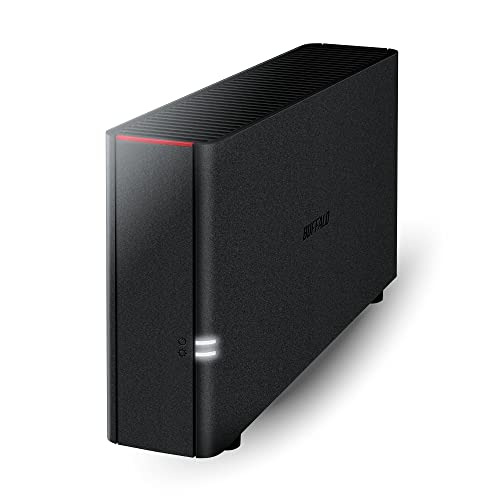 BUFFALO LinkStation 210 2TB 1-Bay NAS Network Attached2TB (1x2TB)9.45 x 3.31 x 8.67 inches2.43 poundsCheck on Amazon
How to Choose NAS Drive for Home Use: The Enclosure, the Drives, and the Doctrine
The Drives Themselves: CMR, NAS-Rated Citizens, and One Size Bought Twice
The drives are the estate; the enclosure is only its government, and this guide grades them with that emphasis. A NAS drive in its maker’s line, the IronWolf and Red parish citizens in their makers’ ranges and their peers, is built in its stated design for the profession the household is hiring: continuous duty in its pattern, vibration’s parish in a multi-bay enclosure in its provisions, and error manners in its design that report to the system’s government rather than wrestling it, provisions a desktop drive in its pattern does not carry because it was never enlisted for this service. Within that parish stands the guide’s one absolute, printed without varnish: the recording technology in the drive’s stated terms must be CMR in its pattern, conventional recording, and not SMR in its, shingled recording, whose behaviour under a mirrored array’s rebuilding in its provisions, the very hour a household can least afford slowness or failure, has made it, in the parish’s long and public record, a citizen this guide will not install in a NAS at any saving, a fact checked in the maker’s own documents for the exact model, since a line’s name alone does not testify for every capacity in its range. Capacity is bought as a pair, two citizens of a kind in a mirrored parish in their pattern, sized by the audit’s arithmetic with a brim kept, because a NAS run at its last gigabyte is a system whose every profession slows, and a mirrored estate’s usable size is one drive’s, a sentence whose plainness has surprised more households than any other in this article.
The enclosure’s remaining citizens are graded as a shelf’s manners. Noise in its stated pattern and its fans’ design in their provisions, because a NAS lives where it lives, a hall cupboard in its parish forgiving what a bedroom’s shelf will not, and its address is chosen, in the audit, with the same conscience as an office printer’s, near the router in its pattern for its wired parish, on a surface that does not drum, in air that is not a heating vent’s. Power in its stated figures is a decade’s small tax, counted honestly. The network parish in its provisions, a wired connection in its pattern as the system’s spine, since a NAS served over a household’s Wi-Fi in its place is a library up a flight of stairs, and remote access in its makers’ provisions, the household’s own estate reached from the world in its pattern, is set up with the security doctrine this guide will state once and mean entirely: accounts in their provisions with strong, unique credentials in the household’s keeping, updates in their pattern applied as the maker directs, the system’s face to the internet in its provisions governed by the maker’s own stated guidance and no wider, because an estate that can be reached from anywhere can, in the absence of that respect, be reached by anyone, and a NAS is the one household citizen whose compromise is total by design.
RAID Is Not a Backup: The Doctrine That Outranks Every Model
This section outranks the table, and a reader who reads nothing else in the article should read it. A mirrored pair in its pattern guards against one citizen’s death, a drive failing in its parish, and against nothing else in the world: not against a deletion, which the mirror performs faithfully on both citizens in the same second; not against corruption or a malicious parish in their patterns, which are likewise mirrored with a servant’s loyalty; not against fire, flood, theft, or a power event in theirs, which take the estate whole because the estate is in one place. A backup is a second copy in a second place under a second government, and the household doctrine, in this site’s standing 3-2-1 teaching, is three copies in their parishes, on two kinds of keeping in theirs, with one beyond the house’s walls in its, a cloud’s provision in its pattern or a drive at a relative’s shelf in its, rotated in the household’s habit. The NAS earns its place in that doctrine as the estate’s home and one copy’s address, commonly the first and the most convenient, and its own snapshots and versions in its makers’ provisions are citizens of real value against the deletion’s parish, set up at installation in the audit’s liturgy and not discovered, as so many households discover them, in the hour after they were needed.
The household’s professions are then assigned to the system as a government assigns ministries, each in its maker’s stated provisions: the photographs, gathered from the household’s phones in their patterns by the system’s own applications in their designs, organised in their parish, and served back as the family’s memory with a search a grandparent can govern; the documents, a shared parish in its provisions with accounts in their pattern for each citizen of the house; the media, served to the household’s screens in its applications’ terms where the household’s parish asks it; the computers’ own backups, received by the NAS in its provisions as their destination, which closes a circle this guide insists on, the estate backing up the machines while the doctrine backs up the estate; and time, the system’s updates in their pattern and its drives’ health in their stated reports, audited at the season’s turn by the household’s appointed keeper, a named citizen with a stated hour, because a NAS, like every shared system in this site’s coverage, survives on an appointment and not on an assumption.
Quick Comparison: How to Choose NAS Drive for Home Use Models
| Model | Bays, Processor Parish and Key Specs | Best For | Typical Price Range |
|---|---|---|---|
| Synology DS224+ | 2 bays in Synology’s line, stated processor and memory figures in maker’s documents, software parish in maker’s design, drives sold separately | Best how to choose NAS drive for home use overall | $300 – $360 enclosure only |
| Synology DS923+ | 4 bays in Synology’s line, stated figures in maker’s documents, expansion provisions in maker’s terms, drives sold separately | Best four-bay growth | $550 – $650 enclosure only |
| QNAP TS-264 Class | 2 bays in QNAP’s line, stated figures in maker’s documents, network provisions in maker’s terms, drives sold separately | Best hardware parish | $380 – $460 enclosure only |
| QNAP TS-233 | 2 bays in QNAP’s line, stated figures in maker’s documents, software parish in maker’s design, drives sold separately | Best budget QNAP | $200 – $260 enclosure only |
| Asustor AS3302T Class | 2 bays in Asustor’s line, stated figures in maker’s documents, network provisions in maker’s terms, drives sold separately | Best value network parish | $230 – $300 enclosure only |
| TerraMaster F2-423 Class | 2 bays in TerraMaster’s line, stated figures in maker’s documents, provisions in maker’s terms, drives sold separately | Best value hardware | $250 – $330 enclosure only |

UGREEN NAS DXP2800 GT, Home Media Server, Streaming for Creators & Offices | Smart Home Data Hub, Direct-from-NAS Editing, 10GbE Transfers, Ryzen R2514, Docker & VM, 8GB DDR4, U.2 SSD Support (Diskless)
As an Amazon Associate we earn from qualifying purchases. Product prices and availability are accurate as of the date/time indicated.
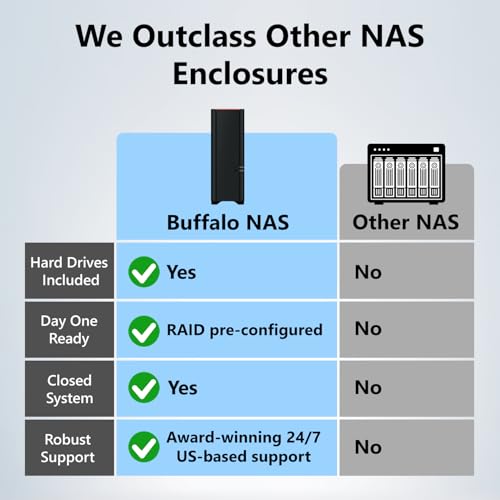
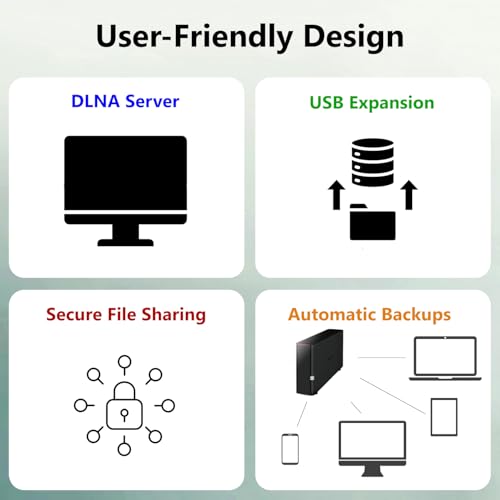
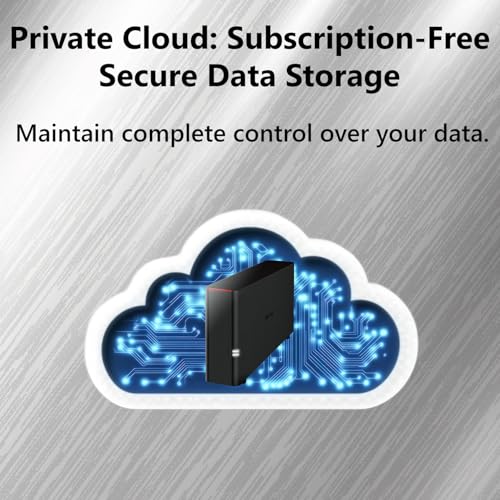
BUFFALO LinkStation 210 2TB 1-Bay NAS Network Attached Storage with HDD Hard Drives Included NAS Storage that Works as Home Cloud or Network Storage Device for Home



As an Amazon Associate we earn from qualifying purchases. Product prices and availability are accurate as of the date/time indicated.

Yxk Zero1 2-Bay NAS for Pesonal & Home Storage, Photo Backup (Diskless) | Docker Support, Private Cloud & File Sharing, Remote Access, Phone Backup, 4GB RAM, 2.5GbE & 4K HDMI
As an Amazon Associate we earn from qualifying purchases. Product prices and availability are accurate as of the date/time indicated.
Prices shown are approximate and for reference only. Prices change often, so please check the current price on Amazon before you buy.
Bays, processor and memory figures, network provisions, expansion pattern, and software parish are each maker’s stated details for the current version, enclosures are priced without drives, and drives must be NAS-rated CMR models in their makers’ stated terms, bought as a matched pair for a mirrored parish. Ratings are editorial for home use: software parish for non-administrators, bays and growth honesty, drive doctrine, network and remote manners with security, and value and support horizon.
Detailed Reviews: Home NAS Picks
1. Synology DS224+ – Best Overall
Synology’s two-bay parish takes the overall rating on the strength of its government in its line: a software parish in its design that a household without an administrator can actually run, photo and backup applications in their patterns that serve the family’s real professions, and an update record in its stated terms that treats a decade as a term of office. For most homes, the audit ends here.
With CMR drives and a backup beyond it, it earns its place outright.
2. Synology DS923+ – Best Four-Bay Growth
Synology’s four-bay citizen brings the same government to the growing estate in its line, bays in its pattern for the mirrored pair and its successors, expansion in its provisions for the household whose archive is a rising parish, at a figure defended by evidence rather than by appetite.
As the growth row, it stands.
3. QNAP TS-264 – Best Hardware Parish
QNAP’s parish spends on the system’s servants in its line, stated figures and network provisions in its documents above its class’s ordinary estate, for the household whose NAS will host, serve, and transcode in their patterns as a small server and not only as a shelf.
For the ambitious household, it is soundly placed.
4. QNAP TS-233 – Best Budget QNAP
QNAP’s budget citizen brings its house’s parish to a first estate’s figure in its line, two bays in its pattern for the mirrored doctrine, for the household whose professions are files, photographs, and backups in their honest forms.
As the budget row of its house, it earns its place.
5. Asustor AS3302T – Best Value Network Parish
Asustor’s parish offers network provisions in its documents above its figure’s ordinary parish in its line, for the wired household whose other citizens can use them, a value argument stated in its specifications rather than in its garnish.
For the wired home, it is soundly placed.
6. TerraMaster F2-423 – Best Value Hardware
TerraMaster’s parish closes the table with hardware in its stated figures at a value’s price in its line, for the household whose keeper is a confident citizen happy to govern a plainer software parish in exchange for the estate’s servants.
As the value hardware, it completes the table.
Buying Guide: How to Choose NAS Drive for Home Use
The Household Audit: Estate, Professions, Address, and the Second Place
Write the audit’s five facts before a listing is opened, with the household’s actual devices and its actual archive both counted. The estate: the photographs, documents, films, and backups in their honest sizes today, summed from the household’s own machines, with a growth parish allowed by its record’s own slope, from which the bays and the drives’ capacity are divided, mirrored, with a brim kept, never the reverse. The professions: files alone, or the fuller government in its provisions, photographs organised, media served, cameras in their parish, computers backed up to the estate, each one a claim on the processor and memory in their stated figures. The drives: NAS-rated in their makers’ lines, CMR in their stated terms verified for the exact model in its documents, bought as a matched pair in their pattern, their price counted in the system’s whole figure beside the enclosure’s, since a table that prices governments without estates has priced half a NAS. The address: a wired seat near the router in its pattern, a surface that does not drum, air that is not a vent’s, a noise parish the room can forgive. And the second place: the backup beyond the house in its provision, cloud in its pattern or a rotated drive in its, named and budgeted in the same order, because the doctrine outranks the models and an audit that ends at the enclosure has answered two of this article’s three questions. Order against the five, inside a returns window that contains the migration itself, the household’s estate moved, its photographs served, its first computer backup completed and restored from, in rehearsal, because a NAS is graded by a restore and not by an installation.
Spend by the household’s priorities, which are the guide’s: the doctrine first, a second copy beyond the walls funded before any figure is admired; the drives second, CMR and NAS-rated as an absolute; the bays third, by the estate’s evidence and its slope; the government fourth, software a non-administrator can run; and the servants’ figures last, by the professions actually assigned. Refuse, in the same pass, the parish’s two frauds: the SMR drive sold into a mirrored estate by a listing’s silence, a saving whose bill arrives at the rebuild, and the NAS sold as a backup by the word itself, a mirror wearing a doctrine’s clothes, because an estate, like a library in this site’s esports storage guide, is graded on the day it is asked for, and that day accepts no rehearsals scheduled after it.
Keeping the System: Updates, Health, and the Keeper’s Hour
Maintain the NAS as a governed estate with a keeper, a named household citizen with a stated hour at the season’s turn. Updates in their pattern are applied as the maker directs, the system’s safety being a subscription paid in attention; accounts in their provisions are kept to the household’s citizens, their credentials strong and unique in the household’s keeping, the remote parish in its provisions governed by the maker’s stated guidance and opened no wider. The drives’ health in their stated reports is read at the season, a citizen’s decline answered by its replacement in its pattern while its twin still stands, which is the mirror’s whole profession, and the estate’s brim is watched, a NAS run full being a government slowed at every ministry. The backup beyond the walls is audited as a restore, a file fetched back from it in rehearsal, because a backup untested is a hope with a schedule.
Keep the record with the household’s papers, system, drives and their models, capacities, the doctrine’s addresses, and the keeper’s audits, so a successor is bought from a decade’s evidence. Do that, bays by the estate, drives by the absolute, doctrine before models, and how to choose NAS drive for home use becomes what its reader wanted from a shelf’s small government: a household’s memory in one governed place, served to its screens, guarded against a drive’s death by its mirror and against everything else by its doctrine, whole on the day it is asked for, which is the only day a NAS is ever truly graded.
Frequently Asked Questions About How to Choose NAS Drive for Home Use
How do I choose a NAS drive for home use?
By the household audit in this guide, in its order: your estate counted honestly from your own machines, photographs, documents, films, and backups, with its growth allowed, sizing bays and drive capacity together, mirrored, with a brim kept; your professions named, files alone or the fuller government of organised photographs, served media, and received backups in their provisions, sizing the processor and memory in their stated figures; NAS-rated drives verified as CMR in their makers’ documents for the exact model, bought as a matched pair, SMR refused at any saving for the rebuild’s sake; a wired address near the router chosen; and a backup beyond the house’s walls, cloud in its pattern or a rotated drive in its, funded in the same order, because RAID is not a backup and the doctrine outranks the models. The table then divides by parish: Synology’s DS224+ overall on its government’s strength, its DS923+ for growth, QNAP’s rows for the ambitious and the budget household, Asustor’s for the wired value, and TerraMaster’s for value hardware under a confident keeper.
Is a NAS a backup?
No, and this guide prints the sentence in its FAQ as well as its doctrine because households have paid tuition on it: a NAS is an estate, one copy of your data in one place under one government, and its mirrored drives in their pattern guard against exactly one event, a single drive’s death, faithfully reproducing, in the same second, every deletion, corruption, and malicious parish in theirs, and sharing, by their address, every fire, flood, and theft that visits the house. A backup is a second copy in a second place under a second government, and the household doctrine is the standing 3-2-1: three copies in their parishes, two kinds of keeping in theirs, one beyond the walls in its, a cloud provision in its pattern or a drive rotated to another shelf in its. The NAS is commonly the doctrine’s first and most convenient copy and the home the others are made from, its own snapshots and versions in its makers’ provisions being real citizens against an accidental deletion when they are set up at installation, and its final examination, like every backup’s on this site, is a restore actually performed in rehearsal, on an ordinary day, before the extraordinary one arrives.
What drives should I put in a home NAS?
NAS-rated drives from their makers’ dedicated lines, verified as CMR in the exact model’s own documents, bought as a matched pair, and no other citizens at any saving. The NAS parish in its makers’ ranges is built in its stated design for the profession: continuous duty in its pattern, a multi-bay enclosure’s vibration in its provisions, and error manners in its design that report to the system’s government instead of wrestling it, none of which a desktop drive in its pattern was enlisted to provide. The CMR clause is this guide’s absolute, conventional recording in its stated terms, because SMR in its pattern, whatever its figures promise, behaves under a mirrored array’s rebuilding, the hour of a household’s greatest need, in ways the parish’s long record has priced beyond any discount. Capacity is the audit’s arithmetic, the estate and its growth divided by the mirror, one drive’s usable size from a pair, with a brim kept, since a NAS run at its last gigabyte slows every ministry it runs. Replace a declining citizen on its health reports’ evidence while its twin stands, which is the mirror’s profession, and keep the retired drive’s model and dates in the record.
Do I need two bays or four?
Two, for most households, bought honestly, and four where the estate’s own evidence argues it, and the audit’s arithmetic is the judge in both directions. A two-bay system in its pattern, mirrored in its provisions, gives a household its estate with a twin standing against a drive’s death, the correct first parish for files, photographs, and backups at the sizes most homes actually hold, at a figure and a footprint that defend themselves. A four-bay system in its pattern buys the same guard with growth in its provisions, an estate that can be enlarged in its pattern without a migration, and parishes beyond the mirror in its terms for the households whose work asks them, at a figure that must be defended against the archive’s actual slope, photographs and films in their honest accumulation, rather than against an imagined one. Beware, in both, the table’s quiet fact that enclosures are priced without drives, the pair’s figure riding beside the government’s in the audit’s whole sum. Buy the bays your decade’s evidence supports, keep their brim, and let the backup beyond the walls, which outranks the bays entirely, be funded first either way.
Related guides
- Over Ear Headphones vs On Ear Headphones for Comfort in 2026: 6 Over Ear Headphones vs On Ear Headphones for Comfort Picks for Long Listening, Easy Use, and Reliable Comfort
- Best Power Bank for Commuters in 2026: Best Power Bank for Commuters
- Best USB Cable for Fast Charging in 2026: Anker, Belkin, UGREEN, and Cable Matters Compared for a Chain That Charges at Its Slowest Citizen, a Rating Read as a Certified Sentence, and a Phone’s Own Protocol Read Before Either Is Blamed
- Best Action Camera for Surfing in 2026: Waterproof Without a Case, Stabilised in the Barrel, and Tethered Like You Mean It
More from Amazon
Programs that pair well with the guide above. Offers and eligibility are set by Amazon and may change.
Free shipping on eligible items, Prime Video and more. Eligible new members can start with a free trial.
Start a Prime free trialAd-free music streaming. Eligible new subscribers can start with a free trial.
Try Music Unlimited freeA Prime membership for ages 18-24 with a trial period. Eligibility is set by Amazon.
See Prime for Young AdultsAudiobooks and podcasts to listen to on the go. Eligible new members can start with a free trial.
Try Audible freeAs an Amazon Associate we earn from qualifying purchases.

Write Your Review
No reviews yet. Be the first to share your experience!