
What's inside
- Why Learning How to Choose Controller Size for Small Hands Matters
- How to Choose Controller Size for Small Hands: Comparison Table
- 8BitDo Pro 2 Controller
- Xbox Wireless Controller
- Nintendo Switch Pro Controller
- PlayStation DualSense Wireless Controller
- Nintendo Joy-Con Controllers
- Razer Wolverine V2 Chroma Controller
- Buying Guide: How to Choose Controller Size for Small Hands
- Frequently Asked Questions
As an Amazon Associate I earn from qualifying purchases. This post may contain affiliate links at no extra cost to you.
Learning how to choose controller size for small hands is about finding a controller that fits your hands, feels comfortable, and works for your gaming, without being too expensive, without being too large, and without being too hard to use. How to choose controller size for small hands is a guide for a gamer who wants a controller for small hands, so they need how to choose controller size for small hands. A good controller for small hands should have a simple design, a size that fits your hands, buttons that fit your fingers, and a price that fits a budget. It should also be easy to hold, and reliable enough to use every time you game.
This guide compares six real, currently sold controllers for small hands. Always check controller size, weight, button layout, and small hands fit before you buy. How to choose controller size for small hands is best for a gamer who wants a small controller, while a keyboard may be better for a user who wants PC gaming, and a mobile controller may be better for a user who wants phone gaming.
Note on how to choose controller size for small hands: controller size means the width, height, and grip size of a controller, while a compact controller is a good choice for small hands. A controller with small grips is a good choice for small hands, while a controller with a light weight is a good choice for long gaming sessions. Check your hand size, your gaming, and your controller before you buy, and choose a controller by size for your small hands. Take breaks, stretch, and use a comfortable position.
Gaming safety comes first. Always take breaks, stretch, and use a comfortable position. Keep your controller in a dry place, and do not use a controller that is damaged. Follow local rules, and keep your setup clean.
Our Top Picks
Why Learning How to Choose Controller Size for Small Hands Matters
How to choose controller size for small hands matters because a good controller can help you game well, by giving you comfortable controls, while a weak controller can be too large, too heavy, or hard to hold. A good controller can also help you save time, by letting you play quickly, while a weak controller can need a long time to learn. A controller with too large a size may strain your hands, while a controller with the wrong button layout may be hard to reach.
Size matters most. How to choose controller size for small hands with a size that fits your hands is a good choice, because it can be held comfortably. A compact controller is a good choice if you want small hands. Check the size before you buy, and choose a controller by width for your hands.
Weight also matters. How to choose controller size for small hands with a weight that fits your gaming is a good choice, because it can be held for long sessions. A light controller is a good choice if you want small hands. Check the weight before you buy, and choose a controller by grams for your gaming.
How to Choose Controller Size for Small Hands: Comparison Table
The table below compares six real, currently sold controllers for small hands. Check the maker notes for size, weight, button layout, and small hands fit before you buy.
| Controller Model for Small Hands | Size and Weight | Buttons and Use | Best For |
|---|---|---|---|
| 8BitDo Pro 2 Controller | Compact, 228g | Standard, gaming | Best budget, for how to choose controller size for small hands |
| Xbox Wireless Controller | Standard, 287g | Standard, gaming | Best Xbox Wireless, for how to choose controller size for small hands |
| Nintendo Switch Pro Controller | Standard, 246g | Standard, gaming | Best Nintendo Switch Pro, for how to choose controller size for small hands |
| PlayStation DualSense Wireless Controller | Standard, 280g | Standard, gaming | Best DualSense, for how to choose controller size for small hands |
| Nintendo Joy-Con Controllers | Compact, 99g each | Standard, gaming | Best Joy-Con, for how to choose controller size for small hands |
| Razer Wolverine V2 Chroma Controller | Standard, 300g | Extra buttons, gaming | Best premium, for how to choose controller size for small hands |

QRD Junior E5 Wireless Controller for Switch/Switch 2/PC/ Android, Pink | Switch Lite/OLED Windows PC Mac iOS Android,6 Axis Gyro,TURBO,Mini-Sized Controller
As an Amazon Associate we earn from qualifying purchases. Product prices and availability are accurate as of the date/time indicated.

8Bitdo Micro Bluetooth Gamepad Pocket-sized Mini Controller for Switch/Switch 2, Android, and Raspberry Pi, Supports Keyboard Mode (Green)
As an Amazon Associate we earn from qualifying purchases. Product prices and availability are accurate as of the date/time indicated.
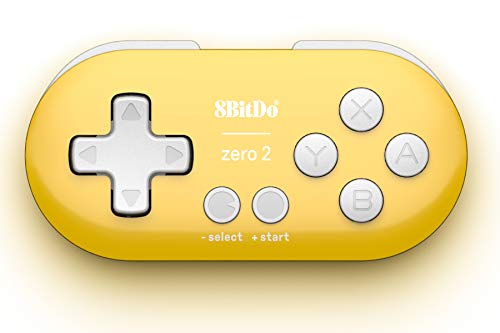
Nargos 8Bitdo Zero 2 Bluetooth Key Chain Sized Mini Controller for Nintendo Switch 1/2, Windows and Android (Yellow Edition)



As an Amazon Associate we earn from qualifying purchases. Product prices and availability are accurate as of the date/time indicated.
Prices shown are approximate and for reference only. Prices change often, so please check the current price on Amazon before you buy.
8BitDo Pro 2 Controller
It is the cheapest controller in this comparison and a practical starting point if you want a low-cost controller for small hands. It has a size of compact, weight of 228g, buttons of standard, and use of gaming, according to the maker.
Choose this controller if you want a simple, affordable controller for your small hands. The 8BitDo Pro 2 has a simple design, a good compact size for small hands, and a good fit for a beginner with a first controller. Its 228g weight is good for long sessions, but its compact size may feel small for larger hands. If you need a standard size controller, the Xbox Wireless Controller is a better choice at a similar price, because it is standard size.
Xbox Wireless Controller
It has a size of standard, weight of 287g, buttons of standard, and use of gaming, according to the maker. It is a good choice if you want an Xbox controller with a trusted brand for gaming and a simple design for small hands.
This controller is best for a gamer who wants an Xbox Wireless for how to choose controller size for small hands. The Xbox controller has a simple design and a good fit for a user who wants a reliable controller for regular use. It is more expensive than the 8BitDo Pro 2, but it offers an Xbox brand and a similar standard design for gaming.
Nintendo Switch Pro Controller
It has a size of standard, weight of 246g, buttons of standard, and use of gaming, according to the maker. It is a good choice if you want a Nintendo controller with a trusted brand for gaming and a simple design for small hands.
Choose this controller if you want a Nintendo Switch Pro for your small hands. The Switch Pro has a simple design and a good fit for a user who wants a durable controller for regular use. It is more expensive than the Xbox Wireless Controller, but it offers a Nintendo brand and a similar standard design for gaming.
PlayStation DualSense Wireless Controller
It has a size of standard, weight of 280g, buttons of standard, and use of gaming, according to the maker. It is a good choice if you want a PlayStation controller with a trusted brand for gaming and a simple design for small hands.
This controller is best for a gamer who wants a DualSense for how to choose controller size for small hands. The DualSense has a simple design and a good fit for a user who wants a reliable controller for regular use. It is more expensive than the Nintendo Switch Pro, but it offers haptic feedback and a PlayStation brand for gaming.
Nintendo Joy-Con Controllers
They have a size of compact, weight of 99g each, buttons of standard, and use of gaming, according to the maker. They are a good choice if you want Nintendo controllers with a trusted brand for gaming and a simple design for small hands.
Choose these controllers if you want Joy-Con for your small hands. The Joy-Con has a simple design and a good fit for a user who wants durable controllers for regular use. They are more expensive than the DualSense, but they offer a very compact size and a Nintendo brand for gaming.
Razer Wolverine V2 Chroma Controller
It has a size of standard, weight of 300g, buttons of extra buttons, and use of gaming, according to the maker. It is the most expensive controller in this comparison, but it is a premium Razer controller with a durable design for gaming.
Choose this controller if you want a premium Razer Wolverine V2 Chroma for your gaming and you are willing to pay more for it. The Wolverine V2 has a size of standard, weight of 300g, and buttons of extra buttons for a clear, customisable controller. It is a good fit for a serious gamer with a need for a premium, wired controller. It is not the best choice if you have a small budget, because the 8BitDo Pro 2 Controller offers similar basic how to choose controller size for small hands support at a lower price for a beginner, with a compact size for how to choose controller size for small hands.
Buying Guide: How to Choose Controller Size for Small Hands
1. Check hand size first: measure, grip, check size
Start with hand size when you learn how to choose controller size for small hands. Measure your hand from wrist to fingertip, and compare it to controller size, if you want how to choose controller size for small hands, because a controller that fits your hand can be held comfortably. Check the hand size before you buy, and choose a controller by width for your small hands.
Check hand size before you buy. A controller that is too large may strain your hands, while a controller that is too small may cramp your fingers. Try a compact controller, and test your grip before a long gaming session.
2. Check grip, weight, and button reach
Check grip first. A small grip is a good choice, because it can fit small hands. Check weight next. A light controller is a good choice, because it can be held for long sessions. Check button reach as well. Buttons that are easy to reach are a good choice, because they can be pressed without stretching.
Check grip and weight before you buy. A controller with too large a grip may be hard to hold, while a controller that is too heavy may tire your hands. Use a light, compact controller for small hands, and test your button reach.
3. Check platform, wireless, and battery
Check platform before you buy. A controller that works with your console or PC is a good choice, because it can be used for your gaming. Check wireless next. A wireless controller is a good choice, because it can be used without a cable. Check battery as well. A controller with a long battery life is a good choice, because it can last through a session.
Check platform and wireless before you buy. A controller that does not work with your console may not connect, while a controller with a short battery may run out during gaming. Use a controller that fits your platform, and charge it before a session.
4. Check safety, breaks, and care
Always take breaks, stretch, and use a comfortable position. Keep your controller in a dry place, and do not use a controller that is damaged. Follow local rules, and keep your setup clean.
Clean your controller with a dry cloth if it gets dirty, and store it in a dry place when you are not using it. Do not use a controller that is damaged, and do not use a controller that does not work correctly. Replace your controller if it is damaged, or if it does not work safely. Take breaks every hour, and stretch your hands.
Frequently Asked Questions
What is the best controller size for small hands?
Choose by size, weight, and budget.
What is the best budget controller for small hands?
It has a size of compact, weight of 228g, buttons of standard, and use of gaming, according to the maker. It is a good choice for a low-cost controller, but its compact size may feel small for larger hands, so choose the Xbox Wireless Controller if you need a standard size.
How do I measure my hand for a controller?
How you measure your hand for a controller depends on your hand, your controller, and your use. You should measure your hand for a controller by measuring from your wrist to the tip of your middle finger, and across your palm, because hand length and width can show the correct controller size. Compare your measurements to controller size, and test your grip before you buy.
Are Joy-Con good for small hands?
Are Joy-Con good for small hands depends on your hands, your gaming, and your use. Yes, Joy-Con are good for small hands, if you want a very compact controller, because Joy-Con are small and light. Use Joy-Con for handheld play, and test your grip before a long session.
How to choose controller size for small hands is about finding a controller that fits your hands, feels comfortable, and works for your gaming, without being too expensive, without being too large, and without being too hard to use. Start with the 8BitDo Pro 2 for a reliable compact controller, choose the Joy-Con for the smallest size, or choose the Razer Wolverine V2 Chroma for a premium wired controller. Take breaks, stretch, and use a comfortable position. With the right controller, you can game safely every time.
Related guides
- Best Cheap Memory Card Reader Under 30 in 2026: 6 Fast, Reliable Readers for SD and microSD
- Gaming Monitor vs Office Monitor for Work in 2026: 3 Gaming Monitors and 3 Office Monitors Compared for Work, With Refresh Rate, Resolution, and a Price Range
- Best Flatbed Scanner vs Document Scanner for Offices in 2026: Which Scanner Is Best for Your Office?
- Best Cheap Laptop Stand for Students in 2026: Best Cheap Laptop Stand for Students for Good Posture, Easy Study, and Simple Desk Use
More from Amazon
Programs that pair well with the guide above. Offers and eligibility are set by Amazon and may change.
Free shipping on eligible items, Prime Video and more. Eligible new members can start with a free trial.
Start a Prime free trialAd-free music streaming. Eligible new subscribers can start with a free trial.
Try Music Unlimited freeA Prime membership for ages 18-24 with a trial period. Eligibility is set by Amazon.
See Prime for Young AdultsAudiobooks and podcasts to listen to on the go. Eligible new members can start with a free trial.
Try Audible freeAs an Amazon Associate we earn from qualifying purchases.

Write Your Review
No reviews yet. Be the first to share your experience!