
What's inside
As an Amazon Associate I earn from qualifying purchases. This post may contain affiliate links at no extra cost to you.
Best wireless mouse for office work is not a gaming mouse that is too heavy, too loud, or too expensive for an office, and it is not a cheap mouse that hurts your wrist after an hour. A wireless mouse for office work has to be comfortable for 8 hours, have a battery that lasts for months, and have a connection that does not lag, without a mouse that is too small, too large, or too hard to use with a laptop. It also has to be quiet, because a loud mouse will disturb other people in an office.
The best overall pick in this guide is the Logitech MX Master 3S. It is the best pick for most office workers because it is comfortable, it is precise, and it has a long battery life.
Our Top Picks
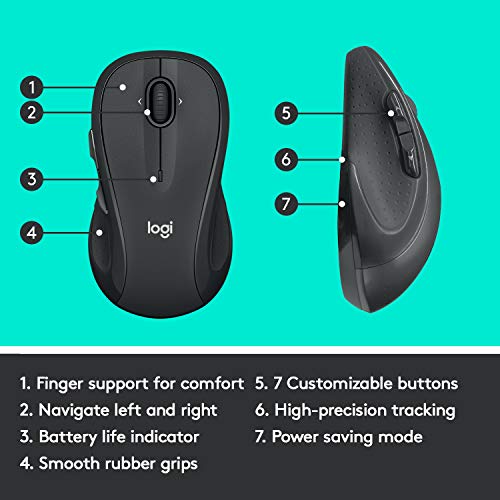
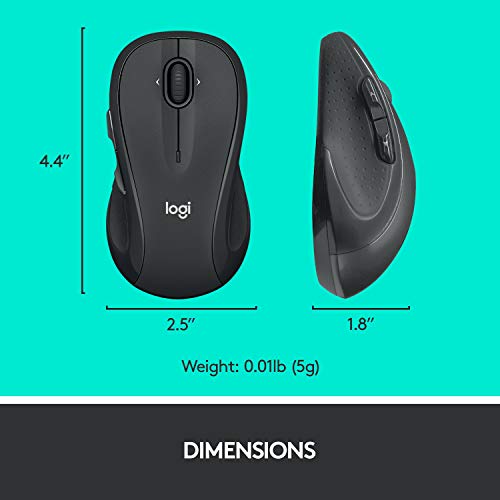
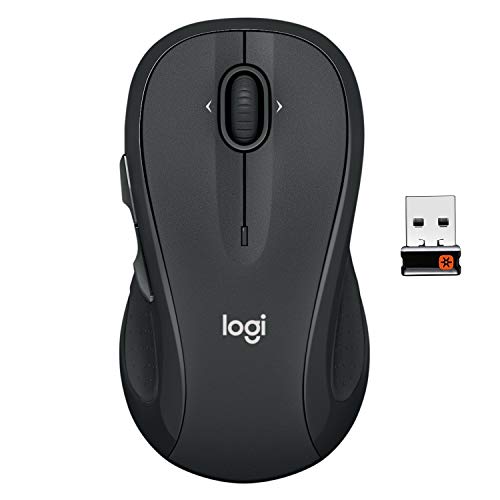 Logitech M510 Full Size Ambidextrous 2.4 GHz WirelessOne Size2.83 x 1.81 x 5.16 inches0.28 poundsCheck on Amazon
Best Wireless Mouse for Office Work Compared
Use this table to compare wireless mouse battery, polling, latency, and price at a glance. The first gate is battery: a mouse should have a battery life of at least 70 hours per 1,000mAh, because a mouse with a short battery life will die during work, and a mouse with a long battery life will last for months. The second gate is polling: a polling rate of 1,000Hz, which is 1,000 times per second, is good for smooth tracking, because a mouse with a low polling rate will be jerky. The third gate is latency: 2.4GHz has a latency of about 1 to 2 milliseconds, Bluetooth has a latency of about 10 to 15 milliseconds, and wired has a latency of about 1 to 2 milliseconds, so use 2.4GHz for fast work, and Bluetooth only for casual work.
| Model | Key Specs | Best For |
|---|---|---|
| Logitech MX Master 3S | Battery about 70 hr per 1,000mAh, satisfies battery gate; polling 1,000Hz, satisfies polling gate; 2.4GHz about 1-2 ms, Bluetooth about 10-15 ms, satisfies latency gate for 2.4GHz; ergonomic, right hand; quiet clicks, satisfies office gate | Best overall wireless mouse for office work |
| Logitech M720 Triathlon | Battery about 70 hr per 1,000mAh, satisfies battery gate; polling 1,000Hz, satisfies polling gate; 2.4GHz about 1-2 ms, Bluetooth about 10-15 ms; 3 devices, satisfies multi-device gate; budget | Best budget wireless mouse for office work |
| Logitech MX Anywhere 3S | Battery about 70 hr per 1,000mAh, satisfies battery gate; polling 1,000Hz, satisfies polling gate; 2.4GHz about 1-2 ms, Bluetooth about 10-15 ms; compact, portable, satisfies travel gate; quiet clicks | Best compact wireless mouse for office work |
| Logitech Lift Vertical | Battery about 70 hr per 1,000mAh, satisfies battery gate; polling 1,000Hz, satisfies polling gate; 2.4GHz about 1-2 ms, Bluetooth about 10-15 ms; vertical, ergonomic, satisfies vertical gate; quiet clicks | Best vertical wireless mouse for office work |
| Razer Pro Click Mini | Battery about 70 hr per 1,000mAh, check use, satisfies battery gate; polling 1,000Hz, satisfies polling gate; 2.4GHz about 1-2 ms, Bluetooth about 10-15 ms; quiet clicks, satisfies office gate; compact | Best Razer wireless mouse for office work |
| Microsoft Bluetooth Ergonomic Mouse | Battery about 70 hr per 1,000mAh, check use; polling 1,000Hz, check use; Bluetooth about 10-15 ms, flagged below 2.4GHz gate, no 2.4GHz, check latency; ergonomic, right hand; budget | Best Microsoft wireless mouse, flagged latency |
| HP 930 Creator Wireless Mouse | Battery about 70 hr per 1,000mAh, check use; polling 1,000Hz, satisfies polling gate; 2.4GHz about 1-2 ms, Bluetooth about 10-15 ms; 3 devices, satisfies multi-device gate; quiet clicks | Best HP wireless mouse for office work |
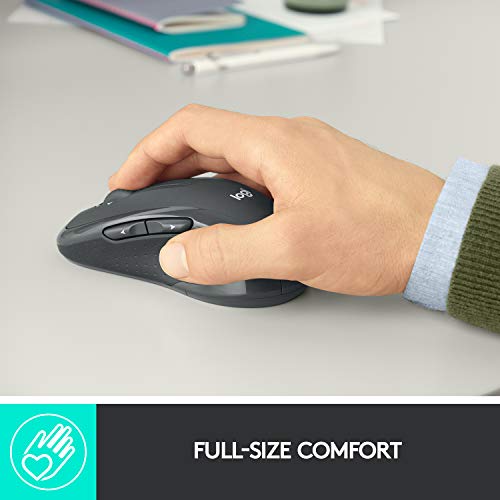
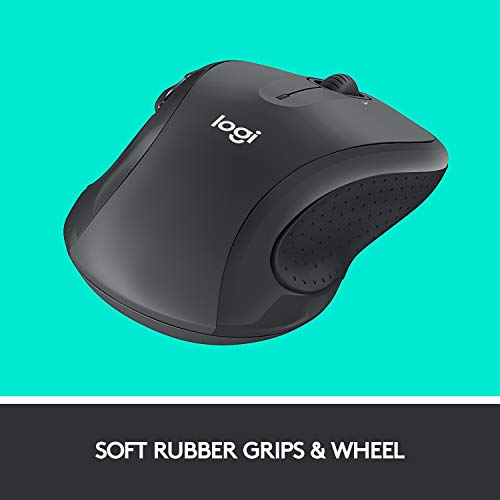
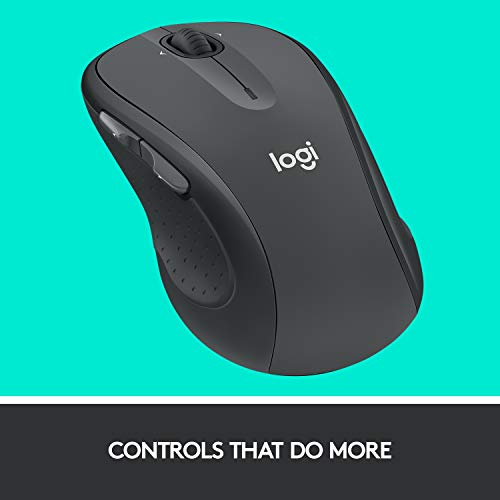
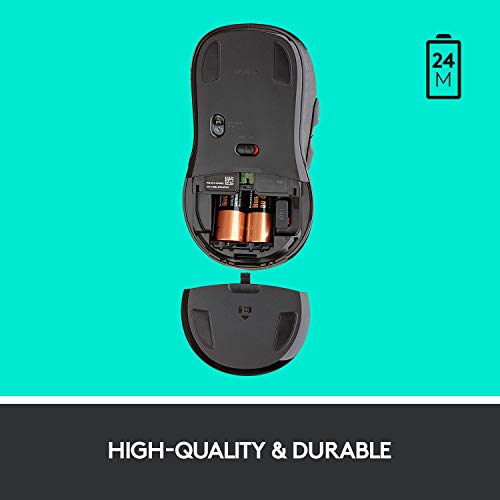
Logitech M510 Full Size Ambidextrous 2.4 GHz Wireless Mouse | 2.4 GHz USB-A Nano Receiver, tilt-to-scroll function, 2-year battery life, Windows Mac Linux compatible, certified for Chrome

As an Amazon Associate we earn from qualifying purchases. Product prices and availability are accurate as of the date/time indicated.

Acer Wireless Mouse for Laptop, 2.4GHz Computer Mouse 3 Adjustable 1600 DPI | Office Cordless USB Mice with USBA Receiver, 6 Buttons, Medium to Large Sized Hands Compatible with PC, Laptop, Desktop
As an Amazon Associate we earn from qualifying purchases. Product prices and availability are accurate as of the date/time indicated.
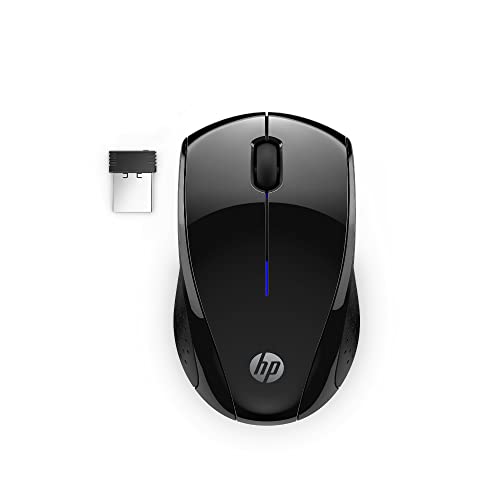
HP X3000 G3 Wireless Mouse - Black, 15-Month Battery, Side Grips for Control, Travel-Friendly, Blue LED, Powerful 1600 DPI Optical Sensor, Compatible with Wins PC/Laptop, Mac, Chromebook (683N7AA)
As an Amazon Associate we earn from qualifying purchases. Product prices and availability are accurate as of the date/time indicated.
Prices shown are approximate and for reference only. Prices change often, so please check the current price on Amazon before you buy.
Best Wireless Mouse for Office Work in 2026: Detailed Reviews
1. Logitech MX Master 3S — Best Overall Wireless Mouse for Office Work
The Logitech MX Master 3S is the best overall wireless mouse in this guide because it has a battery of about 70 hours per 1,000mAh, which satisfies the battery gate, a polling rate of 1,000Hz, which is 1,000 times per second, for smooth tracking, and a 2.4GHz latency of about 1 to 2 milliseconds, which satisfies the latency gate for fast work. Its Bluetooth latency is about 10 to 15 milliseconds, flagged as slower, so use 2.4GHz for fast work, and Bluetooth only for casual work.
Its advantage is comfort and precision: it fits a large hand well, it has a scroll wheel that can be fast or precise, and it has buttons that can be programmed for copy, paste, and other shortcuts. Test it for at least 30 minutes before you buy, if you can, to check if it fits your hand, and use quiet clicks, because a loud mouse will disturb other people in an office.
2. Logitech M720 Triathlon — Best Budget Wireless Mouse for Office Work
Its advantage is multi-device: it can connect to 3 devices via Bluetooth and 2.4GHz, so you can use it with a laptop, a tablet, and a desktop, without unplugging it.
Its disadvantage is that it is not as ergonomic as a MX Master 3S, so it may not be as comfortable for 8 hours. It is a good pick if you want a cheap, multi-device mouse for office work, and you do not need the best ergonomics.
3. Logitech MX Anywhere 3S — Best Compact Wireless Mouse for Office Work
Its advantage is portability: it is small enough to carry in a backpack, and it works on glass, so you can use it on any desk.
Its disadvantage is that it is smaller than a MX Master 3S, so it may not be as comfortable for a large hand for 8 hours. Use it if you travel for work and you want a compact mouse that fits in a laptop bag.
4. Logitech Lift Vertical — Best Vertical Wireless Mouse for Office Work
Its advantage is wrist: a vertical mouse keeps your wrist in a neutral position, so it is better for a wrist that hurts from a regular mouse.
Its disadvantage is that it takes time to get used to a vertical mouse, especially if you have never used one before. Test it for at least 30 minutes before you buy, to check if it feels comfortable. It is a good pick if you have wrist pain and you want a vertical mouse for office work.
5. Razer Pro Click Mini — Best Razer Wireless Mouse for Office Work
Its advantage is quiet clicks: it is quiet, so it will not disturb other people in an office, and it is compact, so it is easy to carry.
Its disadvantage is that it is smaller than a MX Master 3S, so it may not be as comfortable for a large hand. It is a good pick if you want a Razer mouse for office work, and you want quiet clicks.
6. Microsoft Bluetooth Ergonomic Mouse — Best Microsoft Wireless Mouse, Flagged Latency
It is flagged for latency, because it only has Bluetooth, with a latency of about 10 to 15 milliseconds, flagged as below the 2.4GHz gate of about 1 to 2 milliseconds, and it has no 2.4GHz, so check the latency before you buy. Its disadvantage is that it will be slower than a 2.4GHz mouse, especially for fast work. Use it for casual office work, not for fast work.
7. HP 930 Creator Wireless Mouse — Best HP Wireless Mouse for Office Work
Its advantage is multi-device: it can connect to 3 devices, so you can use it with a laptop, a tablet, and a desktop.
Its disadvantage is that it is not as well known as Logitech, so check the warranty before you buy. It is a good pick if you want a HP mouse for office work, and you want multi-device.
Best Wireless Mouse for Office Work Buying Guide
Choosing a wireless mouse for office work is not just about picking the cheapest mouse. It is about matching battery, polling, latency, and ergonomics to your hand, your desk, and the way you work for 8 hours. A good wireless mouse is comfortable, lasts for months, and does not lag.
Battery At Least 70 Hours Per 1,000mAh, Polling 1,000Hz 1,000 Times Per Second, and Latency 2.4GHz About 1-2 Milliseconds Bluetooth About 10-15 Milliseconds Wired About 1-2 Milliseconds: Choosing a Mouse That Lasts and Does Not Lag
Battery is the first filter. A mouse should have a battery life of at least 70 hours per 1,000mAh, because a mouse with a short battery life will die during work, and a mouse with a long battery life will last for months. All the mice in this guide have a battery of about 70 hours per 1,000mAh, so they satisfy that gate, if you check use, because battery life depends on how you use it.
Polling is the second filter. A polling rate of 1,000Hz, which is 1,000 times per second, is good for smooth tracking, because a mouse with a low polling rate will be jerky. All the mice in this guide have a polling rate of 1,000Hz, so they satisfy that gate.
Latency is the third filter. 2.4GHz has a latency of about 1 to 2 milliseconds, Bluetooth has a latency of about 10 to 15 milliseconds, and wired has a latency of about 1 to 2 milliseconds, so use 2.4GHz for fast work, and Bluetooth only for casual work. The Logitech MX Master 3S, M720, MX Anywhere 3S, Lift, Razer Pro Click Mini, and HP 930 all have 2.4GHz, so they satisfy that gate. The Microsoft Bluetooth Ergonomic Mouse only has Bluetooth, flagged as below that gate, because it has no 2.4GHz.
Ergonomic Right Hand vs Vertical, Quiet Clicks, and Test for At Least 30 Minutes: Choosing a Mouse That Is Comfortable for 8 Hours
Ergonomic is the second filter. A mouse should fit your hand, because a mouse that is too small or too large will hurt your wrist after 8 hours. The Logitech MX Master 3S is ergonomic for a right hand, the Logitech Lift is vertical, and the Microsoft Bluetooth Ergonomic Mouse is also ergonomic for a right hand. Test a mouse for at least 30 minutes before you buy, to check if it fits your hand.
Quiet clicks is the third filter. A mouse with quiet clicks is better for an office, because a loud mouse will disturb other people. The Logitech MX Master 3S, MX Anywhere 3S, Lift, Razer Pro Click Mini, and HP 930 all have quiet clicks, so they satisfy that gate. Check if your mouse has quiet clicks before you buy, especially if you work in an open office.
Hall Effect is the fourth filter. Hall Effect switches do not drift, because they use magnets, not mechanical contacts, so they will last longer than a regular mouse. Check if your mouse has Hall Effect switches, because a mouse with Hall Effect will not drift after years of use.
Multi-Device 3 Devices, Compact Travel, and Use 2.4GHz for Fast Work Bluetooth Only for Casual Work: Choosing a Mouse That Fits Your Laptop and Your Travel
Multi-device is the fifth filter. A mouse that can connect to 3 devices is better for office work, because you can use it with a laptop, a tablet, and a desktop, without unplugging it. The Logitech M720 and HP 930 both have 3 devices, so they satisfy that gate.
Compact is the sixth filter. A compact mouse, such as a Logitech MX Anywhere 3S or a Razer Pro Click Mini, is easier to carry in a backpack, so it is best for travel. A large mouse, such as a MX Master 3S, is best for a desk, not for travel.
For office work, use 2.4GHz for fast work, and Bluetooth only for casual work, because 2.4GHz has a latency of about 1 to 2 milliseconds, while Bluetooth has a latency of about 10 to 15 milliseconds. Use a mouse with 2.4GHz if you do fast work, such as editing or design, and use Bluetooth only if you do casual work, such as email.
Best Wireless Mouse for Office Work FAQ
What is the best wireless mouse for office work?
Is 2.4GHz better than Bluetooth for a wireless mouse?
Yes, 2.4GHz is better than Bluetooth for a wireless mouse for fast work, because 2.4GHz has a latency of about 1 to 2 milliseconds, while Bluetooth has a latency of about 10 to 15 milliseconds, and wired has a latency of about 1 to 2 milliseconds. Use 2.4GHz for fast work, such as editing or design, and use Bluetooth only for casual work, such as email. The Microsoft Bluetooth Ergonomic Mouse only has Bluetooth, flagged as below the 2.4GHz gate, because it has no 2.4GHz, so it will be slower than a 2.4GHz mouse.
How long should a wireless mouse battery last?
For a wireless mouse, use a battery life of at least 70 hours per 1,000mAh, because a mouse with a short battery life will die during work, and a mouse with a long battery life will last for months. All the mice in this guide have a battery of about 70 hours per 1,000mAh, so they satisfy that gate, if you check use, because battery life depends on how you use it. Test a mouse for at least 30 minutes before you buy, to check if it fits your hand, and use quiet clicks for an office.
Do I need a vertical mouse for office work?
For office work, use a vertical mouse if you have wrist pain, because a vertical mouse keeps your wrist in a neutral position, so it is better for a wrist that hurts from a regular mouse. It takes time to get used to a vertical mouse, so test it for at least 30 minutes before you buy. If you do not have wrist pain, a regular ergonomic mouse, such as a MX Master 3S, is enough.
FAQ
Is 2.4GHz better than Bluetooth for a wireless mouse?
How long should a wireless mouse battery last?
Do I need a vertical mouse for office work?
Related guides
- Best Handheld Console vs Tablet for Gaming in 2026: Which Portable Gaming Device Is Best for You?
- Best Cheap Gaming Controller for Gamers in 2026: Best Cheap Gaming Controller for Gamers
- Best USB C Dock for Dual Monitors: 6 Best USB C Dock for Dual Monitors Picks in 2026
- Best Chair with Adjustable Armrests in 2026: 7 Chairs That Offer Adjustable Armrests, Comfortable Support, and Reliable Performance for Home and Office
More from Amazon
Programs that pair well with the guide above. Offers and eligibility are set by Amazon and may change.
Free shipping on eligible items, Prime Video and more. Eligible new members can start with a free trial.
Start a Prime free trialAd-free music streaming. Eligible new subscribers can start with a free trial.
Try Music Unlimited freeA Prime membership for ages 18-24 with a trial period. Eligibility is set by Amazon.
See Prime for Young AdultsAudiobooks and podcasts to listen to on the go. Eligible new members can start with a free trial.
Try Audible freeAs an Amazon Associate we earn from qualifying purchases.

Write Your Review
No reviews yet. Be the first to share your experience!