
What's inside
- Best Ultrawide Monitor Size for Work: The Four Sizes, Honestly Compared
- Best Ultrawide Monitor Size for Work: Models Compared
- The Six Ultrawide Work Monitors Reviewed
- Buying Guide: How to Choose the Best Ultrawide Monitor Size for Your Work
- Frequently Asked Questions About Ultrawide Monitor Sizes for Work
As an Amazon Associate I earn from qualifying purchases. This post may contain affiliate links at no extra cost to you.
The best ultrawide monitor size for work is not a measurement, it is a resolution wearing a measurement’s clothes, and buyers who shop by inches alone end up with the classic ultrawide regret: a vast, cinematic screen on which text is faintly soft, windows are wide but not tall, and a shared screen in a meeting shrinks to a postage stamp on everyone else’s laptop. This guide sorts the four work sizes by what they actually are. The 34-inch ultrawide, at 3440 by 1440, is two modest monitors fused without a bezel, the size that fits ordinary desks and ordinary budgets. The 38-inch, at 3840 by 1600, adds the vertical room the 34 quietly lacks. The 40-inch class, at 5120 by 2160, the 5K2K format, is the professional’s summit, a 4K screen stretched wide with text as sharp as print. And the 49-inch super-ultrawide, at 5120 by 1440, is two 27-inch monitors in one panel, enormous width at a height that makes some workers feel they have bought a billboard and forgotten the second story. Six real, currently sold monitors are compared below, but the true comparison is between the sizes themselves, and the buying guide will walk your desk, your eyes, and your meeting calendar through the decision in that order, because an ultrawide is furniture, eyewear, and a collaboration tool in one purchase, and it should be bought with all three hats on.
Learn the one number that predicts your daily happiness with any of them: pixels per inch, the density that decides whether text is crisp or merely large. A 34-inch 3440 by 1440 screen lands near 110 PPI, the same density as a 27-inch 1440p monitor, comfortable at arm’s length and the density a generation of office eyes is calibrated to. Stretch the same 1440 vertical pixels across 49 inches and the density falls to about 109 horizontally but the experience changes, because the screen is so wide that its edges sit at an angle and a distance where fine text softens, and the height, still 1440, feels shorter as the width grows. The 40-inch 5K2K leaps to roughly 140 PPI, the print-like class where a spreadsheet’s smallest figures are crisp without scaling heroics, and the 38-inch sits between, near 111 PPI with 160 extra vertical pixels that programmers and spreadsheet workers feel as a genuine extra room. Buy the density and the height your work consumes, and let the width, the glamorous number, come along for the ride.
Our Top Picks
 SANSUI 34-Inch Curved Gaming Monitor UWQHD 3440 x34 Inch8.6 x 31.8 x 17.96 inches15.4 poundsCheck on Amazon
Best Ultrawide Monitor Size for Work: The Four Sizes, Honestly Compared
34 Inches at 3440×1440: The Default That Fits Real Desks
The 34 is the ultrawide for the normal desk, the normal budget, and the normal pair of eyes, and its virtues are the virtues of a standard: it replaces two 24 or 27-inch monitors with one panel, one cable, and no bezel down the middle of your spreadsheet; it curves gently in most work models, bringing its edges toward you at a desk depth of sixty to eighty centimeters where it fills the view without demanding head turns; and its 1440 height, while not generous, is the height most office software was designed around. Its compromises are known and livable: two full windows side by side are comfortable, three are a negotiation; video calls share its screen awkwardly, as the FAQ will solve; and text, at its 110 PPI, is crisp at a normal working distance and merely ordinary at a lean-in. For the first ultrawide and the standard-issue home office, it is the size this guide expects most readers to buy, and the Dell and LG rows below are its twin champions, one for the hub-rich corporate desk and one for value.
38 and 40 Inches: The Vertical Room and the Sharpness Summit
The 38-inch class exists to answer the 34’s one structural complaint: height. Its 3840 by 1600 panel adds 160 vertical pixels, about eleven percent more room, which a coder feels as lines of code, a spreadsheet worker as rows, and every worker as a browser that shows the article and the comments in one glance, while its width grows proportionally so nothing is stretched. It asks for a deeper desk and a larger budget and returns a screen that feels, in daily use, like the 34 with its ceiling raised. The 40-inch 5K2K is a different species: 5120 by 2160 is a 4K canvas widened, at roughly 140 PPI, where text is print, photographs are honest, and three full windows stand side by side with room for the chat column besides. It is the size for the professional whose screen is their instrument, the analyst, the editor, the developer with a wall of panes, and its prices, and its demand for a computer whose graphics can drive five thousand pixels without complaint, are the summit’s toll. Between them, the choice is appetite: the 38 for more room in the familiar density, the 40 for a new class of clarity altogether.
49 Inches at 5120×1440: Two Monitors, One Panel, Real Caveats
The 49-inch super-ultrawide is exactly two 27-inch 1440p monitors fused, and it should be bought by the worker who knows they want precisely that: the trader’s wall of charts, the producer’s timeline that runs to the horizon, the analyst whose six windows are a workflow rather than a mess. Its caveats are physical and social. Physically, it is over 1.2 meters wide, its edges live in your peripheral vision at any desk depth a home offers, its curve, aggressive in the gaming lines and gentler in the work lines, is not optional but necessary, and a desk that cannot give it eighty centimeters of depth will give its owner a neck’s opinion by Friday. Socially, it screen-shares the worst of any size here, a panoramic ribbon on a colleague’s laptop, a problem the FAQ’s habits solve and the buyer should price in advance. Its height remains 1440, so the worker whose pain was vertical room gains nothing here and should climb to the 38 or 40 instead. Bought for width’s own sake, by the workflow that eats width, it is magnificent. Bought as a bigger number, it is the most returned monitor in this article.
Best Ultrawide Monitor Size for Work: Models Compared
| Ultrawide Monitor Model | Size and Key Specs | Best For | Typical Price Range | Rating |
|---|---|---|---|---|
| Dell UltraSharp 34 (U3425WE class) | 34-inch, 3440×1440, curved IPS class, USB-C hub with high-wattage charging and KVM in this line class, Thunderbolt hub features in class | Best ultrawide size for work overall | $700 – $900 | 4.7 / 5 |
| LG UltraWide 38WR85QC-W class | 38-inch, 3840×1600, curved Nano IPS class, USB-C with charging, KVM in class, high refresh in class | Best 38-inch for extra height | $900 – $1,200 | 4.6 / 5 |
| Dell UltraSharp 40 (U4025QW class) | 40-inch, 5120×2160 (5K2K), curved IPS Black class, Thunderbolt hub, KVM, high-wattage charging in class | Best 40-inch professional ultrawide | $1,700 – $2,100 | 4.7 / 5 |
| Samsung ViewFinity S9 49-inch class | 49-inch, 5120×1440, curved VA class, built-in KVM and smart features in this line class, USB-C | Best 49-inch for width workflows | $900 – $1,300 | 4.4 / 5 |
| LG UltraWide 34WP65C-B class | 34-inch, 3440×1440, curved VA class, USB-C with charging in class, speakers, value price | Best budget 34-inch | $350 – $500 | 4.3 / 5 |
| MSI MAG 401QR class | 40-inch flat IPS class, 3440×1440, high refresh, USB-C and KVM in this line class, console and work crossover | Best flat 40-inch value | $400 – $550 | 4.2 / 5 |

Sceptre 34-inch Curved ultrawide WQHD Monitor (3440 × 1440), R1500, up to 180Hz/165Hz, DisplayPort x2, 99% sRGB, 1ms, Built-in Speakers, Machine Black, 2025 (C345B-QUT168)
As an Amazon Associate we earn from qualifying purchases. Product prices and availability are accurate as of the date/time indicated.

Samsung 49” Business Curved Ultrawide Dual QHD Computer Monitor, USB-C, DisplayPort, HDMI, 120Hz, VESA DisplayHDR 400, Built-in Speakers, Height Adjustable Stand, Eye Care, LS49C954UANXZA, 2024
As an Amazon Associate we earn from qualifying purchases. Product prices and availability are accurate as of the date/time indicated.
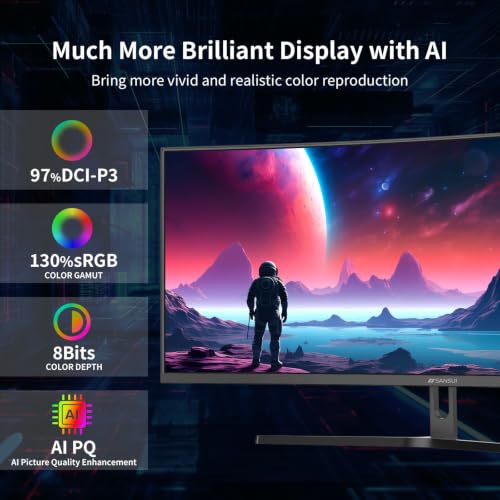
SANSUI 34-Inch Curved Gaming Monitor UWQHD 3440 x 1440P 200Hz Ultrawide | 34” Ultra Wide Gaming Computer Monitor-PBP, OD 1ms, HDR, 300nits, 130%sRGB, DCI-P3 97%,AI Crosshair,HDMI2.1x2,DP1.4




As an Amazon Associate we earn from qualifying purchases. Product prices and availability are accurate as of the date/time indicated.
Prices shown are approximate and for reference only. Prices change often, so please check the current price on Amazon before you buy.
Specifications summarize manufacturers’ published information for current model classes; hub wattage and features vary by exact model. Ratings are editorial, weighing text clarity, hub and KVM quality, ergonomics, color and panel quality, and value for work.
The Six Ultrawide Work Monitors Reviewed
1. Dell UltraSharp 40: Best Professional Ultrawide
Dell’s 40 is the 5K2K argument complete: print-class text across a canvas that holds a document, a spreadsheet, and a reference window in full dress simultaneously, an IPS Black panel whose contrast flatters long days, and a Thunderbolt hub that docks the whole desk, power, peripherals, Ethernet in its class, through one cable, with a KVM that moves the empire between a work laptop and a home machine at a button. Its price is a department’s, its depth requirement is real, and for the professional whose hours are screen hours it divides, across a five-year life, into one of the cheapest upgrades per hour in this entire site. It leads the ratings jointly because at its size and resolution there is, at present, no fuller answer to the keyword’s question.
2. Dell UltraSharp 34: Best Overall for Most Desks
The 34-inch UltraSharp is the corporate ultrawide perfected by iteration: the standard resolution in a curved IPS panel with the color discipline Dell’s line is bought for, a hub and KVM of the same seriousness as its big sibling’s, ergonomics that adjust like office furniture should, and a warranty and service story written for people whose monitor cannot have a sick week. It will not thrill a gamer and it is not priced to, and its 1440 height is the class’s known compromise, accepted by the largest installed base in this article. For the home office that must simply be right, for years, on the first installation, it is the recommendation this guide gives without a follow-up question, and its tie at the top is the value-and-fit verdict against its sibling’s summit verdict.
3. LG 38WR85QC-W Class: Best 38-Inch
LG’s 38 is the connoisseur’s middle: 3840 by 1600 in a Nano IPS panel with the extra height doing its quiet work all day, a curve fitted to a deep desk’s geometry, USB-C docking and KVM for the two-computer life, and a refresh rate with enough life for the evening’s lighter gaming without compromising the day’s color. Its price floats between the 34’s sense and the 40’s summit, which is precisely its market: the worker who measured the 34 and found it short, literally, and who does not need 5K2K’s print density to be happy. In a just world it would be the default size. In this one it is the upgrade the informed buyer chooses on purpose, and those buyers, in this guide’s correspondence with the category, do not go back.
4. Samsung ViewFinity S9 49: Best 49-Inch for Work
Samsung’s ViewFinity line is the 49 civilized for the office: the full dual-27 width in a curved panel with a matte finish for real rooms, a built-in KVM and USB-C for the desk’s wiring, and smart features in its class that let it serve as a small television for the studio flat’s evening. Its VA panel’s contrast flatters video and its text, at the 49’s inherent density, is the size’s known compromise, fine at distance and never print. Bought by the width-eating workflows this guide named, charts, timelines, and window walls, it replaces two monitors, two stands, and a bezel with one sweep of glass, and its owners should pair it with the window-management habits of the buying guide from day one, because at 49 inches, window discipline is not a preference but a load-bearing structure.
5. LG 34WP65C-B Class: Best Budget 34
LG’s value 34 brings the standard size and resolution down to a price that competes with a pair of ordinary monitors, with a curved VA panel, USB-C charging in its class, and built-in speakers that serve the call-heavy day adequately, in exchange for the UltraSharp class’s hub depth, panel finesse, and warranty ceremony. Its text is the size’s honest 110 PPI, its colors are a VA’s, strong in contrast and a step behind IPS in the angles, and for the first ultrawide on a budget it is the correct allocation: the size and the pixels, which the worker lives in, at full standard, and the refinements, which they will not miss, deferred to a later generation’s upgrade. Budget ultrawides fail when they cut the resolution. This one does not, and that is its whole review.
6. MSI MAG 401QR Class: Best Flat 40 Value
MSI’s 40 is the contrarian’s entry: a flat, not curved, 40-inch IPS panel at 3440 by 1440, which reads on paper as the 34’s resolution stretched, and in a room becomes a big, honest, inexpensive canvas whose flatness some workers, designers wary of curved lines, and multi-monitor matchers actively prefer. Its density, about 93 PPI, is the table’s lowest and its text the softest, a fact its price asks you to accept with open eyes and a normal viewing distance, and its KVM and USB-C make it a real work tool rather than a gaming panel on parole. It is in this table because size questions deserve a value answer at every rung, and because its owners, who bought distance and price with their eyes open, report a satisfaction that embarrasses the specification sheet.
Buying Guide: How to Choose the Best Ultrawide Monitor Size for Your Work
Step One: Measure the Desk, Then Count Your Windows
Measure the desk’s depth before its width, because depth decides the size your neck will endorse: sixty centimeters of depth suits the 34, eighty opens the 38 and the 40, and the 49 wants eighty and a chair’s honest swivel besides. Then count the windows of your real working hour, not your tidiest one: two full windows make the 34 sufficient; two plus a permanent chat, reference, or preview column argue for the 38’s height or the 40’s width; four and more, in fixed formation, are the 49’s only honest brief. Map the count against your screen-sharing life as the next step directs, and let the two audits together name the size, because a monitor is bought for the desk it will sit on and the work it will hold, and both are measurable this afternoon with a tape and a pen.
Step Two: Audit the Sharing, the Laptop, and the Hub
If your days are meetings, plan the sharing before the purchase: on any ultrawide, share a window or a portion, never the full screen, a habit every platform supports and every ultrawide owner learns in their first week, and consider keeping the laptop’s own screen as the share screen, a second display the ultrawide’s hub makes natural. Confirm the computer can drive the panel at full resolution and a sane refresh over the cable you will actually use, older laptops and docks have opinions about 5K2K that their spec pages state and their owners discover, and confirm the monitor’s hub wattage charges your laptop under load, because a dock that slowly loses charge through a workday is a betrayal scheduled for the worst afternoon. The KVM, present across this table’s leaders, is worth its premium the first time the desk hosts two computers, and worthless weight if it never will, so buy your actual desk, not the desk in the advertisement.
Step Three: Set It Up as Furniture and as Software
Place the screen so its center sits at or slightly below eye level and its distance matches its size, arm’s length for the 34, a full stretch for the 40 and 49, with the curve’s center aimed at your chair’s honest position rather than at the desk’s. Then teach the software its half of the bargain: your operating system’s window snapping learned properly, a window manager or the maker’s own layout utility on the wide panels, dividing the canvas into the zones your step-one count described, and your key applications given their permanent homes, documents center, communications at the edge that turns least. Set brightness for the room rather than for the showroom, text scaling at the level your eyes choose at 4 p.m. rather than at the morning’s optimism, and give the arrangement a month before judging it, because an ultrawide reorganizes habits as surely as it reorganizes windows, and the workers who love theirs, at every size in this article, are the ones who let the reorganization finish.
Frequently Asked Questions About Ultrawide Monitor Sizes for Work
Is a 34-inch ultrawide big enough for working from home?
For the majority of home workers, yes, completely: it holds two full application windows side by side without a bezel, which is the working pattern most people actually use, it fits the standard sixty-to-eighty-centimeter desk with room for the laptop beside or beneath it, and its price leaves budget for the chair and the arm that the same home office needs. Its limits appear in specific lives rather than in general ones: the worker who keeps three or four windows in permanent formation will feel its width as a negotiation, the spreadsheet worker who lives vertically will feel its 1440 height, and the professional whose text must be print-sharp will feel its density. Those are the 38 and 40’s briefs, and this guide’s buying steps exist to tell you whether they are yours. Absent those specific hungers, the 34 is not the small ultrawide. It is the standard one, and standards become standards by satisfying most people for years.
Is an ultrawide better than two monitors for work?
For most workers the ultrawide wins on the things that annoy daily: no bezel splitting the center of the work, one cable and one power supply instead of a dock’s tangle, a single panel whose color and brightness are uniform because they are one panel, and a curve that wraps the whole estate into one glance. Two monitors keep three honest advantages: total pixels per dollar can run higher, one screen can fail or be shared without touching the other, and a portrait-orientation second screen is the programmer’s and writer’s beloved configuration that no ultrawide imitates. The 49-inch ultrawide is literally the two-monitor estate with the bezel removed, and the 34 is the two-smaller-monitors estate likewise. Choose by your failure tolerance and your window habits, and know that the converts in both directions are sincere, because the two shapes genuinely suit different minds, and yours, after the window count in this guide’s first buying step, will not be a mystery to you.
Why does my screen share look tiny to colleagues from an ultrawide?
Because a full ultrawide screen, shared, is scaled down to fit your colleagues’ ordinary displays, and a 5120-pixel-wide canvas on a 1920-pixel laptop becomes a ribbon in which your spreadsheet’s figures are an rumor. The cures are habits, and every ultrawide professional adopts them in the first week: share the single application window rather than the screen, which every major meeting platform offers and which presents at a size your colleagues can read; when the whole canvas must be shown, share a portion or move the relevant window to the laptop’s own screen and share that; and increase the shared application’s own zoom for the audience, a courtesy your future self, squinting at someone else’s 4K share, will bless you for teaching your team. None of this is a defect in the monitor. It is the arithmetic of different rectangles, and it is priced into this guide’s recommendation that heavy presenters weigh the 34 and 38, whose shares scale least cruelly, with extra respect.
Do I need a curved ultrawide, or is flat fine for work?
At 34 inches and above, a gentle curve is the work standard for a single centered viewer, and its purpose is geometry rather than glamour: it keeps the screen’s edges at a similar distance and angle to your eyes as its center, so brightness, color, and focus stay uniform across the estate and your head turns less across a day. The curve to buy for work is the subtle class, the 1500R to 3800R figures the office lines use, not the aggressive gaming wrap. Flat retains two honest constituencies: the designer or architect whose straight lines must be straight on screen, a real if narrowing concern as modern curves are gentle, and the multi-seat or matched multi-monitor desk where panels must align. For the solo knowledge worker at a single screen, curved is the default this guide recommends and flat is the considered exception, and either, at the right size and resolution for your desk, will be forgotten within a month, which is the fate of all correct monitor decisions.
Related guides
- Best Cheap Laptop Sleeve for Students: 6 Best Cheap Laptop Sleeve for Students Picks in 2026
- Best Mini Drone for Travel: 6 Best Mini Drone for Travel Picks in 2026
- Best Action Camera for Creators: 6 Best Action Camera for Creators Picks in 2026
- Best Battery for Remote Controls in 2026: Best Battery for Remote Controls
More from Amazon
Programs that pair well with the guide above. Offers and eligibility are set by Amazon and may change.
Free shipping on eligible items, Prime Video and more. Eligible new members can start with a free trial.
Start a Prime free trialAd-free music streaming. Eligible new subscribers can start with a free trial.
Try Music Unlimited freeA Prime membership for ages 18-24 with a trial period. Eligibility is set by Amazon.
See Prime for Young AdultsAudiobooks and podcasts to listen to on the go. Eligible new members can start with a free trial.
Try Audible freeAs an Amazon Associate we earn from qualifying purchases.

Write Your Review
No reviews yet. Be the first to share your experience!