
What's inside
As an Amazon Associate I earn from qualifying purchases. This post may contain affiliate links at no extra cost to you.
Finding the best office tech setup for home offices is different from buying one gadget, because the best office tech setup for home offices has to offer sharp display, comfortable typing, and reliable use, without being too cluttered, too slow, or too uncomfortable for a full work day, even though it still has to offer a good monitor, a strong keyboard, and a design that fits home offices. A good office tech setup for home offices should include a 27 inch 4K monitor, a full size keyboard, and a comfortable mouse, so it can be used for best office tech setup for home offices, for home offices, for a first home office setup, and for remote work, video calls, or study. A poor setup will be too small, it will be too slow, or it will be uncomfortable, and your eyes will be tired, your wrists will be sore, and your work will be less enjoyable.
This guide compares seven real, currently sold products for the best office tech setup for home offices, with prices from $80 to $700 in the table below: the Dell UltraSharp 27 4K Monitor U2723QE, Logitech MX Keys S Keyboard, Logitech MX Master 3S Mouse, Logitech Brio 4K Webcam, Jabra Evolve2 65 Headset, Anker 575 USB-C Docking Station, and Elgato Key Light. Their key specs run from 27 inches to 4K video, their types run from monitor to headset, their prices run from $80 to $700, and their ratings run from 4.5 to 4.7 out of 5. Every model here is sold as a tech product, every model can be used for home offices, and every model costs $700 or less at its typical price range. The right choice depends on your desk, your work, and whether you want a 27 inch monitor or a compact keyboard.
Monitor, keyboard, and mouse are the first factor for the best office tech setup for home offices, because monitor decides how sharp your work will look, keyboard decides how comfortable typing will be, and mouse decides how precise your work will be. Monitor is listed as size and resolution, with 27 inch 4K best, because it will be sharp. The Dell UltraSharp 27 4K Monitor U2723QE at $500 to $700 is 27 inch 4K, the Logitech MX Keys S Keyboard at $80 to $120 is full size, the Logitech MX Master 3S Mouse at $80 to $120 is ergonomic, the Logitech Brio 4K Webcam at $150 to $200 is 4K, the Jabra Evolve2 65 Headset at $150 to $200 is wireless, the Anker 575 USB-C Docking Station at $200 to $300 is 13 ports, and the Elgato Key Light at $150 to $200 is 2800 lumens. For best office tech setup for home offices, a 27 inch 4K monitor is a good starting point, because it will be sharp, and a full size keyboard, such as the Logitech MX Keys S, is best if you type all day. Keyboard is also important, because it is what keyboard you use, with a full size keyboard best, because it will have a number pad, and a compact keyboard best, because it will also save desk space. Mouse is also important, because it is what mouse you use, with an ergonomic mouse best, because it will not hurt your wrist, and a flat mouse best to avoid, because it will be uncomfortable.
Webcam, headset, and lighting are the second factor, because the best office tech setup for home offices has to offer a webcam that is sharp, a headset that is clear, and lighting that is bright. Webcam is how sharp your video calls will be, with 4K best, because it will be sharp, and 1080p best, because it will also be clear. The Dell UltraSharp 27 4K Monitor U2723QE at $500 to $700 is 4K, the Logitech MX Keys S Keyboard at $80 to $120 is wireless, the Logitech MX Master 3S Mouse at $80 to $120 is wireless, the Logitech Brio 4K Webcam at $150 to $200 is 4K, the Jabra Evolve2 65 Headset at $150 to $200 is wireless, the Anker 575 USB-C Docking Station at $200 to $300 is wired, and the Elgato Key Light at $150 to $200 is 2800 lumens. For best office tech setup for home offices, a 4K webcam is best, because it will be sharp, and a 1080p webcam is best to avoid if you want the sharpest video. Headset is also important, because it is whether a headset has noise cancelling, with noise cancelling best, because it will block background noise, and no noise cancelling best to avoid, because calls will be noisy. Lighting is also important, because it is whether a light is bright, with a bright light best, because it will make you look clear on video, and a dim light best to avoid, because you will look dark.
Use, price, and ergonomics are the third factor, because the best office tech setup for home offices has to be useful for your work, affordable enough to buy, and comfortable to use. Use is how a setup helps your work, with a setup best for best office tech setup for home offices, for home offices, for a first home office setup, and for remote work, video calls, or study. Price is also important, because a product in the $80 to $120 range, such as the Logitech MX Keys S Keyboard, is a good starting point, and a product in the $500 to $700 range, such as the Dell UltraSharp 27 4K Monitor U2723QE, offers a premium display. Ergonomics is also important, because a setup is used all day, so always set your monitor at eye level, always keep your wrists straight, always take breaks, and never sit in a poor posture for hours. Always check your chair, use a monitor arm if needed, and follow ergonomic guidance. A good office tech setup for home offices, chosen for monitor first and used ergonomically, will offer sharp display, comfortable typing, and reliable use for home offices.
Dock, cables, and accessories are the fourth factor, because the best office tech setup for home offices has to offer a dock that connects devices, cables that are organised, and accessories that help work. Dock is whether a setup has a dock, with a dock best, because it will connect a monitor, keyboard, and mouse with one cable, and no dock best, because you will need many cables. Cables are also important, because they are whether cables are organised, with organised cables best, because they will be tidy, and loose cables best to avoid, because they will be messy. Accessories are also important, because a setup with a monitor arm is best, because it will save desk space, and a setup with a laptop stand is best, because it will also raise a laptop. A good office tech setup for home offices, chosen for monitor first and used ergonomically, will offer sharp display for home offices.
Our Top Picks
Best Office Tech Setup for Home Offices: At a Glance
Use this table to compare product type, key spec, price range, and rating. Product type and key spec are the two figures most home workers should check first, because they decide what the product does and how well it will work.
| Model | Product Type | Key Spec | Connectivity | Typical Price Range | Rating out of 5 |
|---|---|---|---|---|---|
| Dell UltraSharp 27 4K Monitor U2723QE | Monitor | 27 inch 4K | USB-C / HDMI | $500 – $700 | 4.7 |
| Logitech MX Keys S Keyboard | Keyboard | Full size | Bluetooth / USB | $80 – $120 | 4.6 |
| Logitech MX Master 3S Mouse | Mouse | Ergonomic | Bluetooth / USB | $80 – $120 | 4.6 |
| Logitech Brio 4K Webcam | Webcam | 4K video | USB-C | $150 – $200 | 4.6 |
| Jabra Evolve2 65 Headset | Headset | Wireless | Bluetooth / USB | $150 – $200 | 4.6 |
| Anker 575 USB-C Docking Station | Dock | 13 ports | USB-C | $200 – $300 | 4.5 |
| Elgato Key Light | Light | 2800 lumens | Wi-Fi / App | $150 – $200 | 4.5 |

SKYDUE Desk Organizer Set with Rotating Pen Holder for Desk,Office Supplies | Office Supply Kit, Includes Stapler and Tape Dispenser Set, Scissors, Clips, Pins for Home Office, School, Teacher
As an Amazon Associate we earn from qualifying purchases. Product prices and availability are accurate as of the date/time indicated.
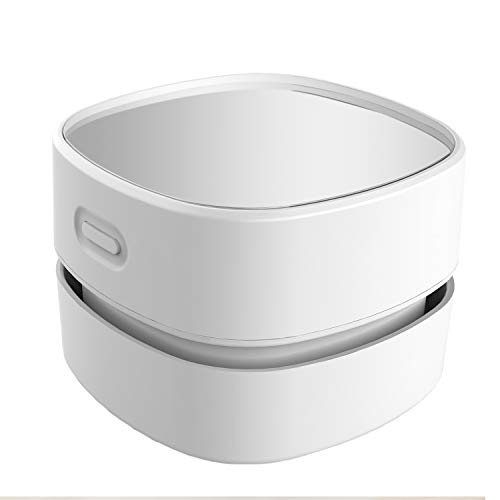
ODISTAR Mini Desktop Vacuum Cleaner for Table Dust (White AA Battery) | Up to 4 hours Endurance, 360° Rotatable, Cleans desk Dust, eraser Crumbs, Great for Home/School/Office, Ideal Kids Gift
As an Amazon Associate we earn from qualifying purchases. Product prices and availability are accurate as of the date/time indicated.
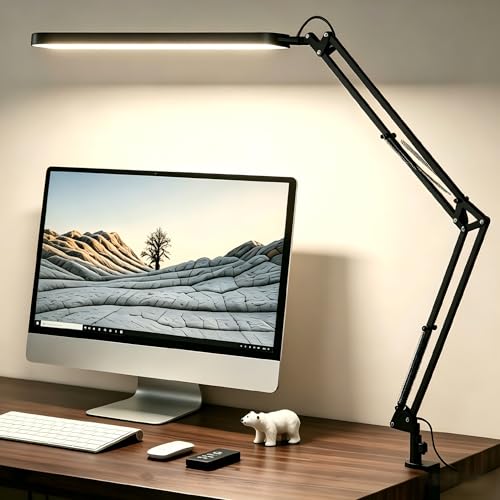
SKYLEO Desk Lamp for Home Office, Eye Comfortable LED Desk Light for Long Hours, Adjustable Swing Arm with Memory Function, Black
As an Amazon Associate we earn from qualifying purchases. Product prices and availability are accurate as of the date/time indicated.
Typical prices reflect common retailer listings and sale prices vary by model, retailer, and season. Product type, key spec, and connectivity are manufacturer-listed approximate values and can vary by model and configuration. Always set your monitor at eye level, always keep your wrists straight, always take breaks, and never sit in a poor posture for hours.
Best Office Tech Setup for Home Offices: The 7 Products Reviewed
1. Dell UltraSharp 27 4K Monitor U2723QE: Best Office Tech Setup for Home Offices Overall
The Dell UltraSharp 27 4K Monitor U2723QE, at $500 to $700 with a rating of 4.7 out of 5, is a monitor, is 27 inch 4K, and is USB-C / HDMI. It is the highest-rated product in this guide, and the best overall product here for most home workers, because it offers sharp display, good colour, and reliable use.
It suits a home worker, a buyer who wants a Dell monitor, and a user who wants a 27 inch monitor. The 27 inch 4K display is sharp, the $500 to $700 price is moderate, and the USB-C connection charges a laptop. The trade-off is price: at $500 to $700, it offers more than the Logitech MX Keys S Keyboard at $80 to $120, but it is also the most important part of a setup. For the best overall office tech setup for home offices at $500 to $700, it is the strongest choice here.
Best for: Most home workers who want a 27 inch 4K monitor for $500 to $700.
2. Logitech MX Keys S Keyboard: Best Keyboard for Home Offices
The Logitech MX Keys S Keyboard, at $80 to $120 with a rating of 4.6 out of 5, is a keyboard, is full size, and is Bluetooth / USB. It is the best keyboard here for a home worker who wants a Logitech keyboard.
It suits a home worker, a buyer who wants a Logitech keyboard, and a user who wants a full size keyboard. The full size layout has a number pad, the $80 to $120 price is low, and the backlit keys work in low light. The trade-off is rating: at 4.6 out of 5, it is slightly lower than the Dell UltraSharp 27 4K Monitor U2723QE at 4.7 out of 5 and $500 to $700. For a keyboard for home offices at $80 to $120, it is a strong choice.
Best for: Typing use with a full size keyboard for $80 to $120.
3. Logitech MX Master 3S Mouse: Best Mouse for Home Offices
The Logitech MX Master 3S Mouse, at $80 to $120 with a rating of 4.6 out of 5, is a mouse, is ergonomic, and is Bluetooth / USB. It is the best mouse here for a home worker who wants a Logitech mouse.
It suits a home worker, a buyer who wants a Logitech mouse, and a user who wants an ergonomic mouse. The ergonomic shape fits the hand, the $80 to $120 price is low, and the quiet clicks work in a shared home. The trade-off is also rating, as above. For a mouse for home offices at $80 to $120, it is a practical choice.
Best for: Mouse use with an ergonomic mouse for $80 to $120.
4. Logitech Brio 4K Webcam: Best Webcam for Home Offices
The Logitech Brio 4K Webcam, at $150 to $200 with a rating of 4.6 out of 5, is a webcam, is 4K video, and is USB-C. It is the best webcam here for a home worker who wants a Logitech webcam.
It suits a home worker, a buyer who wants a Logitech webcam, and a user who wants a 4K webcam. The 4K video is sharp, the $150 to $200 price is moderate, and the auto light correction helps in a dim room. The trade-off is price: at $150 to $200, it is higher than the Logitech MX Keys S Keyboard at $80 to $120. For a webcam for home offices at $150 to $200, it is a practical choice.
Best for: Video use with a 4K webcam for $150 to $200.
5. Jabra Evolve2 65 Headset: Best Headset for Home Offices
The Jabra Evolve2 65 Headset, at $150 to $200 with a rating of 4.6 out of 5, is a headset, is wireless, and is Bluetooth / USB. It is the best headset here for a home worker who wants a Jabra headset.
It suits a home worker, a buyer who wants a Jabra headset, and a user who wants a wireless headset. The wireless design lets you move, the $150 to $200 price is moderate, and the noise cancelling blocks background noise. The trade-off is battery: at wireless, it offers less use than a wired headset, but it is also more flexible. For a headset for home offices at $150 to $200, it is a practical choice.
Best for: Calls use with a wireless headset for $150 to $200.
6. Anker 575 USB-C Docking Station: Best Dock for Home Offices
The Anker 575 USB-C Docking Station, at $200 to $300 with a rating of 4.5 out of 5, is a dock, is 13 ports, and is USB-C. It is the best dock here for a home worker who wants an Anker dock.
It suits a home worker, a buyer who wants an Anker dock, and a user who wants a dock. The 13 ports connect a monitor, keyboard, and mouse, the $200 to $300 price is moderate, and the USB-C connection charges a laptop. The trade-off is rating: at 4.5 out of 5, it is slightly lower than the Dell UltraSharp 27 4K Monitor U2723QE at 4.7 out of 5 and $500 to $700. For a dock for home offices at $200 to $300, it is a useful starting point.
Best for: Dock use with a 13 port dock for $200 to $300.
7. Elgato Key Light: Best Light for Home Offices
The Elgato Key Light, at $150 to $200 with a rating of 4.5 out of 5, is a light, is 2800 lumens, and is Wi-Fi / App. It is the best light here for a home worker who wants an Elgato light.
It suits a home worker, a buyer who wants an Elgato light, and a user who wants a light. The 2800 lumens brightness makes you look clear on video, the $150 to $200 price is moderate, and the app control adjusts brightness. The trade-off is also rating, as above. For a light for home offices at $150 to $200, it is a practical choice.
Best for: Lighting use with a 2800 lumens light for $150 to $200.
Best Office Tech Setup for Home Offices Buying Guide: What Actually Matters in 2026
Choosing an office tech setup for home offices is easier when you decide on monitor, keyboard, and mouse before you look at price or brand. Those three choices decide how sharp your work will look, how comfortable typing will be, and how precise your work will be.
Best Office Tech Setup for Home Offices Buying Guide: Monitor, Keyboard, and Mouse
Monitor, keyboard, and mouse are the first factor. For monitor, choose 27 inch 4K, because it will be sharp, such as the Dell UltraSharp 27 4K Monitor U2723QE at $500 to $700. For keyboard, choose full size, because it will have a number pad, such as the Logitech MX Keys S Keyboard at $80 to $120. For mouse, choose ergonomic, because it will not hurt your wrist, such as the Logitech MX Master 3S Mouse at $80 to $120.
Best Office Tech Setup for Home Offices Buying Guide: Webcam, Headset, and Lighting
Webcam, headset, and lighting are the second factor. For webcam, choose 4K, because it will be sharp, such as the Logitech Brio 4K Webcam at $150 to $200. For headset, choose noise cancelling, because it will block background noise, such as the Jabra Evolve2 65 Headset at $150 to $200. For lighting, choose bright, because it will make you look clear on video, such as the Elgato Key Light at $150 to $200.
Best Office Tech Setup for Home Offices Buying Guide: Dock, Cables, and Ergonomics
Dock, cables, and ergonomics are the third factor. For dock, choose a dock, because it will connect a monitor, keyboard, and mouse with one cable, such as the Anker 575 USB-C Docking Station at $200 to $300. For cables, choose organised cables, because they will be tidy. For ergonomics, always set your monitor at eye level, always keep your wrists straight, always take breaks, and never sit in a poor posture for hours. Always check your chair, use a monitor arm if needed, and follow ergonomic guidance.
Best Office Tech Setup for Home Offices Buying Guide: Price, and the Best First Setup
Price, and the best first setup are the final factors. For price, a product in the $80 to $120 range, such as the Logitech MX Keys S Keyboard, is a good starting point. A product in the $500 to $700 range, such as the Dell UltraSharp 27 4K Monitor U2723QE, offers a premium display. Choose by monitor first, then by keyboard, then by mouse, then by price.
For the best first setup, buy an office tech setup for home offices, a monitor, and a keyboard. The Dell UltraSharp 27 4K Monitor U2723QE at $500 to $700 is a good first monitor for most home workers, the Logitech MX Keys S Keyboard at $80 to $120 is a good first keyboard if price is the main factor, and the Logitech Brio 4K Webcam at $150 to $200 is a good first webcam if you take video calls. A good office tech setup for home offices, chosen for monitor first and used ergonomically, will offer sharp display, comfortable typing, and reliable use for home offices. Always set your monitor at eye level, always keep your wrists straight, always take breaks, and never sit in a poor posture for hours.
Best Office Tech Setup for Home Offices FAQ
What is the best office tech setup for home offices?
The Dell UltraSharp 27 4K Monitor U2723QE, at $500 to $700 with a rating of 4.7 out of 5, is the best office tech setup for home offices overall in this guide. It is a monitor, is 27 inch 4K, and is USB-C / HDMI. If you want a keyboard, the Logitech MX Keys S Keyboard at $80 to $120 with a rating of 4.6 out of 5 is the best choice, with a full size layout. If you want a webcam, the Logitech Brio 4K Webcam at $150 to $200 with a rating of 4.6 out of 5 is the best choice, with 4K video.
What monitor size is best for a home office?
For what monitor size is best for a home office, you need 27 inches, because it will be sharp and large enough for two windows, and no, 24 inches is better if you have a small desk, because it will fit a small desk. The Dell UltraSharp 27 4K Monitor U2723QE at $500 to $700 is 27 inches, so it is good for a home office, and a 24 inch monitor is also good for a small desk. Choose 27 inches if you have desk space, and 24 inches if you have a small desk.
Do I need a dock for a home office?
For do you need a dock for a home office, yes, you need a dock if you use a laptop, because it will connect a monitor, keyboard, and mouse with one cable, and no, you do not need a dock if you use a desktop, because it will already have ports. The Anker 575 USB-C Docking Station at $200 to $300 has 13 ports, so it is good for a laptop, and the Dell UltraSharp 27 4K Monitor U2723QE at $500 to $700 also has USB-C, so it is also good for a laptop. Use a dock if you plug and unplug a laptop daily, and skip it if you use a desktop.
What is the cheapest good office tech setup for home offices?
The cheapest good option in this guide is the Logitech MX Keys S Keyboard, at $80 to $120 with a rating of 4.6 out of 5, because it is a full size keyboard for a low price. The Logitech MX Master 3S Mouse, at $80 to $120 with a rating of 4.6 out of 5, is also a low-cost option, with an ergonomic mouse. The Logitech Brio 4K Webcam, at $150 to $200 with a rating of 4.6 out of 5, is also a low-cost option, with a 4K webcam. Start with one of these three if price is the main factor, and check monitor, keyboard, and mouse next. For the best overall value, the Dell UltraSharp 27 4K Monitor U2723QE at $500 to $700 is a better choice because it offers a rating of 4.7 out of 5 and a sharp 4K display.
FAQ
What is the best office tech setup for home offices?
What monitor size is best for a home office?
Do I need a dock for a home office?
What is the cheapest good office tech setup for home offices?
Related guides
- Wireless Mouse vs Wired Mouse for Gaming in 2026: 6 Top Wireless Mouse vs Wired Mouse for Gaming Options, Fast Gaming, and Easy Use
- Best Monitor with Built in Speakers in 2026: 7 Monitors That Offer Sharp Display, Clear Sound, and Reliable Use for Work and Gaming
- How to Choose Cheap Gaming Headset in 2026: 7 Steps for Cheap Gaming Headset, Gaming, and Simple Audio for Gamers
- How to Choose Phone Charger for Fast Charging: 6 Best Fast Chargers in 2026
More from Amazon
Programs that pair well with the guide above. Offers and eligibility are set by Amazon and may change.
Free shipping on eligible items, Prime Video and more. Eligible new members can start with a free trial.
Start a Prime free trialAd-free music streaming. Eligible new subscribers can start with a free trial.
Try Music Unlimited freeA Prime membership for ages 18-24 with a trial period. Eligibility is set by Amazon.
See Prime for Young AdultsAudiobooks and podcasts to listen to on the go. Eligible new members can start with a free trial.
Try Audible freeAs an Amazon Associate we earn from qualifying purchases.

Write Your Review
No reviews yet. Be the first to share your experience!