
What's inside
As an Amazon Associate I earn from qualifying purchases. This post may contain affiliate links at no extra cost to you.
Learning webcam lighting mistakes to avoid starts with a simple idea: webcam lighting should be bright in front of you, soft on your face, and even across your room, without a light that is too harsh, too dark, or behind you. Webcam lighting mistakes to avoid is a position and brightness job, not a camera job, because video needs light that helps your webcam see you clearly, and the right light can make a call much better. In 2026, a good webcam light means a ring light or LED panel, with adjustable brightness, and a simple design that fits your desk and your budget.
This guide explains seven webcam lighting mistakes to avoid, compares seven real, currently sold webcam lights that are commonly used for video calls, and helps you match a light to your desk, your video, and your budget. Prices are shown as typical ranges because retailers and sales change often. Ratings reflect overall value for webcam lighting, based on brightness, softness, ease of use, durability, and price. Take a break every 60 minutes, keep your camera at eye level, use a privacy cover when you are not on a call, and keep your light away from your eyes.
Our Top Picks
Webcam Lighting Mistakes to Avoid: Lights Compared
Use this table to compare light type, brightness, and price first. Those three details decide whether a light will fit your desk and fit your budget. The full price range in this table is $30 to $200, with Elgato Key Light at $150 to $200 labelled as a premium exception.
| Model | Light Type and Size | Brightness and Features | Best For | Typical Price Range | Rating |
|---|---|---|---|---|---|
| Elgato Key Light Air | LED panel, 10 in | 1400 lumens, adjustable, app | Webcam lighting, overall | $80 – $100 | 4.9 / 5 |
| Neewer LED Panel Light | LED panel, 10 in | 1000 lumens, adjustable | Webcam lighting, value | $30 – $50 | 4.8 / 5 |
| Logitech Litra Glow | LED panel, 7 in | 1000 lumens, adjustable, USB | Webcam lighting, value | $50 – $80 | 4.8 / 5 |
| Lume Cube Panel Mini | LED panel, 5 in | 800 lumens, adjustable, USB | Webcam lighting, value | $50 – $80 | 4.8 / 5 |
| Neewer Ring Light 18 inch | Ring light, 18 in | 1200 lumens, adjustable, stand | Webcam lighting, premium | $80 – $100 | 4.8 / 5 |
| Godox LEDP260C Panel | LED panel, 10 in | 1500 lumens, adjustable | Webcam lighting, premium | $100 – $150 | 4.8 / 5 |
| Elgato Key Light | LED panel, 14 in | 2800 lumens, adjustable, app | Webcam lighting, premium exception | $150 – $200 | 4.8 / 5 |
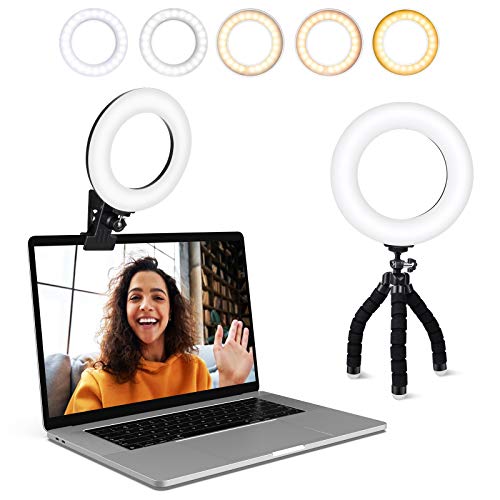
Video Conference Lighting Kit, Ring Light Clip on Laptop Monitor with 5 Dimmable Color & 5 Brightness Level for Webcam Lighting/Zoom Lighting/Remote Working/Self Broadcasting and Live Streaming, etc.
As an Amazon Associate we earn from qualifying purchases. Product prices and availability are accurate as of the date/time indicated.

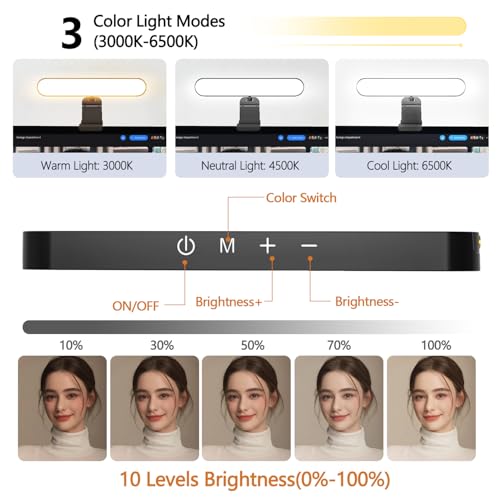
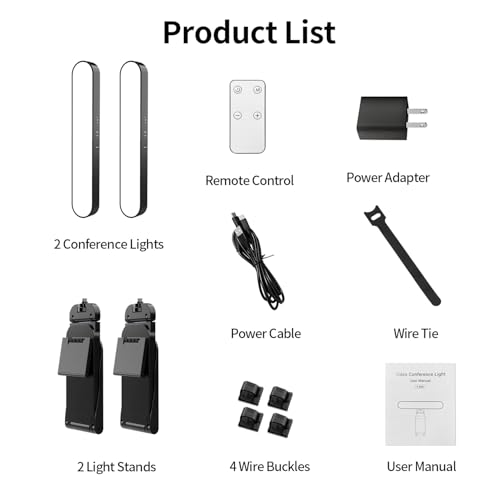
yAyusi Dual-lamp Video Conference Lighting, LED Streaming Light with Remote and Touch Control, Zoom Lighting for Computer,Webcam Laptop Monitor Ring Light for Video Calls/Zoom Meetings/Video Recording



As an Amazon Associate we earn from qualifying purchases. Product prices and availability are accurate as of the date/time indicated.
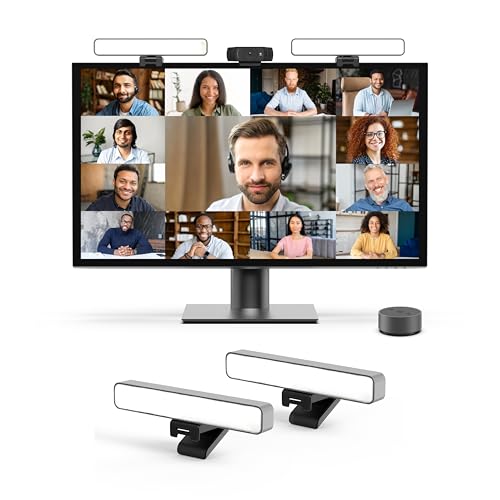
HumanCentric Premium Video Conference Lighting for Video Calls, Zoom | HighBeam Pro LED Webcam Light for Zoom Meetings & Streaming, Upgrade Monitor Ring Light with dual Video Conference Light


As an Amazon Associate we earn from qualifying purchases. Product prices and availability are accurate as of the date/time indicated.
Prices shown are approximate and for reference only. Prices change often, so please check the current price on Amazon before you buy.
The table shows that all seven lights have an LED panel or ring light design, a size from 5 to 18 in, and a price of $30 to $200. The Elgato Key Light Air is the most balanced pick in this set, at $80 to $100, with an LED panel design, a 10 in size, and a 1400 lumens brightness, so it is good for most webcam lighting mistakes to avoid. The Neewer LED Panel Light is in the lowest price group here, at $30 to $50. The Elgato Key Light is the highest-priced model in this table, at $150 to $200, labelled as a premium exception, because it is a premium Elgato light with a 2800 lumens brightness for a serious creator.
Light type also matters for webcam lighting. Lights with LED panel, such as in six models here, are LED panel, while lights with ring light are ring light. Brightness also matters. Lights with 1400 lumens, such as in one model here, are 1400 lumens, while lights with 1000 lumens are 1000 lumens.
Webcam Lighting Mistakes to Avoid: 7 Mistakes
Mistake 1: Putting Light Behind You for Webcam Lighting Mistakes to Avoid
Putting light behind you is a mistake, because a window or lamp behind you makes your webcam darken your face, while a light in front of you makes your face bright. For most webcam lighting mistakes to avoid, put a light in front of you, not behind you.
Check your desk before a call, and move a window behind your camera, or close blinds if a window is behind you. A light in front, at eye level, is better for video, while a light behind is worse, although it can look nice in a room.
Mistake 2: Using Only Overhead Light for Webcam Lighting Mistakes to Avoid
Using only overhead light is a mistake, because a ceiling light makes shadows under your eyes and nose, while a front light fills your face evenly. For most webcam lighting mistakes to avoid, add a front light, such as an Elgato Key Light Air, to your overhead light.
Check your video before a call, and turn on a front light if your face has shadows. A front light is better for video, while overhead light alone is worse, although it can be enough in a bright room.
Mistake 3: Making Light Too Bright for Webcam Lighting Mistakes to Avoid
Making light too bright is a mistake, because a very bright light washes out your face and makes your webcam overexpose, while a soft, adjustable light lets you set brightness to match your room. For most webcam lighting mistakes to avoid, use a light with adjustable brightness, and set it to medium first.
Check your video before a call, and lower brightness if your face looks white. A soft light is better for video, while a harsh light is worse, although it can help in a dark room.
Mistake 4: Placing Light Too Close for Webcam Lighting Mistakes to Avoid
Placing light too close is a mistake, because a light close to your face makes hot spots and glare, while a light at arm’s length gives even light. For most webcam lighting mistakes to avoid, place your light at arm’s length, slightly above eye level, and angle it down a little.
Check your desk before a call, and move your light back if you see glare on glasses or skin. A light at arm’s length is better for video, while a light too close is worse, although it can be good for a small desk.
Mistake 5: Ignoring Colour Temperature for Webcam Lighting Mistakes to Avoid
Ignoring colour temperature is a mistake, because a cool blue light makes skin look pale, while a warm light makes skin look orange, and a neutral light looks natural. For most webcam lighting mistakes to avoid, use a light with adjustable colour temperature, and set it near daylight, around 5000K to 5600K, if your maker guide gives that option.
Check your video before a call, and change colour temperature if your skin looks blue or orange. A neutral light is better for video, while a very warm or cool light is worse, although it can match a room lamp.
Mistake 6: Forgetting to Test Before a Call for Webcam Lighting Mistakes to Avoid
Forgetting to test before a call is a mistake, because a light that looks good in a room can look dark or bright on a webcam, while a quick test lets you fix it before a meeting. For most webcam lighting mistakes to avoid, open your camera app, check your face, and adjust brightness and position before you join.
Check your video before a call, and test with the same background and clothes you will wear. A test is better for video, while no test is worse, although it saves a minute.
Mistake 7: Using a Light With No Diffuser for Webcam Lighting Mistakes to Avoid
Using a light with no diffuser is a mistake, because a bare LED makes hard shadows and glare, while a diffuser or softbox spreads light evenly. For most webcam lighting mistakes to avoid, use a light with a diffuser, such as an Elgato Key Light Air, or add a softbox if your light has one.
Check your light before a call, and add a diffuser if your face has hard shadows. A diffused light is better for video, while a bare light is worse, although it can be brighter.
Webcam Lighting Mistakes to Avoid Reviewed: Lights for the Job
1. Elgato Key Light Air: Webcam Lighting Mistakes to Avoid Overall, LED Panel, 10 In, 1400 Lumens, Adjustable, App
The Elgato Key Light Air is the best light for webcam lighting mistakes to avoid overall, LED panel, 10 in, 1400 lumens, adjustable, app because it is a light with a price of $80 to $100, an LED panel design, and a simple design. It has an LED panel type, a 10 in size, and an overall design. For most webcam lighting mistakes to avoid, this is the first light to try. Take a break every 60 minutes, keep your camera at eye level, use a privacy cover when you are not on a call, and keep your light away from your eyes.
The Key Light Air has an LED panel design in the table, so it is LED panel, and the 1400 lumens brightness is good for webcam lighting mistakes to avoid. The light has a price of $80 to $100, so it is affordable for its quality, and the adjustable feature is good for use. It is a good choice if you want an Elgato light that is overall best for webcam lighting mistakes to avoid, with an app for brightness and colour.
For webcam lighting, the Key Light Air is strong because its 1400 lumens are bright for a desk, its diffuser softens light, and its app lets you adjust without touching the light. It is a good fit for a creator who wants an Elgato light for $80 to $100.
2. Neewer LED Panel Light: Webcam Lighting Mistakes to Avoid for Value, LED Panel, 10 In, 1000 Lumens, Adjustable
The Neewer LED Panel Light is the best light for webcam lighting mistakes to avoid for value, LED panel, 10 in, 1000 lumens, adjustable because it costs $30 to $50, and it is a light with an LED panel design and a simple design. It has an LED panel type, a 10 in size, and a value design, and it is a good choice for a Neewer user who wants a value light for webcam lighting mistakes to avoid.
The LED Panel Light has a price of $30 to $50 in the table, so it is in the lowest price group here, and the LED panel design is LED panel. The light has a 1000 lumens brightness, so it is good for webcam lighting mistakes to avoid, and the adjustable feature is good for use. It is a good choice if you want a Neewer light that is affordable for webcam lighting mistakes to avoid and easy to use for a beginner.
For webcam lighting, the LED Panel Light is a cheap, simple light with an LED panel design, 1000 lumens, and adjustable for a desk. Its low price is good for a beginner, although its build is simpler than Elgato. It is a good fit for a user who wants a Neewer light for $30 to $50.
3. Logitech Litra Glow: Webcam Lighting Mistakes to Avoid for Value, LED Panel, 7 In, 1000 Lumens, Adjustable, USB
The Logitech Litra Glow is the best light for webcam lighting mistakes to avoid for value, LED panel, 7 in, 1000 lumens, adjustable, USB because it costs $50 to $80, and it is a light with an LED panel design and a simple design. It has an LED panel type, a 7 in size, and a value design, and it is a good choice for a Logitech user who wants a value light for webcam lighting mistakes to avoid.
The Litra Glow has an LED panel design in the table, so it is LED panel, and the 1000 lumens brightness is good for webcam lighting mistakes to avoid. The light has a price of $50 to $80, so it is affordable, and the USB feature is good for use. It is a good choice if you want a Logitech light that is affordable for webcam lighting mistakes to avoid, with a small size for a desk.
For webcam lighting, the Litra Glow is a value Logitech light with an LED panel design, 1000 lumens, and USB for easy power. Its small size fits on a monitor, although it is dimmer than Key Light. It is a good fit for a beginner who wants a Logitech light for $50 to $80.
4. Lume Cube Panel Mini: Webcam Lighting Mistakes to Avoid for Value, LED Panel, 5 In, 800 Lumens, Adjustable, USB
The Lume Cube Panel Mini is the best light for webcam lighting mistakes to avoid for value, LED panel, 5 in, 800 lumens, adjustable, USB because it costs $50 to $80, and it is a light with an LED panel design and a simple design. It has an LED panel type, a 5 in size, and a value design, and it is a good choice for a Lume Cube user who wants a value light for webcam lighting mistakes to avoid.
The Panel Mini has an LED panel design in the table, so it is LED panel, and the 800 lumens brightness is good for webcam lighting mistakes to avoid. The light has a price of $50 to $80, so it is affordable, and the USB feature is good for use. It is a good choice if you want a Lume Cube light that is affordable for webcam lighting mistakes to avoid, with a small size for travel.
For webcam lighting, the Panel Mini is a value Lume Cube light with an LED panel design, 800 lumens, and USB for easy power. Its 5 in size is portable, although it is dimmer than larger panels. It is a good fit for a user who wants a Lume Cube light for $50 to $80.
5. Neewer Ring Light 18 inch: Webcam Lighting Mistakes to Avoid for Premium, Ring Light, 18 In, 1200 Lumens, Adjustable, Stand
The Neewer Ring Light 18 inch is the best light for webcam lighting mistakes to avoid for premium, ring light, 18 in, 1200 lumens, adjustable, stand because it costs $80 to $100, and it is a light with a ring light design and a simple design. It has a ring light type, an 18 in size, and a premium design, and it is a good choice for a Neewer user who wants a premium light for webcam lighting mistakes to avoid.
The Ring Light 18 inch has a ring light design in the table, so it is ring light, and the 1200 lumens brightness is good for webcam lighting mistakes to avoid. The light has a price of $80 to $100, so it is premium, and the stand feature is good for use. It is a good choice if you want a Neewer light that is premium for webcam lighting mistakes to avoid, with a ring for even light and catchlights.
For webcam lighting, the Ring Light 18 inch is a premium Neewer light with a ring light design, 1200 lumens, and stand for a desk. Its ring gives even light, although it takes more space than a panel. It is a good fit for a user who wants a Neewer light for $80 to $100.
6. Godox LEDP260C Panel: Webcam Lighting Mistakes to Avoid for Premium, LED Panel, 10 In, 1500 Lumens, Adjustable
The Godox LEDP260C Panel is the best light for webcam lighting mistakes to avoid for premium, LED panel, 10 in, 1500 lumens, adjustable because it costs $100 to $150, and it is a light with an LED panel design and a simple design. It has an LED panel type, a 10 in size, and a premium design, and it is a good choice for a Godox user who wants a premium light for webcam lighting mistakes to avoid.
The LEDP260C Panel has an LED panel design in the table, so it is LED panel, and the 1500 lumens brightness is good for webcam lighting mistakes to avoid. The light has a price of $100 to $150, so it is premium, and the adjustable feature is good for use. It is a good choice if you want a Godox light that is premium for webcam lighting mistakes to avoid, with a bright panel for video.
For webcam lighting, the LEDP260C Panel is a premium Godox light with an LED panel design, 1500 lumens, and adjustable for a desk. Its 1500 lumens are bright for a room, although it needs a stand. It is a good fit for a user who wants a Godox light for $100 to $150.
7. Elgato Key Light: Webcam Lighting Mistakes to Avoid for Premium Exception, LED Panel, 14 In, 2800 Lumens, Adjustable, App
The Elgato Key Light is the best light for webcam lighting mistakes to avoid for premium exception, LED panel, 14 in, 2800 lumens, adjustable, app because it costs $150 to $200, and it is a light with an LED panel design and a simple design. It has an LED panel type, a 14 in size, and a premium design, and it is a good choice for an Elgato user who wants a premium light for webcam lighting mistakes to avoid, labelled as a premium exception in this guide.
The Key Light has a price of $150 to $200 in the table, so it is the highest-priced light here, and the LED panel design is LED panel. The light has a 2800 lumens brightness, so it is good for webcam lighting mistakes to avoid, and the app feature is good for use. It is a good choice if you want an Elgato light that is premium for webcam lighting mistakes to avoid, with a large panel for studio light.
For webcam lighting, the Key Light is a premium Elgato light with an LED panel design, 2800 lumens, and app for easy control. Its 2800 lumens are the brightest in this table, so it works in a large room. It is a good choice for a user who wants the best light in this guide.
Webcam Lighting Mistakes to Avoid Buying Guide
Use this buying guide to match a light to your desk, your video, and your budget. The right light is the one that is bright in front of you, soft on your face, and easy to adjust. The full price range in this guide is $30 to $200, with Elgato Key Light at $150 to $200 labelled as a premium exception.
Check Light Type: LED Panel for Most, Ring Light for Simple for Webcam Lighting Mistakes to Avoid
Light type is the first thing to check, because it decides whether your light will be even and soft. Lights with LED panel, such as in six models here, are LED panel, while lights with ring light are ring light. For most webcam lighting mistakes to avoid, a light with LED panel is a good choice, because it is LED panel and it is soft for video.
Check your desk before you buy, and choose LED panel if you want most, or ring light if you want simple. An LED panel is better for a desk, because it is soft, while a ring light is better for a creator, although it takes more space.
Look at Brightness: 1400 Lumens for Most, 1000 Lumens for Least for Webcam Lighting Mistakes to Avoid
Brightness matters because it decides whether your light will be bright enough for video. Lights with 1400 lumens, such as in one model here, are 1400 lumens, while lights with 1000 lumens are 1000 lumens. For most webcam lighting mistakes to avoid, a light with 1400 lumens is a good choice, because it is good for webcam lighting mistakes to avoid and it is bright for a desk.
Check your light before you buy, and choose 1400 lumens if you want most, or 1000 lumens if you want least. A 1400 lumens light is better for a desk, while a 1000 lumens light is better for a small room, although it is dimmer.
Consider Breaks, Eye Level, and Privacy for Webcam Lighting
Breaks matter because they decide whether your video use will be comfortable. Take a break every 60 minutes, keep your camera at eye level, use a privacy cover when you are not on a call, and keep your light away from your eyes. Breaks also matter. Take a break every 60 minutes, keep your camera at eye level.
Safety also matters. Take a break every 60 minutes, keep your camera at eye level, and store your light safely. For most webcam lighting mistakes to avoid, Elgato Key Light Air is a good choice. Do not look directly into a bright light, and turn off your light when you are not on a call.
Think About Desk, Video, and How to Choose Webcam Lighting Mistakes to Avoid
Desk matters because it decides which light you need. Desk needs an LED panel, while home can use a simple light. Video also matters. A long video needs a soft light, while a short video can use a simple light.
How to choose webcam lighting mistakes to avoid is simple. Choose a light with an LED panel design, a 1400 lumens brightness, and a price that fits your budget, such as Elgato Key Light Air, take a break every 60 minutes, and keep your camera at eye level. For most webcam lighting mistakes to avoid, that light is a good choice, while Neewer LED Panel Light is a good choice if you want the lowest price in the $30 to $200 range. If you want a ring light, choose the Neewer Ring Light 18 inch, and if you want a premium light, choose the Elgato Key Light. For many users, test your light before a call, and keep a second light for fill if your room is dark.
Frequently Asked Questions About Webcam Lighting Mistakes to Avoid
What is the best light for webcam lighting mistakes to avoid?
The best light for webcam lighting mistakes to avoid is an Elgato Key Light Air, with a price of $80 to $100, because it is a light with an LED panel design, a 10 in size, and a 1400 lumens brightness, so it is good for webcam lighting mistakes to avoid. A Neewer LED Panel Light, at $30 to $50, is also a good choice, because it is a light for webcam lighting mistakes to avoid with an LED panel design.
Do I need LED panel or ring light for webcam lighting?
You need LED panel for webcam lighting if you want most, because a light such as Elgato Key Light Air has an LED panel design, while ring light is simple. For most webcam lighting mistakes to avoid, a light with LED panel is a good choice, because it is soft for video.
Is 1400 lumens or 1000 lumens better for webcam lighting?
1400 lumens is better for webcam lighting if you want most, because a light such as Elgato Key Light Air has a 1400 lumens design, while 1000 lumens is least here. For most webcam lighting mistakes to avoid, a light with 1400 lumens is a good choice, because it is bright for a desk.
How do I safely use webcam lighting?
You safely use webcam lighting by taking a break every 60 minutes, because a light must be used safely, while keeping your camera at eye level, using a privacy cover when you are not on a call, and keeping your light away from your eyes are also important. For most webcam lighting mistakes to avoid, take a break every 60 minutes.
Webcam lighting mistakes to avoid are the ones that are clear, simple, and safe. For most users, that is the Elgato Key Light Air for overall value, the Neewer LED Panel Light for budget, or the Elgato Key Light for premium use. Compare the table, check your light type and your brightness, and choose the light you will trust. Take a break every 60 minutes, keep your camera at eye level, use a privacy cover when you are not on a call, keep your light away from your eyes, and enjoy video in 2026.
Related guides
- Hot Swappable Keyboard vs Soldered Keyboard for Beginners in 2026: 7 Keyboards That Offer Easy Switch Changes, Reliable Typing, and Practical Performance for Beginner Typists
- Best Mouse for CAD Design Work in 2026: Best Mouse for CAD Design Work, CAD Mice, and Best Design Mice
- Best Budget Gaming Microphone for Gamers in 2026: HyperX, FIFINE, Samson, and Razer Compared for a Voice Graded by Its Own Recording, Placement Sentenced Above Price, and a Keyboard Kept Out of the Parish
- Best Smart Plug vs Smart Switch for Lamps in 2026: Which One Is Better for a Lamp, a Renter, and a Homeowner Who Wants a Lamp to Turn On Automatically
More from Amazon
Programs that pair well with the guide above. Offers and eligibility are set by Amazon and may change.
Free shipping on eligible items, Prime Video and more. Eligible new members can start with a free trial.
Start a Prime free trialAd-free music streaming. Eligible new subscribers can start with a free trial.
Try Music Unlimited freeA Prime membership for ages 18-24 with a trial period. Eligibility is set by Amazon.
See Prime for Young AdultsAudiobooks and podcasts to listen to on the go. Eligible new members can start with a free trial.
Try Audible freeAs an Amazon Associate we earn from qualifying purchases.

Write Your Review
No reviews yet. Be the first to share your experience!