
What's inside
- Best Portable SSD for Gaming on PC: Quick Comparison Table
- What Is a Best Portable SSD for Gaming on PC?
- Best Portable SSD for Gaming on PC Reviewed
- Buying Guide: How to Choose the Best Portable SSD for Gaming on PC
- How to Use a Portable SSD for Gaming on PC
- Which Best Portable SSD for Gaming on PC Should You Buy?
- Frequently Asked Questions About the Best Portable SSD for Gaming on PC
As an Amazon Associate I earn from qualifying purchases. This post may contain affiliate links at no extra cost to you.
It helps you store PC games, load games fast, and play on the go, without a drive that is too slow, too small, or too costly for a PC gamer. A good portable SSD for gaming on PC is not just a USB flash drive. It is a real best portable SSD for gaming on PC guide, and the wrong one can bottleneck loading, run out of space, or fail under heat.
That drive can be used for gaming on PC, it is fast, and it is priced well for gamers who want a portable SSD for their PC.
At techymoon.com, we focus on tech gadgets. For this guide to the best portable SSD for gaming on PC in 2026, we compared current portable SSDs that are widely sold, designed for gaming, and suitable for a PC gamer who wants the best portable SSD for gaming on PC. We looked at speed, capacity, interface, and price. Speed, capacity, and interface figures are manufacturer listings, and real performance depends on your PC, your USB port, and your use. Always check the drive specs before you buy.
Our Top Picks
Best Portable SSD for Gaming on PC: Quick Comparison Table
The table below compares seven portable SSDs for gaming on PC. Speed is the read speed, where given. Capacity is the capacity, where given. Interface is the interface, where given. Best for is a note on what the drive is best for, such as best portable SSD for gaming on PC, where given.
| Portable SSD for Gaming on PC | Speed | Capacity | Interface | Best For |
|---|---|---|---|---|
| Samsung T7 Shield 1TB Portable SSD | 1050 MB/s | 1 TB | USB 3.2 Gen 2 | Best overall, best portable SSD for gaming on PC |
| SanDisk Extreme Portable SSD 1TB | 1050 MB/s | 1 TB | USB 3.2 Gen 2 | Best for SanDisk, Extreme Portable SSD |
| Samsung T9 1TB Portable SSD | 2000 MB/s | 1 TB | USB 3.2 Gen 2×2 | Best for Samsung, T9 Portable SSD |
| WD Black P50 Game Drive 1TB SSD | 2000 MB/s | 1 TB | USB 3.2 Gen 2×2 | Best for WD, Black P50 Game Drive |
| Crucial X9 Pro 1TB Portable SSD | 1050 MB/s | 1 TB | USB 3.2 Gen 2 | Best for Crucial, X9 Pro SSD |
| Seagate One Touch 1TB Portable SSD | 1030 MB/s | 1 TB | USB 3.2 Gen 2 | Best for Seagate, One Touch SSD |
| Kingston XS2000 1TB Portable SSD | 2000 MB/s | 1 TB | USB 3.2 Gen 2×2 | Best budget, Kingston XS2000 SSD |

Samsung Portable SSD P7 1TB, Read/Write Speeds up to 4,000/3,700 MB/s | Memory storage made for Creative Professionals, AI Content Producers, and Capacity Expanders (MU-PF1T0G/AM)
As an Amazon Associate we earn from qualifying purchases. Product prices and availability are accurate as of the date/time indicated.

SANDISK 1TB Portable SSD, Up to 1000MB/s Read Speeds, Black (New Model) | External Solid State Drive, Compatible with Laptops & Tablets, Up to 2M Drop Protection, Up to 5x faster than HDD Pocket Size


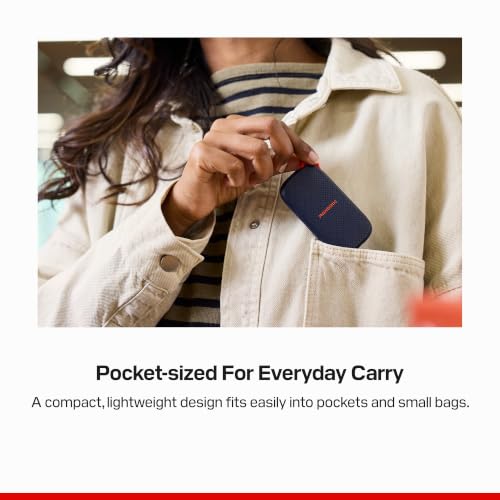


As an Amazon Associate we earn from qualifying purchases. Product prices and availability are accurate as of the date/time indicated.

Lexar ES3 1TB Portable SSD Silver, USB 3.2 Gen 2 up to 1050MB/s | External SSD compatible with iPhone 17 Series/Mac/PS5/XBOX/Laptop/PC
As an Amazon Associate we earn from qualifying purchases. Product prices and availability are accurate as of the date/time indicated.
Prices shown are approximate and for reference only. Prices change often, so please check the current price on Amazon before you buy.
Note: Speed, capacity, and interface figures are manufacturer listings, and a drive that lists 2000 MB/s may run slower on USB 3.2 Gen 2, because speed depends on your PC’s USB port. Always check the drive’s speed, capacity, and interface in the manual, and confirm the current price with the retailer. Best portable SSD for gaming on PC should be fast, be durable, and fit your PC before you buy.
What Is a Best Portable SSD for Gaming on PC?
It helps you store, load, and play, without a drive that is small.
A best portable SSD for gaming on PC is different from an internal SSD alone, which is for inside a PC, while a portable SSD is for external use. It is also different from a hard drive alone, which is for slow storage, while a portable SSD is for fast loading.
A best portable SSD for gaming on PC is best for a PC gamer who plays PC games, wants a portable SSD, has a PC, and wants a simple, reliable best portable SSD for gaming on PC.
Best Portable SSD for Gaming on PC Reviewed
1. Samsung T7 Shield 1TB Portable SSD – Best Portable SSD for Gaming on PC Overall
It has a good design, a good durability, and a build that is made for PC gamers.
Samsung designs the T7 Shield with a focus on a drive that is for gaming on PC and has a rugged design. The drive is a good option for a PC gamer who wants Samsung gear, and who wants the best overall design for best portable SSD for gaming on PC.
The main limitation is speed. At 1050 MB/s, it is slower than 2000 MB/s drives, though it is durable. Choose the T7 Shield if you want the best overall drive, you want Samsung, and you have a budget of $80 to $120.
2. SanDisk Extreme Portable SSD 1TB – Best Portable SSD for Gaming on PC for SanDisk Extreme
It has a good design, a good ruggedness, and a build that is made for PC gamers.
SanDisk designs the Extreme Portable SSD with a focus on a drive that is for gaming on PC and has a rugged design. The drive is a good option for a PC gamer who wants SanDisk gear, and who wants an Extreme Portable SSD.
Choose the Extreme if you want SanDisk, you want rugged, and you have a budget of $80 to $120.
3. Samsung T9 1TB Portable SSD – Best Portable SSD for Gaming on PC for Samsung T9
It has a good design, a good speed, and a build that is made for PC gamers.
Samsung designs the T9 with a focus on a drive that is for gaming on PC and has a fast design. The drive is a good option for a PC gamer who wants Samsung gear, and who wants a T9.
The main limitation is port. At USB 3.2 Gen 2×2, it needs a 20 Gbps port for full speed, though it is fast. Choose the T9 if you want Samsung, you want fast, and you have a budget of $120 to $180.
4. WD Black P50 Game Drive 1TB SSD – Best Portable SSD for Gaming on PC for WD Black P50
It has a good design, a good gaming focus, and a build that is made for PC gamers.
WD designs the Black P50 with a focus on a drive that is for gaming on PC and has a gaming design. The drive is a good option for a PC gamer who wants WD gear, and who wants a Black P50.
Choose the P50 if you want WD, you want gaming, and you have a budget of $120 to $180.
5. Crucial X9 Pro 1TB Portable SSD – Best Portable SSD for Gaming on PC for Crucial X9 Pro
It has a good design, a good value, and a build that is made for PC gamers.
Crucial designs the X9 Pro with a focus on a drive that is for gaming on PC and has a value design. The drive is a good option for a PC gamer who wants Crucial gear, and who wants an X9 Pro.
Choose the X9 Pro if you want Crucial, you want value, and you have a budget of $80 to $120.
6. Seagate One Touch 1TB Portable SSD – Best Portable SSD for Gaming on PC for Seagate One Touch
It has a good design, a good portability, and a build that is made for PC gamers.
Seagate designs the One Touch with a focus on a drive that is for gaming on PC and has a portable design. The drive is a good option for a PC gamer who wants Seagate gear, and who wants a One Touch.
Choose the One Touch if you want Seagate, you want portable, and you have a budget of $80 to $120.
7. Kingston XS2000 1TB Portable SSD – Best Budget Portable SSD for Gaming on PC
It has a low price, a good design, and a build that is made for PC gamers.
Kingston designs the XS2000 with a focus on a drive that is affordable and has a simple design. The drive is a good option for a PC gamer who wants Kingston gear, and who wants an XS2000.
Choose the XS2000 if you want a low price drive, you want Kingston, and you have a budget of $80 to $120.
Buying Guide: How to Choose the Best Portable SSD for Gaming on PC
Before you buy, think about how you game on PC, whether it is for Steam or Epic, what speed you need, whether it is 1000 or 2000 MB/s, what capacity you need, whether it is 1 TB or 2 TB, what interface you need, whether it is USB 3.2 Gen 2 or Gen 2×2, and how much you want to spend. A drive that is perfect for storage may be too slow for loading, and a drive that is perfect for loading may be too small for your library.
1. Speed: 1000 MB/s vs 2000 MB/s, and Your USB Port
Speed is the first decision. Speed is how fast your drive reads games, usually 1000 MB/s for most, while 2000 MB/s is for fastest. A PC gamer often buys a 2000 MB/s drive and finds their PC only has a 10 Gbps port.
Choose 1050 MB/s if you want most, you have USB 3.2 Gen 2, or you have a budget of $80 to $120. Choose 2000 MB/s if you want fastest, you have USB 3.2 Gen 2×2, or you have a budget of $80 to $180. For most PC gamers, 1050 MB/s is enough for loading, and 2000 MB/s is best for large games.
2. Capacity: 1 TB vs 2 TB, and Your Game Library
Capacity is the second decision. Capacity is how many games your drive can hold, usually 1 TB for 10 to 15 games, while 2 TB is for 20 to 30. A PC gamer often buys a 1 TB drive and finds it fills up fast with modern games.
Choose 1 TB if you want most, you play a few games, or you have a budget of $80 to $180. Choose 2 TB if you want large, you have many games, or you have a budget of $150 to $250. For most PC gamers, 1 TB is a good start, and 2 TB is best if you can afford it.
3. Durability: Drop, Water, and Dust, and Your Travel
Durability is the third decision. Durability is how tough your drive is, usually IP55 for dust and water, while drop-proof is for falls. A PC gamer often drops a drive and finds it fails.
Choose T7 Shield if you want rugged, you travel, or you have a budget of $80 to $120. Choose SanDisk Extreme if you want rugged, you go outdoors, or you have a budget of $80 to $120. For most PC gamers, a rugged drive with a rubber case is worth it.
4. Playing Games Directly: Steam, and Your PC
Playing games directly is the fourth decision. Playing games directly is whether you can play from the drive, usually Steam allows external drives, while some launchers are slower. A PC gamer often installs games on a portable SSD and finds loading is fast.
Choose a portable SSD if you want external, you move between PCs, or you have a budget of $80 to $180. Install Steam games on the drive, and set the drive as a Steam library folder. For most PC gamers, playing directly from a 1050 MB/s SSD is much faster than a hard drive.
5. Heat: Throttling, and Your Long Sessions
Heat is the fifth decision. Heat is whether your drive throttles under sustained use, usually large file transfers cause heat, while gaming is lighter. A PC gamer often copies a large game and finds speed drops.
Choose a drive with good heat management if you want sustained, you copy large files, or you have a budget of $80 to $180. Let the drive cool between large transfers, and do not leave it in direct sun. For most PC gamers, heat is not a major issue for gaming, but it matters for large copies.
6. Price, Total Cost, and Choosing Portable SSD for Gaming on PC on a Budget
Consider total cost as well as price. Do not buy the cheapest drive if its speed is too slow, and do not buy the most expensive drive if your PC only has USB 3.2 Gen 2. A drive that matches your speed, your capacity, and your budget will game better than a drive that is cheap but slow, or expensive but too fast for best portable SSD for gaming on PC.
How to Use a Portable SSD for Gaming on PC
Using a portable SSD for gaming on PC starts with formatting the drive to NTFS or exFAT, connecting it via USB-C, and setting it as a Steam library. Use a Samsung T7 Shield or SanDisk Extreme, and install games on the drive.
For a first setup, use a Samsung T9 or WD Black P50, connect via USB 3.2 Gen 2×2 if your PC supports it, and test loading times. If your drive is slow, check your USB port, and if your drive is full, uninstall old games. Always safely eject the drive, and back up your saves.
Which Best Portable SSD for Gaming on PC Should You Buy?
If you want the best portable SSD for gaming on PC, buy the Samsung T7 Shield 1TB Portable SSD.
If you want SanDisk, buy the SanDisk Extreme Portable SSD 1TB. If you want Samsung T9, buy the Samsung T9 1TB Portable SSD. If you want WD, buy the WD Black P50 Game Drive 1TB SSD. If you want Crucial, buy the Crucial X9 Pro 1TB Portable SSD. If you want Seagate, buy the Seagate One Touch 1TB Portable SSD. If you want the best budget, buy the Kingston XS2000 1TB Portable SSD.
All seven drives in this guide are currently sold, designed for gaming, and suitable for a PC gamer who wants the best portable SSD for gaming on PC. Pick the one that matches your speed, whether it is 1050 MB/s, your capacity, and your budget, and always check your USB port speed.
Disclosure: techymoon.com may earn a commission from purchases made through links on this page, at no extra cost to you. Speed, capacity, and interface figures are manufacturer claims and can vary by model, PC, and use.
Frequently Asked Questions About the Best Portable SSD for Gaming on PC
Can I play PC games directly from a portable SSD?
Set the drive as a Steam library folder, and loading will be much faster than a hard drive.
Is 1 TB enough for gaming on PC?
Choose 2 TB if you have many large games or want room to grow.
Do I need USB 3.2 Gen 2×2 for a portable SSD?
Gen 2×2 gives 2000 MB/s, but Gen 2 at 1050 MB/s is enough for most gaming.
What is the best budget portable SSD for gaming on PC?
Choose Kingston if you want 2000 MB/s at a low price, and Samsung if you want rugged durability.
Related guides
- Best Budget Tablet Stand Under 30 in 2026: Best Budget Tablet Stand Under 30 for Stable, Adjustable, and Easy Daily Use
- Best Photo Printer for Home Use in 2026: 7 Photo Printers That Offer Vibrant Color, Sharp Detail, and Reliable Performance for Home Users
- Best Budget Power Bank for Students in 2026: Best Budget Power Bank for Students, Budget Power Banks, and Best Student Power Banks
- Best Scanner for Art Prints in 2026: Best Scanner for Art Prints
More from Amazon
Programs that pair well with the guide above. Offers and eligibility are set by Amazon and may change.
Free shipping on eligible items, Prime Video and more. Eligible new members can start with a free trial.
Start a Prime free trialAd-free music streaming. Eligible new subscribers can start with a free trial.
Try Music Unlimited freeA Prime membership for ages 18-24 with a trial period. Eligibility is set by Amazon.
See Prime for Young AdultsAudiobooks and podcasts to listen to on the go. Eligible new members can start with a free trial.
Try Audible freeAs an Amazon Associate we earn from qualifying purchases.

Write Your Review
No reviews yet. Be the first to share your experience!