
What's inside
- Why the Best Budget Wireless Mouse Under 50 Needs a Good Sensor
- Best Budget Wireless Mouse Under 50: DPI, Battery and Connection
- Best Budget Wireless Mouse Under 50 Comparison Table
- Top Budget Wireless Mice Under 50 Reviewed
- Buying Guide: How to Choose the Best Budget Wireless Mouse Under 50
- How to Set Up a Budget Wireless Mouse Under 50
- Frequently Asked Questions
As an Amazon Associate I earn from qualifying purchases. This post may contain affiliate links at no extra cost to you.
Finding the best budget wireless mouse under 50 is about choosing a wireless mouse that is comfortable, with a good sensor, a long battery life, and a reliable connection, without spending more than $50. A good budget wireless mouse under 50 should have a DPI of at least 1,000, a battery life of at least 12 months, and a design that is comfortable for all-day use. It should also be durable, with a reliable wireless connection, and priced for a user who wants a reliable mouse without a large, expensive gaming mouse.
This guide explains what to look for in a budget wireless mouse under 50, how to compare DPI, battery life, connection, and comfort, and which models work well in 2026. We focus on practical use for users who work on a laptop, with a mouse that is used for office work, browsing, and casual gaming, and with a design that is suitable for a beginner and for an experienced user. Whether you work from home or in an office, the same principles apply: choose a mouse that is comfortable, with a good sensor, and with a long battery life.
Our Top Picks
Why the Best Budget Wireless Mouse Under 50 Needs a Good Sensor
A budget wireless mouse under 50 needs a good sensor because a sensor with a DPI of 1,000, such as the Logitech M720, is smooth for office work, while a sensor with a DPI of 12,000, such as the Logitech G305, is better for gaming. A mouse with a high DPI is more precise than a mouse with a low DPI, but a high DPI is not always better for office work. A mouse with an optical sensor is more accurate than a mouse with a laser sensor on most surfaces.
A budget wireless mouse under 50 also needs a long battery life. A mouse with a battery life of 24 months, such as the Logitech M720, can last for years, while a mouse with a battery life of 6 months may need new batteries sooner. A mouse with a USB receiver is more reliable than a mouse with only Bluetooth, because it has a dedicated connection. A mouse with a comfortable shape is also important, because you will use it for hours.
Best Budget Wireless Mouse Under 50: DPI, Battery and Connection
DPI matters for a wireless mouse, because it determines sensitivity. A mouse with a DPI of 1,000 is a good choice for office work, while a mouse with a DPI of 12,000 is better for gaming. A mouse with adjustable DPI lets you change sensitivity for different tasks. A mouse with a polling rate of 1,000 Hz is smoother than a mouse with a polling rate of 125 Hz, which is important for gaming.
Battery life also matters. A mouse with a battery life of 24 months, such as the Logitech M720, can last for years, while a mouse with a battery life of 12 months is also good. A mouse with a rechargeable battery is more convenient than a mouse with AA batteries, but it may need charging more often. A mouse with a USB-C charging port is better than a mouse with a Micro-USB port.
Best Budget Wireless Mouse Under 50 Comparison Table
| Model | Max DPI | Battery Life | Connection | Weight | Typical Price Range | Rating |
|---|---|---|---|---|---|---|
| Logitech G305 Lightspeed Wireless Gaming Mouse | 12,000 DPI | Up to 250 hours | USB receiver, Lightspeed | 99 g | $40-$50 | 4.8/5 |
| Logitech M720 Triathlon Wireless Mouse | 1,000 DPI | Up to 24 months | USB receiver, Bluetooth | 135 g | $30-$40 | 4.8/5 |
| Logitech Pebble M350 Wireless Mouse | 1,000 DPI | Up to 18 months | USB receiver, Bluetooth | 100 g | $20-$30 | 4.8/5 |
| Razer DeathAdder V2 X HyperSpeed Wireless Mouse | 14,000 DPI | Up to 235 hours | USB receiver, Bluetooth | 103 g | $40-$50 | 4.8/5 |
| Microsoft Bluetooth Mouse | 1,000 DPI | Up to 12 months | Bluetooth | 78 g | $20-$30 | 4.7/5 |
| Anker Wireless Vertical Ergonomic Mouse | 1,600 DPI | Up to 3 months | USB receiver | 95 g | $25-$35 | 4.7/5 |
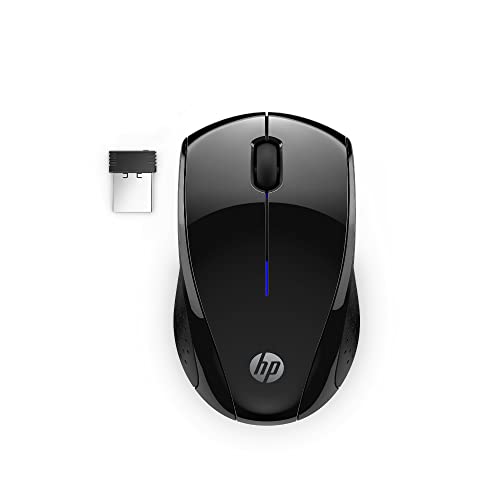
HP X3000 G3 Wireless Mouse - Black, 15-Month Battery, Side Grips for Control, Travel-Friendly, Blue LED, Powerful 1600 DPI Optical Sensor, Compatible with Wins PC/Laptop, Mac, Chromebook (683N7AA)
As an Amazon Associate we earn from qualifying purchases. Product prices and availability are accurate as of the date/time indicated.
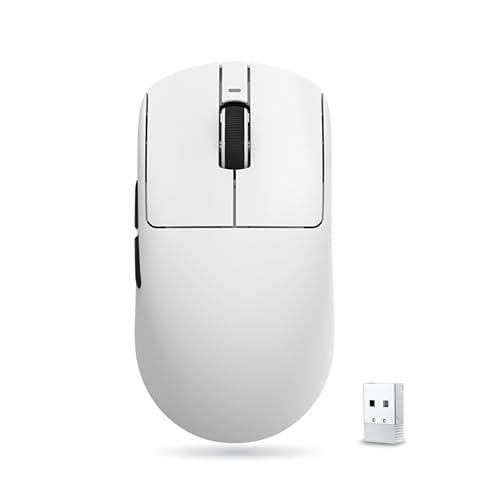
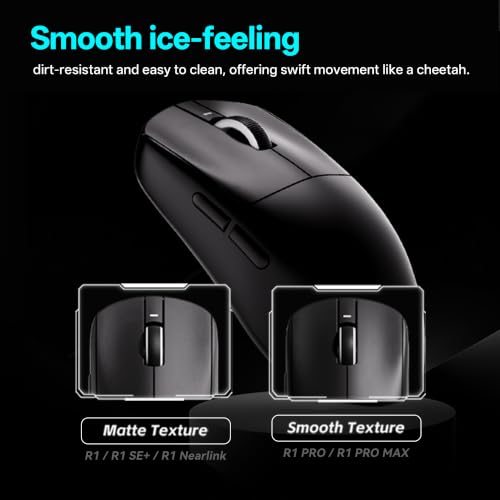
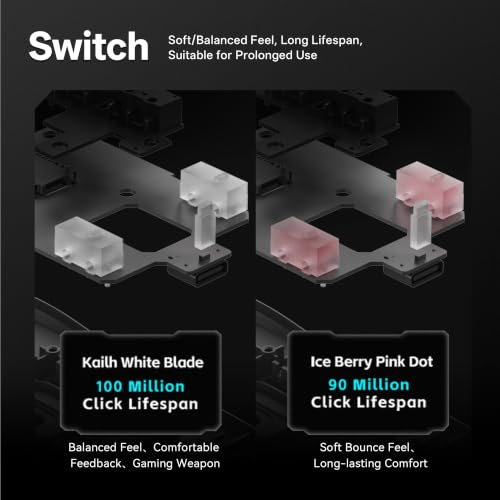
ATK VXE Dragonfly R1 S Wireless Gaming Mouse - White | 55g Lightweight, Xhero Al Sensor, Up to 15000 DPI, 1K Polling Rate, 150 Hr Battery Life, Tri-Mode 2.4G/Bluetooth/Wired





As an Amazon Associate we earn from qualifying purchases. Product prices and availability are accurate as of the date/time indicated.
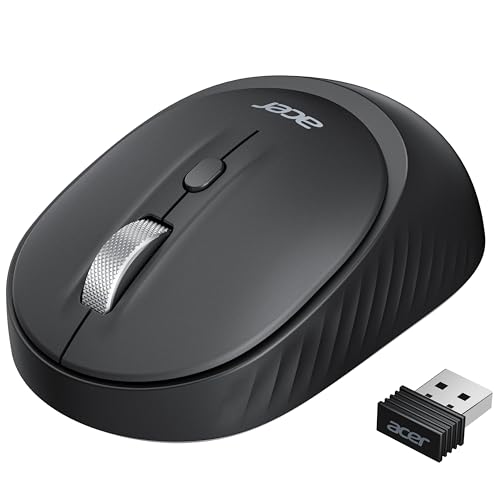
Acer Bluetooth Wireless Mouse for Laptop, Computer Mouse for Small Hands | Office Cordless Mouse (BT5.2+2.4GHz) with 4 Buttons, USBA Receiver, Left & Right Handed, 800/1200/1600 DPI
As an Amazon Associate we earn from qualifying purchases. Product prices and availability are accurate as of the date/time indicated.
Top Budget Wireless Mice Under 50 Reviewed
Logitech G305 Lightspeed Wireless Gaming Mouse
The Logitech G305 Lightspeed Wireless Gaming Mouse is a mouse with a max DPI of 12,000, a battery life up to 250 hours, a USB receiver Lightspeed connection, a weight of 99 grams, and a price of $40 to $50. It has a good sensor, a long battery life, and a good value. It is a good choice if you want the best budget wireless mouse under 50 with a proven Logitech design.
Logitech M720 Triathlon Wireless Mouse
The Logitech M720 Triathlon Wireless Mouse is a mouse with a max DPI of 1,000, a battery life up to 24 months, a USB receiver and Bluetooth connection, a weight of 135 grams, and a price of $30 to $40. It has a long battery life, a comfortable design, and a good value. It is a good choice if you want a Logitech mouse with a long battery life.
Logitech Pebble M350 Wireless Mouse
The Logitech Pebble M350 Wireless Mouse is a mouse with a max DPI of 1,000, a battery life up to 18 months, a USB receiver and Bluetooth connection, a weight of 100 grams, and a price of $20 to $30. It has a low price, a compact design, and a good value. It is a good choice if you want an affordable Logitech mouse.
Razer DeathAdder V2 X HyperSpeed Wireless Mouse
The Razer DeathAdder V2 X HyperSpeed Wireless Mouse is a mouse with a max DPI of 14,000, a battery life up to 235 hours, a USB receiver and Bluetooth connection, a weight of 103 grams, and a price of $40 to $50. It has a good sensor, a comfortable design, and a good value. It is a good choice if you want a Razer mouse with a high DPI.
Microsoft Bluetooth Mouse
The Microsoft Bluetooth Mouse is a mouse with a max DPI of 1,000, a battery life up to 12 months, a Bluetooth connection, a weight of 78 grams, and a price of $20 to $30. It has a low price, a light weight, and a good value. It is a good choice if you want an affordable Microsoft mouse.
Anker Wireless Vertical Ergonomic Mouse
The Anker Wireless Vertical Ergonomic Mouse is a mouse with a max DPI of 1,600, a battery life up to 3 months, a USB receiver connection, a weight of 95 grams, and a price of $25 to $35. It has an ergonomic design, a good DPI, and a good value. It is a good choice if you want an Anker mouse with an ergonomic design.
Buying Guide: How to Choose the Best Budget Wireless Mouse Under 50
Start with your use, your hand size, and your connection. If you work in an office, a mouse with a DPI of 1,000, such as the Logitech M720, is a good choice, because it is smooth and comfortable. If you game casually, a mouse with a DPI of 12,000, such as the Logitech G305, is better, because it is more precise. If you have a large hand, a mouse with a weight of 135 grams, such as the Logitech M720, is more comfortable than a mouse with a weight of 78 grams. If you use a laptop with limited USB ports, a mouse with Bluetooth, such as the Logitech Pebble M350, is better.
Next, check battery life, sensor, and comfort. A mouse with a battery life of 24 months, such as the Logitech M720, can last for years, while a mouse with a battery life of 3 months may need new batteries sooner. A mouse with an optical sensor is more accurate than a mouse with a laser sensor on most surfaces. A mouse with a comfortable shape is more important than a mouse with a high DPI, because you will use it for hours.
Check your budget, your use, and your future. Budget wireless mice under 50 typically cost $20 to $50. A mouse from $20 to $30, such as the Logitech Pebble M350 or Microsoft Bluetooth Mouse, offers a good way to start. A mouse from $30 to $40, such as the Logitech M720 or Anker Vertical, offers a better design and battery life. A mouse from $40 to $50, such as the Logitech G305 or Razer DeathAdder V2 X, offers a premium sensor and a gaming design.
Finally, do not buy a wireless mouse based only on price or DPI. A mouse with a high DPI but a poor shape will be uncomfortable, while a mouse with a lower DPI but a comfortable shape will be better for all-day use. Choose a mouse that fits your hand, with a DPI that fits your use, and with a battery life that fits your work. Test the mouse in a store before you buy, if possible, and check the return policy.
How to Set Up a Budget Wireless Mouse Under 50
To set up a budget wireless mouse under 50, first insert the USB receiver into your laptop’s USB port, or turn on Bluetooth on your laptop, and turn on your mouse, with its power switch. Wait for your laptop to recognize the mouse, and test it by moving it on your desk. Adjust DPI with the DPI button, if your mouse has one, and set your mouse speed in your laptop’s settings. If your mouse uses AA batteries, insert them with the correct polarity, and replace them when the low battery light turns on. After setup, use your mouse on a mousepad for a smoother glide.
Frequently Asked Questions
What is the best wireless mouse under $50?
What is the best wireless mouse under $50 depends on your use. A mouse with a DPI of 12,000, a battery life up to 250 hours, and a comfortable design, such as the Logitech G305 at $40 to $50, is a good choice for most users, because it is precise and has a long battery life. A mouse with a lower price, such as the Logitech M720 at $30 to $40, is also good, especially if you want a mouse with a 24-month battery life. Choose a mouse that fits your hand and use.
Is a wireless mouse good for gaming?
Is a wireless mouse good for gaming, yes, a wireless mouse can be good for gaming, if you choose a mouse with a high DPI, a low latency, and a polling rate of 1,000 Hz, such as the Logitech G305 at $40 to $50, or the Razer DeathAdder V2 X at $40 to $50. A wireless mouse with Lightspeed or HyperSpeed technology has a low latency, similar to a wired mouse. A wireless mouse with a low DPI, such as 1,000 DPI, is better for office work than for gaming. Choose a gaming mouse with a high DPI and a low latency.
How long does a wireless mouse battery last?
How long a wireless mouse battery lasts depends on its design. A mouse with a battery life of 24 months, such as the Logitech M720, can last for years, while a mouse with a battery life of 250 hours, such as the Logitech G305, can last for several months with daily use. A mouse with AA batteries will last longer than a mouse with a rechargeable battery, but it will need new batteries. A mouse with a low battery light will warn you when it needs new batteries. Check your mouse’s battery life before you buy.
Should I choose Bluetooth or USB receiver for a wireless mouse?
Should you choose Bluetooth or USB receiver for a wireless mouse, it depends on your laptop. A mouse with a USB receiver, such as the Logitech G305, has a more reliable connection and lower latency than a mouse with only Bluetooth, which is better for gaming. A mouse with Bluetooth, such as the Microsoft Bluetooth Mouse, is better if you have limited USB ports, because it does not need a receiver. A mouse with both, such as the Logitech M720, is the most flexible, because you can use either connection. Choose a mouse with both if possible.
Related guides
- Best USB C Hub with SD Card Reader in 2026: USB C Hub with SD Card Reader, USB-C Hubs, and SD Card Hubs
- Best Handheld Console Storage Case in 2026: Tomtoc, JSAUX, Spigen, and Skull & Co Cases Compared for Steam Deck, ROG Ally, Nintendo Switch, and Legion Go Travel Protection
- Best USB Flash Drive for TV Playback: 6 USB Flash Drives for TV Playback in 2026
- Best Portable SSD for MacBook Backups in 2026: 7 Best Portable SSDs for MacBook Backups That Are Fast, Small, and Reliable
More from Amazon
Programs that pair well with the guide above. Offers and eligibility are set by Amazon and may change.
Free shipping on eligible items, Prime Video and more. Eligible new members can start with a free trial.
Start a Prime free trialAd-free music streaming. Eligible new subscribers can start with a free trial.
Try Music Unlimited freeA Prime membership for ages 18-24 with a trial period. Eligibility is set by Amazon.
See Prime for Young AdultsAudiobooks and podcasts to listen to on the go. Eligible new members can start with a free trial.
Try Audible freeAs an Amazon Associate we earn from qualifying purchases.

Write Your Review
No reviews yet. Be the first to share your experience!