
What's inside
As an Amazon Associate I earn from qualifying purchases. This post may contain affiliate links at no extra cost to you.
The best smart home hub for beginners is not the most powerful hub. It is the one a first-time buyer can set up in an afternoon, add a bulb and a plug to without reading a networking manual, and grow into for two years without replacing. That sounds simple, and the smart home industry works hard to make it confusing, with competing radio standards, branded ecosystems, and apps that each want to be the centre of your home. This guide cuts through it with a plain framework: choose the ecosystem your phone already belongs to, check that the hub speaks the standards your future devices will use, and start with a small, useful first setup instead of a house-wide project.
Three standards names are worth knowing, because they appear on every box. Matter is the newer common standard, designed so a Matter device works across Amazon Alexa, Apple Home, Google Home, and Samsung SmartThings rather than locking you into one brand. Thread is a low-power mesh radio that many Matter devices use, and a hub that acts as a Thread border router connects them to your home network. Zigbee and Z-Wave are the older, well-established device radios, supported directly by hubs like SmartThings and Hubitat, with a very large catalogue of inexpensive sensors, bulbs, and switches built on them. A beginner does not need to master these; you need to know which ones your chosen hub supports, in its maker’s stated specifications, before you buy devices for it.
The six options below are real, currently sold hubs and hub-capable speakers from Amazon, Samsung, Hubitat, Apple, Google, and Aeotec, spanning the voice-assistant route, the all-in-one app route, and the local-control enthusiast route. Several are speakers as well as hubs, which is deliberate: for most beginners the best hub is the smart speaker already sitting usefully in the kitchen, upgraded in role. Prices are typical retail ranges and drop frequently in the makers’ own sales, and capabilities are each maker’s stated details for the current model, so confirm the exact generation and its radio support before you buy, because similar names cover several hardware versions.
Our Top Picks
What Makes the Best Smart Home Hub for Beginners Different
Ecosystem First: Alexa, Apple Home, Google Home, or SmartThings
Your phone decides your shortlist. An iPhone household should start with Apple Home and a HomePod mini or Apple TV as its hub, because the integration with the phone, the watch, and Siri is the least-effort path and because Apple’s hub lives in devices many homes already own. An Android household, especially a Samsung one, should look first at SmartThings or Google Home. A household that simply wants voice control of lights and plugs at the lowest cost should start with an Amazon Echo, whose Alexa ecosystem supports the widest range of inexpensive devices. Mixing ecosystems is possible, and Matter makes it easier than it was, but a beginner’s first hub should be one system, learned properly, rather than three systems learned badly.
Local Control, Cloud Control, and What Happens When the Internet Drops
Most beginner hubs run automations in the maker’s cloud, which is easy and means a dead internet connection pauses some of what your home does. Hubitat is the exception in this guide, running its rules locally on the hub, so automations keep working offline and respond quickly, at the cost of a more technical setup. SmartThings sits between, with many automations now running locally on the hub in the maker’s current implementation and a beginner-friendly app on top. For a first home with lights, plugs, and a doorbell, cloud control is honestly sufficient; for a home that will grow to dozens of sensors and time-critical automations, local control is the direction of travel, and this guide flags which hubs point that way.
The First Three Devices Matter More Than the Hub
Beginners succeed or quit based on their first devices, not their hub. The proven starter trio is: smart bulbs or a smart switch for the room you live in, one smart plug for a lamp or a fan, and one sensor, a door contact or a motion sensor, that triggers something visibly useful, such as a hall light at night. Buy these in the standards your hub supports, from its maker’s compatibility list, rather than from a bargain listing with an unfamiliar app of its own, because every extra app you install is friction you will feel for years. Set up one device, live with it for a few days, then add the next. A home built in that order works; a home unboxed in one heroic Saturday usually ends in a returns parcel.
Quick Comparison: Best Smart Home Hub for Beginners Models
| Model | Type and Key Specs in Maker’s Terms | Standards and Notes | Typical Price Range | Rating |
|---|---|---|---|---|
| Amazon Echo (current generation) | Smart speaker hub, Alexa, built-in smart home hub in maker’s terms | Matter, Thread border router class support, Zigbee on stated models | $60 – $110 | 4.6 / 5 |
| Samsung SmartThings Hub (Aeotec Smart Home Hub) | Dedicated hub, SmartThings app, works with Alexa and Google | Zigbee, Z-Wave, Matter, Thread in maker’s stated specs | $110 – $150 | 4.6 / 5 |
| Apple HomePod mini | Smart speaker and Apple Home hub, Siri | Matter, Thread border router, Apple Home only | $90 – $110 | 4.5 / 5 |
| Google Nest Hub (2nd gen class) / Nest speaker hubs | Display or speaker hub, Google Assistant, Google Home app | Matter, Thread on stated models, no Zigbee or Z-Wave built in | $60 – $110 | 4.4 / 5 |
| Hubitat Elevation (current model) | Dedicated local-control hub, no voice assistant built in | Zigbee, Z-Wave, Matter class support in maker’s specs, local automations | $130 – $170 | 4.4 / 5 |
| Amazon Echo Hub | Wall-mount control panel hub, Alexa | Matter, Thread, Zigbee class support in maker’s terms | $150 – $200 | 4.3 / 5 |

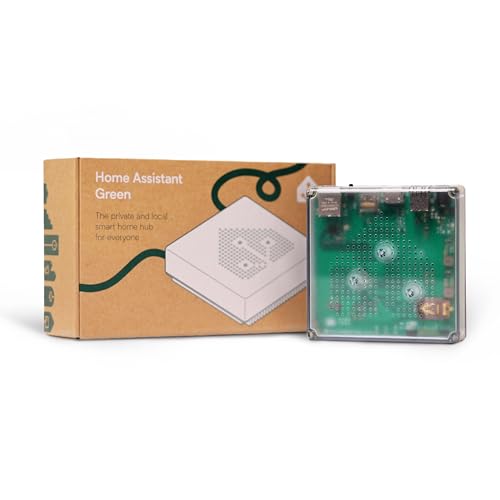
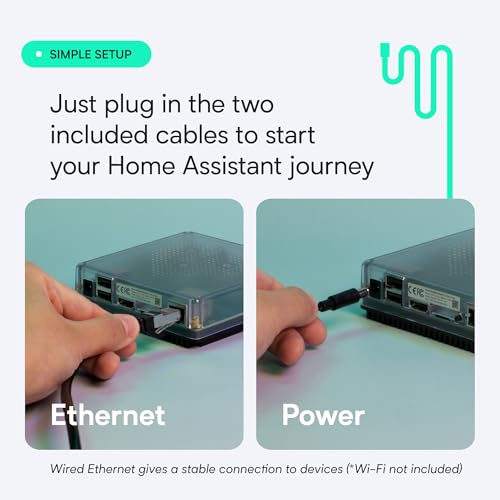
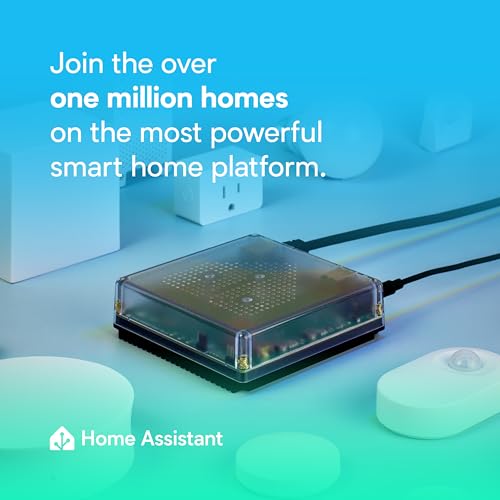
Home Assistant Green | Smart Home hub with Advanced Automation | Official Home Assistant Hardware



As an Amazon Associate we earn from qualifying purchases. Product prices and availability are accurate as of the date/time indicated.
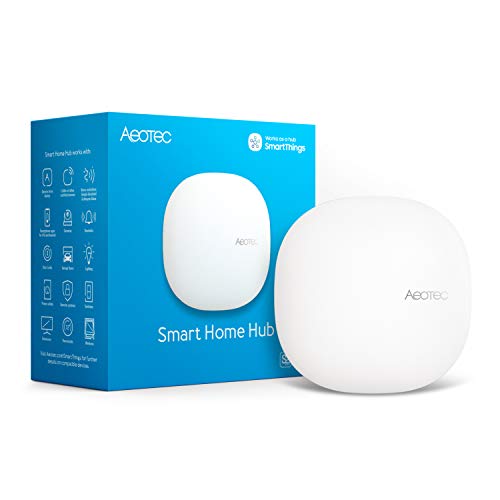
Aeotec Smart Home Hub, Works as a SmartThings Hub, Z-Wave, Zigbee, Matter Gateway, Compatible with Alexa, Google Assistant, WiFi
As an Amazon Associate we earn from qualifying purchases. Product prices and availability are accurate as of the date/time indicated.
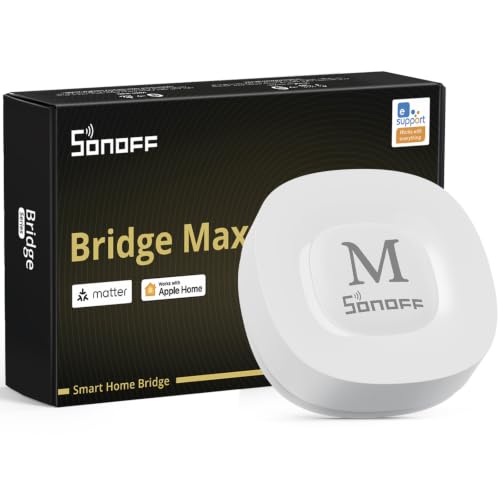
SONOFF Bridge Max Smart Home Hub (Bridge-M) | Matter Bridge & Zigbee Gateway for Apple Home, Alexa, Google Home, and Home Assistant, RJ45 Ethernet & Wi-Fi, Local Control
As an Amazon Associate we earn from qualifying purchases. Product prices and availability are accurate as of the date/time indicated.
Standards support, radio lists, and automation features are each maker’s stated specifications for the current model and vary by generation and region, so verify the exact model you are buying against the devices you plan to add. Price ranges are typical retail ranges and vary widely with the makers’ frequent promotions. Ratings are editorial ratings for beginners specifically: setup ease, app clarity, device compatibility, reliability of basic automations, and value, which is why the most powerful hub here does not top the table.
Detailed Reviews: Best Smart Home Hub for Beginners Picks
1. Amazon Echo – Best Smart Home Hub for Beginners Overall
The current Echo is the beginner default for a defensible reason: it is a good speaker, a voice assistant the whole household will actually use, and, in the maker’s stated specifications for the hub models, a smart home hub with Matter and Thread support and Zigbee on the stated versions, at a price that falls in every sale. Alexa’s device catalogue is the largest in the inexpensive tier, its routines cover what a first home needs, lights on at sunset, a plug on a schedule, an announcement when a door opens, and its setup is the gentlest here. For a household without a strong phone allegiance, start here and stop researching.
2. Samsung SmartThings Hub – Best Smart Home Hub for Beginners Who Will Grow
The SmartThings hub, sold in its current form by Aeotec, is the beginner hub with the longest runway: Zigbee and Z-Wave built in alongside Matter and Thread, in the maker’s stated specifications, an app that a beginner can drive, and an automation engine that will not be outgrown in year two. It works alongside Alexa or Google voice control rather than replacing it. For a beginner who already suspects this hobby will take, a house of sensors and switches by next winter, SmartThings is the buy-once answer, and its only cost over the Echo route is a slightly steeper first afternoon.
3. Apple HomePod mini – Best Smart Home Hub for Beginners in an iPhone Home
For an Apple household the HomePod mini is less a purchase decision than an inevitability: it is the Apple Home hub, a Thread border router in the maker’s terms, a good small speaker, and the voice of a system whose app is already on your iPhone. Apple Home’s device catalogue was historically the narrowest here, and Matter has widened it considerably, though a buyer planning a large Zigbee sensor network should note there is no Zigbee radio and plan on Matter and Thread devices. Within an Apple home, nothing else is this effortless.
4. Google Nest Hub and Speakers – Best Smart Home Hub for Beginners Who Want a Display
Google’s route suits the beginner who wants a screen in the system: the Nest Hub class puts camera feeds, timers, and touch controls on a countertop display, the Google Home app is clear, and Matter and Thread support on the stated models covers the modern device catalogue. Its limits are the missing Zigbee and Z-Wave radios, which close off the cheapest sensor tier, and an automation engine a step behind SmartThings. For a modest home of lights, plugs, a doorbell, and a thermostat in the Google world, it is a friendly and sufficient hub.
5. Hubitat Elevation – Best Local Smart Home Hub for the Technical Beginner
Hubitat is in this beginner guide deliberately, labelled for the technical beginner: the reader who is comfortable with a router’s settings page and wants automations that run locally, fast, and through an internet outage. Its built-in Zigbee and Z-Wave, its powerful rules, and its independence from any voice ecosystem are the enthusiast’s checklist, and its community is strong. Its setup and interface are a genuine step harder than everything above it here, and it needs an Echo, HomePod, or Nest alongside it for voice. Buy it knowingly and it is the last hub you buy; buy it casually and it is the hub that ends the hobby.
6. Amazon Echo Hub – Best Wall Control Panel for Beginners
The Echo Hub is a different shape of hub: a wall or stand-mounted touch panel that gives the whole household, including guests and grandparents, a physical screen of buttons for lights, locks, and cameras, with Alexa hub standards support in the maker’s terms. It solves the real beginner problem that a smart home only its installer can operate is a failed smart home. It is an addition to an Alexa setup more than a first purchase, priced accordingly, and for a family home it may prove the most-used item in this entire table.
Buying Guide: Choosing the Best Smart Home Hub for Beginners
Match the Hub to Devices You Will Actually Buy
Before buying any hub, write the list of your first five intended devices and check each against the hub maker’s compatibility information, by standard: Matter over Wi-Fi, Matter over Thread, Zigbee, or Z-Wave. Devices that require their own brand hub or their own app are not forbidden, but each one adds a separate system to maintain, and beginners should ration them to cases that earn it, such as a video doorbell you particularly want. Prefer devices that state Matter support for anything bought today, because that is the standard all four ecosystems in this guide now share, and it is your insurance if you ever change hubs.
Network Basics That Decide Whether It Works
Most beginner smart home misery is network misery. Hubs and many devices live on the 2.4GHz Wi-Fi band, so a router that lets that band work cleanly, and a home where the hub sits within good range of the router and the first devices, prevents most setup failures. Place a dedicated hub near the centre of the home rather than in a corner cabinet, add Thread and Zigbee devices outward from the hub so their mesh strengthens as it grows, mains-powered devices usually act as mesh repeaters in those systems’ terms, and keep a note of your Wi-Fi name and password somewhere the setup afternoon can reach it. None of this needs new networking gear for a first home; it needs placement and patience.
Privacy, Accounts, and Keeping It Simple
Every hub here involves a maker account and an app, and voice hubs involve microphones, which have physical mute controls on the models in this table, in their makers’ designs. Read each maker’s privacy terms, use a strong account password with the maker’s two-step verification where offered, and keep the system to one ecosystem’s app as the single place automations live, because a routine half in Alexa and half in a bulb’s own app is a routine nobody can debug. Finally, keep every device’s firmware updated through its app, and revisit your setup twice a year to remove devices and automations you no longer use, because a tidy small system stays reliable where an accreted large one frays.
Frequently Asked Questions About Best Smart Home Hub for Beginners
What is the best smart home hub for beginners?
The Amazon Echo is the best overall for most beginners, combining speaker, voice assistant, and hub at a low price. iPhone households should choose the Apple HomePod mini, beginners who plan to grow a large system should choose the Samsung SmartThings hub, and technical beginners who want local control should choose Hubitat Elevation. Match the hub to your phone’s ecosystem first; that single decision matters more than any specification.
Do I need a hub at all, or can I just use Wi-Fi bulbs and an app?
You can start with a few Wi-Fi devices and their app, and for two or three bulbs that works. A hub earns its place as the count grows: it gives one app and one voice assistant control over everything, runs automations between devices of different brands, and, with Matter, Thread, Zigbee, or Z-Wave devices, keeps local networks of low-power sensors running for years on small batteries in a way Wi-Fi devices do not. Most households that pass ten devices end up buying the hub they could have started with.
What is Matter, and should a beginner care?
Matter is the shared smart home standard backed by Amazon, Apple, Google, and Samsung, designed so a certified device works across their systems. A beginner should care in one practical way: when buying new devices, prefer ones that state Matter support, and choose a hub whose maker states Matter and, where offered, Thread border router support. That combination is the closest the industry currently offers to future-proofing a first setup.
How much should a beginner spend on a first smart home setup?
A sensible first setup, one hub from this guide plus three starter devices, typically falls in the $120 to $300 range in total at typical retail prices, with the Echo-based route at the low end and a SmartThings hub with Zigbee devices at the higher end. Spend the money on the hub and on devices in your hub’s standards rather than on a large count of the cheapest devices, and grow one device at a time from there.
Related guides
- Best Vlogging Camera vs Streaming Camera for Creators in 2026: Sony ZV-E10 II and DJI Pocket 3 Against the Elgato Facecam Pro and OBSBOT Tiny — Two Jobs, Two Tools, One Honest Verdict
- Best Gaming Phone Trigger for Shooters in 2026: 7 Triggers That Offer Fast Response, Durable Build, and Reliable Use for Mobile Shooters
- Best Earbuds for Office Calls in 2026: 7 Earbuds With Clear Mic, Simple Calls, and Easy Office Use for Office Calls
- Best MicroSD Card for Action Cameras in 2026: Fast, Durable Cards for GoPro, DJI, and 4K Video
More from Amazon
Programs that pair well with the guide above. Offers and eligibility are set by Amazon and may change.
Free shipping on eligible items, Prime Video and more. Eligible new members can start with a free trial.
Start a Prime free trialAd-free music streaming. Eligible new subscribers can start with a free trial.
Try Music Unlimited freeA Prime membership for ages 18-24 with a trial period. Eligibility is set by Amazon.
See Prime for Young AdultsAudiobooks and podcasts to listen to on the go. Eligible new members can start with a free trial.
Try Audible freeAs an Amazon Associate we earn from qualifying purchases.

Write Your Review
No reviews yet. Be the first to share your experience!