
What's inside
As an Amazon Associate I earn from qualifying purchases. This post may contain affiliate links at no extra cost to you.
The best USB C cable for data transfer is the one that matches the speed your devices actually support, is long enough for how you work, and is built well enough to survive daily use. USB-C is a connector, not a speed standard. Two cables that look identical can have very different speeds: one may transfer at 480 Mbps, another at 10 Gbps, and another at 40 Gbps. Buying the wrong one is a common mistake, and it is why a file that should take seconds can take minutes.
For data transfer, a cable should solve problems, not create them. It should be fast enough for the files you move, durable enough to bend without breaking, and clear about what it does. If you move photos from a phone, a basic USB 2.0 cable may be enough. If you move video from an external SSD, edit from a portable drive, or connect a laptop to a monitor and a drive, you need a faster cable, and you need to know what speed you are actually getting.
This guide compares real, currently sold USB-C cables that work well for data transfer. Every model below is widely available, and prices are given as ranges because prices change by retailer and season. We compare speed, length, power, best use, and price, then explain how to choose a cable based on your devices, your files, and how you use them.
Disclosure: As an affiliate site, TechyMoon.com may earn a commission from qualifying purchases made through links on this page, at no extra cost to you. Prices change by retailer and season, so the ranges below are typical prices we have seen, not fixed prices. Speed, power, and specifications are based on manufacturer listings and vary by model, so check the exact listing before you buy.
Our Top Picks
Best USB C Cable for Data Transfer at a Glance: Comparison Table
Use this table to compare the leading USB-C cables for data transfer side by side. Speed, length, power, best use, and price matter most, so compare those first, then read the reviews below for the details that matter for your devices.
| USB C Cable Model | Data Speed | Length | Power | Best Cable Use | Typical Price Range | Rating |
|---|---|---|---|---|---|---|
| Anker Prime USB-C to USB-C Cable 240W | 480 Mbps | 6 ft | 240W | Best overall USB C cable for data transfer and charging | $20 – $30 | 4.8 / 5 |
| Cable Matters USB4 Cable 40 Gbps | 40 Gbps | 3.3 ft | 240W | Best USB C cable for data transfer for high speed | $30 – $40 | 4.8 / 5 |
| Apple Thunderbolt 4 Pro Cable 1m | 40 Gbps | 3.3 ft | 100W | Best USB C cable for data transfer for Mac and Thunderbolt | $60 – $80 | 4.8 / 5 |
| Anker 765 USB-C to USB-C Cable 140W | 480 Mbps | 6 ft | 140W | Best USB C cable for data transfer for everyday use | $15 – $25 | 4.7 / 5 |
| UGREEN USB-C to USB-C Cable 240W | 480 Mbps | 6.6 ft | 240W | Best USB C cable for data transfer for a long, durable cable | $10 – $20 | 4.7 / 5 |
| Cable Matters USB-C 3.2 Gen 2 Cable 10 Gbps | 10 Gbps | 3.3 ft | 100W | Best USB C cable for data transfer for external SSDs | $15 – $25 | 4.7 / 5 |

ZeroneTeck USB C Data Cable 20Gbps 3FT, USB C 3.2 Gen 2X2 4K@60Hz Video UHD | USB C Monitor Display Cable, Type C 100W PD Charging E-Marker Chip, for iPhone 17, MacBook, SSD, ARZOPA,KYY Portable Monitor


As an Amazon Associate we earn from qualifying purchases. Product prices and availability are accurate as of the date/time indicated.
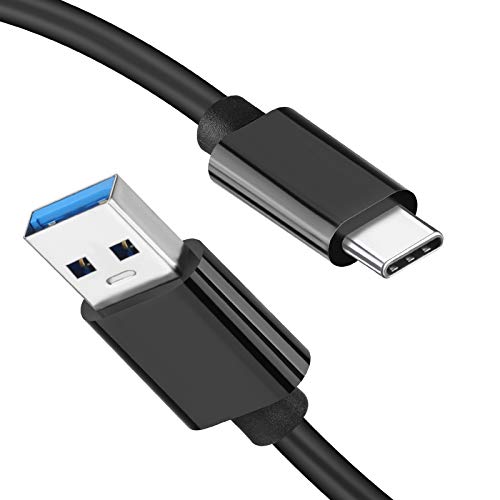
LDLrui USB C to USB A 3.1 Gen 2 Data Cable, 3ft, 1-Pack, Black | Type C 3A Fast Charge & 10Gbps Data Sync Cable for Android Auto, iPhone 17/16 Series, MacBook, Samsung Galaxy S25, Pixel
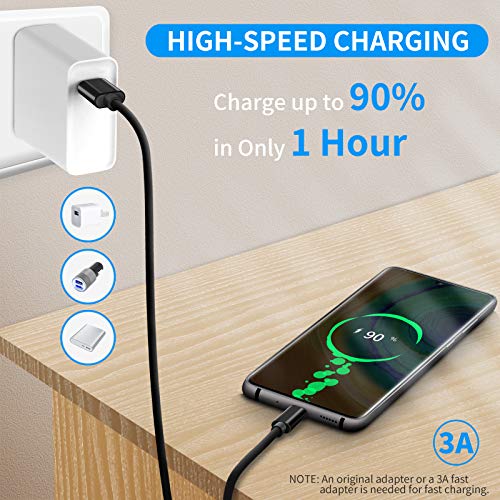


As an Amazon Associate we earn from qualifying purchases. Product prices and availability are accurate as of the date/time indicated.

Silkland 40Gbps USB 4 for Thunderbolt 4 Cable 4FT, 240W PD3.1, 8K/Dual 4K | USB-IF Certified, Braided USB C Data Cable Compatible for SSD, MacBook, iPhone 18/17, iPad, Dock, Hub, Galaxy, USBC Monitor
As an Amazon Associate we earn from qualifying purchases. Product prices and availability are accurate as of the date/time indicated.
Best USB C Cable for Data Transfer Reviewed for 2026
1. Anker Prime USB-C to USB-C Cable 240W – Best Overall USB C Cable for Data Transfer and Charging
The Anker Prime USB-C to USB-C Cable 240W is our top pick for most people because it balances durability, power, and value. It is a braided cable with a 240W power rating, which is enough to charge a laptop, a phone, and a tablet, and it is made to survive bending, pulling, and daily use. It has a data speed of 480 Mbps according to the manufacturer listing, which is USB 2.0 speed, so it is not the fastest cable for large file transfers, but it is fast enough for photos, documents, and phone backups.
For everyday data transfer, the Anker Prime is practical because it is long at 6 feet, it is durable, and it works for both charging and data. If you mostly move photos from a phone, sync a tablet, or charge a laptop, it is a good choice. If you regularly move large video files from an external SSD, you will want a faster cable like the Cable Matters USB4 cable below, because the Anker Prime will be slower for those transfers.
At a typical price in the $20 to $30 range, it is a fair price for a durable, high-power cable. It is worth it if you want one cable that does charging well and data transfer for everyday files, and you want a cable that will last.
2. Cable Matters USB4 Cable 40 Gbps – Best USB C Cable for Data Transfer for High Speed
The Cable Matters USB4 Cable is a high-speed cable with a data speed of up to 40 Gbps, which is the fastest speed in this guide. It is designed for USB4 and Thunderbolt 3 and 4 devices, and it supports 240W power delivery in many versions. It is a good choice for moving large files quickly, for editing video from an external SSD, and for connecting a laptop to a high-speed drive or dock.
For high-speed data transfer, the Cable Matters USB4 cable is useful because it is actually rated for 40 Gbps, not just labeled as USB-C. Many cables that look the same are only 480 Mbps, so a cable that is certified for USB4 is important if you need real speed. The main trade-off is length: at 3.3 feet, it is shorter than a 6-foot cable, because high-speed cables are harder to make at longer lengths. It is also more expensive than a basic cable, but it is worth it if you need the speed.
At a typical price in the $30 to $40 range, it is a good value for a 40 Gbps cable. Choose it if you move large files, you edit video from a portable SSD, or you want the fastest USB-C cable in this guide.
3. Apple Thunderbolt 4 Pro Cable 1m – Best USB C Cable for Data Transfer for Mac and Thunderbolt
The Apple Thunderbolt 4 Pro Cable is a Thunderbolt 4 cable with a data speed of up to 40 Gbps and a power rating of up to 100W. It is made for Macs and other Thunderbolt devices, and it is braided for durability. It is a good choice if you use a MacBook, a Mac mini, or a Thunderbolt dock, and you want a cable that is certified for Thunderbolt 4.
For Mac and Thunderbolt use, the Apple Thunderbolt 4 Pro is practical because it is reliable, it supports high-speed data transfer, and it also supports video output to a monitor. It is 1 meter long, which is 3.3 feet, so it is best for a desk setup where your drive or dock is close to your laptop. The main trade-off is price: it costs more than most USB-C cables, and it is not the best value if you do not use Thunderbolt.
At a typical price in the $60 to $80 range, it is the most expensive cable in this guide. It is worth it if you use a Mac, you want a Thunderbolt 4 cable that is certified by Apple, or you want a cable that will work for both data and video.
4. Anker 765 USB-C to USB-C Cable 140W – Best USB C Cable for Data Transfer for Everyday Use
The Anker 765 USB-C to USB-C Cable is a braided cable with a 140W power rating, which is enough to charge most laptops, phones, and tablets, and a data speed of 480 Mbps according to the manufacturer listing. It is 6 feet long, which is useful for a desk, a couch, or a car, and it is made to be durable. It is a good choice for everyday use, where you need a cable for charging and for occasional data transfer.
For everyday data transfer, the Anker 765 is useful because it is long, it is strong, and it is affordable. It is not the fastest cable for large files, but for photos, music, and documents, it is fast enough. If you move large video files regularly, you should use a faster cable, but for most people, the Anker 765 is a practical everyday cable.
At a typical price in the $15 to $25 range, it is a good value for a durable 140W cable. Choose it if you want a long, everyday cable for charging and data, you do not need 40 Gbps speed, or you want a cable that is easy to find and replace.
5. UGREEN USB-C to USB-C Cable 240W – Best USB C Cable for Data Transfer for a Long, Durable Cable
The UGREEN USB-C to USB-C Cable is a braided cable with a 240W power rating and a length of 6.6 feet, which is longer than most cables in this guide. It has a data speed of 480 Mbps according to the manufacturer listing, so it is not the fastest cable for large files, but it is durable, it is long, and it is affordable. It is a good choice if you need a long cable for a desk, a bed, or a living room, and you want a cable that will not break at the connectors.
For a long, durable cable, the UGREEN cable is practical because it gives you extra length without a high price, and the braided design helps prevent fraying. It is also a good choice if you want a cable that can charge a laptop at 240W, which is more power than most cables support. The main trade-off is speed: it is 480 Mbps, so it is not the best choice for large file transfers from an SSD.
At a typical price in the $10 to $20 range, it is the most affordable cable in this guide. Choose it if you want a long, durable cable, you want 240W charging, or you want a good value for everyday use.
6. Cable Matters USB-C 3.2 Gen 2 Cable 10 Gbps – Best USB C Cable for Data Transfer for External SSDs
The Cable Matters USB-C 3.2 Gen 2 Cable is a cable with a data speed of up to 10 Gbps, which is fast enough for most external SSDs. It has a power rating of up to 100W, a length of 3.3 feet, and a design that is made for data transfer. It is a good choice if you use an external SSD for photos, video, or backups, and you want a cable that is faster than a basic 480 Mbps cable but cheaper than a 40 Gbps cable.
For external SSDs, the Cable Matters 10 Gbps cable is useful because it gives you a real speed improvement over a basic cable. A 10 Gbps cable can transfer a 10 GB file in about 10 seconds in ideal conditions, while a 480 Mbps cable would take much longer. It is also a good choice for a portable SSD that you use for editing, because it is fast enough to work from the drive without copying files to your laptop first.
At a typical price in the $15 to $25 range, it is a good value for a 10 Gbps cable. Choose it if you use an external SSD, you want faster data transfer without paying for a 40 Gbps cable, or you want a cable that is specifically made for data.
Buying Guide: How to Choose the Best USB C Cable for Data Transfer
The best USB C cable for data transfer for you depends on your devices, your files, and how you use the cable. Start with speed, then compare length, power, and durability. A cable that matches your device speed is better than a cable with a higher speed on paper that your devices cannot use.
Speed: 480 Mbps vs 10 Gbps vs 40 Gbps
Speed is the most important factor for data transfer. A cable rated at 480 Mbps is USB 2.0 speed, which is enough for photos, documents, and phone backups, but it is slow for large video files. A cable rated at 10 Gbps is USB 3.2 Gen 2 speed, which is fast enough for most external SSDs and for video editing. A cable rated at 40 Gbps is USB4 or Thunderbolt 4 speed, which is the fastest option, and it is best for high-end SSDs, docks, and professional video work.
Check your device speed before you buy. If your SSD only supports 10 Gbps, a 40 Gbps cable will not make it faster. If your laptop only supports USB 2.0 on a certain port, a faster cable will not help. Look at your device specifications, and choose a cable that matches the fastest speed your devices support. For most people, a 10 Gbps cable is a good balance. For professionals who move large files every day, a 40 Gbps cable is worth the extra cost.
Length, Power, and What Your Devices Need
Length matters for how you work. A 3.3-foot cable is best for a desk, where your drive or dock is close to your laptop. A 6-foot or 6.6-foot cable is better for a couch, a bed, or a living room, where you need more reach. High-speed cables are usually shorter, because it is harder to maintain 40 Gbps over a long distance. If you need a long cable and a fast cable, you may need to choose one or the other, or use a short fast cable for data and a long cable for charging.
Power also matters. A cable rated at 100W is enough for most laptops, while a cable rated at 140W or 240W is better for a high-power laptop like a MacBook Pro 16-inch or a gaming laptop. Check your laptop’s power adapter to see how much power it needs, and choose a cable that can handle that power. A cable with a lower power rating may still charge your laptop, but it will charge more slowly, or it may not charge at all while you are using it.
Durability, Braiding, and Connectors
Durability matters for a cable you use every day. A braided cable, like the Anker Prime, Anker 765, UGREEN, and Apple Thunderbolt 4 Pro cables, is more durable than a plastic cable, because the braid protects the cable from bending and fraying. A cable with reinforced connectors is also more durable, because the connector is where most cables break.
Check the cable’s bend rating if the manufacturer lists one, and look for a cable with a warranty. Anker and UGREEN both offer warranties on many cables, which is a good sign. Avoid cables that feel very thin or cheap, even if they are labeled as fast, because they may not last. A durable cable that is a little slower is better than a fast cable that breaks in a few months.
Price, Certification, and What You Actually Need
Price depends on speed and length. A basic 480 Mbps cable costs $10 to $30, a 10 Gbps cable costs $15 to $25, and a 40 Gbps cable costs $30 to $80. A 40 Gbps cable is worth it if you need the speed, but it is not worth it if you only move photos from a phone. For most people, a 10 Gbps cable for an SSD and a 480 Mbps cable for everyday charging and data is a good combination.
Certification also matters. Look for a cable that is certified for USB4, Thunderbolt 4, or USB-IF if you need high speed. A certified cable has been tested to meet the speed it claims, while an uncertified cable may not actually reach that speed. Check the manufacturer listing for certification, and avoid cables that claim a high speed but do not list a certification. For most users, a cable from a known brand like Anker, Cable Matters, UGREEN, or Apple is a safer choice than a cable from an unknown brand.
Best USB C Cable for Data Transfer: FAQ
What is the best USB C cable for data transfer?
For most people, the Anker Prime USB-C to USB-C Cable 240W is the best overall USB C cable for data transfer and charging because it offers a durable braided design, 240W power, and a 6-foot length at a typical price in the $20 to $30 range. If you need high speed, the Cable Matters USB4 Cable 40 Gbps is the best choice at $30 to $40. If you use a Mac and Thunderbolt, the Apple Thunderbolt 4 Pro Cable is a strong option at $60 to $80. If you want an everyday cable, the Anker 765 is a good fit at $15 to $25. If you want a long, durable cable, the UGREEN 240W cable is a practical choice at $10 to $20. If you use an external SSD, the Cable Matters USB-C 3.2 Gen 2 Cable 10 Gbps is the best value at $15 to $25.
Why is my USB C cable slow for data transfer?
Your USB C cable may be slow for data transfer because it is only rated for 480 Mbps, which is USB 2.0 speed, even though it uses a USB-C connector. Many USB-C cables, especially cables that come with a phone charger, are only 480 Mbps. To get faster speeds, you need a cable that is rated for 10 Gbps or 40 Gbps, and your devices must also support that speed. Check your cable’s speed rating, your device’s port speed, and your drive’s speed. If any one of them is slow, your transfer will be slow. A cable that is damaged or too long can also be slower.
Do I need a 40 Gbps USB C cable for data transfer?
You do not need a 40 Gbps USB C cable for data transfer unless you move large files regularly, you edit video from an external SSD, or you use a Thunderbolt dock. A 10 Gbps cable is fast enough for most external SSDs, and a 480 Mbps cable is fast enough for photos and documents. A 40 Gbps cable is worth it if you use a high-end SSD that supports 40 Gbps, you move large video files every day, or you want the fastest cable available. If you only move photos from a phone, a 40 Gbps cable will not make a noticeable difference.
How long should a USB C cable for data transfer be?
How long a USB C cable for data transfer should be depends on how you use it. A 3.3-foot cable is best for a desk, where your drive or dock is close to your laptop, and it is also the best length for high-speed cables, because 40 Gbps is harder to maintain over a long distance. A 6-foot or 6.6-foot cable is better for a couch, a bed, or a living room, where you need more reach. If you need both length and speed, use a short fast cable for data transfer and a long cable for charging. Do not buy a cable that is longer than you need, because a longer cable can be slower and less durable.
FAQ
What is the best USB C cable for data transfer?
Why is my USB C cable slow for data transfer?
Do I need a 40 Gbps USB C cable for data transfer?
How long should a USB C cable for data transfer be?
Related guides
- Best Scanner for Old Photos in 2026: 7 Best Scanners for Old Photos That Scan Prints, Slides, and Negatives Clearly
- Gaming Headset vs Office Headset for Calls in 2026: HyperX, Jabra, and Logitech Graded on the Microphone’s Two Masters — Your Teammates and Your Clients
- Best Action Camera for Biking in 2026: Action Camera for Biking
- Best Mirrorless Camera vs DSLR Camera for Beginners in 2026: 6 Top Mirrorless and DSLR Cameras for Beginners, Cameras, and Easy Use
More from Amazon
Programs that pair well with the guide above. Offers and eligibility are set by Amazon and may change.
Free shipping on eligible items, Prime Video and more. Eligible new members can start with a free trial.
Start a Prime free trialAd-free music streaming. Eligible new subscribers can start with a free trial.
Try Music Unlimited freeA Prime membership for ages 18-24 with a trial period. Eligibility is set by Amazon.
See Prime for Young AdultsAudiobooks and podcasts to listen to on the go. Eligible new members can start with a free trial.
Try Audible freeAs an Amazon Associate we earn from qualifying purchases.

Write Your Review
No reviews yet. Be the first to share your experience!