
What's inside
As an Amazon Associate I earn from qualifying purchases. This post may contain affiliate links at no extra cost to you.
The best 5 port switch for home offices is the one that gives you fast, stable wired connections for your computer, printer, NAS, and other devices, without taking up much space or costing a lot of money. A 5-port switch is a small network switch with five Ethernet ports, and it is ideal for a home office because it lets you connect several wired devices to your router with a single cable, instead of relying on Wi-Fi for everything.
For a home office, wired networking matters more than many people expect. Wi-Fi is convenient, but it can be slower, less stable, and more prone to interference than a wired connection, especially for video calls, large file transfers, and cloud backups. A 5-port switch gives you a wired connection for your main computer, a second computer, a printer, and a NAS, while leaving one port to connect to your router.
This guide compares real, currently sold 5-port switches that work well for home offices. Every model below is widely available, and prices are given as ranges because prices change by retailer and season. We compare speed, managed versus unmanaged, best use, and price, then explain how to choose a switch based on your devices, your internet speed, and your future needs.
Disclosure: As an affiliate site, TechyMoon.com may earn a commission from qualifying purchases made through links on this page, at no extra cost to you. Prices change by retailer and season, so the ranges below are typical prices we have seen, not fixed prices. Speed, ports, and specifications are based on manufacturer listings and vary by model, so check the exact listing before you buy.
Our Top Picks
 NETGEAR 5-Port Gigabit Ethernet Unmanaged Network Switch Plug5 Port6.2 x 4 x 1.1 inches0.22 poundsCheck on Amazon
Best 5 Port Switch for Home Offices at a Glance: Comparison Table
Use this table to compare the leading 5-port switches for home offices side by side. Speed, managed type, best use, and price matter most, so compare those first, then read the reviews below for the details that matter for your desk.
| 5 Port Switch Model | Speed | Managed Type | Best Switch Use | Typical Price Range | Rating |
|---|---|---|---|---|---|
| TP-Link TL-SG105 5-Port Switch | Gigabit | Unmanaged | Best overall 5 port switch for home offices | $20 – $30 | 4.8 / 5 |
| NETGEAR GS305 5-Port Switch | Gigabit | Unmanaged | Best 5 port switch for home offices for reliability | $20 – $30 | 4.8 / 5 |
| D-Link DGS-105 5-Port Switch | Gigabit | Unmanaged | Best 5 port switch for home offices for a metal case | $20 – $30 | 4.7 / 5 |
| TRENDnet TEG-S50g 5-Port Switch | Gigabit | Unmanaged | Best 5 port switch for home offices for a compact size | $20 – $30 | 4.7 / 5 |
| TP-Link TL-SG105E 5-Port Switch | Gigabit | Easy Smart Managed | Best 5 port switch for home offices for management | $30 – $40 | 4.7 / 5 |
| NETGEAR GS305E 5-Port Switch | Gigabit | Managed | Best 5 port switch for home offices for VLANs | $30 – $40 | 4.7 / 5 |
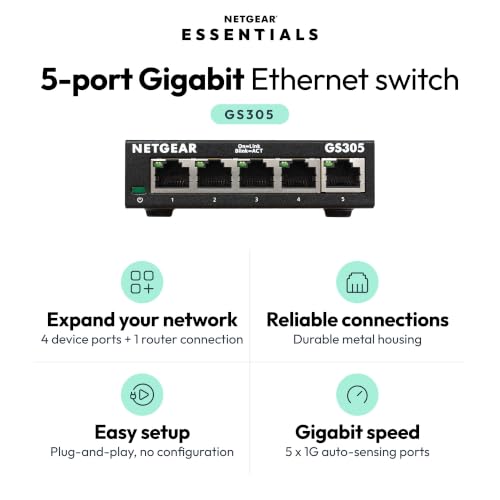
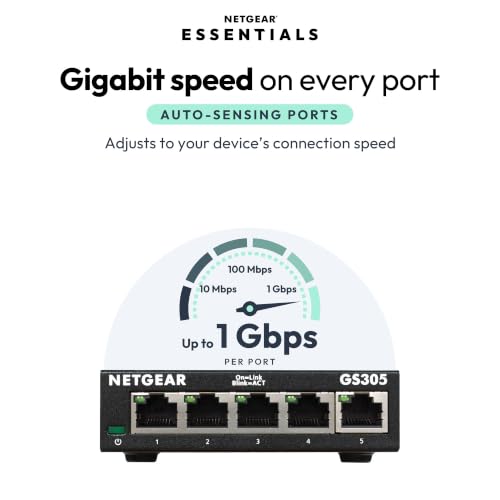
NETGEAR 5-Port Gigabit Ethernet Unmanaged Network Switch Plug & Play GS305 | Home & Office, 5 x 1G Ports, Reliable Wired Connection, Metal Case, Fanless & Silent, Compact, Desktop or Wall Mount




As an Amazon Associate we earn from qualifying purchases. Product prices and availability are accurate as of the date/time indicated.

WAVLINK 5-Port Gigabit Ethernet Unmanaged Switch, Home Network Hub, Office Ethernet Splitter, Plug & Play, Desktop/Wall Mount, Silent Operation, Metal Case
As an Amazon Associate we earn from qualifying purchases. Product prices and availability are accurate as of the date/time indicated.

UGREEN Ethernet Switch, 5 Port Gigabit Plug & Play Ethernet Splitter | Wall Mount & Desktop Network Switch Hub, Unmanaged, Compact, with LED, Fanless Quiet, for Internet Cable, Laptop, Router, NAS
As an Amazon Associate we earn from qualifying purchases. Product prices and availability are accurate as of the date/time indicated.
Best 5 Port Switch for Home Offices Reviewed for 2026
1. TP-Link TL-SG105 5-Port Switch – Best Overall 5 Port Switch for Home Offices
The TP-Link TL-SG105 is our top pick for most home offices because it is simple, reliable, and affordable. It has five Gigabit Ethernet ports, it is unmanaged, which means you just plug it in and it works without any setup, and it has a metal case that is durable and helps with heat dissipation. It is also fanless, so it is silent, which matters in a home office where you do not want a noisy switch on your desk.
For a home office, the TL-SG105 is practical because it gives you four ports for devices plus one port to connect to your router. You can connect a desktop computer, a laptop dock, a printer, and a NAS, and still have a port left for a second device. The Gigabit speed is fast enough for most home office tasks, including video calls, large file transfers, and cloud backups, as long as your internet connection and your devices support Gigabit.
At a typical price in the $20 to $30 range, it is a fair price for a reliable Gigabit switch. It is worth it if you want a simple, plug-and-play switch for your home office, you do not need managed features, and you want a switch that will last for years.
2. NETGEAR GS305 5-Port Switch – Best 5 Port Switch for Home Offices for Reliability
The NETGEAR GS305 is a good alternative to the TP-Link TL-SG105, with a similar design and price. It has five Gigabit Ethernet ports, it is unmanaged, and it has a metal case that is durable and fanless. It is also a popular choice for home offices because it is reliable, it is easy to set up, and it works with most routers and devices without any configuration.
For a home office, the GS305 is useful because it is simple to use, it is silent, and it is small enough to fit on a desk or under a monitor. It has a similar port layout to the TL-SG105, with four ports for devices and one port for your router. The main difference between the two is brand preference and availability in your region, so choose the one that is easier to buy or that you have used before.
At a typical price in the $20 to $30 range, it is priced in line with the TP-Link TL-SG105. Choose it if you prefer NETGEAR, you want a reliable unmanaged switch, or you found it on sale for less than the TP-Link.
3. D-Link DGS-105 5-Port Switch – Best 5 Port Switch for Home Offices for a Metal Case
The D-Link DGS-105 is a 5-port Gigabit switch with a metal case, unmanaged setup, and a compact design that is made for a home office. It has five Gigabit ports, it is fanless, and it has a sturdy metal housing that helps with durability and heat. It is also easy to set up: plug in the power, connect a cable to your router, and connect your devices.
For a home office, the DGS-105 is practical because it is durable, it is silent, and it is small enough to fit in a crowded desk setup. The metal case is a plus if you want a switch that will last, and the Gigabit speed is enough for most home office tasks. It does not have managed features, so it is best for users who want a simple, plug-and-play switch.
At a typical price in the $20 to $30 range, it is a good value for a metal-case Gigabit switch. Choose it if you want a durable switch, you prefer D-Link, or you want a switch with a solid metal housing.
4. TRENDnet TEG-S50g 5-Port Switch – Best 5 Port Switch for Home Offices for a Compact Size
The TRENDnet TEG-S50g is a compact 5-port Gigabit switch with an unmanaged setup and a metal case. It is smaller than some other 5-port switches, which makes it a good choice for a small desk or a crowded home office where space is limited. It has five Gigabit ports, it is fanless, and it is easy to set up without any configuration.
For a home office, the TEG-S50g is useful because it is compact, it is silent, and it gives you the same Gigabit speed as larger switches. It is a good choice if you have limited desk space, you want a switch that can be hidden behind a monitor or under a desk, or you want a switch that is easy to move between rooms. The main trade-off is that it is a little less well known than TP-Link or NETGEAR, but it offers similar performance for a similar price.
At a typical price in the $20 to $30 range, it is a good value for a compact Gigabit switch. Choose it if you want a small switch, you have limited space, or you prefer TRENDnet.
5. TP-Link TL-SG105E 5-Port Switch – Best 5 Port Switch for Home Offices for Management
The TP-Link TL-SG105E is an Easy Smart Managed 5-port Gigabit switch, which means it offers some management features that an unmanaged switch does not, such as VLANs, QoS, and port monitoring, through a simple web interface. It has five Gigabit ports, a metal case, and a fanless design, which makes it suitable for a home office where you want more control over your network without the complexity of a fully managed switch.
For a home office, the TL-SG105E is useful if you want to separate your work network from your home network with a VLAN, prioritize video calls with QoS, or monitor which ports are in use. It is also useful if you have a NAS or a home server and you want to manage traffic. The setup is a little more complex than an unmanaged switch, but the web interface is simple and does not require advanced networking knowledge.
At a typical price in the $30 to $40 range, it costs a little more than the unmanaged TL-SG105, but it offers management features that are worth it if you need them. Choose it if you want a managed switch, you want VLANs or QoS, or you want to learn basic network management.
6. NETGEAR GS305E 5-Port Switch – Best 5 Port Switch for Home Offices for VLANs
The NETGEAR GS305E is a managed 5-port Gigabit switch with features like VLANs, QoS, and port monitoring, through a web interface or a mobile app in some configurations. It has five Gigabit ports, a metal case, and a fanless design, which makes it suitable for a home office where you want more control over your network. It is similar to the TP-Link TL-SG105E, but it offers NETGEAR’s management interface.
For a home office, the GS305E is useful if you want to create a separate network for work devices, prioritize traffic for video calls, or monitor your network. It is also a good choice if you already use NETGEAR products, or if you want a managed switch that is easy to set up with a web interface. The setup is more involved than an unmanaged switch, but it is still accessible for a home user who is comfortable with basic networking.
At a typical price in the $30 to $40 range, it is priced in line with the TP-Link TL-SG105E. Choose it if you want a managed switch, you prefer NETGEAR, or you want VLAN and QoS features for your home office.
Buying Guide: How to Choose the Best 5 Port Switch for Home Offices
The best 5 port switch for home offices for you depends on how many wired devices you have, how fast your internet is, and whether you need managed features. Start with port count and speed, then compare managed versus unmanaged, size, and price. A switch that fits your desk and your network is better than a switch with features you will never use.
Port Count: Why 5 Ports Is Enough for Most Home Offices
A 5-port switch gives you four ports for devices plus one port to connect to your router. That is enough for most home offices: a desktop computer, a laptop dock, a printer, and a NAS, for example. If you have more than four wired devices, you will need an 8-port switch, but for most home offices, 5 ports is enough and it keeps the switch small and affordable.
Think about what you will connect now and what you might connect in the future. If you have a desktop, a printer, and a NAS, a 5-port switch is perfect. If you also have a second computer, a smart TV, or a game console in the same room, you may need more ports. Do not buy a switch with too many ports if you do not need them, because a larger switch will be bigger, more expensive, and use more power.
Speed: Gigabit vs 2.5 Gigabit for Home Offices
Speed is measured in gigabits per second, and most 5-port switches in this guide are Gigabit switches, which means each port can handle up to 1 Gbps. That is fast enough for most home office tasks, including video calls, large file transfers, and cloud backups, as long as your internet connection is 1 Gbps or less and your devices support Gigabit.
If your internet connection is faster than 1 Gbps, or if you transfer large files between devices on your local network, a 2.5 Gigabit switch may be worth considering, though it will cost more and it is not in the table above because most 5-port switches for home offices are still Gigabit. For most home offices in 2026, Gigabit is enough. Check your internet speed, your router speed, and your device speeds before you buy a faster switch, because a 2.5 Gigabit switch will not help if your router or your computer only supports Gigabit.
Managed vs Unmanaged: Do You Need VLANs and QoS?
Managed switches, like the TP-Link TL-SG105E and NETGEAR GS305E, offer features like VLANs, QoS, and port monitoring, which let you separate networks, prioritize traffic, and see which ports are in use. Unmanaged switches, like the TP-Link TL-SG105 and NETGEAR GS305, are simpler: you plug them in and they work, without any setup.
For most home offices, an unmanaged switch is enough. It is simpler, it is cheaper, and it does not require any configuration. A managed switch is worth it if you want to separate work and home networks, prioritize video calls, or learn basic networking. If you are not sure, start with an unmanaged switch. You can always upgrade to a managed switch later if you need those features.
Size, Noise, and Price for a Home Office
Size and noise matter in a home office, because the switch will be on or near your desk. All the switches in this guide are fanless, which means they are silent, and they have a metal case that helps with heat dissipation. A compact switch like the TRENDnet TEG-S50g is good for a small desk, while a slightly larger switch like the TP-Link TL-SG105 is also easy to fit on a desk or under a monitor.
For price, most 5-port Gigabit switches cost $20 to $40. An unmanaged switch in the $20 to $30 range is a good starting point for most home offices. A managed switch in the $30 to $40 range is worth it if you need VLANs or QoS. Do not buy a switch based on price alone. A reliable switch from TP-Link, NETGEAR, D-Link, or TRENDnet is a better choice than a very cheap switch from an unknown brand, because it will be more reliable and it will last longer.
Best 5 Port Switch for Home Offices: FAQ
What is the best 5 port switch for home offices?
For most home offices, the TP-Link TL-SG105 is the best overall 5 port switch because it offers five Gigabit ports, an unmanaged plug-and-play setup, a metal case, and a silent, fanless design at a typical price in the $20 to $30 range. If you prefer NETGEAR, the NETGEAR GS305 is a good alternative at $20 to $30. If you want a metal case, the D-Link DGS-105 is a strong option at $20 to $30. If you want a compact size, the TRENDnet TEG-S50g is a good fit at $20 to $30. If you want management features, the TP-Link TL-SG105E is a good choice at $30 to $40. If you want VLANs, the NETGEAR GS305E is a practical option at $30 to $40.
Do I need a 5 port switch for my home office?
You need a 5 port switch for your home office if you have more than one wired device and your router does not have enough Ethernet ports for all of them. A 5-port switch lets you connect a desktop computer, a laptop dock, a printer, and a NAS to your router with a single cable, instead of relying on Wi-Fi for everything. It is especially useful if you do video calls, transfer large files, or use a NAS, because a wired connection is faster and more stable than Wi-Fi. If you only have one wired device, you may not need a switch, but a 5-port switch is a low-cost way to add wired ports for future devices.
Is a Gigabit switch fast enough for a home office in 2026?
Yes, a Gigabit switch is fast enough for most home offices in 2026. Gigabit means each port can handle up to 1 Gbps, which is enough for video calls, large file transfers, and cloud backups, as long as your internet connection is 1 Gbps or less and your devices support Gigabit. If your internet connection is faster than 1 Gbps, or if you transfer very large files between devices on your local network, a 2.5 Gigabit switch may be worth considering, but for most home offices, Gigabit is enough. Check your internet speed and your device speeds before you buy a faster switch.
Should I buy a managed or unmanaged 5 port switch for my home office?
You should buy an unmanaged 5 port switch if you want a simple, plug-and-play switch that works without any setup, and you do not need VLANs, QoS, or port monitoring. You should buy a managed switch if you want to separate work and home networks with a VLAN, prioritize video calls with QoS, or monitor your network. For most home offices, an unmanaged switch like the TP-Link TL-SG105 or NETGEAR GS305 is enough. If you need management features, the TP-Link TL-SG105E or NETGEAR GS305E is a good choice at a slightly higher price.
FAQ
Managed vs Unmanaged: Do You Need VLANs and QoS?
What is the best 5 port switch for home offices?
Do I need a 5 port switch for my home office?
Is a Gigabit switch fast enough for a home office in 2026?
Should I buy a managed or unmanaged 5 port switch for my home office?
Related guides
- Best 3D Printer Enclosure for Home Use in 2026: 7 Enclosures That Offer Heat Control, Dust Protection, and Reliable Use for Home Printing
- Best Headphones for Kids with Volume Limit in 2026: Safe, Volume-Limited Headphones for Kids
- Best Budget Bluetooth Speaker for Students in 2026: Affordable Speakers for Dorms, Study, and Parties
- Best AI Coding Agents Teams 2026: 6 Top AI Coding Agents for Teams, Faster Team Coding, and Easy Use
More from Amazon
Programs that pair well with the guide above. Offers and eligibility are set by Amazon and may change.
Free shipping on eligible items, Prime Video and more. Eligible new members can start with a free trial.
Start a Prime free trialAd-free music streaming. Eligible new subscribers can start with a free trial.
Try Music Unlimited freeA Prime membership for ages 18-24 with a trial period. Eligibility is set by Amazon.
See Prime for Young AdultsAudiobooks and podcasts to listen to on the go. Eligible new members can start with a free trial.
Try Audible freeAs an Amazon Associate we earn from qualifying purchases.

Write Your Review
No reviews yet. Be the first to share your experience!