
What's inside
- Best Portable SSD for Student Laptops by Student
- Quick Comparison: Best Portable SSD for Student Laptops Models
- Detailed Reviews: Best Portable SSD for Student Laptops Picks
- Buying Guide: Choosing the Best Portable SSD for Student Laptops
- Frequently Asked Questions About the Best Portable SSD for Student Laptops
As an Amazon Associate I earn from qualifying purchases. This post may contain affiliate links at no extra cost to you.
The best portable SSD for student laptops is the first storage purchase a student makes that is not really about storage. It is about the thesis draft that exists in two places, the photo library that outgrew the laptop in the second year, the project files that must move between the library computer and the dorm desk, and the afternoon — every student meets it eventually — when a laptop is dropped, soaked, stolen, or simply refuses to wake, and the only question that matters is whether the work exists somewhere else. A portable SSD answers that question at a speed and a size that suit a student’s life: small enough for the pencil case, fast enough over USB-C that a semester’s files move in minutes rather than over a kettle’s whole biography, and — in the rugged rows of this table — armoured enough to survive the bag, the floor, and the rain between lectures. This guide compares the real, currently sold drives a student should choose between — Samsung’s T7 Shield and T9, SanDisk’s Extreme class, Crucial’s X9, Kingston’s XS1000, and WD’s My Passport SSD — and it teaches the two judgements that decide the purchase: the speed your laptop’s port can actually use, because a 2,000 MB/s drive on a 10 Gbps port is a sports car in a traffic jam, and the capacity your degree actually needs, because the cheapest terabyte is the one bought once.
The comparison fields the student parish’s proven drives across their tempers. Samsung’s T7 Shield class is the reference — stated sequential speeds in the 1,000 MB/s class in Samsung’s documents, a rubberised shell with a stated drop rating, and hardware encryption in its stated arrangement — and its T9 sibling doubles the speed class in Samsung’s stated terms for the laptops whose ports can feed it. SanDisk’s Extreme class is the outdoor faculty’s drive, with stated water and dust resistance classes in its documents. Crucial’s X9 class is the value scholar, stated speeds near the 1,000 MB/s class in Crucial’s documents at the parish’s friendliest prices. Kingston’s XS1000 class is the minimalist, a drive in Kingston’s stated design barely larger than the flash drives it replaces. And WD’s My Passport SSD class is the backup-minded drive, with its maker’s stated software arrangements for the student who wants the copying automated. Speeds, capacities, resistance classes, and interface details are each maker’s specification for the current exact model and must be confirmed in that maker’s current documents before purchase; prices are typical ranges rather than exact figures, stated at the capacities students actually buy, because SSD pricing walks with capacity like a shadow.
The student’s discipline, stated once here and enforced throughout the guide, is that this drive is a backup only when it is used as one. A portable SSD that holds the only copy of the thesis is not a backup; it is a second single point of failure with a nicer shell. The degree’s irreplaceable work lives by the old rule — copies in more than one place, one of them the university’s or a cloud account’s storage where the institution provides it — and the portable SSD’s role in that system is the fast, local, always-in-the-bag copy, updated on a rhythm this guide will help you set. Buy it for that role, size it for the whole degree, and it will earn its place in the bag every week of the course.
Our Top Picks
Best Portable SSD for Student Laptops by Student
The default student: Samsung T7 Shield and Crucial X9
For most students on most laptops, the choice is between the T7 Shield’s armour and the X9’s price, and both are right answers to the same question. The Shield’s stated drop rating and grippy shell suit the bag that is thrown onto lecture-hall floors four times a day, and its stated encryption serves the student whose drive will hold coursework, personal documents, and a life’s photographs on one small object that could be lost on one ordinary bus. The X9 answers the same brief — the same speed class in its maker’s stated terms, the same capacities — at prices that leave money for the textbooks, in a shell the student must treat with slightly more ceremony. Either, bought at 1TB or above and actually used for weekly backups, is a better purchase than a faster drive bought smaller and left in a drawer.
The media and design student: Samsung T9 and SanDisk Extreme
The student whose coursework is video, photography, or design files lives in a different arithmetic: libraries measured in hundreds of gigabytes, projects that must be edited where they sit, and transfers that are a daily event rather than a weekly chore. For that student the T9’s stated 2,000 MB/s class earns its premium — provided, and the proviso is the guide’s chorus, the laptop’s port is of the class that can feed it, in the laptop maker’s documents — because editing and moving large media at twice the speed is twice the afternoon returned. SanDisk’s Extreme class serves the same student outdoors: the stated water and dust resistance classes in its documents suit the field course, the location shoot, and the research trip where the drive’s environment is weather rather than carpet. Both are bought at 2TB by this parish without apology, because media capacity is not indulgence; it is the syllabus, weighed.
The minimalist and the automator: Kingston XS1000 and WD My Passport SSD
Kingston’s XS1000 serves the student whose bag is a study in minimalism — a drive in its maker’s stated design so small it disappears into the kit it serves, at the 1,000 MB/s class in Kingston’s stated terms, for the student whose files are documents, code, and photographs rather than film reels. WD’s My Passport SSD serves the student who knows their own habits honestly: its maker’s stated backup software arrangements automate the copying that good intentions keep postponing, and a backup that happens by software is worth more than a faster backup that happens by resolution. Both rows teach the guide’s favourite lesson — the best drive is the one whose use you will actually sustain for four years.
Quick Comparison: Best Portable SSD for Student Laptops Models
| Model | Key Specs | Best For | Typical Price Range | Rating |
|---|---|---|---|---|
| Samsung Portable SSD T7 Shield | Stated read/write classes up to 1,050/1,000 MB/s, stated drop rating, capacities per Samsung documents | Best portable SSD for student laptops overall | $90 – $160 at 1TB-2TB classes | 4.6 / 5 |
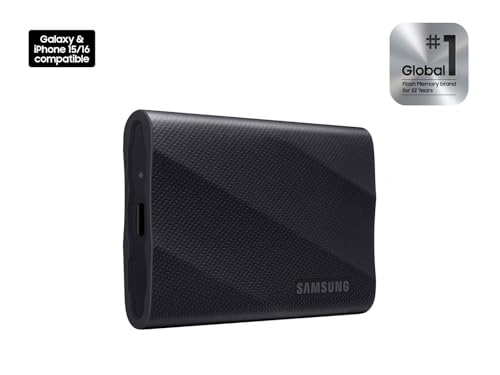
| Samsung Portable SSD T9 | Stated speed classes up to 2,000 MB/s, stated drop rating, capacities per Samsung documents | Best for media students | $130 – $230 at 1TB-2TB classes | 4.6 / 5 |
| SanDisk Extreme Portable SSD | Stated speed classes up to 1,050 MB/s, stated IP water/dust classes, capacities per SanDisk documents | Best for field courses | $90 – $170 at 1TB-2TB classes | 4.5 / 5 |
| Crucial X9 Portable SSD | Stated read classes up to 1,050 MB/s, stated drop rating, capacities per Crucial documents | Best value | $70 – $130 at 1TB-2TB classes | 4.5 / 5 |
| Kingston XS1000 | Stated read classes up to 1,050 MB/s, compact stated design, capacities per Kingston documents | Best minimalist drive | $70 – $130 at 1TB-2TB classes | 4.4 / 5 |
| WD My Passport SSD | Stated speed classes up to 1,050 MB/s, stated backup software classes, capacities per WD documents | Best for automatic backups | $85 – $150 at 1TB-2TB classes | 4.4 / 5 |

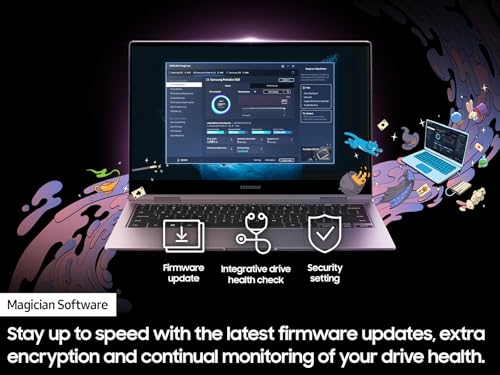
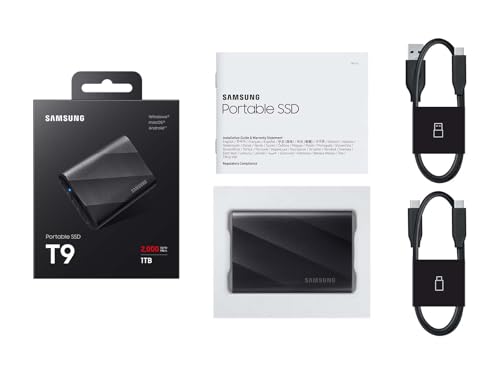
Samsung T9 Portable SSD 2TB, USB 3.2 Gen 2x2 External SSD, Up to 2,000 MB/s | External Solid State Drive for Gaming, Students and Professionals, MU-PG2T0B/AM, Black




As an Amazon Associate we earn from qualifying purchases. Product prices and availability are accurate as of the date/time indicated.

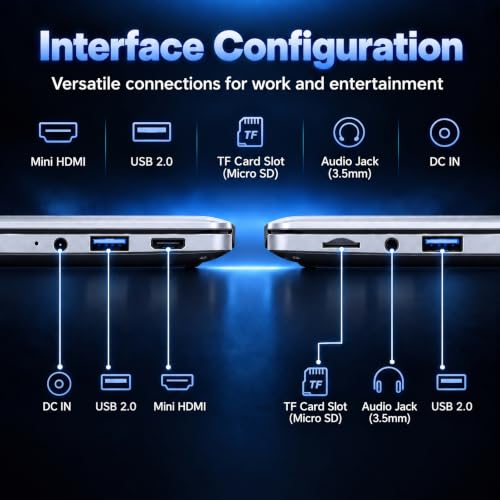
THEYETI 14.1 Inch Laptop 8GB RAM 128GB SSD | Portable Laptop Computer Stable Notebook Computer for Student, School, Home Office Work and Business (Aurora Silver)



As an Amazon Associate we earn from qualifying purchases. Product prices and availability are accurate as of the date/time indicated.

SunGalaxy 14.1 Inch Laptop 8GB RAM 128GB SSD | Portable Laptop N3710 Stable Notebook Computer for Students, Home, Office Work and Business (Starlight Silver)
As an Amazon Associate we earn from qualifying purchases. Product prices and availability are accurate as of the date/time indicated.
Sequential read and write speeds, interface class, capacities, drop and water/dust resistance classes, and encryption arrangements are each maker’s specification for the current exact model and must be confirmed in that maker’s current documents before purchase; real-world speeds depend on the laptop’s port class and the files transferred, as the guide explains. Prices are typical street ranges at the capacity classes described and vary by capacity and retailer.
Detailed Reviews: Best Portable SSD for Student Laptops Picks
1. Samsung Portable SSD T7 Shield – Best Overall
The T7 Shield leads the student table because it was designed, in Samsung’s stated terms, for exactly the life a student’s drive leads: a stated speed class around a thousand megabytes a second in Samsung’s documents that saturates the port on most laptops, a rubberised armour with a stated drop rating for the bag’s daily gravity, and hardware encryption in its stated arrangement for the drive that will inevitably be left in a library carrel once. Its size — a credit card’s footprint, a paperback’s manners — disappears into a pencil case, and its single USB-C connection in its stated design draws its power from the laptop, so there is no brick to forget in the dorm.
Buy it at 1TB for the documents degree and 2TB for the media one, from Samsung or an authorised seller — counterfeit portable SSDs are a real parish in the marketplaces, and a fake’s capacity lie is discovered, by tradition, during the backup that mattered. Genuine and sized so, it is the drive the graduate is still using in the first job.
2. Samsung Portable SSD T9 – Best for Media Students
The T9 doubles the Shield’s stated speed class in Samsung’s documents — up to the 2,000 MB/s class — and keeps the family’s armour and manners in its stated design. For the film, photography, and design student whose laptop’s port belongs to the faster USB class in its maker’s documents, that doubling is not a benchmark vanity: it is project folders that move between the lab and the laptop in a breath, libraries that can be worked from the drive itself, and ingest sessions after a shoot that end before the kettle does.
The proviso rides with the praise, as the guide’s chorus insists: on a laptop whose port is the 10 Gbps class, the T9 performs at that class’s ceiling and its premium buys armour and headroom rather than speed. Check the port in the laptop maker’s documents before paying for velocity the machine cannot drink — and if the port qualifies, buy the T9 at 2TB and let the syllabus try to fill it.
3. SanDisk Extreme Portable SSD – Best for Field Courses
SanDisk’s Extreme class is the field student’s drive: stated speeds in the thousand-class in its documents, a stated IP resistance class against the water and dust of the world outside the library, and a carabiner loop in its stated design that has kept more drives attached to more bags in more weather than any specification in this table. The geography field course, the ecology survey, the architecture student’s site visits, the research trip where the laptop lives in a tent’s vestibule — this is the drive whose documents were written for those addresses.
Its encryption and software arrangements in its maker’s stated terms serve the student whose field data is also someone else’s privacy — survey responses, interview recordings — where the drive’s loss should be an inconvenience rather than a disclosure. Bought genuine from SanDisk’s channels, it is the parish’s expedition standard.
4. Crucial X9 Portable SSD – Best Value
The X9 is the value scholar’s drive: the same stated speed class as the table’s leaders in Crucial’s documents, a stated drop rating in its terms, capacities across the student’s range, and prices that consistently undercut the parish’s famous names by a margin that buys the semester’s printing credits. Crucial is a memory house’s own brand, which in storage is a pedigree rather than a compromise, and the X9’s plain shell is the only ceremony it asks: it is a drive to be carried in a pocket of the bag rather than swung from it.
For the student whose budget is a real document rather than a mood, the X9 at 1TB is this guide’s arithmetic champion — the full backup discipline, the full speed class, at the price that leaves the rest of the degree’s kit intact. Value in storage is measured in copies that exist, and the X9 makes the copy affordable.
5. Kingston XS1000 – Best Minimalist Drive
The XS1000 is the drive as a key fob: a stated design in Kingston’s documents barely larger than the flash drives of the student’s schooldays, delivering a stated thousand-class read speed and capacities up to the media student’s lower range, for the kit that is audited by the gram and the pocket. Its parish is the document degree — essays, code, datasets, photographs — where the files are many and small and the drive’s whole job is to be present, and presence is a function of size.
Its smallness is also its discipline: a drive this easy to carry is a drive that gets carried, and a backup drive that is present is a backup that happens. Keep it on the keyring’s discipline rather than loose in the bag’s abyss — small drives are lost by the inattentive, and Kingston’s stated lanyard arrangements exist because the maker has met the inattentive before.
6. WD My Passport SSD – Best for Automatic Backups
WD’s My Passport SSD pairs the parish’s standard stated speed class with the feature this guide values beyond speed: its maker’s stated backup software arrangements, which turn the weekly backup from a resolution into a schedule. The student plugs in the drive — to charge the laptop, to move a file — and the software in its stated design keeps the copies current in the background, so the backup’s freshness stops depending on the student’s memory during the exact weeks, before deadlines, when memory is fully subscribed elsewhere.
Set it up in the first week of term, as its documents direct, and test a restore once — a backup that has never been restored from is a hypothesis, and the test takes ten minutes in September that are worth a week in May. For the honest self-knower, this row is the degree’s insurance policy with the premiums automated.
Buying Guide: Choosing the Best Portable SSD for Student Laptops
The port decides the speed: read your laptop before the drive
Every speed in this table is a ceiling set jointly by the drive and the laptop, and the lower of the two is the speed you will live with. The thousand-class drives — the T7 Shield, the Extreme, the X9, the XS1000, the My Passport — are built for the USB 10 Gbps class of port that most student laptops of recent years carry in their makers’ documents, and they will deliver their stated class on such a port, cable included, as their makers state. The T9’s two-thousand class asks for the rarer 20 Gbps USB class or better in the laptop maker’s documents; on a 10 Gbps port it runs at that port’s ceiling, gracefully but pointlessly for its premium. Older laptops with USB-A ports only will need the adapter or cable their makers describe and will run at their ports’ older ceilings — still fast enough for backups, which is most students’ real workload, and the guide’s counsel is to buy the thousand-class drive whose price forgives the port rather than the flagship whose speed indicts it. Confirm, in the laptop maker’s documents: the port’s class, whether the drive’s included cable matches it, and the file system question — the drive formatted so both the university’s lab machines and your laptop can read it, as the makers’ documents describe, because a drive the library computer cannot open is a paperweight with a warranty.
Capacity for the whole degree, and the backup rule that makes it matter
Size the drive for the degree, not the semester: the coursework folder grows, the photo library compounds, and the media student’s projects metastasise, so the parish’s working rule is a drive at least as large as the laptop’s own storage and preferably twice it — 1TB as the documents degree’s floor, 2TB for the media syllabus — because a backup drive that fills in the third year fails in the fourth, at the thesis, with an appointment’s punctuality. Then make the capacity matter with the rule stated at this guide’s opening and repeated here as its most important sentence: the work exists in at least two places, and one of them is not in the same bag. The SSD in the bag, the university’s provided storage or a cloud account for the irreplaceable documents, and the laptop itself make three, and any one of them can be lost to the term’s misfortunes without the degree noticing. Set the rhythm in the first week — the WD’s automation where chosen, a calendar appointment where not, the full backup weekly and the working documents synced as the institution’s arrangements allow — and test the restore once while the stakes are low. Add the student’s security liturgy: encryption on, in the drive’s stated arrangement, because the drive will hold documents with other people’s data in them before the degree is out; the drive bought genuine from the maker’s channels, because the counterfeit SSD’s stated capacity is a fiction the file system discovers mid-backup; and the cable kept with the drive, because a backup that needs a cable that is in another city is a story students tell in the past tense.
The total student arithmetic: price per degree, not per gigabyte
Price the drive across the degree it will serve. The table’s ranges, divided by four years, put the difference between the value row and the premium row at the cost of a few coffees a year — which argues for buying the armour and the capacity once, at the start, rather than the cheap small drive twice. Against that, the student’s budget is real, and the X9’s lesson stands: a 1TB value drive used weekly protects more work than a 2TB flagship admired in a wishlist, so the guide’s order of operations is capacity first, armour second, speed last, and brand within the table’s parish a matter of which documents you prefer. Buy it in the term’s first month, when the sales for the academic year run and the coursework is still small enough to back up in a minute, and let the habit form while it is cheap to form. The best portable SSD for student laptops is finally the drive that makes the degree’s worst afternoon boring: the laptop fails, the bag is rained on, the library computer is a stranger — and the work is simply there, current within the week, on a small armoured object in the pencil case. Any drive in this table, bought genuine, sized for the whole course, matched to the port you actually own, and used on a rhythm rather than a resolution, delivers that boring afternoon — and boring, in the fourth year, with the thesis on it, is the most exciting word in this guide.
Frequently Asked Questions About the Best Portable SSD for Student Laptops
What is the best portable SSD for student laptops?
The Samsung T7 Shield leads this table overall, for its stated thousand-class speeds, its stated drop rating, and its hardware encryption in Samsung’s documents — the complete student brief in one small armoured drive. The Crucial X9 is the value pick at the same stated speed class, the Samsung T9 is the media student’s flagship where the laptop’s port can feed its stated 2,000 MB/s class, the SanDisk Extreme serves field courses with its stated water and dust resistance, the Kingston XS1000 is the minimalist’s drive, and the WD My Passport SSD automates the backup itself in its maker’s stated arrangement. Choose by your syllabus and your port: confirm the laptop’s USB class in its maker’s documents, size the drive at 1TB or above — 2TB for media work — and buy genuine from the maker’s channels, because counterfeit SSDs misreport their capacity and are discovered during the backup that mattered. The best drive is the one that holds a current copy of your work every week of the degree; every row here, so used, qualifies.
Is 1TB enough for a student, or should I buy 2TB?
For the documents degree — essays, code, datasets, slides, and a personal photo library — 1TB is enough with room to spare, and it is this guide’s floor rather than its compromise: large enough for a full backup of the laptop plus the archive the course accumulates. The media syllabus changes the arithmetic entirely: video projects, RAW photographs, and design files are measured in hundreds of gigabytes a year, and the film or photography student should buy 2TB at the start, because the upgrade path for a full drive is a second drive and a divided archive at the worst possible moment. The governing rule is the backup rule: the drive should be at least the size of the laptop’s own storage, and twice it where the budget allows, so the backup never has to be pruned to fit — a backup you must edit before you run it is a backup that gets postponed. Buy for the fourth year, not the first term; the price difference, across a degree, is the smallest line in the whole budget.
Can I use a portable SSD as my only backup?
You can, and this guide advises against it in the strongest terms it owns, because a single backup in the same bag as the laptop is not a system — it is a coincidence waiting for a thief, a flood, or a dropped rucksack to take both copies in one event. The student’s work deserves the old rule: copies in at least two places, with at least one of them elsewhere — the university’s provided storage, a cloud account, a drive that lives at home — so that no single afternoon can take the laptop and its backup together. The portable SSD’s role in that system is the fast local copy, current within the week, that makes restoring onto a repaired or borrowed machine a matter of minutes. It is an essential role and it is not the whole play. Set the SSD’s rhythm, keep the second copy in the institution’s or the cloud’s keeping for the documents that cannot be remade, and test the restore once in a quiet week — the degree’s insurance is the system, and the SSD is its hardest-working part.
Will a portable SSD work with both my laptop and the university’s computers?
Yes, with one clerical decision made at the start: the drive’s file system, chosen as the makers’ documents describe for cross-platform use, so that your laptop and the library’s and lab’s machines — Windows, Mac, or the mixture every university keeps — can all read and write it without ceremony. Every drive in this table connects by USB-C in its maker’s stated design and includes or supports the cabling for the older USB-A ports the lab machines may still wear; speeds on those older ports run at their ceilings, which for documents and backups is entirely sufficient. Two cautions ride with the convenience: encryption, in the drive’s stated arrangement, may tie the drive to software or a password you must have with you before a lab session can use it — rehearse that unlock away from the deadline — and university machines are wiped, logged, and shared, so the drive’s personal contents deserve the same discretion as the laptop’s. Set the file system once, keep the cable with the drive, and the SSD becomes the degree’s portable office: your files, your settings’ documents, your whole working world, in the pencil case, on any machine the institution owns.
Related guides
- Best Braided Charging Cable for Travel: 6 Braided Charging Cables for Travel in 2026
- How to Choose Budget Laptop Stand in 2026: 7 Budget Laptop Stands That Lift a Laptop, Improve Posture, and Cost Less Than $50
- 1080p Monitor vs 1440p Monitor for Gaming in 2026: 1080p vs 1440p Gaming Monitors, Resolution, Refresh Rate, and Performance
- How to Choose Charging Cable Length for Cars: 6 Charging Cables for Cars in 2026
More from Amazon
Programs that pair well with the guide above. Offers and eligibility are set by Amazon and may change.
Free shipping on eligible items, Prime Video and more. Eligible new members can start with a free trial.
Start a Prime free trialAd-free music streaming. Eligible new subscribers can start with a free trial.
Try Music Unlimited freeA Prime membership for ages 18-24 with a trial period. Eligibility is set by Amazon.
See Prime for Young AdultsAudiobooks and podcasts to listen to on the go. Eligible new members can start with a free trial.
Try Audible freeAs an Amazon Associate we earn from qualifying purchases.

Write Your Review
No reviews yet. Be the first to share your experience!