
What's inside
- Best Premium Gaming Keyboard for Typing by Double Life
- Quick Comparison: Best Premium Gaming Keyboard for Typing Models
- Detailed Reviews: Best Premium Gaming Keyboard for Typing Picks
- Buying Guide: Choosing the Best Premium Gaming Keyboard for Typing
- Frequently Asked Questions About the Best Premium Gaming Keyboard for Typing
As an Amazon Associate I earn from qualifying purchases. This post may contain affiliate links at no extra cost to you.
The best premium gaming keyboard for typing lives the same double life as its owner, and it is a harder life than either parish admits alone. The gaming parish demands the new physics: magnetic Hall-effect switches in their makers’ stated designs, actuation set to the hair in the software’s stated terms, rapid trigger resetting the key at the instant of release, polling at the stated classes that have made the cable’s latency a rumour. The typing parish — the writer, the programmer, the professional whose day is ten thousand words — demands the old virtues: a keyfeel that stays kind at hour six, a sound that a microphone and a household can live with, a layout whose keys are where forty years of touch-typing put them, and a build that does not flex, ping, or hollow its way into the writer’s attention. Most gaming flagships fail the day shift with a hollow case and a typist’s fatigue they never tested for; most typing flagships fail the night shift with switches that cannot do the new physics at all. This guide compares the keyboards whose makers engineered for both shifts — Wooting’s two HE as the magnetic reference with a typist’s tuning ecosystem, Keychron’s HE classes as the typing house that learned gaming, Razer’s and SteelSeries’ flagship rapid boards in their stated designs, ASUS ROG’s gasket-mounted Azoth class as the gaming house that learned typing, and Logitech’s professional rapid class — and it teaches the merged judgement: switch character first, because both shifts are conducted through it; case and mounting second, because the day shift hears them; layout and software always, because a keyboard is a decade’s habit being purchased in an afternoon.
The comparison fields the real, currently sold dual-shift flagships across their houses. Wooting’s two HE class is the reference magnetic board, in its maker’s stated design — analogue sensing, rapid trigger, and a tuning ecosystem in its stated arrangement that lets the typist set the actuation deeper for prose and shallower for play, a dual-shift feature no fixed switch can imitate. Keychron’s Q HE classes bring the typing world’s construction — gasket mounting, serious keycaps, sound discipline in their stated designs — to magnetic switches in its maker’s stated classes. Razer’s Huntsman V3 Pro class and SteelSeries’ Apex Pro class are the esports houses’ flagships in their stated designs, with adjustable actuation in their stated terms across their ranges. ASUS’s Azoth class is the enthusiast’s gaming board — gasket-mounted in its stated design, built to be opened, tuned, and typed on with pleasure. Logitech’s PRO X Rapid class is the professional circuit’s restrained entry in its stated design. Switch type and adjustability, actuation range in the makers’ stated terms, polling classes, mounting design, keycap material, layout, and connection classes are each maker’s specification for the current exact model and must be confirmed in that maker’s current documents before purchase. Prices are typical ranges rather than exact figures, and the honest total includes the wrist rest the day shift will eventually demand and the keycap set the night shift will eventually want, each in its maker’s stated classes.
One honesty precedes the table, because the dual-shift buyer is the most lied-to customer in peripherals. No switch is best for both gaming and typing in the abstract; there are only switch characters, honestly matched to a typist’s hand and a player’s titles. The magnetic boards’ adjustability, in their makers’ stated terms, is the closest thing to having it both ways that physics currently sells — one keyboard, a deep and gentle actuation for the manuscript, a hair and a rapid reset for the match, changed in software in a minute — and this guide weights that adjustability heavily precisely because the double life is the brief. But the typist who never games competitively should hear the guide plainly: a purely mechanical premium board, in the Keychron mechanical classes and their kin, may serve the day shift better and the night shift adequately, at a kinder price, and the gaming flagship’s premium is only rational where the new physics will actually be played. Buy the keyboard for the shifts you actually work, in the proportions you actually work them, and the premium will feel like wages rather than like rent.
Our Top Picks
 Razer BlackWidow V4 X Mechanical Gaming Keyboard20.5 x 8 x 2 Inch18.36 x 6.01 x 1.71 inches2.51 poundsCheck on Amazon
Best Premium Gaming Keyboard for Typing by Double Life
The writer who competes: Wooting two HE and the two-profile answer
For the dual-lifer whose both shifts are serious — the manuscript by day, the ranked queue by night — Wooting’s two HE class is the table’s centre, because its stated adjustability is the double life implemented in firmware: actuation points per key in its maker’s stated terms, rapid trigger for the match, a deeper and calmer setting for the prose, switched by profile rather than by purchase. Its typing character, in its stated switch and case classes, is the magnetic parish’s most tunable — the ecosystem of springs, switches, and settings in its maker’s stated arrangements lets a typist tune toward the day shift without surrendering the night. This is the row for the buyer who refuses the compromise and is willing to do the tuning hour that refusing it costs.
The typist who games: Keychron HE and ASUS Azoth, construction first
For the buyer whose day shift is the career and whose night shift is the pleasure, Keychron’s Q HE classes and ASUS’s Azoth class lead with the typing virtues — gasket-mounted constructions in their makers’ stated designs that give the keystroke a cushioned, quiet landing, keycaps in their stated materials that feel like equipment rather than packaging, cases that sound like a door closing rather than a bucket — and carry magnetic gaming physics in their stated classes sufficient for all but the most professional night. Between them, Keychron is the typing house’s full system in its stated layouts and sizes, and the Azoth is the gaming house’s enthusiast flagship in its stated design; either will make a writer’s day measurably pleasanter while keeping the night’s credentials in order.
The competitor who writes: Razer, SteelSeries, and Logitech’s professional restraint
Razer’s Huntsman V3 Pro class and SteelSeries’ Apex Pro class serve the player whose night is the serious shift and whose day is emails, documents, and code at a professional but not literary intensity: flagship magnetic or optical adjustability in their makers’ stated terms, esports layouts in their stated designs, and typing characters that are entirely respectable — firmer, louder, more purposeful than the gasket rows — for the writer whose prose is measured in tickets closed rather than in chapters. Logitech’s PRO X Rapid class adds the circuit’s restraint: a board in its stated design that looks like office equipment, travels like tournament equipment, and types like the professional tool it is. The competitor who writes should choose among the three by switch feel under their own fingers, because at this level the documents tie and the hand is the electorate.
Quick Comparison: Best Premium Gaming Keyboard for Typing Models
| Model | Key Specs | Best For | Typical Price Range | Rating |
|---|---|---|---|---|
| Wooting two HE Class | Magnetic switch classes, adjustable actuation and rapid trigger classes, layout classes per Wooting documents | Best premium gaming keyboard for typing overall | $200 – $250 by layout class | 4.7 / 5 |
| Keychron Q HE Class | Magnetic switch classes, gasket mount classes, layout and keycap classes per Keychron documents for the exact model | Best for typists who game | $220 – $280 by model class | 4.6 / 5 |
| ASUS ROG Azoth Class | Gasket mount classes, switch classes, display and connection classes per ASUS documents for the exact model | Best enthusiast gaming board | $250 – $300 | 4.5 / 5 |
| Razer Huntsman V3 Pro Class | Optical switch classes, adjustable actuation and rapid trigger classes per Razer documents for the exact model | Best esports flagship | $230 – $280 by layout class | 4.5 / 5 |
| SteelSeries Apex Pro Gen 3 Class | Magnetic switch classes, adjustable actuation classes, display classes per SteelSeries documents for the exact model | Best adjustable all-rounder | $220 – $270 by layout class | 4.4 / 5 |
| Logitech G PRO X TKL Rapid Class | Magnetic switch classes, rapid trigger classes, layout classes per Logitech documents for the exact model | Best professional restraint | $170 – $210 | 4.4 / 5 |

SteelSeries Apex 3 Gaming Keyboard - Black | 10-Zone RGB Illumination – IP32 Water Resistant – Premium Magnetic Wrist Rest (Whisper Quiet Gaming Switch)
As an Amazon Associate we earn from qualifying purchases. Product prices and availability are accurate as of the date/time indicated.

Womier SK80 75% Keyboard with Color Multimedia Display Gaming Keyboard | Creamy Sound Mechanical Wired Hot Swappable Gasket RGB Custom Key board, Pre-lubed Stabilizer for Mac/Win, Black Kanagawa


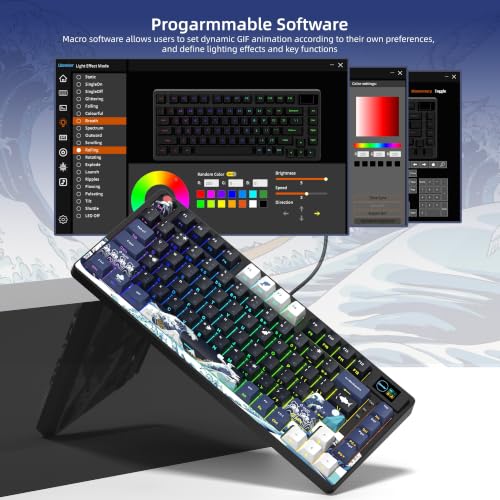

As an Amazon Associate we earn from qualifying purchases. Product prices and availability are accurate as of the date/time indicated.
Razer BlackWidow V4 X Mechanical Gaming Keyboard, Yellow Switches, Black | Linear & Silent Switches, 6 Dedicated Macro Keys, Chroma RGB, Doubleshot ABS Keycaps, Roller & Media Controls, Snap Tap


As an Amazon Associate we earn from qualifying purchases. Product prices and availability are accurate as of the date/time indicated.
Switch type and design, actuation adjustment range and rapid trigger behaviour in the maker’s stated terms, polling rate classes, mounting design, keycap material and profile, layout and size, connection classes, and weight are each maker’s specification for the current exact model and must be confirmed in that maker’s current documents before purchase. Prices are typical street ranges as described. Typing feel and sound are properties of the complete board — switches, keycaps, case, and desk together — and should be judged by the hand and ear, as this guide directs.
Detailed Reviews: Best Premium Gaming Keyboard for Typing Picks
1. Wooting two HE Class – Best Overall
The two HE leads the dual-shift table because its adjustability, in Wooting’s stated design, is the only specification that serves both shifts at full strength: per-key actuation in its stated terms set deep for the manuscript — where a typist’s resting fingers should not fire keys and a firm bottom-out should feel like punctuation — and set to the hair, with rapid trigger in its stated behaviour, for the match, where the key must reset at the speed of thought. Its ecosystem in its maker’s stated arrangements — switch options, springs, the configuration software in its stated design — makes the tuning a craft rather than a compromise, and its layouts in its stated classes span the compact and the full-size parishes.
Its typing sound and feel, in its stated case classes, are the magnetic parish’s honest middle — good, tunable, and a step from the gasket rows’ hush — and the writer who prioritises the day’s acoustics should weigh the Keychron beside it with their own ears. For the true double life, though, no other row offers both shifts their full physics from one board, and that is the brief this table was written to.
2. Keychron Q HE Class – Best for Typists Who Game
Keychron’s HE classes are the typing world’s answer to the magnetic era: the house’s gasket-mounted, aluminium-bodied construction in its stated designs — the cushioned landing, the deep and quiet sound, the keycaps in their stated materials that feel finished — now carrying magnetic switches in its stated classes with the actuation and rapid-trigger behaviour the night shift requires. For the writer whose day is the career, it is the row that needs no apology in either direction: the manuscript is typed on an instrument built for manuscripts, and the match is played on physics that the match respects.
Choose its exact model by layout from Keychron’s documents — the house’s range spans sizes whose key arrangements differ in ways a touch-typist’s decade of habit will vote on — and confirm its stated polling and switch classes for the exact board. So chosen, it is the dual-shift purchase this guide’s own desk would make on a writer’s evidence.
3. ASUS ROG Azoth Class – Best Enthusiast Gaming Board
The Azoth is the gaming house’s enthusiast flagship in ASUS’s stated design: gasket mounting in its stated construction — the gaming parish’s adoption of the typing world’s central virtue — hot-swappable switches in its stated arrangement for the owner who tunes, a small display in its stated design for the desk’s information, and tri-mode connections in its stated classes for the desk’s geography. Its typing character, in its stated switch and case classes, is the most literary of the esports houses’ boards, which is its design’s whole argument.
Its compact layout in its stated design suits the mouse-room parish and asks the number-pad professional to look at its larger kin or elsewhere, in ASUS’s documents. Within its layout, it is the gaming flagship a typist can love without translation, and that bilingual fluency is a rarer achievement than any polling rate in this table.
4. Razer Huntsman V3 Pro Class – Best Esports Flagship
Razer’s flagship class brings the esports brief at full strength: optical switches in Razer’s stated design with adjustable actuation and rapid trigger behaviour in its stated terms, a build in its stated classes for the tournament desk, and the polling classes the parish’s summit requires. Its typing character is the competitor’s — decisive, audible, engineered for the actuation’s certainty rather than the ear’s pleasure — and for the player whose day shift is professional prose rather than literature, that character is not a compromise but a preference honestly served.
Choose its layout from Razer’s documents for the exact model — the family’s sizes serve different desks — and set its actuation for the day shift deeper than the night’s, as its stated adjustability invites, because even an esports flagship can be taught office manners in its own software. Taught so, it is the night shift’s champion that the day shift respects.
5. SteelSeries Apex Pro Gen 3 Class – Best Adjustable All-Rounder
SteelSeries’ flagship class has carried adjustable actuation longer than the parish remembers, and its current generation in its stated design pairs magnetic switches in its stated classes with the house’s display and software ecosystem in its stated arrangements — the keyboard as the desk’s small instrument panel. Its typing feel, in its stated switch classes, is the all-rounder’s: neither the gasket’s hush nor the esports board’s bark, and its adjustability in its stated terms spans the day-night range this guide’s brief is built on.
Between it and the Razer, the hand and the ecosystem decide, in both makers’ documents and ideally under the buyer’s own fingers in the same shop session. Either is a flagship honestly bought; the all-rounder’s crown here is for the buyer whose desk already speaks SteelSeries and whose both shifts want one software house to answer for them.
6. Logitech G PRO X TKL Rapid Class – Best Professional Restraint
Logitech’s rapid class closes the table with the professional circuit’s own board in its stated design: magnetic switches and rapid trigger in its stated classes, a tenkeyless layout in its stated form that travels in the tournament bag it ships with in its stated arrangement, and a visual restraint that lets it sit in a client-facing office without explaining itself. Its typing character in its stated classes is the professional’s — firm, consistent, unshowy — and its software in Logitech’s stated ecosystem suits the desk that already runs the house’s mouse, which in the professional parish is a great many desks.
Its premium is the circuit’s rather than the enthusiast’s — paid for consistency and support rather than for gasket poetry — and the buyer whose day shift is literary should weigh the Keychron’s construction beside it. For the competitor whose writing is work and whose work is also, twice a week, a stage, it is the board that never once embarrasses either.
Buying Guide: Choosing the Best Premium Gaming Keyboard for Typing
Switch character is the whole purchase: actuation, sound, and the sixth hour
Shop by the keystroke, because the keystroke is what both shifts are made of. Read the switch design in the maker’s documents — magnetic Hall-effect in its stated classes for the adjustable parish, with the actuation range in its stated terms wide enough to hold both your prose setting and your play setting; optical in Razer’s stated design as its own route to the same adjustability — and then judge what documents cannot state: the sound and the landing, in a shop or inside a return window, at typing speed, for ten uninterrupted minutes, because a keyboard’s character at minute two is its salesmanship and its character at minute ten is its truth. Weigh the case’s contribution with the same ear: gasket mounting in the makers’ stated designs cushions and quiets, tray mounting answers firmer and louder, and the desk beneath — its material, its mat — is the keyboard’s final component, bought once and heard forever. Then run the sixth-hour test in imagination or in trial: the typist’s fatigue lives in the switch’s weight and the board’s angle, in the makers’ stated classes, and in the wrist rest the purchase should include rather than discover. A premium keyboard is a decade of keystrokes priced in an afternoon; the afternoon should be spent pressing keys, not reading about them — the documents narrow the field to the rows in this table, and the fingers elect among them.
Layout, software, and the two profiles you will actually build
Choose the layout by the day shift’s habit and the night shift’s geography, from the makers’ stated designs: the full-size for the spreadsheet professional whose number pad is a limb; the tenkeyless for the balanced desk; the compact classes for the mouse-room parish, with their layers learned as the makers’ documents describe — and a touch-typist should type a page on the candidate layout before the money moves, because a moved key is a month’s typo tax levied daily. Build, in the first week, the two profiles the double life actually runs: the typing profile, actuation deep in the maker’s stated terms, any rapid behaviour off or gentle, the board’s lighting and display set for the office’s dignity; and the gaming profile, actuation at your game’s proven setting, rapid trigger as the maker directs for your titles, per-key adjustments where the stated design allows for the movement cluster. Practise the switch between profiles until it is a reflex rather than a settings expedition, keep the configuration backed up as the software’s stated arrangement allows, and keep the firmware current as the maker directs — with the update read before it is applied, as this site advises for every instrument that a livelihood touches. Set the employer’s side in order too: a personal flagship on a managed work machine follows the employer’s equipment and software policies, which govern what may be installed to configure it, and the board that can be tuned at home and merely used at work is the professional’s usual peace treaty.
Buy the decade: build, caps, and care
Buy from the maker or an authorised retailer, with the warranty in its stated terms filed, and judge the build as the decade’s infrastructure it is: the case’s material and flex in the makers’ stated classes, the keycaps’ material in its stated terms — the durable legends and the pleasant textures live in the better materials the documents name — and the cable, dongle, and connection classes in their stated designs matched to your desk’s actual geography rather than to its photograph. Budget the supporting cast in the same order: the wrist rest the sixth hour demands, the desk mat that completes the sound, a spare cable for the travel bag, and, for the hot-swappable classes in their makers’ stated designs, the switch puller and the one experimental switch set that turns the board into a hobby with a return policy. Maintain it as the makers direct: crumbs and dust evicted with air and a brush on a schedule the day shift’s snacks make necessary, keycaps cleaned as their material’s directions allow, the board’s feet and angle kept as your wrists prescribed, and the whole replaced on evidence — a switch position that chatters, a connection that wanders — rather than on the launch calendar. The best premium gaming keyboard for typing is finally the one whose keystroke your hands stop noticing in both shifts: any keyboard in this table, chosen by its switch under your own fingers, laid out for your habit, and profiled for your two lives in its first week, will write the manuscript and play the match for a decade — and will be remembered, as all great tools are, not for its specifications, but for the work that flowed through it as if it were not there.
Frequently Asked Questions About the Best Premium Gaming Keyboard for Typing
What is the best premium gaming keyboard for typing?
The Wooting two HE class leads this table for the true double life, because its per-key adjustable actuation in Wooting’s stated terms serves the manuscript and the match from one board — deep and calm for prose, hair-trigger with rapid reset for play, switched by profile. Keychron’s Q HE classes are the typist-first answer, with gasket construction in its maker’s stated design; ASUS’s Azoth class is the gaming house’s enthusiast equivalent; Razer’s Huntsman V3 Pro and SteelSeries’ Apex Pro classes are the esports flagships with adjustable manners; and Logitech’s PRO X Rapid class is the professional’s restraint. The best one for you is chosen by your proportions — how literary the day, how competitive the night — and elected by your own fingers across ten minutes of real typing on the candidates, because switch character is a property no document can state. Confirm each exact model’s stated switch, actuation range, layout, and connection classes in its maker’s current documents before the trial, and let the sixth hour, imagined honestly, have the casting vote.
Are magnetic Hall-effect keyboards actually good for typing?
Yes — with the typist’s tuning applied, which is precisely what their adjustability is for. A magnetic board’s switches, in their makers’ stated designs, actuate wherever in the key’s travel the software is told to listen, so the typist sets a deeper actuation than the gamer’s hair-trigger: resting fingers stop firing stray keys, the bottom-out arrives as punctuation rather than as a trap, and the keystroke’s character becomes a chosen thing rather than a factory’s opinion. Rapid trigger, the gaming parish’s reset behaviour in the makers’ stated terms, is switched off or gentled in the typing profile, where it has no work to do. What the magnetic board does not change by itself is the case’s contribution — sound and landing live in the mounting and the materials, in the makers’ stated designs — which is why the typing-first rows in this table are the gasket-mounted ones, and why the trial’s ten minutes of real typing outrank every specification in this guide. Tuned and trialled, a magnetic flagship types as well as it plays; untuned, it types like a trap, and the difference is an afternoon in its own software.
What layout should I choose if I type all day and game at night?
The layout your day shift’s habit already owns, with the night shift’s geography as the only negotiator. If your work uses a number pad as a limb — the spreadsheet, the ledger, the data professional — buy full-size in the makers’ stated classes and let the mouse travel a little further; the day’s ten thousand keystrokes outvote the night’s mouse room. If your prose and code live on the main cluster, tenkeyless is the balanced professional answer in this table’s classes: every typing key in its ancestral place, the desk’s centre freed, the mouse’s parish widened. The compact classes serve the dedicated gaming desk and the travelling professional, at the price of layers for the missing keys — a price a touch-typist should pay only after typing a full page on the layout, in the shop or the return window, because a moved or layered key taxes every day it surprises you. Whichever you choose, confirm the exact model’s stated layout diagram in its maker’s documents against your habit, key by key for the ones your fingers use blind — the modifiers, the arrows, the function row — because a keyboard is a decade’s muscle memory being re-signed, and the signature should be read before it is given.
How long will a premium gaming keyboard last, and how do I keep it typing well?
A premium board in this table’s classes is built for a decade of both shifts — its switches rated, in their makers’ stated terms, in the tens of millions of actuations and beyond, its case and keycaps in their stated materials chosen for the same horizon — and its real lifespan is set by care and by evidence rather than by the calendar. Keep it clean on the day shift’s schedule: air and a brush for the crumbs and dust that are a working desk’s weather, keycaps cleaned as their material’s directions allow, drinks governed by the household’s own treaty, because the spilled coffee is the premium board’s first cause of death and no switch rating covers it. Keep its firmware and configuration current and backed up as its maker directs, its cable unstrained and its dongle unlost, and its angle and wrist rest set so the hands last as long as the switches — the typist is the system’s other component, and their maintenance is ergonomics rather than electronics. Replace on evidence: a position that chatters or dies, a connection that wanders, a case that has taken a fall too many. Kept so, the board outlasts the PC it is plugged into, probably twice — and the measure of the premium, in this category above all, is that the second PC inherits the keyboard without a discussion.
Related guides
- Best Cheap Gaming Headset Under 50 in 2026: Cheap Gaming Headsets Under $50 for PC, PS5, Xbox, and Gaming
- Best Managed Switch vs Unmanaged Switch for Home Networks in 2026: 6 Top Managed and Unmanaged Switches for Home Networks, Network Switches, and Easy Use
- Best Earbuds for Workout Sweat Resistance in 2026: Jabra Elite 8 Active, Jaybird Vista 2, and Beats Graded on IP Ratings That Mean Something and Fits That Survive the Burpee
- Best Hub for Small Desks in 2026: CalDigit, Anker, Ugreen, Plugable, Belkin, and HyperDrive Hubs and Mini Docks Compared for Tiny Workspaces
More from Amazon
Programs that pair well with the guide above. Offers and eligibility are set by Amazon and may change.
Free shipping on eligible items, Prime Video and more. Eligible new members can start with a free trial.
Start a Prime free trialAd-free music streaming. Eligible new subscribers can start with a free trial.
Try Music Unlimited freeA Prime membership for ages 18-24 with a trial period. Eligibility is set by Amazon.
See Prime for Young AdultsAudiobooks and podcasts to listen to on the go. Eligible new members can start with a free trial.
Try Audible freeAs an Amazon Associate we earn from qualifying purchases.

Write Your Review
No reviews yet. Be the first to share your experience!