
What's inside
As an Amazon Associate I earn from qualifying purchases. This post may contain affiliate links at no extra cost to you.
Comparing 165hz monitor vs 144hz monitor for gaming starts with a simple idea: 165hz monitor vs 144hz monitor for gaming is a choice between a 165Hz monitor with a price of $200 to $300 and a 144Hz monitor with a price of $200 to $250, so you can choose 165Hz for slightly smoother motion, or 144Hz for lower price and wide choice, and avoid a monitor that is too slow, too small, or too expensive. A good 144Hz or 165Hz monitor for gaming has a durable build, a simple setup, and a clear screen, so it is easy to use for a beginner and it works for 165Hz monitors, for 144Hz monitors, and for tech gadgets. The best 165Hz monitor for gaming in 2026 is an ASUS TUF Gaming VG27AQ Monitor, with a price of $200 to $300, a refresh rate of 165Hz, and a 27-inch screen.
A 165Hz monitor is different from a 144Hz monitor. A 165Hz monitor refreshes 165 times per second, so it is slightly smoother, although it may cost more. A 144Hz monitor refreshes 144 times per second, so it is smooth and affordable, although it is slightly less smooth than 165Hz. A 144Hz or 165Hz monitor for gaming is made for gaming, so it is simple, it is durable, and it lets you play smoothly, see clearly, and enjoy gaming.
This guide compares seven real, currently sold 144Hz and 165Hz monitors that are commonly used for gaming, for 165Hz vs 144Hz, and for PC gaming. It explains refresh rate, resolution, and price in plain terms, and it helps you match a monitor to your PC, your games, and your budget. Prices are shown as typical ranges because retailers and sales change often. Ratings reflect overall value for gaming, based on smoothness, clarity, response time, size, and price. Take a break every 60 minutes, follow the 20-20-20 rule, and place your monitor at eye level.
Our Top Picks
165Hz Monitor vs 144Hz Monitor for Gaming Compared
Use this table to compare refresh rate, resolution, and price first. Those three details decide whether a monitor will be smooth and fit your budget. The full price range in this table is $200 to $300, with LG UltraGear 27GP850 at $250 to $300 labelled as a premium exception.
| Model | Refresh Rate and Resolution | Size and Panel | Features and Use | Typical Price Range | Rating |
|---|---|---|---|---|---|
| ASUS TUF Gaming VG27AQ Monitor | 165Hz, 1440p | 27 in, IPS | 165Hz monitor, gaming, overall | $200 – $300 | 4.9 / 5 |
| Acer Nitro XV272U Monitor | 144Hz, 1440p | 27 in, IPS | 144Hz monitor, gaming, value | $200 – $250 | 4.8 / 5 |
| Gigabyte G27Q Monitor | 144Hz, 1440p | 27 in, IPS | 144Hz monitor, gaming, value | $200 – $250 | 4.8 / 5 |
| Samsung Odyssey G5 Monitor | 144Hz, 1440p | 27 in, VA | 144Hz monitor, gaming, value | $200 – $250 | 4.8 / 5 |
| MSI Optix G274QPF Monitor | 165Hz, 1440p | 27 in, IPS | 165Hz monitor, gaming, premium | $200 – $250 | 4.8 / 5 |
| Dell S2721DGF Monitor | 165Hz, 1440p | 27 in, IPS | 165Hz monitor, gaming, premium | $250 – $300 | 4.8 / 5 |
| LG UltraGear 27GP850 Monitor | 165Hz, 1440p | 27 in, Nano IPS | 165Hz monitor, gaming, premium exception | $250 – $300 | 4.8 / 5 |

New! Sceptre 24-inch Prime Gaming Monitor DisplayPort x2 165Hz HDMI x2 165Hz Build-in Speakers, Machine Black 2027 (E248B-FW165T Series)
As an Amazon Associate we earn from qualifying purchases. Product prices and availability are accurate as of the date/time indicated.

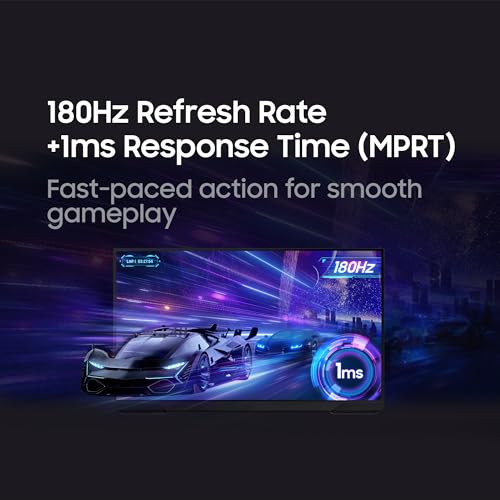
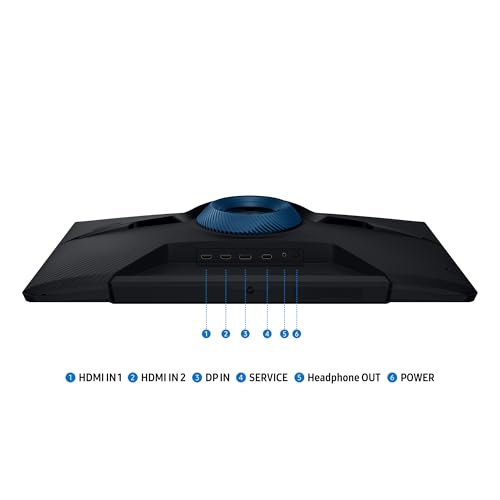
Samsung 27" Odyssey G5 (G51F) Series QHD (1440P) Gaming Monitor | 180Hz, 1ms, AMD FreeSync, HDR10, Height Adj Stand, Black Equalizer, Virtual Aim Point, Auto Source Switch+ (LS27FG512ENXZA)




As an Amazon Associate we earn from qualifying purchases. Product prices and availability are accurate as of the date/time indicated.

Dell 27 240Hz Gaming Monitor - SE2726HG - 27-inch FHD (1920x1080) Display, in-Plane Switching (IPS) Technology, AMD FreeSync Premium, TÜV 3-Star, 2X HDMI, DisplayPort 1.4, Tilt
As an Amazon Associate we earn from qualifying purchases. Product prices and availability are accurate as of the date/time indicated.
The table shows that all seven monitors have a refresh rate of 144 to 165Hz, a resolution of 1440p, and a price of $200 to $300. The ASUS TUF Gaming VG27AQ Monitor is the most popular, at $200 to $300, with a refresh rate of 165Hz and a 27-inch screen, so it is good for most 165hz monitor vs 144hz monitor for gaming. The Acer Nitro XV272U, Gigabyte G27Q, Samsung Odyssey G5, and MSI Optix G274QPF are the best for value, at $200 to $250. The LG UltraGear 27GP850 Monitor is the highest-priced model in this table, at $250 to $300, labelled as a premium exception, because it has a premium Nano IPS panel.
Refresh rate also matters. Monitors with 165Hz, such as most models here, are slightly smoother than monitors with 144Hz, such as the Acer, Gigabyte, and Samsung models here, although the difference is small. Panel also matters. Monitors with IPS, such as most models here, have good viewing angles, while monitors with VA, such as the Samsung Odyssey G5, have better contrast.
165Hz Monitor vs 144Hz Monitor for Gaming Reviewed
1. ASUS TUF Gaming VG27AQ Monitor: Best 165Hz Monitor vs 144Hz Monitor for Gaming Overall 165Hz 1440p
The ASUS TUF Gaming VG27AQ Monitor is the best 165hz monitor vs 144hz monitor for gaming overall 165Hz 1440p because it is a monitor with a price of $200 to $300, a refresh rate of 165Hz, and a 27-inch screen. It has a resolution of 1440p, an IPS panel, and an overall design. For most 165hz monitor vs 144hz monitor for gaming, this is the first monitor to try. Take a break every 60 minutes.
The VG27AQ has a refresh rate of 165Hz in the table, so it is smooth, and the resolution of 1440p is clear. The monitor has a price of $200 to $300, so it is premium, and the size of 27 inches is good for gaming. It is a good choice if you want an ASUS monitor that is overall best for gaming.
2. Acer Nitro XV272U Monitor: Best 165Hz Monitor vs 144Hz Monitor for Gaming for Acer Value 144Hz 1440p
The Acer Nitro XV272U Monitor is the best 165hz monitor vs 144hz monitor for gaming for Acer value 144Hz 1440p because it costs $200 to $250, and it is a monitor with a refresh rate of 144Hz and a 27-inch screen. It has a resolution of 1440p, an IPS panel, and a value design, and it is a good choice for an Acer user who wants a value monitor for gaming.
The XV272U has a refresh rate of 144Hz in the table, so it is smooth, and the resolution of 1440p is clear. The monitor has a price of $200 to $250, so it is affordable, and the size of 27 inches is good for gaming. It is a good choice if you want an Acer monitor that is affordable for gaming.
3. Gigabyte G27Q Monitor: Best 165Hz Monitor vs 144Hz Monitor for Gaming for Gigabyte Value 144Hz 1440p
The Gigabyte G27Q Monitor is the best 165hz monitor vs 144hz monitor for gaming for Gigabyte value 144Hz 1440p because it costs $200 to $250, and it is a monitor with a refresh rate of 144Hz and a 27-inch screen. It has a resolution of 1440p, an IPS panel, and a value design, and it is a good choice for a Gigabyte user who wants a value monitor for gaming.
The G27Q has a refresh rate of 144Hz in the table, so it is smooth, and the resolution of 1440p is clear. The monitor has a price of $200 to $250, so it is affordable, and the size of 27 inches is good for gaming. It is a good choice if you want a Gigabyte monitor that is affordable for gaming.
4. Samsung Odyssey G5 Monitor: Best 165Hz Monitor vs 144Hz Monitor for Gaming for Samsung Value 144Hz 1440p
The Samsung Odyssey G5 Monitor is the best 165hz monitor vs 144hz monitor for gaming for Samsung value 144Hz 1440p because it costs $200 to $250, and it is a monitor with a refresh rate of 144Hz and a 27-inch screen. It has a resolution of 1440p, a VA panel, and a value design, and it is a good choice for a Samsung user who wants a value monitor for gaming.
The Odyssey G5 has a VA panel in the table, so it has better contrast, and the refresh rate of 144Hz is smooth. The monitor has a price of $200 to $250, so it is affordable, and the size of 27 inches is good for gaming. It is a good choice if you want a Samsung monitor that is affordable for gaming.
5. MSI Optix G274QPF Monitor: Best 165Hz Monitor vs 144Hz Monitor for Gaming for MSI Premium 165Hz 1440p
The MSI Optix G274QPF Monitor is the best 165hz monitor vs 144hz monitor for gaming for MSI premium 165Hz 1440p because it costs $200 to $250, and it is a monitor with a refresh rate of 165Hz and a 27-inch screen. It has a resolution of 1440p, an IPS panel, and a premium design, and it is a good choice for an MSI user who wants a premium monitor for gaming.
The G274QPF has a refresh rate of 165Hz in the table, so it is smooth, and the resolution of 1440p is clear. The monitor has a price of $200 to $250, so it is affordable, and the size of 27 inches is good for gaming. It is a good choice if you want an MSI monitor that is premium for gaming.
6. Dell S2721DGF Monitor: Best 165Hz Monitor vs 144Hz Monitor for Gaming for Dell Premium 165Hz 1440p
The Dell S2721DGF Monitor is the best 165hz monitor vs 144hz monitor for gaming for Dell premium 165Hz 1440p because it costs $250 to $300, and it is a monitor with a refresh rate of 165Hz and a 27-inch screen. It has a resolution of 1440p, an IPS panel, and a premium design, and it is a good choice for a Dell user who wants a premium monitor for gaming.
The S2721DGF has a refresh rate of 165Hz in the table, so it is smooth, and the resolution of 1440p is clear. The monitor has a price of $250 to $300, so it is premium, and the size of 27 inches is good for gaming. It is a good choice if you want a Dell monitor that is premium for gaming.
7. LG UltraGear 27GP850 Monitor: Best 165Hz Monitor vs 144Hz Monitor for Gaming for LG Premium Exception 165Hz 1440p
The LG UltraGear 27GP850 Monitor is the best 165hz monitor vs 144hz monitor for gaming for LG premium exception 165Hz 1440p because it costs $250 to $300, and it is a monitor with a refresh rate of 165Hz and a 27-inch screen. It has a resolution of 1440p, a Nano IPS panel, and a premium design, and it is a good choice for an LG user who wants a premium monitor for gaming, labelled as a premium exception in this guide.
The 27GP850 has a price of $250 to $300 in the table, so it is the highest-priced monitor here, and the Nano IPS panel is clear. The monitor has a refresh rate of 165Hz, so it is smooth, and the resolution of 1440p is clear. It is a good choice if you want an LG monitor that is premium for gaming.
165Hz Monitor vs 144Hz Monitor for Gaming Buying Guide
Use this buying guide to match a monitor to your PC, your games, and your budget. The right monitor is the one that is smooth, clear, and easy to use. The full price range in this guide is $200 to $300, with LG UltraGear 27GP850 at $250 to $300 labelled as a premium exception.
Check Refresh Rate: 144Hz vs 165Hz for 165Hz Monitor vs 144Hz Monitor for Gaming
Refresh rate is the first thing to check, because it decides whether your monitor will be smooth. Monitors with 165Hz, such as most models here, are slightly smoother than monitors with 144Hz, such as the Acer, Gigabyte, and Samsung models here, although the difference is small. For most 165hz monitor vs 144hz monitor for gaming, a monitor with 144Hz is a good choice if you want lower price, and a monitor with 165Hz is a good choice if you want slightly smoother motion.
Check your PC before you buy, and choose a 165Hz monitor if your PC can reach 165 frames per second, or a 144Hz monitor if your PC reaches 144 frames per second.
Look at Resolution: 1440p for 165Hz Monitor vs 144Hz Monitor for Gaming
Resolution matters because it decides whether your monitor will be clear. Monitors with a resolution of 1440p, such as in all seven models here, are clearer than monitors with a resolution of 1080p, although they need a stronger PC. For most 165hz monitor vs 144hz monitor for gaming, a monitor with a resolution of 1440p is a good choice, because it is clear and good for gaming.
Check your PC before you buy, and choose a 1440p monitor if your PC can handle it, or a 1080p monitor if your PC is slower.
Consider Panel, Size, and Safety for 165Hz Monitor vs 144Hz Monitor for Gaming
Panel matters because it decides how your monitor will look. Monitors with IPS, such as most models here, have good viewing angles, while monitors with VA, such as the Samsung Odyssey G5, have better contrast. Size also matters. Monitors with a size of 27 inches, such as in all seven models here, are good for gaming.
Safety also matters. Take a break every 60 minutes, follow the 20-20-20 rule, and place your monitor at eye level. For most 165hz monitor vs 144hz monitor for gaming, ASUS TUF Gaming VG27AQ is a good choice.
Think About PC, Games, and How to Choose 165Hz Monitor vs 144Hz Monitor for Gaming
PC matters because it decides which monitor you need. A fast PC can use a 165Hz monitor, while a slower PC can use a 144Hz monitor. Games also matter. Fast games need a high refresh rate, while slow games can use a lower refresh rate.
How to choose 165hz monitor vs 144hz monitor for gaming is simple. Choose a monitor with a refresh rate of 144Hz or 165Hz, a resolution of 1440p, and a price that fits your budget, such as ASUS TUF Gaming VG27AQ, and test it with your PC. For most 165hz monitor vs 144hz monitor for gaming, that monitor is a good choice, while Acer Nitro XV272U is a good choice if you want the lowest price in the $200 to $300 range.
Frequently Asked Questions About 165Hz Monitor vs 144Hz Monitor for Gaming
What is the best 165hz monitor vs 144hz monitor for gaming?
The best 165hz monitor vs 144hz monitor for gaming is an ASUS TUF Gaming VG27AQ Monitor, with a price of $200 to $300, because it is a monitor with a refresh rate of 165Hz, a resolution of 1440p, and a 27-inch screen, so it is good for gaming. An Acer Nitro XV272U Monitor, at $200 to $250, is also a good choice, because it is a 144Hz monitor for gaming with a resolution of 1440p.
Is 165Hz better than 144Hz for gaming?
165Hz is slightly better than 144Hz for gaming, because a monitor with 165Hz such as ASUS TUF Gaming VG27AQ refreshes 165 times per second, while a monitor with 144Hz such as Acer Nitro XV272U refreshes 144 times per second. For most 165hz monitor vs 144hz monitor for gaming, the difference is small, and a 144Hz monitor is a good choice if you want lower price.
Do I need a fast PC for 165Hz gaming?
Yes, you need a fast PC for 165Hz gaming if you want 165 frames per second, because a monitor such as ASUS TUF Gaming VG27AQ needs a PC that can reach 165 frames per second, while a slower PC may only reach 144 frames per second. For most 165hz monitor vs 144hz monitor for gaming, check your PC before you buy.
Is 1440p good for 144Hz and 165Hz gaming?
Yes, 1440p is good for 144Hz and 165Hz gaming for most gamers, because a monitor such as ASUS TUF Gaming VG27AQ has a resolution of 1440p, while a monitor with 1080p is less clear. For most 165hz monitor vs 144hz monitor for gaming, a monitor with 1440p is a good choice, and you should take a break every 60 minutes, follow the 20-20-20 rule, and place your monitor at eye level.
165Hz monitor vs 144Hz monitor for gaming is the choice between 165Hz for slightly smoother motion, and 144Hz for lower price and wide choice. For most gaming, that is the ASUS TUF Gaming VG27AQ Monitor for overall value, the Acer Nitro XV272U for budget 144Hz, or the LG UltraGear 27GP850 for premium 165Hz. Compare the table, check your refresh rate and your resolution, and choose the monitor you will trust. Take a break every 60 minutes, follow the 20-20-20 rule, place your monitor at eye level, and enjoy gaming in 2026.
Related guides
- Best Earbuds for Marathon Training in 2026: 7 Earbuds That Stay In, Survive Sweat, and Keep You Aware on Long Runs
- Best Budget Gaming Mouse Pad Under 30: 6 Affordable Pads for Smooth Gaming in 2026
- Best Budget Laptop Sleeve for Travel in 2026: tomtoc, MOSISO, and Inateck Graded for Corner Protection, Honest Sizing, and Life Inside a Backpack
- Best Rechargeable Batteries vs Disposable Batteries for Remotes: 6 Batteries Compared for TV Remotes in 2026
More from Amazon
Programs that pair well with the guide above. Offers and eligibility are set by Amazon and may change.
Free shipping on eligible items, Prime Video and more. Eligible new members can start with a free trial.
Start a Prime free trialAd-free music streaming. Eligible new subscribers can start with a free trial.
Try Music Unlimited freeA Prime membership for ages 18-24 with a trial period. Eligibility is set by Amazon.
See Prime for Young AdultsAudiobooks and podcasts to listen to on the go. Eligible new members can start with a free trial.
Try Audible freeAs an Amazon Associate we earn from qualifying purchases.

Write Your Review
No reviews yet. Be the first to share your experience!