
What's inside
- Why the Best Curved Monitor for Immersive Gaming Needs a Good Curve and a Fast Refresh Rate
- Best Curved Monitor for Immersive Gaming Comparison
- Best Curved Monitor for Immersive Gaming Reviewed for 2026
- Buying Guide: How to Choose the Best Curved Monitor for Immersive Gaming
- Frequently Asked Questions About the Best Curved Monitor for Immersive Gaming
As an Amazon Associate I earn from qualifying purchases. This post may contain affiliate links at no extra cost to you.
Choosing the best curved monitor for immersive gaming is about more than finding a large screen. The best curved monitor for immersive gaming needs a curve that wraps around your view, a fast refresh rate that keeps motion smooth, and a panel that shows colour clearly in dark and bright games. A monitor that looks good in a shop can become frustrating at home if the curve is too slight to notice, the refresh rate is too low for a fast shooter, or the screen is too small for a wide field of view.
Curved monitors come in several sizes and shapes. A 27-inch 1500R monitor is compact and easy to fit on a desk, with a gentle curve that suits most games. A 32-inch 1000R monitor is more immersive, because the tighter curve wraps further around your peripheral vision. A 34-inch ultrawide monitor is the widest option, with a 21:9 aspect ratio that shows more of a game world at once, but it needs a larger desk and a more powerful graphics card to run at full resolution.
This guide explains the best curved monitor for immersive gaming, what to check before you buy, and how to match a monitor to your games and graphics card. It compares six real, currently sold curved monitors, from an affordable AOC C27G2Z to a premium Samsung Odyssey G7 32, so you can see how price, size, refresh rate, and panel type change as you move up the range. Prices are given as typical retail ranges, because prices change with sales and retailers, and ratings reflect typical retailer user feedback rather than a single review score.
Our Top Picks
 SANSUI 32 Inch Curved 240Hz Gaming Monitor High32 inch24.19 x 8.06 x 17.75 inches9.7 poundsCheck on Amazon
Why the Best Curved Monitor for Immersive Gaming Needs a Good Curve and a Fast Refresh Rate
The best curved monitor for immersive gaming needs a good curve because a curve determines how much of the screen fills your peripheral vision. A 1500R curve is a gentle curve, with a radius of 1500 mm, which suits a desk where you sit about 60 cm from the screen. A 1000R curve is tighter, with a radius of 1000 mm, which matches the natural curve of the human eye more closely and feels more immersive at a closer distance. A 1800R curve is even gentler, and it is less noticeable, but it is still useful for a large screen.
Refresh rate matters just as much as a curve. A monitor with a 165 Hz refresh rate shows motion more smoothly than a 60 Hz monitor, because it updates the image more often. That smoothness is noticeable in fast games such as first-person shooters, racing games, and action games, where a low refresh rate can make movement look choppy. A high refresh rate also reduces motion blur, which helps you track enemies and react faster. For immersive gaming, a refresh rate of 144 Hz or higher is a good starting point, while a rate of 240 Hz is better for competitive play.
Resolution and panel type also affect immersion. A 2560×1440, or QHD, resolution is a good balance for a 27-inch or 32-inch curved monitor, because it is sharper than 1080p without needing a very powerful graphics card. A 3440×1440 ultrawide resolution is sharper still, but it needs a stronger card. A VA panel offers better contrast and deeper blacks than an IPS panel, which is useful for dark horror games, while an IPS panel offers better colour accuracy and wider viewing angles, which is useful for a monitor you share or use for work as well as gaming.
Size, Aspect Ratio, and Panel Type for Best Curved Monitor for Immersive Gaming
Size is typically 27 to 34 inches for immersive gaming, with a 27-inch monitor suitable for a small desk and a 34-inch ultrawide suitable for a large desk. Aspect ratio is typically 16:9 for a standard curved monitor, which is the same as a flat monitor, and 21:9 for an ultrawide, which shows more of a game at once. A 21:9 monitor is more immersive for open-world games, but some older games do not support it, and they will show black bars on the sides.
Panel type is usually VA for curved gaming monitors, because VA panels can be curved more easily and offer better contrast, with a contrast ratio of 3000:1 or higher, compared with 1000:1 for many IPS panels. That contrast makes dark scenes look deeper and more detailed, which is useful for games such as Elden Ring or Resident Evil. An IPS panel can still be curved, but it is less common, and it is usually more expensive for the same size and refresh rate.
Response Time, Adaptive Sync, and HDR for Immersive Gaming
Response time matters for fast motion. A monitor with a 1 ms response time, measured as MPRT, will show less ghosting than a monitor with a 4 ms response time, because the pixels change colour faster. For immersive gaming, a response time of 1 ms is a good target, but check whether it is measured as GtG or MPRT, because the two numbers are not directly comparable.
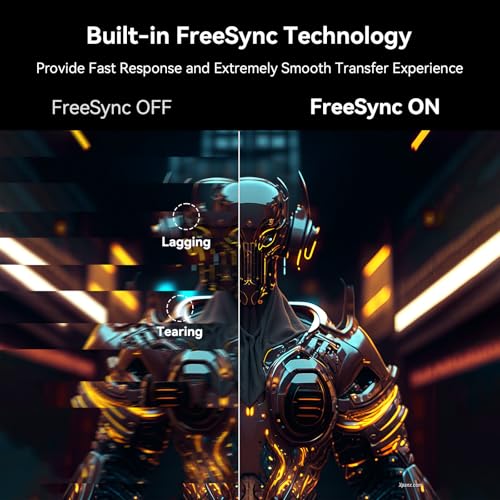
Adaptive sync, such as AMD FreeSync or NVIDIA G-Sync, helps prevent screen tearing by matching the monitor refresh rate to the graphics card frame rate. Most curved gaming monitors support FreeSync, and many also support G-Sync Compatible, which is useful if you have an NVIDIA card. HDR, or high dynamic range, can make bright highlights and dark shadows look more realistic, but many budget curved monitors have only HDR400, which is a basic level, while premium monitors have HDR600 or higher, which is more noticeable.
Best Curved Monitor for Immersive Gaming Comparison
The table below compares six real, currently sold curved monitors for immersive gaming. Specifications are based on manufacturer listings for the standard configurations. Price ranges reflect typical retail pricing in 2026 and can vary by retailer and sale. Ratings summarize typical retailer user feedback for immersion, refresh rate, colour, build quality, and value.
| Monitor | Size | Resolution | Refresh Rate | Curve | Panel | Typical Price Range | Rating |
|---|---|---|---|---|---|---|---|
| AOC C27G2Z | 27 in | 1920×1080 | 240 Hz | 1500R | VA | $180-$200 | 4.6 / 5 |
| Samsung Odyssey G5 27 | 27 in | 2560×1440 | 165 Hz | 1000R | VA | $200-$230 | 4.7 / 5 |
| MSI Optix MAG274C | 27 in | 1920×1080 | 165 Hz | 1500R | VA | $250-$280 | 4.6 / 5 |
| Gigabyte G27QC A | 27 in | 2560×1440 | 165 Hz | 1500R | VA | $280-$320 | 4.7 / 5 |
| LG UltraGear 34GP63A | 34 in | 2560×1080 | 160 Hz | 1500R | VA | $350-$400 | 4.7 / 5 |
| Samsung Odyssey G7 32 | 32 in | 2560×1440 | 240 Hz | 1000R | VA | $500-$550 | 4.8 / 5 |
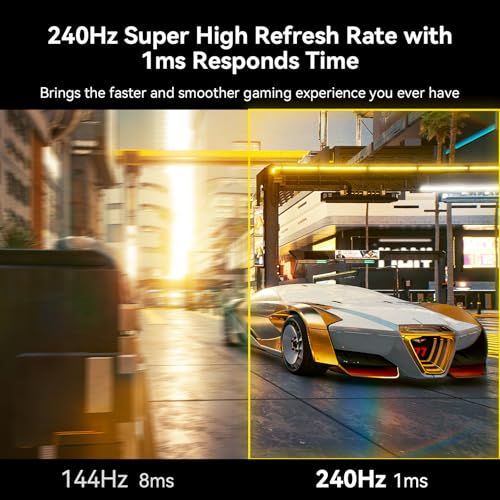
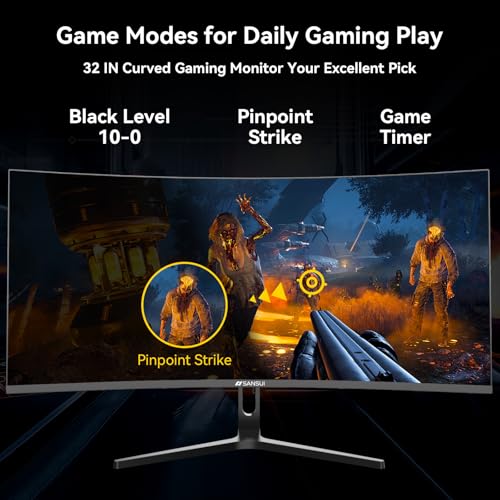
SANSUI 32 Inch Curved 240Hz Gaming Monitor High Refresh Rate, FHD 1080P | Gaming PC Monitor HDMI DP1.4, 1500R Curvature, 1Ms MPRT, HDR,Metal Stand,VESA Compatible(DP Cable Incl.)




As an Amazon Associate we earn from qualifying purchases. Product prices and availability are accurate as of the date/time indicated.

Sceptre Curved 27-inch Prime Gaming Monitor 1500R 100Hz HDMI X2 DisplayPort 1ms 100% sRGB, Build-in Speakers Machine Black 2025 (C275W-FW100T Series)
As an Amazon Associate we earn from qualifying purchases. Product prices and availability are accurate as of the date/time indicated.

Samsung 34" Odyssey G5 (G55H) Ultra WQHD 180Hz Gaming Monitor | Ultra WQHD Gaming Monitor featuring 1000R Curved Screen, 180Hz, and AMD FreeSync Premium (LS34HG550ENXZA)
As an Amazon Associate we earn from qualifying purchases. Product prices and availability are accurate as of the date/time indicated.
Prices shown are approximate and for reference only. Prices change often, so please check the current price on Amazon before you buy.
Best Curved Monitor for Immersive Gaming Reviewed for 2026
1. AOC C27G2Z Best Curved Monitor for Immersive Gaming
The AOC C27G2Z is a 27-inch monitor with a 1920×1080 resolution, a 240 Hz refresh rate, and a 1500R curve. It uses a VA panel and is priced in the range of $180 to $200. Its 240 Hz refresh rate is the joint highest in this table, which is useful for competitive gaming, and its 1500R curve is gentle enough for a desk where you sit at a normal distance.
In use, the C27G2Z is practical because its 240 Hz rate makes fast motion look very smooth, even though its 1080p resolution is lower than the QHD monitors in this table. Its 27-inch size is a good fit for a small desk, and its VA panel gives good contrast for dark games. It suits a gamer who wants the fastest refresh rate in this comparison at the lowest price, and who is willing to accept 1080p for that speed.
2. Samsung Odyssey G5 27 Best Curved Monitor for Immersive Gaming
The Samsung Odyssey G5 27 is a 27-inch monitor with a 2560×1440 resolution, a 165 Hz refresh rate, and a 1000R curve. It uses a VA panel and is priced in the range of $200 to $230. Its 1000R curve is tighter than the AOC, which makes it feel more immersive at a close distance, and its QHD resolution is sharper than 1080p, which is noticeable in open-world games.
For immersive gaming, the G5 27 is a strong choice because its 1000R curve wraps around your view more than a 1500R curve, while its 165 Hz refresh rate is still fast enough for most games. Its 27-inch size is compact, and its Samsung build is intended to be durable for regular use. It is best for a gamer who wants a tight curve and QHD resolution at a reasonable price.
3. MSI Optix MAG274C Best Curved Monitor for Immersive Gaming
The MSI Optix MAG274C is a 27-inch monitor with a 1920×1080 resolution, a 165 Hz refresh rate, and a 1500R curve. It uses a VA panel and is priced in the range of $250 to $280. Its 165 Hz refresh rate is fast enough for most games, and its 1500R curve is a standard curve for a 27-inch monitor, which is easy to get used to.
In a gaming setup, the MAG274C is useful because its MSI design includes a frameless bezel and a stand that can tilt and adjust height, which is useful for a desk where you need to adjust the screen angle. Its 1080p resolution is lower than the G5, but its 165 Hz rate is the same, and its price reflects its MSI brand and its adjustable stand. It suits a gamer who wants a reliable 27-inch curved monitor with a good stand.
4. Gigabyte G27QC A Best Curved Monitor for Immersive Gaming
The Gigabyte G27QC A is a 27-inch monitor with a 2560×1440 resolution, a 165 Hz refresh rate, and a 1500R curve. It uses a VA panel and is priced in the range of $280 to $320. Its QHD resolution is sharper than 1080p, and its 165 Hz refresh rate is fast enough for most games, while its 1500R curve is a gentle curve that suits a normal desk distance.
For a QHD curved monitor, the G27QC A is a solid choice because its QHD resolution shows more detail than a 1080p monitor, and its VA panel gives good contrast for dark scenes. Its Gigabyte design includes a range of ports, including DisplayPort and HDMI, which is useful if you connect a console as well as a PC. It is best for a gamer who wants QHD and a 165 Hz rate in a 27-inch size.
5. LG UltraGear 34GP63A Best Curved Monitor for Immersive Gaming
The LG UltraGear 34GP63A is a 34-inch monitor with a 2560×1080 resolution, a 160 Hz refresh rate, and a 1500R curve. It uses a VA panel and is priced in the range of $350 to $400. Its 34-inch ultrawide size is the widest in this table, with a 21:9 aspect ratio that shows more of a game at once, which is useful for open-world and racing games.
In use, the 34GP63A is useful because its ultrawide screen gives a wider field of view than a 16:9 monitor, which can make a game feel more immersive, especially when you are driving or exploring a large world. Its 160 Hz refresh rate is close to 165 Hz, and its 2560×1080 resolution is less demanding on a graphics card than a 3440×1440 ultrawide, so it can run at high frame rates on a mid-range card. It suits a gamer who wants an ultrawide screen without needing a very powerful graphics card.
6. Samsung Odyssey G7 32 Best Curved Monitor for Immersive Gaming
The Samsung Odyssey G7 32 is a 32-inch monitor with a 2560×1440 resolution, a 240 Hz refresh rate, and a 1000R curve. It uses a VA panel and is priced in the range of $500 to $550. Its 240 Hz refresh rate is the joint highest in this table, and its 1000R curve is the tightest, which makes it the most immersive monitor in this comparison for a close desk setup.
For a premium immersive monitor, the G7 32 is a top choice because its 32-inch size is larger than a 27-inch monitor, its QHD resolution is sharp, and its 240 Hz rate is fast enough for competitive play. Its 1000R curve wraps further around your view than a 1500R curve, which is noticeable in first-person games. It is best for a gamer who wants the largest, fastest, and most immersive curved monitor in this table, and who is willing to pay a premium for it.
Buying Guide: How to Choose the Best Curved Monitor for Immersive Gaming
Start with your desk size, your graphics card, and the games you play, not with a single specification. If your desk is small, choose a 27-inch monitor. If your desk is large, choose a 32-inch or 34-inch ultrawide. If your graphics card is mid range, choose a QHD or 1080p monitor, because a 4K monitor will be hard to run at high frame rates. Then check the practical details: curve, refresh rate, panel type, and ports.
Choose Curve and Size for Your Desk
Choose a curve that matches your viewing distance. A 1000R curve is best if you sit close to the screen, about 50 to 60 cm away, because it matches the natural curve of your eye. A 1500R curve is best if you sit further back, or if you want a gentler curve that is less noticeable. Choose a size that fits your desk: a 27-inch monitor needs about 60 cm of desk width, while a 34-inch ultrawide needs about 80 cm, and it also needs a deeper desk to sit at a comfortable distance.
Choose Refresh Rate and Resolution for Your Graphics Card
Choose a refresh rate that your graphics card can actually reach in the games you play. A 165 Hz monitor is a good target for most gamers, because most mid-range cards can reach 100 to 165 frames per second in many games at QHD. A 240 Hz monitor is better for competitive shooters, but it needs a strong card to reach 240 frames per second, and it will not make a difference if your card only reaches 100 frames per second. Choose a resolution that matches your card: 1080p for a budget card, QHD for a mid-range card, and 3440×1440 ultrawide for a high-end card.
Check Panel Type, Adaptive Sync, and Ports
Check panel type before you buy, because a VA panel offers better contrast for dark games, while an IPS panel offers better colour accuracy for work and sharing. Check adaptive sync, because FreeSync and G-Sync Compatible will prevent tearing, and check that your graphics card supports the sync type on the monitor. Check ports, because a monitor with DisplayPort 1.4 and HDMI 2.0 will support high refresh rates at QHD, while a monitor with only HDMI 1.4 may be limited to 60 Hz. A fact not in the table is that a monitor with a VESA mount can be attached to a monitor arm, which frees desk space and lets you adjust the screen height more easily than a fixed stand.
Budget Guide for Best Curved Monitor for Immersive Gaming
A monitor in the $180-$230 range can provide good immersive gaming if it is a 27-inch QHD or 240 Hz model, while a monitor in the $280-$400 range often provides a larger size, an ultrawide screen, or a better panel. A monitor in the $500-$550 range, such as the Samsung Odyssey G7 32, is for a user who wants a premium 32-inch screen, a 240 Hz rate, and a 1000R curve. The budget pick in this comparison is the AOC C27G2Z, at $180-$200, because it is the cheapest model in the table and still offers a 27-inch size, a 240 Hz refresh rate, a 1500R curve, and a VA panel that gives good contrast for dark games. For most gamers, matching the monitor to your desk and graphics card will help more than buying the largest monitor, because a monitor that is too large for your desk or too demanding for your card will be harder to use, even if it has a better specification on paper. Spend the saving on a DisplayPort cable, a monitor arm, or a better graphics card, if you need one.
Frequently Asked Questions About the Best Curved Monitor for Immersive Gaming
What is the best curved monitor for immersive gaming in 2026?
For the best curved monitor for immersive gaming in 2026, the AOC C27G2Z is often the best budget choice because it offers a 27-inch size, a 240 Hz refresh rate, and a price of $180 to $200. A useful extra fact is that a 1000R curve feels more immersive at a close distance, but it can make straight lines in a spreadsheet look curved, so if you use the same monitor for work, a 1500R curve may be a better compromise. Choose based on your desk size, your graphics card, and whether you play fast shooters or open-world games.
Is a curved monitor better than a flat monitor for gaming?
A curved monitor can be better than a flat monitor for immersive gaming, because the curve fills more of your peripheral vision and can make a game feel wider, especially on a large screen. A useful extra fact is that the benefit is most noticeable on a 32-inch or larger monitor, or on an ultrawide, while on a 24-inch monitor the curve is less noticeable and a flat monitor may be just as good. For competitive play, the curve does not improve reaction time, but it can make long sessions feel more comfortable because your eyes do not need to move as far to see the edges.
What size curved monitor is best for immersive gaming?
What size curved monitor is best for immersive gaming depends on your desk and viewing distance. A useful extra fact is that a 27-inch monitor is a good size for a desk where you sit about 60 cm away, a 32-inch monitor is better if you sit 70 to 80 cm away, and a 34-inch ultrawide is best if you sit 80 cm or more away, because a screen that is too close will force you to move your head to see the edges. Measure your desk depth before you buy, and check that you can sit at the recommended distance without the screen filling your whole view.
Do I need a powerful graphics card for a curved monitor?
You need a powerful graphics card for a curved monitor only if you choose a high resolution or a high refresh rate. A useful extra fact is that a 1080p 240 Hz monitor can run at high frame rates on a mid-range card, while a QHD 165 Hz monitor needs a stronger card, and a 3440×1440 ultrawide needs an even stronger card to reach 100 frames per second. Check the recommended graphics card for the games you play, and choose a monitor resolution that your card can run at your target frame rate, rather than buying the highest resolution available.
Related guides
- Best Cheap Memory Card Reader Under 30 in 2026: 6 Fast, Reliable Readers for SD and microSD
- Gaming Monitor vs Office Monitor for Work in 2026: 3 Gaming Monitors and 3 Office Monitors Compared for Work, With Refresh Rate, Resolution, and a Price Range
- Best Flatbed Scanner vs Document Scanner for Offices in 2026: Which Scanner Is Best for Your Office?
- Best Cheap Laptop Stand for Students in 2026: Best Cheap Laptop Stand for Students for Good Posture, Easy Study, and Simple Desk Use
More from Amazon
Programs that pair well with the guide above. Offers and eligibility are set by Amazon and may change.
Free shipping on eligible items, Prime Video and more. Eligible new members can start with a free trial.
Start a Prime free trialAd-free music streaming. Eligible new subscribers can start with a free trial.
Try Music Unlimited freeA Prime membership for ages 18-24 with a trial period. Eligibility is set by Amazon.
See Prime for Young AdultsAudiobooks and podcasts to listen to on the go. Eligible new members can start with a free trial.
Try Audible freeAs an Amazon Associate we earn from qualifying purchases.

Write Your Review
No reviews yet. Be the first to share your experience!