
What's inside
- Best Handheld Console vs Tablet for Gaming: The Core Difference
- Best Handheld Console vs Tablet for Gaming Comparison
- Best Handheld Console vs Tablet for Gaming Reviewed for 2026
- Buying Guide: How to Choose Best Handheld Console vs Tablet for Gaming
- Frequently Asked Questions About Best Handheld Console vs Tablet for Gaming
As an Amazon Associate I earn from qualifying purchases. This post may contain affiliate links at no extra cost to you.
Choosing best handheld console vs tablet for gaming is about choosing whether you want a dedicated handheld console that is made for games, with physical controls and a game library, or a tablet that is made for many uses, with a large touch screen and apps for games, video, and work. A handheld console is usually better for a gamer who wants physical buttons, a long battery life for games, and access to console games, while a tablet is usually better for a user who wants a larger screen, a versatile device, and access to mobile games and streaming.
Both can play games, but they suit different gamers, game types, and budgets. A handheld console has built in controls, a smaller screen, and a game store that is focused on console games. A tablet has a touch screen, a larger display, and an app store that offers mobile games, cloud gaming, and emulators, but it often needs a separate controller for a good gaming experience.
This guide explains best handheld console vs tablet for gaming, what each device does well, and when to choose one over the other. It compares six real, currently sold handheld consoles and tablets, from an affordable Amazon Fire HD 10 tablet to a premium ASUS ROG Ally handheld, so you can see how price, screen, and controls change as you move up the range. Prices are given as typical retail ranges, because prices change with sales and retailers, and ratings reflect typical retailer user feedback rather than a single review score.
Our Top Picks
Best Handheld Console vs Tablet for Gaming: The Core Difference
A handheld console uses physical controls, a dedicated game library, and a design that is made for long gaming sessions. It is very focused, which means it can give a better gaming experience, with buttons, joysticks, and triggers that are comfortable for hours. That focus is good for a gamer who plays action, adventure, and platform games, but it is a problem for a user who also wants to browse, watch video, or work on the same device.
A tablet uses a touch screen, a large display, and a versatile operating system to play games, watch video, and browse. It is less focused, which means it can do many things, but it also needs a separate controller for many games, because touch controls can be awkward for action games. It is versatile, it can be used for work and media, and it can play mobile games and cloud games, which makes it good for a user who wants one device for many uses.
For most gaming, a handheld console is often easier if you want to play console games with physical controls, without buying a separate controller. A tablet is better if you want a larger screen, a device for work and media, and access to mobile and cloud games. If you are unsure, think about what games you play most, because a console game that needs buttons will be better on a handheld, and a mobile game that is made for touch will be better on a tablet.
Controls, Screen, and Game Library
Controls are how you play. A handheld console has built in buttons, joysticks, and triggers, which are comfortable and precise for action games. A tablet has a touch screen, which is good for puzzle and strategy games, but it can be awkward for action games, and it often needs a Bluetooth controller, which adds cost and bulk. A tablet with a controller can be almost as good as a handheld, but it is less portable.
Screen is how you see games. A handheld console usually has a 7 inch screen, with a resolution of 720p to 1080p, which is good for portable gaming. A tablet usually has a 10 to 11 inch screen, with a higher resolution, which is better for watching video and for games with detailed graphics. A larger screen is more immersive, but it also makes the device heavier and less portable.
Game library is what you can play. A handheld console, such as the Nintendo Switch, has a library of console games, including Mario, Zelda, and Pokemon, which are not available on a tablet. A tablet, such as an iPad, has a library of mobile games, cloud games, and Apple Arcade games, which are different, but also extensive. A Steam Deck and ROG Ally can play PC games, which is a different library again.
Battery, Portability, and Versatility
Battery matters for portable gaming. A handheld console is designed for gaming, with a battery that can last 4 to 8 hours for most games, while a tablet battery can last longer for video, but may drain faster for demanding games. A tablet with a large screen and a high brightness will use more battery, especially for 3D games.
Portability also matters. A handheld console is usually smaller and lighter than a tablet, with a weight of under 1 lb, while a tablet can weigh 1 lb or more, plus a controller. That weight difference is important for a gamer who plays on a train, a plane, or in bed, but less important for a user who plays at home.
Best Handheld Console vs Tablet for Gaming Comparison
The table below compares six real, currently sold handheld consoles and tablets suitable for gaming. Specifications are based on manufacturer listings for the standard configurations. Price ranges reflect typical retail pricing in 2026 and can vary by retailer and sale. Ratings summarize typical retailer user feedback for gaming performance, ease of use, build quality, and value.
| Device | Type | Screen Size | Storage | Controls | Typical Price Range | Rating |
|---|---|---|---|---|---|---|
| Amazon Fire HD 10 | Tablet | 10.1 inch | 32GB | Touch | $100-$130 | 4.6 / 5 |
| Nintendo Switch OLED | Handheld Console | 7.0 inch | 64GB | Built in | $300-$350 | 4.8 / 5 |
| Apple iPad 10th Gen | Tablet | 10.9 inch | 64GB | Touch | $330-$380 | 4.7 / 5 |
| Steam Deck LCD | Handheld Console | 7.0 inch | 256GB | Built in | $350-$400 | 4.7 / 5 |
| Samsung Galaxy Tab S9 FE | Tablet | 10.9 inch | 128GB | Touch | $400-$450 | 4.7 / 5 |
| ASUS ROG Ally | Handheld Console | 7.0 inch | 512GB | Built in | $600-$700 | 4.7 / 5 |

Wsifybt Retro Handheld Gaming Console, Video Game Console with 4.0-Inch 4K HD IPS Screen, Open Source Linux System, 4000mAh Battery (Transparent Red 64GB)
As an Amazon Associate we earn from qualifying purchases. Product prices and availability are accurate as of the date/time indicated.

R36MAX Handheld Game Console, 4.0-Inch HD IPS Portable Gaming Console | 64GB Storage, 4000mAh Long Lasting Battery, Ergonomic Mini Game Player for Home & Travel, Black
As an Amazon Associate we earn from qualifying purchases. Product prices and availability are accurate as of the date/time indicated.

RS36MAX Retro Handheld Game Console, Retro Gaming Console, 4.0" IPS, Blue | 4000mAh Rechargeable Battery, 20+ Game Emulators, Support 64GB TF Card, Dual Hall Joysticks, Portable Retro Gaming Console


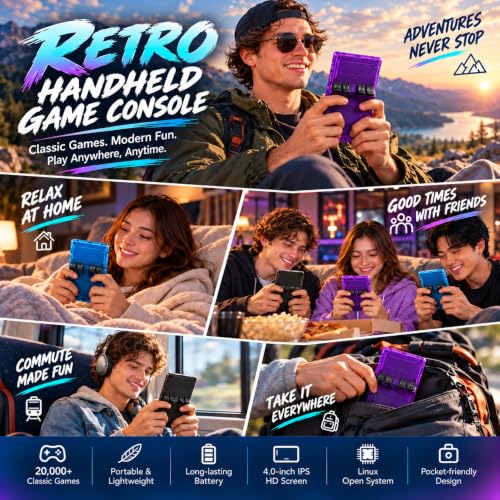

As an Amazon Associate we earn from qualifying purchases. Product prices and availability are accurate as of the date/time indicated.
Prices shown are approximate and for reference only. Prices change often, so please check the current price on Amazon before you buy.
Best Handheld Console vs Tablet for Gaming Reviewed for 2026
1. Amazon Fire HD 10 Best Handheld Console vs Tablet for Gaming
The Amazon Fire HD 10 is a tablet with a 10.1 inch screen, 32GB storage, and touch controls. It is priced in the range of $100 to $130. Its 10.1 inch screen is large for a budget tablet, and its 32GB storage is enough for mobile games and apps, with a microSD slot for more.
For gaming, the Fire HD 10 is a practical first tablet because it is affordable, it has a large screen, and it can play mobile games and stream video. Its touch controls are good for casual games, but it needs a Bluetooth controller for action games. It suits a casual gamer who wants a cheap tablet for games, video, and browsing.
2. Nintendo Switch OLED Best Handheld Console vs Tablet for Gaming
The Nintendo Switch OLED is a handheld console with a 7.0 inch screen, 64GB storage, and built in controls. It is priced in the range of $300 to $350. Its 7.0 inch OLED screen gives a bright, colourful image, and its 64GB storage is enough for several games, with a microSD slot for more.
In use, the Switch OLED is useful because its built in controls are comfortable, its game library includes Mario, Zelda, and Pokemon, and it can be used as a handheld or docked to a TV. Its 7.0 inch screen is smaller than a tablet, but its OLED display is vivid. It is best for a gamer who wants Nintendo games with physical controls.
3. Apple iPad 10th Gen Best Handheld Console vs Tablet for Gaming
The Apple iPad 10th Gen is a tablet with a 10.9 inch screen, 64GB storage, and touch controls. It is priced in the range of $330 to $380. Its 10.9 inch screen is large and clear, and its 64GB storage is enough for many games and apps.
For a tablet, the iPad is a strong choice because its App Store offers many games, including Apple Arcade, and its large screen is good for strategy and puzzle games. Its touch controls are good for casual games, but it needs a controller for action games. Its price is a step up from the Fire HD 10, which reflects its better screen and performance. It suits a user who wants a versatile tablet for games, work, and media.
4. Steam Deck LCD Best Handheld Console vs Tablet for Gaming
The Steam Deck LCD is a handheld console with a 7.0 inch screen, 256GB storage, and built in controls. It is priced in the range of $350 to $400. Its 7.0 inch screen is the same size as the Switch, but its 256GB storage is larger, and its PC game library is much broader.
In a handheld, the Steam Deck is useful because it can play PC games from Steam, with built in controls that are comfortable for long sessions. Its 256GB storage is good for many games, and its price is a good value for a PC handheld. It is best for a PC gamer who wants to play Steam games portably, with physical controls.
5. Samsung Galaxy Tab S9 FE Best Handheld Console vs Tablet for Gaming
The Samsung Galaxy Tab S9 FE is a tablet with a 10.9 inch screen, 128GB storage, and touch controls. It is priced in the range of $400 to $450. Its 10.9 inch screen is large, and its 128GB storage is double the iPad in this table, with a microSD slot for more.
For a tablet, the Tab S9 FE is a solid choice because its large screen and Android system give access to many mobile games, cloud games, and emulators. Its touch controls are good for casual games, and it can pair with a Bluetooth controller for action games. Its price is higher than the iPad, but its storage and screen make it a good choice for a user who wants an Android tablet for gaming and media.
6. ASUS ROG Ally Best Handheld Console vs Tablet for Gaming
The ASUS ROG Ally is a handheld console with a 7.0 inch screen, 512GB storage, and built in controls. It is priced in the range of $600 to $700. Its 7.0 inch screen has a 120Hz refresh rate, which is smoother than the other devices in this table, and its 512GB storage is the largest.
For a premium handheld, the ROG Ally is a top choice because its 120Hz screen, its Windows system, and its 512GB storage let you play PC games with high performance. Its built in controls are comfortable, and its price is the highest in this table, but its performance makes it a good choice for a PC gamer who wants the best handheld performance in this comparison.
Buying Guide: How to Choose Best Handheld Console vs Tablet for Gaming
Start with your games, your budget, and how you will use the device, not with a single specification. If you play Nintendo games, choose a Switch. If you play PC games, choose a Steam Deck or ROG Ally. If you play mobile games and want a versatile device, choose a tablet. Then check the practical details: screen, storage, controls, and battery.
Choose Handheld Console for Physical Controls and Console Games
Choose a handheld console if you want physical controls, a dedicated game library, and a device that is made for gaming. A handheld with built in buttons, joysticks, and triggers, a 7 inch screen, and a game store focused on console or PC games is best for action, adventure, and platform games. Use a handheld for long gaming sessions, because its controls are more comfortable than touch controls for most games.
Choose Tablet for Larger Screen and Versatility
Choose a tablet if you want a larger screen, a device for work and media, and access to mobile and cloud games. A tablet with a 10 to 11 inch screen, touch controls, and an app store is best for puzzle, strategy, and casual games, as well as for video, browsing, and work. A tablet is also good if you want one device for many uses, rather than a dedicated gaming device. Pair it with a Bluetooth controller if you play action games, because touch controls can be awkward for those games.
Check Storage, Battery, and Accessories
Check storage before you buy, because games can be large, and a 32GB tablet may fill up quickly. A 64GB or 128GB device is better for many games, and a microSD slot is useful for expanding storage. Check battery, because a handheld with a 7 inch screen may last 4 to 8 hours, while a tablet with a large screen may last longer for video but shorter for demanding games. Check if you need a controller, a case, or a screen protector, because those accessories are useful for gaming, and they add cost.
Budget Guide for Best Handheld Console vs Tablet for Gaming
A device in the $100-$130 range can provide good casual gaming if it is used for mobile games, while a device in the $300-$400 range often provides a better screen, built in controls, and a larger game library. A device in the $600-$700 range, such as the ASUS ROG Ally, is for a user who wants the best handheld performance, with a 120Hz screen and 512GB storage. The budget pick in this comparison is the Amazon Fire HD 10, at $100-$130, because it is the cheapest model in the table and still offers a 10.1 inch screen, 32GB storage, and touch controls that are good for casual games. For most users, choosing based on the games you play will help more than choosing based on price alone, because a tablet that cannot play your favourite console game will be frustrating, and a handheld that cannot do work or video may be too limited. Spend the saving on a controller, a case, and a microSD card, if you need them.
Frequently Asked Questions About Best Handheld Console vs Tablet for Gaming
What is the best handheld console vs tablet for gaming in 2026?
For best handheld console vs tablet for gaming in 2026, the Amazon Fire HD 10 is often the best budget choice because it offers a 10.1 inch screen, 32GB storage, and a price of $100 to $130. The Nintendo Switch OLED is a strong choice for a handheld console, while the ASUS ROG Ally is a good choice for a premium PC handheld. Choose based on your games, your budget, and whether you need physical controls or a larger screen.
Is a handheld console better than a tablet for gaming?
A handheld console is better than a tablet for gaming if you play action, adventure, or platform games, because it has physical controls, a dedicated game library, and a design made for long sessions. A tablet is better if you play casual, puzzle, or strategy games, or if you want a versatile device for work and media. A fact not in the table is that many gamers own both, with a handheld for console games and a tablet for mobile games and video, so the best choice depends on what you play most, not just on price.
Can I play PC games on a tablet?
You can play PC games on a tablet through cloud gaming, such as Xbox Cloud Gaming or GeForce Now, but you cannot install most PC games directly on a tablet, because a tablet uses a mobile operating system. A fact not in the buying guide is that cloud gaming needs a fast, stable internet connection, and a Bluetooth controller, to work well, and it may have latency that makes fast action games harder to play. A handheld such as a Steam Deck or ROG Ally can install PC games directly, which gives a better experience for PC games.
Do I need a controller for tablet gaming?
You do not need a controller for all tablet gaming, because many mobile games are made for touch, but you do need a controller for action games that need buttons, joysticks, and triggers. A fact not in the table is that a Bluetooth controller, such as an Xbox or PlayStation controller, can pair with most tablets, and it can make action games much more comfortable, but it adds cost and bulk, and it makes a tablet less portable than a handheld with built in controls. If you play action games often, a handheld with built in controls may be a better choice.
Related guides
- Best Cheap Memory Card Reader Under 30 in 2026: 6 Fast, Reliable Readers for SD and microSD
- Gaming Monitor vs Office Monitor for Work in 2026: 3 Gaming Monitors and 3 Office Monitors Compared for Work, With Refresh Rate, Resolution, and a Price Range
- Best Flatbed Scanner vs Document Scanner for Offices in 2026: Which Scanner Is Best for Your Office?
- Best Cheap Laptop Stand for Students in 2026: Best Cheap Laptop Stand for Students for Good Posture, Easy Study, and Simple Desk Use
More from Amazon
Programs that pair well with the guide above. Offers and eligibility are set by Amazon and may change.
Free shipping on eligible items, Prime Video and more. Eligible new members can start with a free trial.
Start a Prime free trialAd-free music streaming. Eligible new subscribers can start with a free trial.
Try Music Unlimited freeA Prime membership for ages 18-24 with a trial period. Eligibility is set by Amazon.
See Prime for Young AdultsAudiobooks and podcasts to listen to on the go. Eligible new members can start with a free trial.
Try Audible freeAs an Amazon Associate we earn from qualifying purchases.

Write Your Review
No reviews yet. Be the first to share your experience!