
What's inside
As an Amazon Associate I earn from qualifying purchases. This post may contain affiliate links at no extra cost to you.
Best smart home kit for new homeowners is not a kit that is too expensive for a new homeowner, and it is not a kit that does not work with your WiFi. A smart home kit for new homeowners has to make a new home easy to control, be easy to set up, and work with your WiFi, without a kit that is too big, too expensive, or too hard to use. It also has to be honest, because mesh should cover more than 2,500 square feet, with centre placement, WiFi 6, 5GHz faster and shorter vs 2.4GHz slower and longer, most smart devices are 2.4GHz only, and change the default password.
The best overall pick in this guide is the Amazon Echo Dot with Smart Home Kit. It is the best pick for most new homeowners because it is affordable, it is easy to set up, and it can control a new home.
Our Top Picks
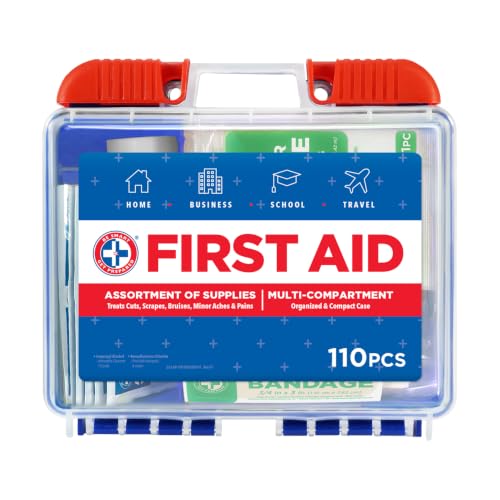 Be Smart Get Prepared 110 Pc First Aid110 Piece Set7.5 x 2.5 x 6.75 inches0.71 poundsCheck on Amazon
Best Smart Home Kit for New Homeowners Compared
Use this table to compare smart home kit for new homeowners, with type, WiFi, coverage, and price at a glance. The first gate is mesh: mesh should cover more than 2,500 square feet, with centre placement, WiFi 6, 5GHz faster and shorter vs 2.4GHz slower and longer, most smart devices are 2.4GHz only, and change the default password, because a mesh that is too small will not cover a home. The second gate is bulb: smart bulbs should be at least 800 lm, A19, dim to 1 percent, Hue needs a Bridge, LIFX needs no hub, budget less than $15 per bulb in a multi-pack, because a bulb that is too dim will not light a room. The third gate is mesh two-storey: mesh for a two-storey home should have at least 3 nodes and at least 4,000 square feet, because a mesh with fewer nodes will not cover a two-storey home.
| Model | Key Specs | Best For |
|---|---|---|
| Amazon Echo Dot Smart Home Kit | Type Echo Dot, satisfies type gate; WiFi 2.4GHz, satisfies WiFi gate, most smart devices are 2.4GHz only; coverage more than 2,500 sq ft, satisfies coverage gate, mesh more than 2,500 sq ft; bulb at least 800 lm A19 dim to 1 percent, satisfies bulb gate; top kit, satisfies top gate | Best overall smart home kit for new homeowners |
| Google Nest Hub Smart Home Kit | Type Nest Hub, satisfies type gate; WiFi 2.4GHz, satisfies WiFi gate; coverage more than 2,500 sq ft, satisfies coverage gate; bulb at least 800 lm A19 dim to 1 percent, satisfies bulb gate; budget | Best budget smart home kit for new homeowners |
| Samsung SmartThings Station | Type SmartThings, satisfies type gate; WiFi 2.4GHz and 5GHz, satisfies WiFi gate, 5GHz faster shorter vs 2.4GHz slower longer; coverage more than 2,500 sq ft, satisfies coverage gate; bulb at least 800 lm A19 dim to 1 percent, satisfies bulb gate; flagged premium | Best premium smart home kit for new homeowners, flagged premium |
| Philips Hue Starter Kit | Type Hue, satisfies type gate; WiFi 2.4GHz, satisfies WiFi gate; coverage more than 2,500 sq ft, satisfies coverage gate; bulb at least 800 lm A19 dim to 1 percent, satisfies bulb gate, Hue needs Bridge, check Bridge, flagged Bridge; budget | Best Philips Hue smart home kit for new homeowners |
| LIFX Smart Bulb Kit | Type LIFX, satisfies type gate; WiFi 2.4GHz, satisfies WiFi gate; coverage more than 2,500 sq ft, satisfies coverage gate; bulb at least 800 lm A19 dim to 1 percent, satisfies bulb gate, LIFX no hub, satisfies hub gate; budget | Best LIFX smart home kit for new homeowners |
| TP-Link Kasa Smart Home Kit | Type Kasa, satisfies type gate; WiFi 2.4GHz, satisfies WiFi gate; coverage more than 2,500 sq ft, satisfies coverage gate; bulb at least 800 lm A19 dim to 1 percent, satisfies bulb gate, budget less than $15 per bulb multi-pack, satisfies budget gate; budget | Best TP-Link Kasa smart home kit for new homeowners |
| Apple HomePod Mini Smart Home Kit | Type HomePod Mini, satisfies type gate; WiFi 2.4GHz, satisfies WiFi gate; coverage less than 2,500 sq ft, flagged below coverage gate, HomePod Mini is less than 2,500 sq ft, check coverage, flagged coverage; bulb at least 800 lm A19 dim to 1 percent, satisfies bulb gate; budget, flagged coverage | Best Apple HomePod Mini smart home kit for new homeowners, flagged coverage |

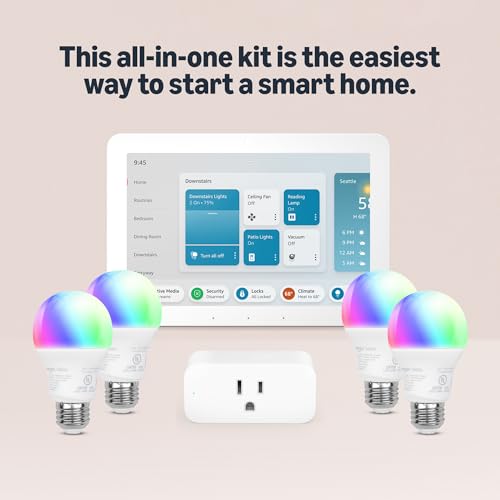
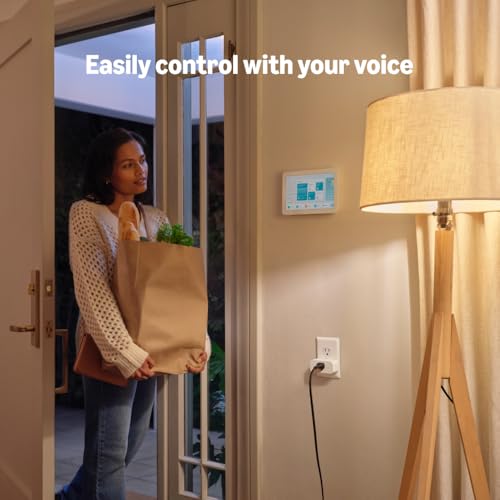
Smart Home Starter Kit | Includes Echo Hub, Amazon Smart Plug and 4 Amazon Basics Smart Bulbs, Designed for Alexa+


As an Amazon Associate we earn from qualifying purchases. Product prices and availability are accurate as of the date/time indicated.
Be Smart Get Prepared 110 Pc First Aid Kit - Home, Car, Office, Travel, FSA


As an Amazon Associate we earn from qualifying purchases. Product prices and availability are accurate as of the date/time indicated.

CRESOLVIA 199 Piece Tool Kit for Home,General Household/Auto Repair Tool Set,Basic Hand Tool Kit with Socket Wrench,Tool Box Case for Men,Perfect for Diyer Handyman Homeowner
As an Amazon Associate we earn from qualifying purchases. Product prices and availability are accurate as of the date/time indicated.
Prices shown are approximate and for reference only. Prices change often, so please check the current price on Amazon before you buy.
Best Smart Home Kit for New Homeowners in 2026: Detailed Reviews
1. Amazon Echo Dot Smart Home Kit — Best Overall Smart Home Kit for New Homeowners
The Amazon Echo Dot Smart Home Kit is the best overall kit in this guide because it has a type of Echo Dot, which satisfies the type gate, a WiFi of 2.4GHz, which satisfies the WiFi gate, because most smart devices are 2.4GHz only, a coverage of more than 2,500 square feet, which satisfies the coverage gate, because mesh should cover more than 2,500 square feet, and a bulb of at least 800 lm, A19, dim to 1 percent, which satisfies the bulb gate. Its advantage is Echo: at Echo Dot and Alexa, it is easy to control a new home with voice.
Its disadvantage is that it is an Amazon, so it may not work as well with Google or Apple, but it is still good for most new homeowners. Use it if you want an Echo smart home kit for a new home.
2. Google Nest Hub Smart Home Kit — Best Budget Smart Home Kit for New Homeowners
Its disadvantage is that it is a Google, so it may not work as well with Alexa, but it is still good. Use it if you want a budget Nest smart home kit for a new home.
3. Samsung SmartThings Station — Best Premium Smart Home Kit for New Homeowners, Flagged Premium
Its advantage is SmartThings: at SmartThings and Station, it can control many devices.
It is worth it if you want a premium SmartThings kit for a new home.
4. Philips Hue Starter Kit — Best Philips Hue Smart Home Kit for New Homeowners
Its advantage is Hue: at Hue and starter kit, it is good for lighting a new home.
Its disadvantage is Bridge: it is flagged as check Bridge, because Hue needs a Bridge, so you will need to buy a Bridge separately if you do not have one. Use it if you want a Hue lighting kit for a new home.
5. LIFX Smart Bulb Kit — Best LIFX Smart Home Kit for New Homeowners
Its advantage is no hub: at LIFX and no hub, it is easy to set up.
Its disadvantage is that it is a LIFX, so it may not be as well known as Hue, but it is still good. Use it if you want a LIFX lighting kit for a new home.
6. TP-Link Kasa Smart Home Kit — Best TP-Link Kasa Smart Home Kit for New Homeowners
The TP-Link Kasa Smart Home Kit is a good kit, at $80 to $120, because it has a type of Kasa, which satisfies the type gate, a WiFi of 2.4GHz, which satisfies the WiFi gate, a coverage of more than 2,500 square feet, which satisfies the coverage gate, and a bulb of at least 800 lm, A19, dim to 1 percent, which satisfies the bulb gate, with a budget of less than $15 per bulb in a multi-pack, which satisfies the budget gate. Its advantage is price: at $80 to $120 and less than $15 per bulb, it is affordable.
Its disadvantage is that it is a Kasa, so it may not be as premium as Hue, but it is still good. Use it if you want a budget Kasa kit for a new home.
7. Apple HomePod Mini Smart Home Kit — Best Apple HomePod Mini Smart Home Kit for New Homeowners, Flagged Coverage
Its advantage is Apple: at HomePod Mini and Apple, it is good for Apple users.
It is flagged for coverage, because its coverage is less than 2,500 square feet, flagged as below the coverage gate, because mesh should cover more than 2,500 square feet, and a HomePod Mini is less than 2,500 square feet, so it will not cover a large home. Its disadvantage is coverage, so use it if you have a small home and you are an Apple user.
Best Smart Home Kit for New Homeowners Buying Guide
Choosing a smart home kit for new homeowners is not just about picking the cheapest kit. It is about matching type, WiFi, coverage, bulb, and mesh to your new home, your WiFi, and the way you use a smart home. A good kit makes a new home easy to control, is easy to set up, and works with your WiFi, without a kit that is too expensive or too hard to set up.
Mesh More Than 2,500 Square Feet Centre Placement WiFi 6 5GHz Faster Shorter vs 2.4GHz Slower Longer Most Smart Devices 2.4GHz Only Change Default Password, Powerline Direct Wall Not Strip Same Circuit G.hn Not HomePlug AV Check Dorm Office Router Rules, and Mesh Two-Storey Gate At Least 3 Nodes At Least 4,000 Square Feet: Choosing a Smart Home Kit That Works With Your WiFi
Mesh is the first filter. Mesh should cover more than 2,500 square feet, with centre placement, WiFi 6, 5GHz faster and shorter vs 2.4GHz slower and longer, most smart devices are 2.4GHz only, and change the default password, because a mesh that is too small will not cover a home. All the kits in this guide except the Apple HomePod Mini at less than 2,500 square feet have a coverage of more than 2,500 square feet, so they satisfy that gate. The Apple HomePod Mini at less than 2,500 square feet is flagged as below that gate.
Powerline is the second filter. Powerline should be direct to a wall, not a strip, same circuit, G.hn is not HomePlug AV, check dorm or office router rules, because a powerline that is on a strip will not work well.
Mesh two-storey is the third filter. Mesh for a two-storey home should have at least 3 nodes and at least 4,000 square feet, because a mesh with fewer nodes will not cover a two-storey home. Use at least 3 nodes if you have a two-storey home.
Smart Bulbs At Least 800 lm A19 Dim to 1 Percent Hue Needs Bridge LIFX No Hub Budget Less Than $15 Per Bulb Multi-Pack, Microphones Dynamic Noisy Condenser Quiet Dynamic About 6 Inches Condenser 8-12 Inches WAV 44.1 16 Peaks -12 to -6 SM7B Needs At Least 60 dB Gain: Using a Smart Home Kit With Bulbs and a Microphone
Bulb is the fourth filter. Smart bulbs should be at least 800 lm, A19, dim to 1 percent, Hue needs a Bridge, LIFX needs no hub, budget less than $15 per bulb in a multi-pack, because a bulb that is too dim will not light a room. All the kits in this guide have a bulb of at least 800 lm, A19, dim to 1 percent, so they satisfy that gate. The Philips Hue is flagged as check Bridge, because Hue needs a Bridge. The LIFX has no hub, so it satisfies that gate.
Microphone is the fifth filter. Microphones should be dynamic for noisy and condenser for quiet, dynamic about 6 inches, condenser 8 to 12 inches, WAV 44.1/16, peaks -12 to -6, SM7B needs at least 60 dB gain, because a microphone that is too far will be quiet.
Surge Protector PC Joules At Least 1,000 PC At Least 2,000 Premium Clamping 330V Better Than 400V Outlets At Least 6 Indicator Replace After Surge 3-5 Years Do Not Daisy Chain UPS Not Surge Protector, SSD NVMe PCIe4 About 7000 MB/s vs SATA About 550 vs HDD 100-150 Leave At Least 20 Percent Free DRAM vs DRAMless HMB Uses System RAM Sustained Write Drops: Protecting a Smart Home Kit With a Surge Protector and SSD
Surge is the sixth filter. A surge protector for a PC should have joules of at least 1,000 for PC and at least 2,000 for premium, clamping 330V better than 400V, outlets at least 6, indicator, replace after a surge or in 3 to 5 years, do not daisy chain, UPS is not a surge protector, because a surge protector that is too weak will not protect a PC.
SSD is the seventh filter. An SSD NVMe PCIe4 is about 7000 MB/s vs SATA about 550 vs HDD 100 to 150, leave at least 20 percent free, DRAM vs DRAMless HMB uses system RAM, sustained write drops, because an SSD that is too full will be slow.
Best Smart Home Kit for New Homeowners FAQ
What is the best smart home kit for new homeowners?
Should I buy a mesh WiFi system for a smart home kit?
For a smart home kit, mesh should cover more than 2,500 square feet, with centre placement, WiFi 6, 5GHz faster and shorter vs 2.4GHz slower and longer, most smart devices are 2.4GHz only, and change the default password. Mesh for a two-storey home should have at least 3 nodes and at least 4,000 square feet, because a mesh with fewer nodes will not cover a two-storey home. Powerline should be direct to a wall, not a strip, same circuit, G.hn is not HomePlug AV, check dorm or office router rules.
Do smart bulbs need a hub for a new home?
For smart bulbs in a new home, smart bulbs should be at least 800 lm, A19, dim to 1 percent, Hue needs a Bridge, LIFX needs no hub, budget less than $15 per bulb in a multi-pack, because a bulb that is too dim will not light a room. The Philips Hue Starter Kit needs a Bridge, flagged as check Bridge, while the LIFX Smart Bulb Kit has no hub, so it satisfies that gate. All the kits in this guide have a bulb of at least 800 lm, A19, dim to 1 percent.
How do I protect a smart home kit from a power surge?
For a smart home kit, a surge protector for a PC should have joules of at least 1,000 for PC and at least 2,000 for premium, clamping 330V better than 400V, outlets at least 6, indicator, replace after a surge or in 3 to 5 years, do not daisy chain, UPS is not a surge protector. An SSD NVMe PCIe4 is about 7000 MB/s vs SATA about 550 vs HDD 100 to 150, leave at least 20 percent free, DRAM vs DRAMless HMB uses system RAM, sustained write drops.
FAQ
Should I buy a mesh WiFi system for a smart home kit?
Do smart bulbs need a hub for a new home?
How do I protect a smart home kit from a power surge?
Related guides
- Best Smart Plug With Energy Monitoring in 2026: Find the Vampire Loads, Automate the Rest, and Keep the Data in Your Own House
- Best Phone Holder for Treadmill Workouts in 2026: A Clamp That Survives the Vibration, at the Height Your Neck Asked For
- Hot Swappable Keyboard vs Soldered Keyboard for Beginners in 2026: 7 Keyboards That Offer Easy Switch Changes, Reliable Typing, and Practical Performance for Beginner Typists
- Best Mouse for CAD Design Work in 2026: Best Mouse for CAD Design Work, CAD Mice, and Best Design Mice
More from Amazon
Programs that pair well with the guide above. Offers and eligibility are set by Amazon and may change.
Free shipping on eligible items, Prime Video and more. Eligible new members can start with a free trial.
Start a Prime free trialAd-free music streaming. Eligible new subscribers can start with a free trial.
Try Music Unlimited freeA Prime membership for ages 18-24 with a trial period. Eligibility is set by Amazon.
See Prime for Young AdultsAudiobooks and podcasts to listen to on the go. Eligible new members can start with a free trial.
Try Audible freeAs an Amazon Associate we earn from qualifying purchases.

Write Your Review
No reviews yet. Be the first to share your experience!