
What's inside
- Why Choosing the Best Cheap Mechanical Keyboard Under 100 Matters
- Best Cheap Mechanical Keyboard Under 100: Comparison Table
- Redragon K552 Keyboard
- Royal Kludge RK61 Keyboard
- Keychron C1 Keyboard
- Logitech G413 Keyboard
- Akko 3068B Keyboard
- Keychron V1 Keyboard
- HyperX Alloy Origins Core Keyboard
- Buying Guide: How to Choose the Best Cheap Mechanical Keyboard Under 100
- Frequently Asked Questions
As an Amazon Associate I earn from qualifying purchases. This post may contain affiliate links at no extra cost to you.
Choosing the best cheap mechanical keyboard under 100 is about finding a keyboard that types well, fits your desk, and works for your typing and gaming, without being too expensive, without being too loud, and without being too hard to use. Best cheap mechanical keyboard under 100 is a keyboard for a person who wants a cheap mechanical keyboard under 100 dollars, so they need best cheap mechanical keyboard under 100. A good cheap mechanical keyboard under 100 should have a simple design, a switch that fits your typing, a layout that fits your desk, and a price that fits a budget under 100 dollars. It should also be easy to use, and reliable enough to use every time you type.
This guide compares seven real, currently sold cheap mechanical keyboards under 100 dollars. Always check cheap mechanical keyboard under 100 layout, switch type, connection, and typing fit before you buy. Best cheap mechanical keyboard under 100 is best for a person who wants a cheap mechanical keyboard under 100 dollars, while a membrane keyboard may be better for a user who wants a quiet, low-cost keyboard, and a laptop keyboard may be better for a user who wants a built-in keyboard.
Note on best cheap mechanical keyboard under 100: a cheap mechanical keyboard under 100 should cost less than 100 dollars, while a keyboard that costs more than 100 dollars is not under 100. A hot swappable keyboard is a good choice for beginners, while a keyboard that is not hot swappable needs soldering to change a switch. Check your layout, your switch, and your budget before you buy, and choose a keyboard by layout for your desk.
Typing safety comes first. Always sit with good posture, take regular breaks from typing, and keep your keyboard in a dry place. Keep your keyboard in a safe place, and do not use a keyboard that is damaged. Check your wrist position before you type, and choose a keyboard that fits your hands.
Our Top Picks
Why Choosing the Best Cheap Mechanical Keyboard Under 100 Matters
Best cheap mechanical keyboard under 100 matters because a good keyboard can help you type well, by giving you a comfortable switch and a clear layout, while a weak keyboard can be too loud, too stiff, or hard to use. A good keyboard can also help you save time, by letting you type quickly, while a weak keyboard can need frequent replacement. A keyboard with too small a layout may not have arrow keys, while a keyboard with the wrong switch may not fit your typing.
Switch matters most. Best cheap mechanical keyboard under 100 with a switch that fits your typing is a good choice, because it can feel comfortable. A linear switch is a good choice if you want smooth typing, while a tactile switch is a good choice if you want a bump. Check the switch before you buy, and choose a keyboard by switch for your typing.
Layout also matters. Best cheap mechanical keyboard under 100 with a layout that fits your desk is a good choice, because it can fit your space. A 75% layout is a good choice if you want most keys, while a 60% layout is a good choice if you want a small desk. Check the layout before you buy, and choose a keyboard by percent for your desk.
Best Cheap Mechanical Keyboard Under 100: Comparison Table
The table below compares seven real, currently sold cheap mechanical keyboards under 100 dollars. Check the maker notes for cheap mechanical keyboard under 100 layout, switch type, connection, and typing fit before you buy.
| Cheap Mechanical Keyboard Model Under 100 | Layout and Switch | Connection and Use | Best For |
|---|---|---|---|
| Redragon K552 Keyboard | 87-key, Red switch | Wired USB, typing | Best budget, for best cheap mechanical keyboard under 100 |
| Royal Kludge RK61 Keyboard | 60%, Hot swappable | Bluetooth / USB, typing | Best Royal Kludge RK61, for best cheap mechanical keyboard under 100 |
| Keychron C1 Keyboard | 87-key, Hot swappable | Wired USB, typing | Best Keychron C1, for best cheap mechanical keyboard under 100 |
| Logitech G413 Keyboard | Full size, Romer-G | Wired USB, typing | Best Logitech G413, for best cheap mechanical keyboard under 100 |
| Akko 3068B Keyboard | 65%, Hot swappable | Bluetooth / USB, typing | Best Akko 3068B, for best cheap mechanical keyboard under 100 |
| Keychron V1 Keyboard | 75%, Hot swappable | Wired USB, typing | Best Keychron V1, for best cheap mechanical keyboard under 100 |
| HyperX Alloy Origins Core Keyboard | 87-key, HyperX Red | Wired USB, typing | Best premium, for best cheap mechanical keyboard under 100 |

Newmen GM611 Mechanical Keyboard,LEDBacklit Wired Gaming Keyboard RedSwitch | Compact Portable,Mini 61 Keys,LED Backlit,60 Percent Mechanical Keyboard,Black Keycaps,Windows Laptop PC,Linear Red Switches


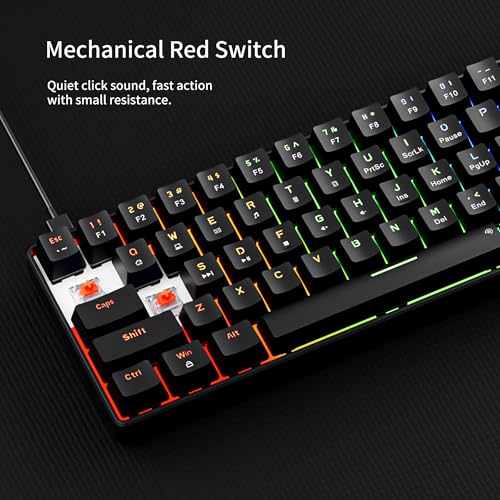
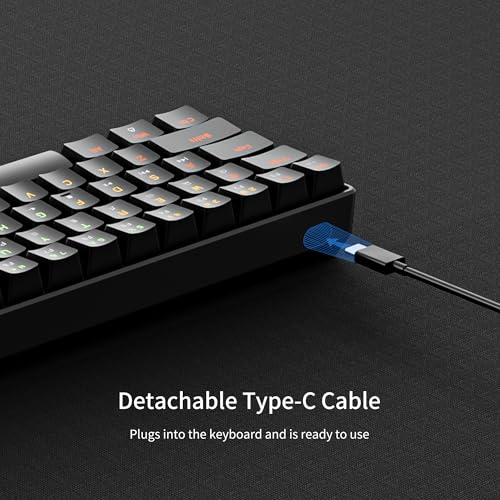


As an Amazon Associate we earn from qualifying purchases. Product prices and availability are accurate as of the date/time indicated.

Redragon Mechanical Gaming Keyboard Wired, 11 Programmable Backlit Modes, Hot-Swappable Red Switch, Anti-Ghosting, Double-Shot PBT Keycaps, Light Up Keyboard for PC Mac
As an Amazon Associate we earn from qualifying purchases. Product prices and availability are accurate as of the date/time indicated.

Kisnt KN85 Wireless Mechanical Keyboard, 75% Layout, Bluetooth/2.4GHz/USB-C, Custom RGB Backlit, Hot-Swappable Linear Switch, Creamy Sound for Gaming/Typing (Retro Beige)


As an Amazon Associate we earn from qualifying purchases. Product prices and availability are accurate as of the date/time indicated.
Prices shown are approximate and for reference only. Prices change often, so please check the current price on Amazon before you buy.
Redragon K552 Keyboard
It is the cheapest keyboard in this comparison and a practical starting point if you want a low-cost cheap mechanical keyboard under 100. It has a layout of 87-key, switch of Red switch, connection of Wired USB, and use of typing, according to the maker.
Choose this keyboard if you want a simple, affordable keyboard for your desk. The Redragon K552 has a simple design, a good 87-key size for most typing, and a good fit for a beginner with a first mechanical keyboard. Its Red switch is good for smooth typing, but its keycaps may be less durable than a premium keyboard. If you need a hot swappable keyboard, the Keychron V1 is a better choice at a higher price, because it is hot swappable.
Royal Kludge RK61 Keyboard
It has a layout of 60%, switch of Hot swappable, connection of Bluetooth / USB, and use of typing, according to the maker. It is a good choice if you want a Royal Kludge keyboard with a trusted brand for keyboards and a simple design for typing.
This keyboard is best for a person who wants a Royal Kludge RK61 for best cheap mechanical keyboard under 100. The RK61 has a simple design and a good fit for a user who wants a reliable keyboard for regular use. It is more expensive than the Redragon K552, but it offers Bluetooth and a hot swappable design for typing.
Keychron C1 Keyboard
It has a layout of 87-key, switch of Hot swappable, connection of Wired USB, and use of typing, according to the maker. It is a good choice if you want a Keychron keyboard with a trusted brand for keyboards and a simple design for typing.
Choose this keyboard if you want a Keychron C1 for your desk. The C1 has a simple design and a good fit for a user who wants a durable keyboard for regular use. It is more expensive than the Royal Kludge RK61, but it offers a full 87-key layout and a Keychron brand for typing.
Logitech G413 Keyboard
It has a layout of Full size, switch of Romer-G, connection of Wired USB, and use of typing, according to the maker. It is a good choice if you want a Logitech keyboard with a trusted brand for keyboards and a simple design for typing.
This keyboard is best for a person who wants a Logitech G413 for best cheap mechanical keyboard under 100. The G413 has a simple design and a good fit for a user who wants a reliable keyboard for regular use. It is more expensive than the Keychron C1, but it offers a full size layout and a Logitech brand for typing.
Akko 3068B Keyboard
It has a layout of 65%, switch of Hot swappable, connection of Bluetooth / USB, and use of typing, according to the maker. It is a good choice if you want an Akko keyboard with a trusted brand for keyboards and a simple design for typing.
Choose this keyboard if you want an Akko 3068B for your desk. The 3068B has a simple design and a good fit for a user who wants a durable keyboard for regular use. It is more expensive than the Logitech G413, but it offers Bluetooth and a hot swappable design for typing.
Keychron V1 Keyboard
It has a layout of 75%, switch of Hot swappable, connection of Wired USB, and use of typing, according to the maker. It is a good choice if you want a Keychron keyboard with a trusted brand for keyboards and a simple design for typing.
This keyboard is best for a person who wants a Keychron V1 for best cheap mechanical keyboard under 100. The V1 has a simple design and a good fit for a user who wants a reliable keyboard for regular use. It is more expensive than the Akko 3068B, but it offers a 75% layout and a Keychron brand for typing.
HyperX Alloy Origins Core Keyboard
It has a layout of 87-key, switch of HyperX Red, connection of Wired USB, and use of typing, according to the maker.
Choose this keyboard if you want a premium HyperX Alloy Origins Core for your desk and you are willing to pay more for it, while staying under 100 dollars. The Alloy Origins Core has a layout of 87-key, switch of HyperX Red, and connection of Wired USB for a clear, durable keyboard. It is a good fit for a serious typist with a need for a premium, high-quality keyboard under 100 dollars. It is not the best choice if you have a small budget, because the Redragon K552 Keyboard offers similar basic best cheap mechanical keyboard under 100 support at a lower price for a beginner, with an 87-key size for best cheap mechanical keyboard under 100.
Buying Guide: How to Choose the Best Cheap Mechanical Keyboard Under 100
1. Check switch first: linear, tactile, check switch
Start with switch when you choose best cheap mechanical keyboard under 100. Choose a keyboard with a linear switch, such as Keychron V1, if you want best cheap mechanical keyboard under 100, because it can feel smooth. Check the switch before you buy, and choose a keyboard by switch for your typing.
Check switch before you buy. A keyboard with too stiff a switch may tire your fingers, while a keyboard with a smooth switch can feel comfortable. Use a linear switch for gaming, and a tactile switch for typing.
2. Check layout, size, and desk fit
Check layout first. A 75% layout is a good choice, because it can give you arrow keys and a function row. Check size next. A small keyboard is a good choice, because it can fit a small desk. Check desk fit as well. A keyboard that fits your desk is a good choice, because it can leave room for a mouse.
Check layout and desk fit before you buy. A keyboard without arrow keys may be hard to use, while a keyboard without a small size may not fit a small desk. Use 75% for most desks, and test your desk before a purchase.
3. Check hot swap, keycaps, and connection
Check hot swap before you buy. A hot swappable keyboard is a good choice, because it can let you change a switch without soldering. Check keycaps next. A keyboard with PBT keycaps is a good choice, because it can last longer. Check connection as well. A Bluetooth keyboard is a good choice, because it can work wirelessly.
Check hot swap and keycaps before you buy. A keyboard without hot swap may need soldering to change a switch, while a keyboard without PBT keycaps may wear quickly. Use a hot swappable keyboard for a beginner, and test your keycaps before a purchase.
4. Check safety, posture, and care
Always sit with good posture, take regular breaks from typing, and keep your keyboard in a dry place. Keep your keyboard in a safe place, and do not use a keyboard that is damaged. Check your wrist position before you type, and choose a keyboard that fits your hands.
Clean your keyboard with a dry cloth if it gets dirty, and store it in a dry place when you are not using it. Do not use a keyboard that is damaged, and do not use a keyboard that does not work correctly. Replace your keyboard if it is damaged, or if it does not work safely. Take regular breaks from typing, and sit with good posture.
Frequently Asked Questions
What is the best cheap mechanical keyboard under 100?
Choose by switch, layout, and budget.
What is the best budget cheap mechanical keyboard under 100?
It has a layout of 87-key, switch of Red switch, connection of Wired USB, and use of typing, according to the maker. It is a good choice for a low-cost keyboard, but its keycaps may be less durable than a premium keyboard, so choose the Keychron V1 if you need a hot swappable keyboard.
Are cheap mechanical keyboards under 100 good for gaming?
Are cheap mechanical keyboards under 100 good for gaming depends on your keyboard, your switch, and your use. Yes, a cheap mechanical keyboard under 100 can be good for gaming, if you use a keyboard with a linear switch, because a linear switch can feel smooth and fast. Use a linear switch for gaming, and test your keyboard before a long gaming session.
What switch is best for a cheap mechanical keyboard under 100?
What switch is best for a cheap mechanical keyboard under 100 depends on your typing, your gaming, and your use. A linear switch is a good choice, if you want smooth typing, because it can feel smooth. A tactile switch is a good choice, if you want a bump, because it can give you feedback. Use a linear switch for gaming, and a tactile switch for typing.
Best cheap mechanical keyboard under 100 is about finding a keyboard that types well, fits your desk, and works for your typing and gaming, without being too expensive, without being too loud, and without being too hard to use. Sit with good posture, take regular breaks from typing, and keep your keyboard in a dry place. With the right keyboard, you can type comfortably every time.
Related guides
- Best Mesh Wifi vs Powerline Adapter for Dead Zones in 2026: 6 Best Mesh Wifi vs Powerline Adapter for Dead Zones Picks for Strong Signal, Easy Setup, and Reliable Home Wifi
- Best Memory Card Size for Camera in 2026: 7 Memory Cards That Offer Fast Speed, Large Capacity, and Reliable Storage for Camera Users
- Best Budget Gaming Monitor Arm for Gamers in 2026: ErGear, HUANUO, VIVO, and North Bayou Compared for a Monitor Weighed Without Its Stand, a VESA Parish Read From the Panel’s Own Back, and a Sag Test Served Across a Whole Week
- How to Choose Mechanical Keyboard Switches in 2026: Cherry, Gateron, Kailh, and Akko Compared for a Family Chosen by Your Own Fingers, a Tester Pressed Before a Set Is Bought, and a Sound That Belongs to the Whole Board and Never to a Switch Alone
More from Amazon
Programs that pair well with the guide above. Offers and eligibility are set by Amazon and may change.
Free shipping on eligible items, Prime Video and more. Eligible new members can start with a free trial.
Start a Prime free trialAd-free music streaming. Eligible new subscribers can start with a free trial.
Try Music Unlimited freeA Prime membership for ages 18-24 with a trial period. Eligibility is set by Amazon.
See Prime for Young AdultsAudiobooks and podcasts to listen to on the go. Eligible new members can start with a free trial.
Try Audible freeAs an Amazon Associate we earn from qualifying purchases.

Write Your Review
No reviews yet. Be the first to share your experience!