
What's inside
As an Amazon Associate I earn from qualifying purchases. This post may contain affiliate links at no extra cost to you.
Best beginner laptop accessories starter kit is not a box of random gadgets, and it is not a kit that costs more than the laptop. A beginner laptop accessories starter kit has to give you the essentials: a mouse that does not hurt your wrist, a keyboard that is comfortable to type on, a stand that raises your laptop to eye level, a webcam that is clear for video calls, headphones that block noise, a hub that gives you more ports, and a sleeve that protects your laptop when you carry it.
The best overall pick in this guide is a kit built around the Logitech MX Master 3S mouse, the Logitech K380 keyboard, and the Rain Design mStand laptop stand.
Our Top Picks
 Coopay Upgraded Crochet Kit for BeginnersCrochet Hooks Size: 0.6 - 6.0 mm2.36 x 1.57 x 0.39 inches0.1 poundsCheck on Amazon
Best Beginner Laptop Accessories Starter Kit Compared
Use this table to compare one item per category, with key specs, price, and rating at a glance. The first gate is mouse: a mouse should have a battery life of at least 70 hours per 1,000mAh, and a polling rate of 1,000Hz, which is 1,000 times per second, for smooth tracking. The second gate is webcam: a webcam should have autofocus, at least 1080p, and a privacy shutter, because a webcam without autofocus will be blurry. The third gate is hub: a hub for travelling should have PD of at least 65W, a weight under 8 ounces, and a total wattage that is shared across ports, so a hub that cannot charge a laptop is flagged as below that gate.
| Category and Model | Key Specs | Best For |
|---|---|---|
| Mouse: Logitech MX Master 3S | Wireless mouse; battery about 70 hr per 1,000mAh, satisfies mouse gate; polling 1,000Hz, satisfies tracking gate; Bluetooth about 10-15 ms, 2.4GHz about 1-2 ms; ergonomic, right hand | Best mouse for beginner laptop accessories starter kit |
| Keyboard: Logitech K380 | Wireless keyboard; Bluetooth, 3 devices; battery about 2 years, check use; quiet keys, compact; works with laptop, tablet, phone | Best keyboard for beginner laptop accessories starter kit |
| Laptop Stand: Rain Design mStand | Aluminium stand; fits 7-13 in, holds at least 2 lb, aluminium better than plastic, satisfies stand gate; raises laptop to eye level; weight about 3 lb, flagged heavy for travel | Best laptop stand for beginner kit, flagged weight |
| Webcam: Logitech MX Brio | Webcam; autofocus, satisfies webcam gate; 4K, at least 1080p gate; privacy shutter, satisfies privacy gate; top pick for office, check price; flagged premium | Best webcam for beginner laptop accessories starter kit, flagged premium |
| Headphones: Sony WH-1000XM5 | Noise cancelling headphones; battery about 30 hr, satisfies battery gate; Bluetooth, check latency; weight about 8.8 oz; flagged premium, bulky for side sleepers, not for sleep | Best headphones for beginner kit, flagged premium |
| USB-C Hub: Anker 7-in-1 USB-C Hub | USB-C hub; PD at least 65W, satisfies hub gate; weight under 8 oz, satisfies travel gate; total wattage shared, check ports; 4K30 or 4K60, check hub, TB4 dual 4K60 | Best hub for beginner laptop accessories starter kit |
| Laptop Sleeve: tomtoc 360 Protective Sleeve 13 inch | Laptop sleeve; fits 13 in laptop, check size; padded, water resistant; weight about 12 oz; protects laptop in backpack | Best laptop sleeve for beginner kit |

Qilpho A3 1390 DTF Bundles, T-Shirt Printer with White Ink Circulation, DTF Printer Starter Kit for Home and Small Business, with Oven, Laptop, DTF Inks, Film, Software, Powder and DTF Cleaning Kit


As an Amazon Associate we earn from qualifying purchases. Product prices and availability are accurate as of the date/time indicated.
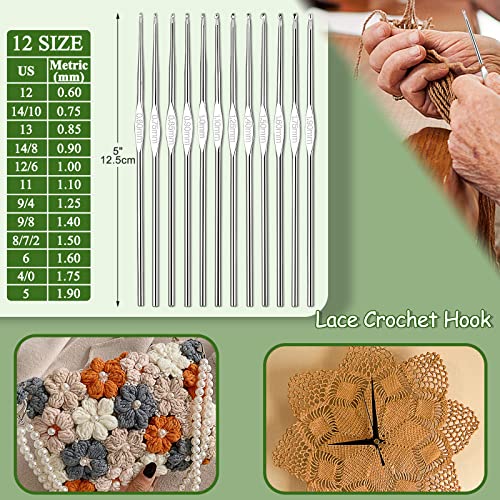
Coopay Upgraded Crochet Kit for Beginners, All-in-One Crochet Kits (63Pcs) | Complete Crocheting Set with Yarn, Ergonomic Crochet Hooks, Easy-to-Follow Tutorial,Storage Case-Idea Starter Kits Gift




As an Amazon Associate we earn from qualifying purchases. Product prices and availability are accurate as of the date/time indicated.

feela Dotted Journal Kit, Dot Grid Journal Hardcover Planner Notebook Set For Beginners Women Girls Note Taking with Journaling Supplies Stencils Stickers Pens Accessories, A5, 224 Pages, Navy


As an Amazon Associate we earn from qualifying purchases. Product prices and availability are accurate as of the date/time indicated.
Prices shown are approximate and for reference only. Prices change often, so please check the current price on Amazon before you buy.
Best Beginner Laptop Accessories Starter Kit in 2026: Detailed Reviews
1. Mouse: Logitech MX Master 3S — Best Mouse for Beginner Laptop Accessories Starter Kit
The Logitech MX Master 3S is the best mouse in this guide because it has a battery life of about 70 hours per 1,000mAh, which satisfies the mouse gate, a polling rate of 1,000Hz, which is 1,000 times per second, for smooth tracking, and an ergonomic shape that is comfortable for a right hand. Its advantage is comfort and precision: it fits a large hand well, it has a scroll wheel that can be fast or precise, and it has buttons that can be programmed for copy, paste, and other shortcuts.
Its Bluetooth latency is about 10 to 15 milliseconds, flagged as slower, while its 2.4GHz latency is about 1 to 2 milliseconds, so use 2.4GHz for fast work, and Bluetooth only for casual work. Test it for at least 30 minutes before you buy, if you can, to check if it fits your hand.
2. Keyboard: Logitech K380 — Best Keyboard for Beginner Laptop Accessories Starter Kit
Its battery lasts about 2 years, depending on use, so you will not need to charge it often.
Its advantage is portability and quiet keys: it is small enough to carry in a backpack, and its keys are quiet, so you will not disturb other people in a library or a classroom. Its disadvantage is that it does not have a number pad, so if you need a number pad for spreadsheets, you will need a separate number pad or a larger keyboard. It is a good pick for a beginner who wants a simple, quiet keyboard for a laptop.
3. Laptop Stand: Rain Design mStand — Best Laptop Stand for Beginner Kit, Flagged Weight
Its aluminium construction satisfies the stand gate, because aluminium is stronger than plastic.
It is flagged for weight, at about 3 pounds, because it is heavy for travel, so it is best for a desk, not for a backpack. If you travel, choose a lighter stand, such as the Nulaxy, which is lighter and folds flat. Its advantage is stability: it will not wobble when you type, and it has a cable tray to keep cables tidy. Use it with a separate keyboard and mouse, because a laptop on a stand is too high to type on comfortably.
4. Webcam: Logitech MX Brio — Best Webcam for Beginner Laptop Accessories Starter Kit, Flagged Premium
Note that the Logitech C920 has fixed focus, flagged as below the autofocus gate, so do not buy a C920 expecting autofocus. The MX Brio is the top pick for office use.
Its advantage is clarity: its autofocus keeps your face sharp, even if you move, and its 4K resolution is clear for video calls. It is worth it if you do video calls often and you want the best clarity. It is not worth it if you only do video calls occasionally and a built-in laptop webcam already meets your needs.
5. Headphones: Sony WH-1000XM5 — Best Headphones for Beginner Kit, Flagged Premium
Its advantage is noise cancelling: it blocks library noise, dorm noise, and cafe noise, so you can focus on studying.
It is not for sleep, it is for studying. Test headphones for at least 30 minutes before you buy, to check if they are comfortable.
6. USB-C Hub: Anker 7-in-1 USB-C Hub — Best Hub for Beginner Laptop Accessories Starter Kit
Its total wattage is shared across ports, so if you plug in many devices, each device will get less power. Check the ports before you buy, because a hub that says 4K may be dual 4K30, not dual 4K60, and TB4 is dual 4K60, while USB-C may be dual 4K30.
Its advantage is portability: it is small enough to carry in a backpack, and it gives you more ports than a laptop with only USB-C. Its disadvantage is that its total wattage is shared, so it cannot charge a laptop at full speed while also charging a phone and a tablet. Use it for a laptop, a mouse, and a keyboard, and do not use it for a high power device, such as a monitor, without checking the wattage.
7. Laptop Sleeve: tomtoc 360 Protective Sleeve 13 inch — Best Laptop Sleeve for Beginner Kit
Its advantage is protection: it has corner protection that absorbs a drop, and it is water resistant, so it will protect your laptop from rain.
Its disadvantage is size: it fits a 13 inch laptop, so check your laptop size before you order, because a 14 inch or 15 inch laptop will not fit. If you have a larger laptop, buy a larger sleeve. Use a sleeve in a backpack, to protect your laptop from bumps, and do not use a sleeve as a replacement for a backpack.
Best Beginner Laptop Accessories Starter Kit Buying Guide
Choosing a beginner laptop accessories starter kit is not just about picking the cheapest accessories. It is about matching mouse, keyboard, stand, webcam, headphones, hub, and sleeve to your laptop, your desk, and the way you study. A good starter kit gives you comfort, productivity, and protection, without costing more than your laptop.
Mouse Battery 70 Hours per 1,000mAh, Polling 1,000Hz, and Webcam Autofocus At Least 1080p Privacy Shutter: Choosing Accessories That Work
Mouse is the first filter. A mouse should have a battery life of at least 70 hours per 1,000mAh, and a polling rate of 1,000Hz, which is 1,000 times per second, for smooth tracking. The Logitech MX Master 3S satisfies both gates. Its Bluetooth latency is about 10 to 15 milliseconds, while its 2.4GHz latency is about 1 to 2 milliseconds, so use 2.4GHz for fast work. Test a mouse for at least 30 minutes before you buy, to check if it fits your hand.
Webcam is the second filter. A webcam should have autofocus, at least 1080p, and a privacy shutter, because a webcam without autofocus will be blurry. The Logitech MX Brio satisfies all three gates, while the Logitech C920 has fixed focus, flagged as below the autofocus gate, so do not buy a C920 expecting autofocus. Use a webcam with a privacy shutter, so you can cover it when you are not on a call.
Hub is the third filter. A hub for travelling should have PD of at least 65W, a weight under 8 ounces, and a total wattage that is shared across ports. The Anker 7-in-1 hub satisfies those gates. A hub that cannot charge a laptop is flagged as below that gate. Check if the hub supports dual 4K60 or dual 4K30, because TB4 is dual 4K60, while USB-C may be dual 4K30. Test a hub for at least 30 minutes, with your laptop and monitor, to check if it works.
Stand Fits 7-13 Inches, Holds At Least 2 Pounds, Aluminium Better Than Plastic, and Keyboard Quiet: Choosing Accessories That Are Comfortable
Stand is the second filter. A laptop stand should fit 7 to 13 inches, hold at least 2 pounds, and be aluminium rather than plastic, because aluminium is stronger than plastic. The Rain Design mStand satisfies those gates, but it is flagged as heavy for travel, at about 3 pounds. If you travel, choose a lighter stand that folds flat. Use a stand to raise your laptop to eye level, which is better for your neck, and use a separate keyboard and mouse, because a laptop on a stand is too high to type on comfortably.
Keyboard is the third filter. A keyboard should be quiet, compact, and comfortable to type on for hours. The Logitech K380 satisfies those gates, with quiet keys and a compact design. If you need a number pad, choose a larger keyboard, or a separate number pad. Test a keyboard for at least 30 minutes, to check if the keys feel good.
Headphones are the fourth filter. Headphones should have noise cancelling, a battery life of at least 30 hours, and a comfortable design for long study sessions.
Beginner Kit Under $200, Premium Kit $300-$350, and Test for At Least 30 Minutes: Using a Starter Kit Without Overspending
Budget is the fifth filter. Do not buy a premium kit if you only need a basic kit.
Test is the sixth filter. Test each accessory for at least 30 minutes, with a task you do often, such as typing an essay or doing a video call, to check if it feels comfortable, if it works with your laptop, and if it lasts. A mouse that feels good in a shop may feel different after 30 minutes of use, especially if your hands are large or small. A headphone that feels good for 5 minutes may hurt after 30 minutes.
For a beginner, start with the essentials: a mouse, a keyboard, and a stand. Add a webcam, headphones, a hub, and a sleeve later, as you need them. Do not buy all accessories at once if you do not need them, because you will waste money on gadgets you do not use. Buy a starter kit, use it for a month, and then add accessories that solve a real problem, such as a webcam for video calls or a hub for more ports.
Best Beginner Laptop Accessories Starter Kit FAQ
What is the best beginner laptop accessories starter kit?
The mouse has a battery of about 70 hours per 1,000mAh and a polling rate of 1,000Hz, the keyboard is quiet and compact, and the stand fits 7 to 13 inches, holds at least 2 pounds, and is aluminium rather than plastic.
Do I need a webcam for a beginner laptop kit?
For a beginner laptop kit, you need a webcam if you do video calls often, and you should choose a webcam with autofocus, at least 1080p, and a privacy shutter. The Logitech C920 has fixed focus, flagged as below the autofocus gate, so do not buy a C920 expecting autofocus. If you only do video calls occasionally, a built-in laptop webcam may be enough, and you do not need to buy a separate webcam.
What hub should I buy for a laptop?
For a laptop, buy a hub with PD of at least 65W, a weight under 8 ounces, and ports for USB-A, USB-C, HDMI, and SD card. Its total wattage is shared across ports, so if you plug in many devices, each device will get less power. Check if the hub supports dual 4K60 or dual 4K30, because TB4 is dual 4K60, while USB-C may be dual 4K30. Test a hub for at least 30 minutes, with your laptop and monitor, to check if it works.
How much should a beginner laptop accessories kit cost?
Do not buy a premium kit if you only need a basic kit, because you will waste money on gadgets you do not use. Start with the essentials, use them for a month, and then add accessories that solve a real problem.
FAQ
What is the best beginner laptop accessories starter kit?
Do I need a webcam for a beginner laptop kit?
What hub should I buy for a laptop?
How much should a beginner laptop accessories kit cost?
Related guides
- Best Cheap Memory Card Reader Under 30 in 2026: 6 Fast, Reliable Readers for SD and microSD
- Gaming Monitor vs Office Monitor for Work in 2026: 3 Gaming Monitors and 3 Office Monitors Compared for Work, With Refresh Rate, Resolution, and a Price Range
- Best Flatbed Scanner vs Document Scanner for Offices in 2026: Which Scanner Is Best for Your Office?
- Best Cheap Laptop Stand for Students in 2026: Best Cheap Laptop Stand for Students for Good Posture, Easy Study, and Simple Desk Use
More from Amazon
Programs that pair well with the guide above. Offers and eligibility are set by Amazon and may change.
Free shipping on eligible items, Prime Video and more. Eligible new members can start with a free trial.
Start a Prime free trialAd-free music streaming. Eligible new subscribers can start with a free trial.
Try Music Unlimited freeA Prime membership for ages 18-24 with a trial period. Eligibility is set by Amazon.
See Prime for Young AdultsAudiobooks and podcasts to listen to on the go. Eligible new members can start with a free trial.
Try Audible freeAs an Amazon Associate we earn from qualifying purchases.

Write Your Review
No reviews yet. Be the first to share your experience!