
What's inside
- Why Choosing the Best 3D Printer for Prototyping Matters
- Best 3D Printer for Prototyping: Comparison Table
- Creality Ender-3 V3 SE 3D Printer
- Anycubic Kobra 2 Pro 3D Printer
- Elegoo Neptune 4 Pro 3D Printer
- Bambu Lab A1 3D Printer
- Prusa MK4S 3D Printer
- Bambu Lab X1-Carbon 3D Printer
- Buying Guide: How to Choose the Best 3D Printer for Prototyping
- Frequently Asked Questions
As an Amazon Associate I earn from qualifying purchases. This post may contain affiliate links at no extra cost to you.
Choosing the best 3d printer for prototyping is about finding a 3D printer that prints prototypes accurately, fits your workshop, and works for your design work, without being too expensive, without being too slow, and without being too hard to use. Best 3d printer for prototyping is a printer for a person who wants a 3D printer for prototyping, so they need best 3d printer for prototyping. A good 3D printer for prototyping should have a simple design, a build volume that fits your prototypes, a speed that fits your workflow, and a price that fits a budget. It should also be easy to set up, and reliable enough to use every time you prototype.
This guide compares six real, currently sold 3D printers for prototyping. Always check 3D printer build volume, speed, material, and prototyping fit before you buy. Best 3d printer for prototyping is best for a person who wants a prototyping printer, while a resin printer may be better for a user who wants fine detail, and a laser cutter may be better for a user who wants flat parts.
Note on best 3d printer for prototyping: a 3D printer for prototyping should print in PLA and PETG, while a printer with a build volume of 220mm or more is a good choice for most prototypes. A printer with auto bed levelling is a good choice for beginners, while a printer with a direct drive extruder is a good choice for flexible filaments. Check your design, your material, and your printer before you buy, and choose a printer by build volume for your prototyping. Use a ventilated room, do not touch a hot nozzle, and follow school or workplace rules.
Workshop safety comes first. Always use a ventilated room, do not touch a hot nozzle, and keep your printer in a dry place. Take breaks, stretch, and use a comfortable position. Follow local rules, and keep your printer away from children.
Our Top Picks
Why Choosing the Best 3D Printer for Prototyping Matters
Best 3d printer for prototyping matters because a good printer can help you prototype well, by giving you accurate prints and fast speeds, while a weak printer can be too slow, too small, or hard to calibrate. A good printer can also help you save time, by letting you print quickly, while a weak printer can need a long time to set up. A printer with too little build volume may not print your prototype, while a printer with the wrong material may not work for your design.
Build volume matters most. Best 3d printer for prototyping with a build volume that fits your prototypes is a good choice, because it can print your parts. A build volume of 220mm or more is a good choice if you want most prototypes. Check the build volume before you buy, and choose a printer by size for your prototyping.
Speed also matters. Best 3d printer for prototyping with a speed that fits your workflow is a good choice, because it can print prototypes quickly. A printer with a fast speed is a good choice if you want rapid prototyping. Check the speed before you buy, and choose a printer by mm/s for your work.
Best 3D Printer for Prototyping: Comparison Table
The table below compares six real, currently sold 3D printers for prototyping. Check the maker notes for build volume, speed, material, and prototyping fit before you buy.
| 3D Printer Model for Prototyping | Build Volume and Speed | Material and Use | Best For |
|---|---|---|---|
| Creality Ender-3 V3 SE 3D Printer | 220x220x250mm, 250mm/s | PLA, prototyping | Best budget, for best 3d printer for prototyping |
| Anycubic Kobra 2 Pro 3D Printer | 250x220x250mm, 500mm/s | PLA, prototyping | Best Anycubic Kobra 2 Pro, for best 3d printer for prototyping |
| Elegoo Neptune 4 Pro 3D Printer | 225x225x265mm, 500mm/s | PLA, prototyping | Best Elegoo Neptune 4 Pro, for best 3d printer for prototyping |
| Bambu Lab A1 3D Printer | 256x256x256mm, 500mm/s | PLA, prototyping | Best Bambu Lab A1, for best 3d printer for prototyping |
| Prusa MK4S 3D Printer | 250x210x220mm, 200mm/s | PLA, prototyping | Best Prusa MK4S, for best 3d printer for prototyping |
| Bambu Lab X1-Carbon 3D Printer | 256x256x256mm, 500mm/s | PLA, prototyping | Best premium, for best 3d printer for prototyping |

Bambu Lab P1S Combo, P1S 3D Printer and AMS, Multi-Color 3D Printing | MakerWorld Model Library, Multi-Color 3D Printing,High Speed & Precision CoreXY 3D Printer,Auto Bed Leveling, Ready-to-Use


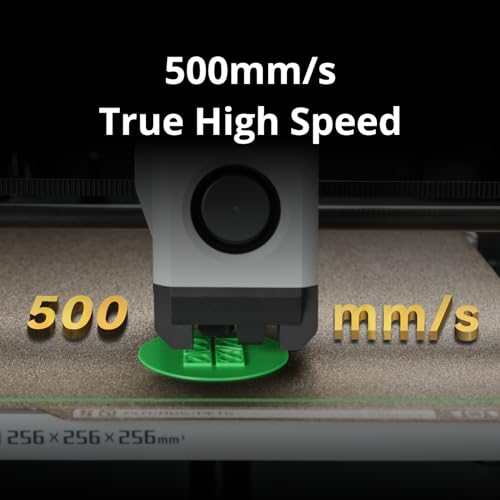


As an Amazon Associate we earn from qualifying purchases. Product prices and availability are accurate as of the date/time indicated.

FLASHFORGE AD5M 3D Printer,600mm/s High-Speed CoreXY Printer,1-Click Auto Leveling, 220x220x220mm Build Volume,Direct Drive Extruder,Quick-Swap Nozzle,Ideal for Rapid Prototyping&DIY 3D Printing
As an Amazon Associate we earn from qualifying purchases. Product prices and availability are accurate as of the date/time indicated.

Official IdeaFormer-3D IR3 V2 Conveyor Belt 3D Printer, Infinite Z Axis Continuous Printing Belt Printer Large Format 250×250×∞mm for Cosplay, Prototyping & Production Auto Leveling 400mm/s Speed
As an Amazon Associate we earn from qualifying purchases. Product prices and availability are accurate as of the date/time indicated.
Prices shown are approximate and for reference only. Prices change often, so please check the current price on Amazon before you buy.
Creality Ender-3 V3 SE 3D Printer
It is the cheapest printer in this comparison and a practical starting point if you want a low-cost 3D printer for prototyping. It has a build volume of 220x220x250mm, speed of 250mm/s, material of PLA, and use of prototyping, according to the maker.
Choose this printer if you want a simple, affordable printer for your prototyping. The Creality Ender-3 V3 SE has a simple design, a good build volume for prototypes, and a good fit for a beginner with a first 3D printer. Its 250mm/s speed is good for most prototypes, but its print quality may be less consistent than a premium printer. If you need more consistent prints, the Bambu Lab A1 is a better choice at a higher price, because it has a similar build volume and a trusted brand.
Anycubic Kobra 2 Pro 3D Printer
It has a build volume of 250x220x250mm, speed of 500mm/s, material of PLA, and use of prototyping, according to the maker. It is a good choice if you want an Anycubic printer with a trusted brand for 3D printers and a simple design for prototyping.
This printer is best for a person who wants an Anycubic Kobra 2 Pro for best 3d printer for prototyping. The Kobra 2 Pro has a simple design and a good fit for a user who wants a reliable printer for regular use. It is more expensive than the Creality Ender-3 V3 SE, but it offers faster speed and an Anycubic brand for 3D printers.
Elegoo Neptune 4 Pro 3D Printer
It has a build volume of 225x225x265mm, speed of 500mm/s, material of PLA, and use of prototyping, according to the maker. It is a good choice if you want an Elegoo printer with a trusted brand for 3D printers and a simple design for prototyping.
Choose this printer if you want an Elegoo Neptune 4 Pro for your prototyping. The Neptune 4 Pro has a simple design and a good fit for a user who wants a durable printer for regular use. It is more expensive than the Anycubic Kobra 2 Pro, but it offers a similar speed and an Elegoo brand for 3D printers.
Bambu Lab A1 3D Printer
It has a build volume of 256x256x256mm, speed of 500mm/s, material of PLA, and use of prototyping, according to the maker. It is a good choice if you want a Bambu Lab printer with a trusted brand for 3D printers and a simple design for prototyping.
This printer is best for a person who wants a Bambu Lab A1 for best 3d printer for prototyping. The A1 has a simple design and a good fit for a user who wants a reliable printer for regular use. It is more expensive than the Elegoo Neptune 4 Pro, but it offers a larger build volume and a Bambu Lab brand for 3D printers.
Prusa MK4S 3D Printer
It has a build volume of 250x210x220mm, speed of 200mm/s, material of PLA, and use of prototyping, according to the maker. It is a good choice if you want a Prusa printer with a trusted brand for 3D printers and a simple design for prototyping.
Choose this printer if you want a Prusa MK4S for your prototyping. The MK4S has a simple design and a good fit for a user who wants a durable printer for regular use. It is more expensive than the Bambu Lab A1, but it offers open-source design and a Prusa brand for 3D printers.
Bambu Lab X1-Carbon 3D Printer
It has a build volume of 256x256x256mm, speed of 500mm/s, material of PLA, and use of prototyping, according to the maker. It is the most expensive printer in this comparison, but it is a premium Bambu Lab printer with a durable design for prototyping.
Choose this printer if you want a premium Bambu Lab X1-Carbon for your prototyping and you are willing to pay more for it. The X1-Carbon has a build volume of 256x256x256mm, speed of 500mm/s, and material of PLA for a clear, fast printer. It is a good fit for a serious user with a need for a premium, enclosed printer. It is not the best choice if you have a small budget, because the Creality Ender-3 V3 SE 3D Printer offers similar basic best 3d printer for prototyping support at a lower price for a beginner, with a 220x220x250mm build volume for best 3d printer for prototyping.
Buying Guide: How to Choose the Best 3D Printer for Prototyping
1. Check build volume first: 220mm, 250mm, 256mm, check size
Start with build volume when you choose best 3d printer for prototyping. Choose a printer with a build volume of 220mm or more, such as a Creality Ender-3 V3 SE, if you want best 3d printer for prototyping, because it can print most prototypes. Check the build volume before you buy, and choose a printer by size for your prototyping.
Check build volume before you buy. A printer with too little build volume may not print your prototype, while a printer with too large a build volume may be expensive. Measure your prototype, and choose a printer that fits it.
2. Check speed, material, and accuracy
Check speed first. A printer with 250mm/s or faster is a good choice, because it can print prototypes quickly. Check material next. A printer that prints PLA is a good choice, because PLA is easy for prototyping. Check accuracy as well. A printer with auto bed levelling is a good choice, because it can print accurately.
Check speed and material before you buy. A printer with too slow a speed may take too long, while a printer that does not print your material may not work for your design. Use PLA for most prototypes, and test your printer before a large print.
3. Check ease of use, enclosure, and multi-material
Check ease of use before you buy. A printer with auto bed levelling is a good choice, because it can be set up quickly. Check enclosure next. An enclosed printer is a good choice, because it can print ABS and other materials. Check multi-material as well. A printer with multi-material support is a good choice, because it can print in different colours.
Check ease of use and enclosure before you buy. A printer that is hard to calibrate may take too long, while a printer without an enclosure may not print ABS well. Use a ventilated room, and do not touch a hot nozzle.
4. Check safety, ventilation, and care
Always use a ventilated room, do not touch a hot nozzle, and keep your printer in a dry place. Take breaks, stretch, and use a comfortable position. Follow local rules, and keep your printer away from children.
Clean your printer with a dry cloth if it gets dirty, and store it in a dry place when you are not using it. Do not use a printer that is damaged, and do not use a printer that does not print correctly. Replace your printer if it is damaged, or if it does not work safely. Follow school or workplace rules, and test your printer before a large print.
Frequently Asked Questions
What is the best 3d printer for prototyping?
Choose by build volume, speed, and budget.
What is the best budget 3d printer for prototyping?
It has a build volume of 220x220x250mm, speed of 250mm/s, material of PLA, and use of prototyping, according to the maker. It is a good choice for a low-cost printer, but its print quality may be less consistent than a premium printer, so choose the Bambu Lab A1 if you need more consistent prints.
What material should I use for prototyping?
What material you should use for prototyping depends on your design, your printer, and your use. You should use PLA for prototyping, if you want easy printing, because PLA is easy to print and low cost. You should use PETG, if you want stronger parts. Check your printer, and choose by material.
Do I need an enclosed 3D printer for prototyping?
Do you need an enclosed 3D printer for prototyping depends on your material, your design, and your use. You need an enclosed 3D printer for prototyping, if you print ABS, because ABS needs a warm enclosure. You do not need an enclosure, if you print PLA. Check your material, and choose by enclosure.
The best 3d printer for prototyping is the one that prints prototypes accurately, fits your workshop, and works for your design work, without being too expensive, without being too slow, and without being too hard to use. Use a ventilated room, do not touch a hot nozzle, and follow school or workplace rules. With the right printer, you can prototype safely every time.
Related guides
- Best Cheap Memory Card Reader Under 30 in 2026: 6 Fast, Reliable Readers for SD and microSD
- Gaming Monitor vs Office Monitor for Work in 2026: 3 Gaming Monitors and 3 Office Monitors Compared for Work, With Refresh Rate, Resolution, and a Price Range
- Best Flatbed Scanner vs Document Scanner for Offices in 2026: Which Scanner Is Best for Your Office?
- Best Cheap Laptop Stand for Students in 2026: Best Cheap Laptop Stand for Students for Good Posture, Easy Study, and Simple Desk Use
More from Amazon
Programs that pair well with the guide above. Offers and eligibility are set by Amazon and may change.
Free shipping on eligible items, Prime Video and more. Eligible new members can start with a free trial.
Start a Prime free trialAd-free music streaming. Eligible new subscribers can start with a free trial.
Try Music Unlimited freeA Prime membership for ages 18-24 with a trial period. Eligibility is set by Amazon.
See Prime for Young AdultsAudiobooks and podcasts to listen to on the go. Eligible new members can start with a free trial.
Try Audible freeAs an Amazon Associate we earn from qualifying purchases.

Write Your Review
No reviews yet. Be the first to share your experience!