
What's inside
- Best Creator Gear Setup for Home Studios: Quick Comparison Table
- Why a Creator Gear Setup for Home Studios Needs Audio First
- Best Creator Gear Setup for Home Studios Reviewed
- Buying Guide: How to Choose the Best Creator Gear Setup for Home Studios
- How to Set Up a Home Studio for Creators
- Which Best Creator Gear Setup for Home Studios Should You Buy?
- Frequently Asked Questions About the Best Creator Gear Setup for Home Studios
As an Amazon Associate I earn from qualifying purchases. This post may contain affiliate links at no extra cost to you.
A creator gear setup for home studios is not a single product. It is a system: a microphone that makes your voice clear, a light that makes your face bright without harsh shadows, a camera that makes your video sharp, and a way to mount them all in a small room without clutter. The best creator gear setup for home studios gives you clear audio, bright video, and a professional look, without needing a large studio, a crew, or a budget of thousands of dollars.
For most creators, a good starting setup is a USB microphone, a key light, and a webcam or a mirrorless camera. A USB microphone is easy to use, a key light is easy to set up, and a webcam is easy to plug in. A mirrorless camera gives better video quality than a webcam, but it costs more and needs a capture card or a clean HDMI output. A ring light is cheaper than a key light, but it can create a ring reflection in your glasses.
At techymoon.com, we focus on tech gadgets. For this guide to the best creator gear setup for home studios in 2026, we compared current creator gear that is widely sold, designed for home studios, and suitable for a YouTuber, a streamer, a podcaster, or a teacher who records from home. We looked at type, key specs, compatibility, and price. Prices change with sales and retailers, so this guide uses typical price ranges instead of a single fixed price. Spec figures are manufacturer listings, and real results depend on your room, your lighting, and your internet connection.
Studio tip: record in a quiet room, close windows, turn off fans, and use soft furnishings to reduce echo. Place your key light at a 45-degree angle to your face, at eye level, and place your microphone close to your mouth, about 6 inches away, with a pop filter if you have one. Test your audio and video before you record, and check that your background is tidy.
Our Top Picks
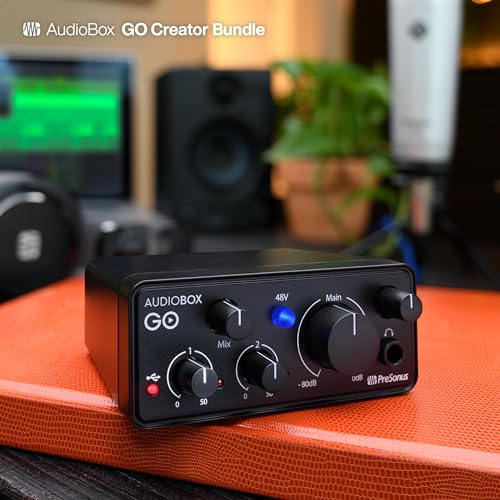
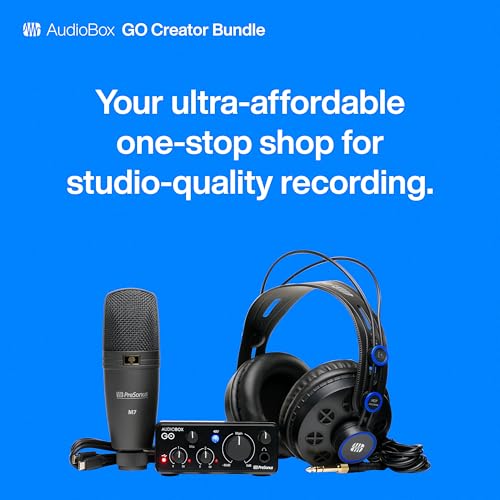
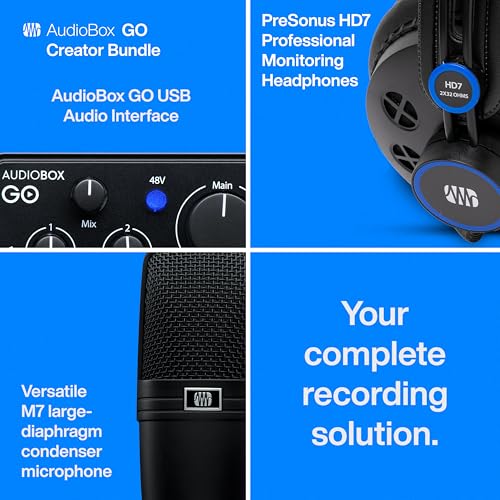
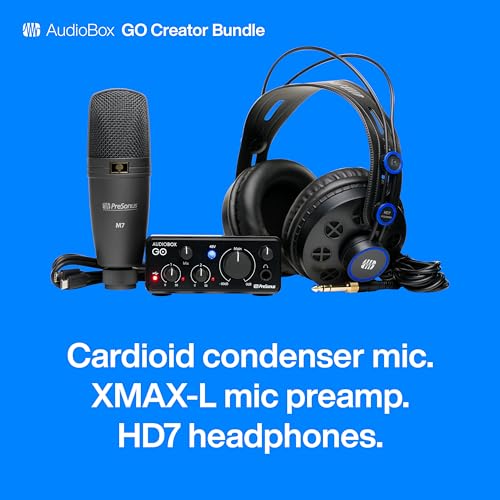
 PreSonus AudioBox Go Creator Complete Studio BundleAudioBox GO + Mic + Headphones3.3 x 4.25 x 1.73 inches0.51 poundsCheck on Amazon
Best Creator Gear Setup for Home Studios: Quick Comparison Table
The table below compares seven creator gear items for home studios. Type is the gear type, where given. Key spec is the main spec, where given. Compatibility is the platforms it works with, where given. Best for is a note on what the gear is best for, such as a microphone or a light, where given. Price is the typical range, and rating is our editorial score based on audio or video quality, ease of use, build, and value for home studios.
| Creator Gear Setup for Home Studios | Type | Key Spec | Compatibility | Best For | Typical Price Range | Our Rating |
|---|---|---|---|---|---|---|
| Shure MV7 USB Microphone | Dynamic USB / XLR mic | Cardioid, USB-C and XLR | PC, Mac, iOS | Best overall, voice and podcast | $200 – $250 | 4.9 / 5 |
| Rode NT-USB Mini Microphone | Condenser USB mic | Cardioid, USB-C | PC, Mac | Best for Rode, budget mic | $80 – $100 | 4.8 / 5 |
| Elgato Key Light | LED key light | 2,800 lumens, 2,900-7,000K | PC, Mac, app control | Best for Elgato, lighting | $180 – $200 | 4.8 / 5 |
| Logitech StreamCam Plus | Webcam | 1080p 60fps, autofocus | PC, Mac, USB-C | Best for Logitech, webcam | $150 – $170 | 4.7 / 5 |
| Sony ZV-E10 Mirrorless Camera | Mirrorless camera | 24.2MP, 4K video, APS-C | PC via USB, HDMI | Best for Sony, video quality | $650 – $750 | 4.8 / 5 |
| Elgato Wave:3 Microphone | Condenser USB mic | Cardioid, USB-C | PC, Mac | Best for Elgato, streaming | $130 – $150 | 4.7 / 5 |
| Neewer 660 LED Video Light Panel | LED light panel | 660 LEDs, 3,200-5,600K | AC power, battery option | Best budget, lighting | $70 – $90 | 4.6 / 5 |

Studio Creator Video Maker Kit 3-in-1
As an Amazon Associate we earn from qualifying purchases. Product prices and availability are accurate as of the date/time indicated.
PreSonus AudioBox Go Creator Complete Studio Bundle

As an Amazon Associate we earn from qualifying purchases. Product prices and availability are accurate as of the date/time indicated.

88 Key Music Studio Desk, 56.3'' Recording Desk with Sliding Keyboard Tray | Music Production Workstation with Pegboard, Headphone Hook & Large Desktop, Home Studio Furniture


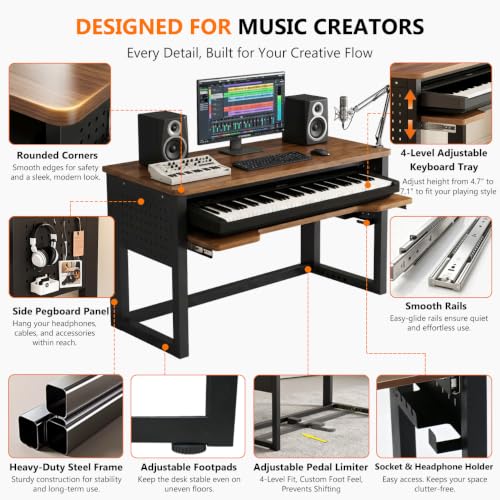

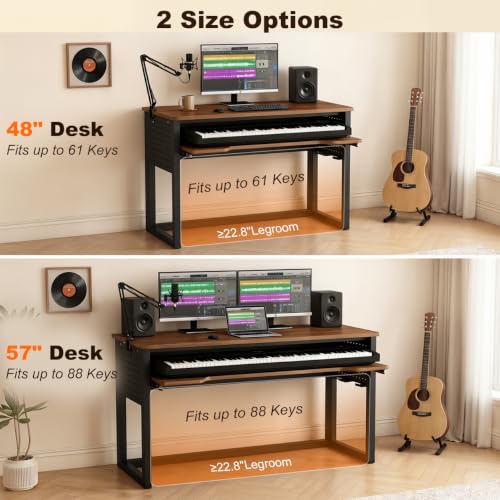


As an Amazon Associate we earn from qualifying purchases. Product prices and availability are accurate as of the date/time indicated.
Note: Spec figures are manufacturer listings, and a microphone that lists cardioid will pick up sound mainly from the front, not from the back. Always check your computer’s USB ports, your camera’s output, and your room size before you buy, and confirm the current price with the retailer.
Why a Creator Gear Setup for Home Studios Needs Audio First
A creator gear setup for home studios needs audio first for three reasons: clarity, trust, and retention. Clarity matters because viewers will forgive a slightly soft video, but they will stop watching if audio is muffled, echoey, or noisy. A good microphone close to your mouth will make your voice clear, even in a small room.
Trust matters because clear audio makes you sound professional, while bad audio makes you sound amateur, even if your content is good. A viewer is more likely to trust a creator with clear audio, because it shows you care about quality.
Retention matters because viewers will watch longer if they can hear you clearly, without straining. A good microphone, a pop filter, and a quiet room will help you keep viewers, more than a expensive camera will.
Best Creator Gear Setup for Home Studios Reviewed
1. Shure MV7 USB Microphone – Best Creator Gear Setup for Home Studios Overall
The Shure MV7 USB Microphone is our top pick because it offers a dynamic microphone, a cardioid pattern, USB-C and XLR outputs, and a price of $200 to $250. It works with PC, Mac, and iOS, and it has a built-in headphone jack for monitoring, a touch panel for gain and mute, and a design that is based on the Shure SM7B, a classic broadcast microphone.
Shure designs the MV7 with a focus on voice clarity and ease of use. The dynamic microphone rejects background noise better than a condenser microphone, which is useful in a home studio with a fan, a computer, or street noise. The USB output lets you plug it directly into a computer, while the XLR output lets you use it with an audio interface later if you upgrade.
The main limitation is price, at $200 to $250, which is higher than a Rode NT-USB Mini, and it needs to be close to your mouth to sound best. Choose the MV7 if you want the best overall microphone for a home studio, you record voice, podcast, or streaming, and you want a microphone that can grow with your setup.
2. Rode NT-USB Mini Microphone – Best Creator Gear Setup for Home Studios for Budget Mic
The Rode NT-USB Mini Microphone is a condenser USB microphone with a cardioid pattern, a USB-C output, and a price of $80 to $100. It works with PC and Mac, and it has a built-in pop filter, a headphone jack, and a compact design that fits on a small desk.
Rode designs the NT-USB Mini with a focus on value and simplicity. The microphone is easy to plug in, it sounds clear for voice and streaming, and it has a magnetic base that lets you remove it from its stand and mount it on a boom arm. The microphone is a good choice for a first home studio, because it is affordable and easy to use.
The main limitation is that it is a condenser microphone, so it can pick up more background noise than a dynamic microphone, especially in a noisy room. Choose the NT-USB Mini if you want a Rode microphone, you want a low price, and you record in a quiet room.
3. Elgato Key Light – Best Creator Gear Setup for Home Studios for Lighting
The Elgato Key Light is an LED key light with 2,800 lumens, a colour temperature of 2,900 to 7,000K, and a price of $180 to $200. It works with PC, Mac, and an app, and it has a large panel that gives soft, even light, with a stand that can be clamped to a desk.
Elgato designs the Key Light with a focus on creators. The light is bright enough to light your face in a dark room, it can be dimmed and colour-adjusted from an app, and it has a large panel that reduces harsh shadows. The light is a good choice for a streamer or YouTuber who wants a professional look without a large softbox.
The main limitation is price, at $180 to $200 for one light, and you may need two lights for a balanced setup. Choose the Key Light if you want an Elgato light, you want app control, and you want a bright, soft key light for a home studio.
4. Logitech StreamCam Plus – Best Creator Gear Setup for Home Studios for Webcam
The Logitech StreamCam Plus is a webcam with 1080p 60fps video, autofocus, and a USB-C output, for a typical price of $150 to $170. It works with PC and Mac, and it has a design that can be mounted on a monitor or a tripod, with a built-in microphone that is useful as a backup.
Logitech designs the StreamCam Plus with a focus on streaming. The camera has autofocus that keeps your face sharp, it can record in 1080p at 60 frames per second, which is smooth for video, and it has a vertical video mode for TikTok or Instagram. The camera is easy to plug in, and it works with OBS, Zoom, and other software.
The main limitation is that it is 1080p, not 4K, so it will not be as sharp as a mirrorless camera. Choose the StreamCam Plus if you want a Logitech webcam, you stream or record at 1080p, and you want a simple, reliable camera.
5. Sony ZV-E10 Mirrorless Camera – Best Creator Gear Setup for Home Studios for Video Quality
The Sony ZV-E10 Mirrorless Camera is a mirrorless camera with a 24.2MP APS-C sensor, 4K video, and a price of $650 to $750 for the body. It works with PC via USB as a webcam, or via HDMI with a capture card, and it has a flip screen, autofocus that tracks your eye, and a design that is made for vloggers.
Sony designs the ZV-E10 with a focus on video quality. The large APS-C sensor gives a shallow depth of field, which makes your background blurry and your face sharp, and the 4K video is sharper than a webcam. The camera also has a microphone jack, a hot shoe for a light or microphone, and a product showcase mode that focuses on an object you hold up.
The main limitation is price and complexity. At $650 to $750 for the body, plus a lens, it is the most expensive item in this guide, and it needs a capture card or a USB connection to use as a webcam. Choose the ZV-E10 if you want the best video quality for a home studio, you are serious about YouTube, and you are willing to invest in a camera and a lens.
6. Elgato Wave:3 Microphone – Best Creator Gear Setup for Home Studios for Streaming
The Elgato Wave:3 Microphone is a condenser USB microphone with a cardioid pattern, a USB-C output, and a price of $130 to $150. It works with PC and Mac, and it has a built-in Clipguard that prevents distortion, a capacitive mute button, and a design that is made for streaming.
Elgato designs the Wave:3 with a focus on streaming software. The microphone works with Elgato Wave Link software, which lets you mix microphone, game, and music audio separately, and it has a clear, detailed sound for voice. The microphone is a good choice for a streamer who wants a simple, high-quality USB microphone.
The main limitation is that it is a condenser microphone, so it can pick up background noise, and it costs more than a Rode NT-USB Mini. Choose the Wave:3 if you want an Elgato microphone, you stream on Twitch or YouTube, and you want software mixing.
7. Neewer 660 LED Video Light Panel – Best Budget Creator Gear Setup for Home Studios for Lighting
The Neewer 660 LED Video Light Panel is an LED light panel with 660 LEDs, a colour temperature of 3,200 to 5,600K, and a price of $70 to $90. It works with AC power or a battery, and it has a dimmer, a colour filter, and a stand that can be mounted on a tripod.
Neewer designs the 660 panel with a focus on value. The panel is bright, it can be adjusted for colour and brightness, and it is a good choice for a creator on a tight budget who wants a key light or a fill light. The panel can be used with a diffuser to soften the light, and it can be powered by a battery for outdoor use.
The main limitation is build quality. Neewer is a budget brand, and the panel may not be as durable as Elgato, and it does not have app control. Choose the Neewer 660 if you want the lowest price for a light panel, you want a bright light, and you accept a simpler build in exchange for a lower cost.
Buying Guide: How to Choose the Best Creator Gear Setup for Home Studios
Before you buy, think about what you create, where you record, how much you can spend, and what your audience expects. A setup that is perfect for a podcaster may not be the best choice for a YouTuber who needs video, and a setup that is perfect for a large room may not fit in a small bedroom. The six points below cover the decisions that matter most for a creator gear setup.
1. Audio: Dynamic vs Condenser, and Your Room
Audio is the first decision. A dynamic microphone, such as the Shure MV7, rejects background noise better, which is good for a noisy home, a room with a fan, or a street outside. A condenser microphone, such as the Rode NT-USB Mini or Elgato Wave:3, is more sensitive and detailed, which is good for a quiet room, but it can pick up more noise.
Choose a dynamic microphone if you record in a noisy room, you want to reject background noise, and you can keep the microphone close to your mouth. Choose a condenser microphone if you record in a quiet room, you want a detailed sound, and you have a pop filter. Test your room by recording 30 seconds of silence, and listen for fan noise, echo, or street noise.
2. Lighting: Key Light vs Ring Light vs Panel, and Your Face
Lighting is the second decision. A key light, such as the Elgato Key Light, gives soft, even light from one side, which is flattering for a face. A ring light gives even light from all sides, but it can create a ring reflection in glasses. A panel light, such as the Neewer 660, gives bright light that can be used as a key or fill light.
Choose a key light if you want a professional look, you record video, and you want app control. Choose a panel light if you want a lower price, you want a bright light, and you do not need app control. Place your key light at a 45-degree angle, at eye level, about 3 feet away, and use a second light or a reflector as a fill light on the other side.
3. Camera: Webcam vs Mirrorless, and Your Budget
Camera is the third decision. A webcam, such as the Logitech StreamCam Plus, is easy to use, affordable, and good for 1080p video. A mirrorless camera, such as the Sony ZV-E10, gives better video quality, a shallow depth of field, and 4K video, but it costs more and needs a lens and a capture card.
Choose a webcam if you are starting out, you want a simple setup, and you record at 1080p. Choose a mirrorless camera if you are serious about YouTube, you want the best video quality, and you are willing to invest in a camera, a lens, and a capture card. Do not buy a mirrorless camera if you only record Zoom calls, because a webcam is enough.
4. Room: Small Bedroom vs Dedicated Studio, and Echo
Room is the fourth decision. A small bedroom with soft furnishings, such as a bed, curtains, and a rug, will have less echo than a large, empty room with hard floors. A dedicated studio with acoustic panels will sound better than a bedroom, but it costs more to set up.
Choose a room with soft furnishings, close windows, and turn off fans when you record. Use a rug, curtains, and pillows to reduce echo, and place your microphone close to your mouth to reduce room noise. Do not record in a bathroom or a kitchen, because hard surfaces create echo.
5. Mounts and Accessories: Boom Arm, Pop Filter, and Tripod
Mounts and accessories are the fifth decision. A boom arm lets you position a microphone close to your mouth without a desk stand in the way, a pop filter reduces plosive sounds such as P and B, and a tripod lets you position a camera or a light at the right height. A desk clamp for a light, a cable management system, and a headphone stand can also help keep your studio tidy.
Choose a boom arm if you use a USB microphone, you want to keep your desk clear, and you want to position the microphone close to your mouth. Choose a pop filter if you record voice, you have plosive sounds, or you want a cleaner recording. Budget for accessories, not just a microphone, light, and camera, because they can add $50 to $100 to your total cost.
6. Price, Total Cost, and Choosing Gear on a Budget
Price ranges in this guide run from about $70 to $750 for individual creator gear, depending on type and brand. A budget setup with a Rode NT-USB Mini at $80 to $100, a Neewer 660 panel at $70 to $90, and a Logitech StreamCam at $150 to $170 can cost $300 to $360 in total. A mid-price setup with a Shure MV7 at $200 to $250, an Elgato Key Light at $180 to $200, and a StreamCam at $150 to $170 can cost $530 to $620 in total. A premium setup with a Sony ZV-E10 at $650 to $750, plus a lens and a light, can cost $900 or more.
Consider total cost as well as price. A microphone that costs $80 and needs a boom arm for $30 may cost $110 in total, while a microphone that costs $200 and includes a stand may cost $200 in total. Budget for a microphone, a light, a camera, and accessories, not just one item. Do not buy the cheapest gear if it has poor audio, and do not buy the most expensive camera if your audio is bad. A setup with clear audio, bright lighting, and a sharp webcam will help you create better content than a setup that is expensive but has bad audio, or cheap but dark video.
How to Set Up a Home Studio for Creators
Setting up a home studio for creators starts with choosing a quiet room, with a tidy background, and a desk that is large enough for a microphone, a light, and a camera. Place your microphone on a boom arm, close to your mouth, place your key light at a 45-degree angle, at eye level, and place your camera at eye level, about 3 feet away, with your face in the centre of the frame.
Test your audio and video before you record, by recording a 30-second test and listening for echo, noise, or distortion. Adjust your light brightness and colour temperature until your face looks natural, not too bright or too yellow. Keep cables tidy, use a power strip, and store your gear in a case when you are not using it.
Which Best Creator Gear Setup for Home Studios Should You Buy?
If you want the best creator gear setup for home studios, start with the Shure MV7 USB Microphone for audio, the Elgato Key Light for lighting, and the Logitech StreamCam Plus for video. That setup costs $530 to $620 in total, and it gives you clear audio, bright lighting, and sharp 1080p video, which is the best balance for most creators.
If you want a budget microphone, buy the Rode NT-USB Mini Microphone. If you want a Sony camera, buy the Sony ZV-E10 Mirrorless Camera. If you want an Elgato microphone, buy the Elgato Wave:3 Microphone. If you want a budget light, buy the Neewer 660 LED Video Light Panel.
All seven items in this guide are currently sold, designed for home studios, and suitable for a YouTuber, a streamer, a podcaster, or a teacher who records from home. Pick the items that match what you create, where you record, and your budget, and always test your audio and video before you record, place your light at a 45-degree angle, and keep your microphone close to your mouth.
Disclosure: techymoon.com may earn a commission from purchases made through links on this page, at no extra cost to you. Prices listed are typical ranges and can vary by retailer and sale. Spec figures are manufacturer claims and can vary by model. Always check your computer’s USB ports and your camera’s output before you buy creator gear, and follow the manufacturer’s instructions for setup.
Frequently Asked Questions About the Best Creator Gear Setup for Home Studios
What is the best creator gear setup for home studios?
What is the best creator gear setup for home studios? In most cases, a Shure MV7 microphone, an Elgato Key Light, and a Logitech StreamCam Plus is best overall, because it gives you clear audio, bright lighting, and sharp 1080p video for $530 to $620 in total. A budget setup with a Rode NT-USB Mini, a Neewer 660 panel, and a StreamCam costs $300 to $360, while a premium setup with a Sony ZV-E10 costs $900 or more.
Do I need a microphone or a camera first?
Do you need a microphone or a camera first? In most cases, you need a microphone first, because viewers will forgive soft video, but they will stop watching if audio is bad. Buy a good USB microphone, such as the Shure MV7 or Rode NT-USB Mini, before you buy a camera, and use your phone or a webcam for video until you can afford a better camera. Clear audio matters more than 4K video for retention.
How much should I spend on a home studio setup?
How much should you spend on a home studio setup? In most cases, a beginner should spend $300 to $600 on a microphone, a light, and a webcam, which is enough for YouTube, streaming, or podcasting. A serious creator can spend $900 or more on a mirrorless camera, a light, and a microphone. Start with audio and lighting, and upgrade your camera later when you have an audience.
How do I reduce echo in a home studio?
How do you reduce echo in a home studio? In most cases, use a room with soft furnishings, such as a bed, curtains, and a rug, close windows, turn off fans, and place your microphone close to your mouth, about 6 inches away. Use acoustic panels or pillows on hard walls, and record a test to listen for echo. A dynamic microphone, such as the Shure MV7, will reject more room noise than a condenser microphone, which helps in a room with echo.
Related guides
- Best Rechargeable Batteries vs Disposable Batteries for Remotes: 6 Batteries Compared for TV Remotes in 2026
- Best Vlogging Camera vs Streaming Camera for Creators in 2026: Sony ZV-E10 II and DJI Pocket 3 Against the Elgato Facecam Pro and OBSBOT Tiny — Two Jobs, Two Tools, One Honest Verdict
- Best Gaming Phone Trigger for Shooters in 2026: 7 Triggers That Offer Fast Response, Durable Build, and Reliable Use for Mobile Shooters
- Best Earbuds for Office Calls in 2026: 7 Earbuds With Clear Mic, Simple Calls, and Easy Office Use for Office Calls
More from Amazon
Programs that pair well with the guide above. Offers and eligibility are set by Amazon and may change.
Free shipping on eligible items, Prime Video and more. Eligible new members can start with a free trial.
Start a Prime free trialAd-free music streaming. Eligible new subscribers can start with a free trial.
Try Music Unlimited freeA Prime membership for ages 18-24 with a trial period. Eligibility is set by Amazon.
See Prime for Young AdultsAudiobooks and podcasts to listen to on the go. Eligible new members can start with a free trial.
Try Audible freeAs an Amazon Associate we earn from qualifying purchases.

Write Your Review
No reviews yet. Be the first to share your experience!